

Humanlayer





What is Humanlayer?
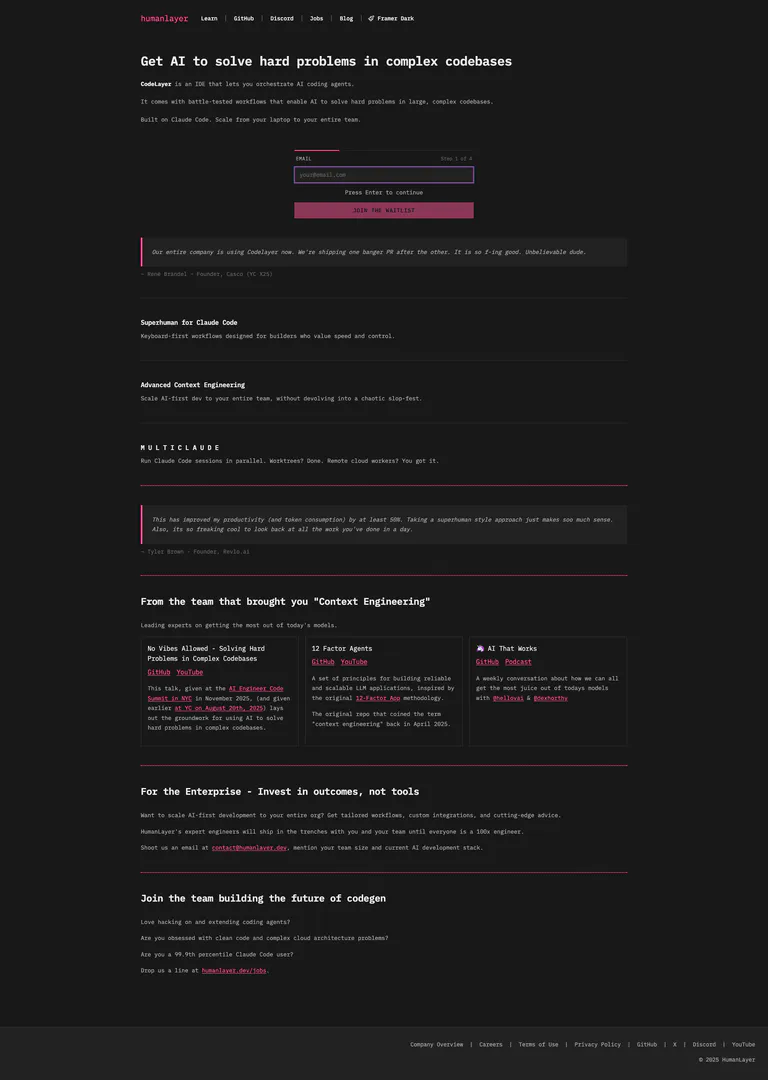
Humanlayer is an innovative IDE designed to help developers leverage AI to tackle complex problems in intricate codebases. It enables users to orchestrate AI coding agents[1] through a streamlined interface, allowing for efficient problem-solving in large-scale projects. Built on Claude Code[2], Humanlayer is optimized for speed and control, making it suitable for both individual developers and teams looking to enhance their coding productivity.
How to use Humanlayer?
- Sign up on the Humanlayer website and join the waitlist to gain access.
- Download and install the Humanlayer IDE on your machine.
- Open the IDE and create a new project or load an existing codebase.
- Utilize the integrated AI coding agents by selecting appropriate workflows to solve specific coding challenges.
- Monitor the progress and results within the IDE, adjusting workflows as needed for optimal outcomes.
What are the main features of Humanlayer?
- AI Coding Agents: Orchestrate multiple AI agents to enhance coding efficiency.
- Battle-Tested Workflows[5]: Utilize proven workflows tailored for solving complex coding problems.
- Advanced Context Engineering[3]: Implement sophisticated context management to streamline AI interactions.
- Multi-Cloud Management[4]: Run multiple Claude Code sessions in parallel, enhancing collaborative coding efforts.
- Enterprise Solutions: Tailored integrations and workflows for organizations to scale AI-first development.
Who is Humanlayer for?
Humanlayer is designed for software developers, teams, and organizations that work with complex codebases and seek to enhance their coding capabilities through AI. It is particularly beneficial for those who are looking to improve productivity, streamline workflows, and implement AI solutions in their development processes. Whether you're an individual developer or part of a larger team, Humanlayer provides the tools necessary to elevate your coding experience.
What are the use cases of Humanlayer?
- Code Refactoring[6]: Use AI agents to analyze and improve existing code structures for better performance and maintainability.
- Debugging Assistance: Leverage AI to identify and resolve bugs in large codebases efficiently.
- Feature Implementation: Accelerate the development of new features by utilizing AI-driven suggestions and implementations.
Humanlayer Pros and Cons
Pros
- AI-Driven Problem Solving: HumanLayer utilizes AI to tackle complex coding issues, enhancing productivity in large codebases.
- Scalable Workflows: The tool offers scalable workflows that can be adapted for individual developers or entire teams, ensuring efficiency.
- Parallel Session Management: Supports running multiple Claude Code sessions simultaneously, allowing for better resource management and productivity.
Cons
No cons data detected for this tool
Humanlayer Reviews
Our entire company is using Codelayer now. We're shipping one banger PR after the other. It is so f-ing good. Unbelievable dude.
This has improved my productivity (and token consumption) by at least 50%. Taking a superhuman style approach just makes soo much sense. Also, its so freaking cool to look back at all the work you've done in a day.
For more reviews, visit this link: https://humanlayer.dev/#reviews





