Zushapp





What is Zushapp?
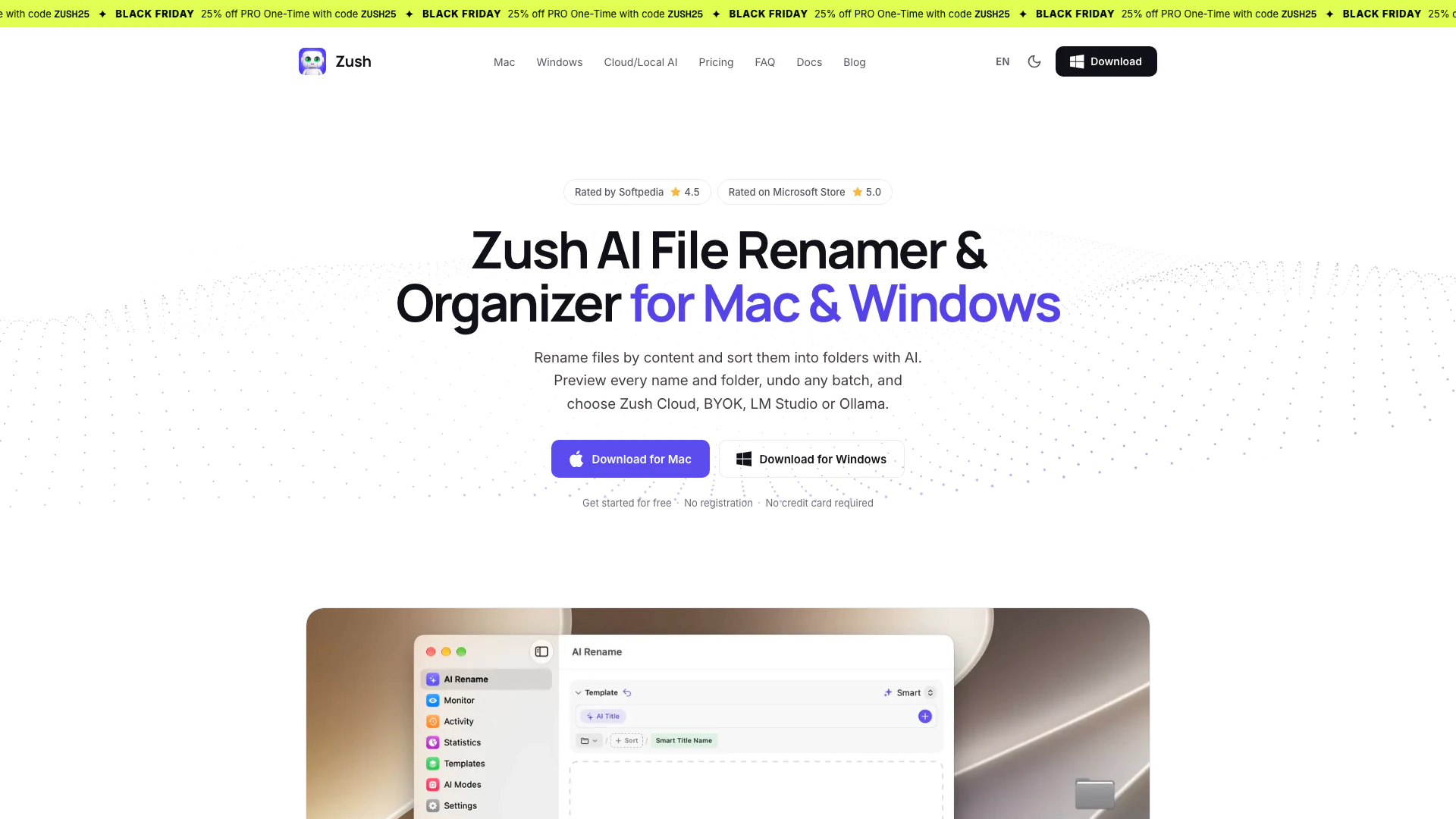
Zushapp, presented on its website as Zush, is an AI file renamer and organizer for Mac and Windows. It analyzes the content, metadata, dates, and user-defined rules associated with files, then suggests descriptive filenames that are easier to search and manage. The application supports 107 file formats, including PDFs, scans, photos, RAW images, videos, audio, Office documents, iWork files, ebooks, design files, and subtitles. Rather than applying one generic pattern to every file, Zushapp can extract relevant details such as vendors, invoice numbers, dates, subjects, scenes, clients, legal matters, or project information. Users can structure names with reusable Naming Blocks, custom AI prompts, and templates. The tool can also sort files into AI-generated folders according to plain-language instructions, while folder monitoring can process new files automatically. A key part of the Zushapp workflow is user control. The application previews suggested names and folder changes before they are applied, keeps a rename history, and supports one-click undo for renames and moves. Users can choose managed Zush Cloud AI, bring their own AI provider, or use supported local analysis through LM Studio or Ollama. Zushapp offers 50 free AI renames without registration or a credit card, making it suitable for testing AI-powered file organization before adopting it for regular workflows.
How do you use Zushapp?
- Download and install Zushapp for macOS or Windows. The service supports macOS Sequoia or later and Windows 10 or 11, with free access available without registration or a credit card.
- Add the files or folders you want to process. You can work with documents, PDFs, scans, photos, audio, video, ebooks, design files, and other supported formats. Zushapp can also monitor selected folders, including folders located in iCloud Drive, Google Drive, Dropbox, or OneDrive.
- Choose an AI and privacy method. Use Zush Cloud AI for managed analysis, connect your own provider with BYOK, or select supported on-device analysis through LM Studio or Ollama. Local AI is useful when files should remain on the computer.
- Define the naming structure. Select reusable Naming Blocks, add details such as dates or metadata, describe the information AI should extract, or create a custom prompt. You can save the configuration as a template for future batches.
- Ask Zushapp to analyze the files and generate suggested filenames. The application can interpret file content and metadata to create descriptive names across a mixed batch.
- Review the proposed filename changes and, if enabled, the suggested folder organization. Nothing is applied until you approve the preview.
- Apply the rename or folder move. Use Rename History to review activity and undo a batch when necessary. For ongoing automation, enable folder monitoring so new files can be processed using the selected workflow.
What are the main features of Zushapp?
- AI content-based renaming: Zushapp analyzes file content, metadata, and user instructions to create more descriptive filenames instead of relying only on generic numbering or fixed patterns.
- Broad format support: The workflow covers 107 formats, including PDFs, photos, RAW images, videos, audio, Office and iWork files, ebooks, subtitles, scans, and design files.
- Smart batch renaming: Process more than 100 files in one batch, review the results, and apply consistent naming rules across mixed folders.
- AI folder sorting: Organize files into folders using automatically generated groupings or plain-language rules, such as grouping invoices by company and receipts by month.
- Preview and undo: Review every proposed filename and folder move before applying changes. Rename History provides rollback options when a batch needs to be reversed.
- Naming Blocks and templates: Build filenames with more than 145 blocks covering dates, metadata, finance, legal, travel, audio, photos, clients, and AI-detected information. Save templates for repeated workflows.
- Custom AI controls: Use custom prompts and AI blocks to specify what information should be extracted and how the final filename should be structured.
- Folder monitoring: Watch one or more folders and process newly added files automatically in the background.
- Duplicate detection: Identify exact copies within a batch and keep, label, or move them to the Trash or Recycle Bin. Duplicate files are not sent to AI, and undo can restore trashed copies.
- Flexible AI deployment: Choose Zush Cloud AI, BYOK, LM Studio, or Ollama, depending on the preferred setup and privacy requirements.
- Smart metadata: Add Finder tags and Spotlight metadata to improve file discovery through natural search queries.
- Free trial access: Try 50 AI renames across supported modes without signing up or entering payment details.
Who is Zushapp for?
Zushapp is designed for people and teams who manage large numbers of files and need consistent, searchable naming without manually opening and labeling every item. It can be useful for accountants and bookkeepers organizing invoices, receipts, and statements; medical practices handling scanned records; law firms managing contracts, filings, and correspondence; and HR teams sorting candidate, onboarding, policy, and review documents.
The tool also targets photographers and videographers who need to identify RAW images, clips, exports, subjects, scenes, projects, and takes. Real estate teams can use it for property photos, inspections, disclosures, appraisals, and agreements. More broadly, it may suit freelancers, creative professionals, researchers, administrators, small businesses, and home users cleaning up Downloads, screenshots, cloud folders, or mixed archives.
Zushapp is particularly relevant to users who want AI file organization but still need to approve changes before they happen. Its preview, rename history, and undo features provide a review-based workflow rather than fully automatic, irreversible renaming. Users who prefer local processing can choose supported LM Studio or Ollama workflows, while those who want a managed setup can use Zush Cloud AI. The application is also a practical fit for people with recurring naming conventions, since templates, Naming Blocks, custom prompts, and folder monitoring can reduce repetitive file-management work on both Mac and Windows.
What are the use cases of Zushapp?
- Invoice and receipt management: Extract vendor names, dates, invoice numbers, and amounts from financial documents, then create consistent filenames for reconciliation and record keeping.
- PDF and scan organization: Rename contracts, statements, filings, and scanned documents according to the text and metadata inside each file.
- Photo and video archiving: Identify subjects, scenes, projects, dates, or takes in RAW photos, JPG files, clips, and exports to make creative archives easier to search.
- Audio library cleanup: Use content and metadata to organize MP3 files, WAV recordings, voice memos, and other audio assets.
- Download-folder cleanup: Analyze a mixed folder and generate descriptive names, then use AI folder sorting to group files according to custom rules.
- Legal and compliance workflows: Structure case documents, correspondence, agreements, and filings by matter, party, document type, or date.
- HR and employee-file organization: Apply consistent names to candidate, onboarding, review, policy, and personnel documents using fields such as employee, role, period, and status.
- Design and project asset management: Rename Figma files, Sketch files, PSDs, and exports based on their content or project context.
- Automated folder monitoring: Monitor local or supported cloud-synced folders and process new files automatically with a saved template.
- Duplicate cleanup: Detect exact copies during a batch and keep them, mark them in filenames, or move them to the Trash or Recycle Bin, with undo available.
- Repeatable business workflows: Save templates and custom AI blocks for recurring naming tasks, allowing teams to apply the same file organization system across future batches.
Zushapp Pros and Cons
Pros
- Reads 107 file formats: Zush can inspect the contents of 107 file formats to generate descriptive filenames, supporting mixed folders that contain different kinds of files.
- Configurable naming rules: Users can set naming rules that the AI follows, allowing generated filenames to match their preferred conventions rather than relying on a single fixed pattern.
- AI folder sorting: Zush can sort files into folders according to user-defined rules written in plain language, combining content-based renaming with organization.
- Preview and batch undo: Every batch can be previewed before changes are applied, and Rename History provides a way to undo batches, helping users review and reverse file operations.
- Flexible AI processing options: The tool supports Zush-managed cloud processing, bring-your-own-key (BYOK), Ollama, and LM Studio, offering several ways to configure AI processing.
- 50 free renames: Users can try the tool with 50 free renames before choosing a paid option. The PRO plan is listed at $10 per month or $48 as a one-time purchase.
Cons
- Requires desktop installation: Zush is a desktop app and must be installed on the computer that stores the files, so it is not presented as a browser-based tool for remote file access.
Zushapp Pricing
PRO Monthly
Flexible monthly plan with unlimited AI renames and sorting across every AI mode, for up to 3 devices per license. VAT may apply.
PRO One-Time
Lifetime access with unlimited AI renames and sorting across every AI mode, for up to 3 devices per license. The listed offer is $36 one-time (shown alongside a struck-through $48 price); VAT may apply. Includes a 14-day money-back guarantee.
For the latest pricing, please visit this link: https://zushapp.com/
Prices are subject to change. Please visit the official website for the most up-to-date pricing information.