Tern




What is Tern?
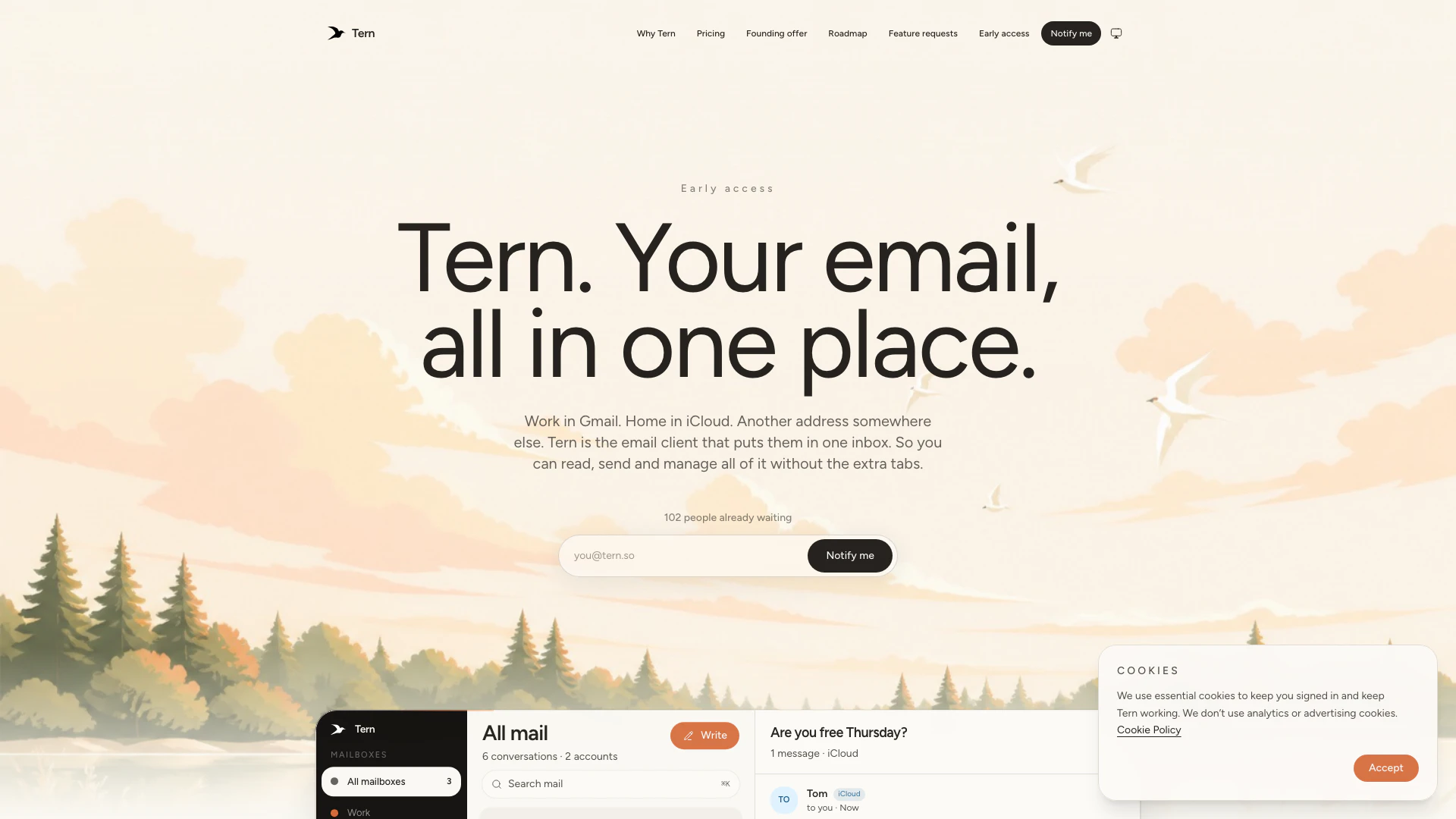
Tern is an innovative email management tool designed to consolidate various email accounts such as Gmail, Outlook, iCloud, Zoho, and custom domains into a single, efficient inbox. With Tern, users can enjoy a familiar email experience without the clutter of multiple tabs. It provides a fast and intuitive interface, allowing users to access their emails seamlessly while maintaining the functionalities they are accustomed to. Tern focuses on user privacy, ensuring that email data is securely stored and not sold, making it a reliable choice for individuals and professionals alike.
How to use Tern?
- Visit the Tern website and click on the sign-up or login button.
- Add your email accounts by selecting from Gmail, Outlook, iCloud, Zoho, or a custom domain. Tern will automatically fill in the settings for you when possible.
- Once your accounts are connected, use the intuitive interface to switch between inboxes seamlessly, using keyboard shortcuts or the account labels to manage your emails efficiently.
What are the main features of Tern?
- Unified inbox for multiple email accounts including Gmail, Outlook, iCloud, and custom domains.
- Familiar email interface that retains traditional email functionalities such as inbox, sent, drafts, and archive.
- Instant account switching with clearly labeled messages to avoid confusion.
- Fast performance with no waiting time for loading emails and switching accounts.
- Privacy-focused with encrypted email storage and no data selling practices.
- Synchronization across devices (web, iPhone, Android) for a seamless experience.
Who is Tern for?
Tern is ideal for anyone who juggles multiple email accounts, including professionals, freelancers, and individuals who want to keep their work and personal emails organized in one place. It caters to users who appreciate a traditional email interface without unnecessary changes, making it suitable for those who may be overwhelmed by new email applications. Additionally, Tern is designed for privacy-conscious users who want a secure email solution without intrusive AI features unless opted in.
What are the use cases of Tern?
- Managing multiple email accounts from different providers in a single, organized inbox.
- Professionals who need to switch between work and personal emails without the hassle of multiple tabs.
- Users who prioritize privacy and want a secure way to access their email history without AI interference unless desired.
Tern Pros and Cons
Pros
- Unified Inbox for All Accounts: Tern consolidates multiple email accounts into a single inbox, allowing users to manage Gmail, Outlook, iCloud, Zoho, and custom accounts seamlessly.
- Familiar Email Experience: Tern retains the traditional email workflow, ensuring users do not have to relearn how to use email, as it maintains familiar features like inbox, sent, drafts, and archive.
- Affordable Entry Plan: The free plan allows users to start with three email accounts, providing essential features without unnecessary costs, while advanced features are available in the paid plan.
Cons
- Limited Free Account Features: The free version limits users to three email accounts, which may not be sufficient for those with multiple email addresses.
- Paid Features Restriction: Certain features like snooze, send later, and undo send are only available in the paid plan, which may restrict functionality for free users.
- Pending AI Features: Users must wait for the upcoming AI features, such as summaries and follow-ups, which are not yet available.
Tern Pricing
Free
Can: 3 accounts, One inbox for all of them, Search, Web and mobile. Can’t: Unlimited accounts, Alias grouping, Snooze, send later, and undo send, Smarter tools.
Pro
Can: Unlimited accounts, Everything in Free, Alias grouping, Snooze, send later, and undo send, Search in plain English. Coming: AI summaries, Follow-ups.
For the latest pricing, please visit this link: https://tern.so/pricing
Prices are subject to change. Please visit the official website for the most up-to-date pricing information.