Stepcapture





What is StepCapture?
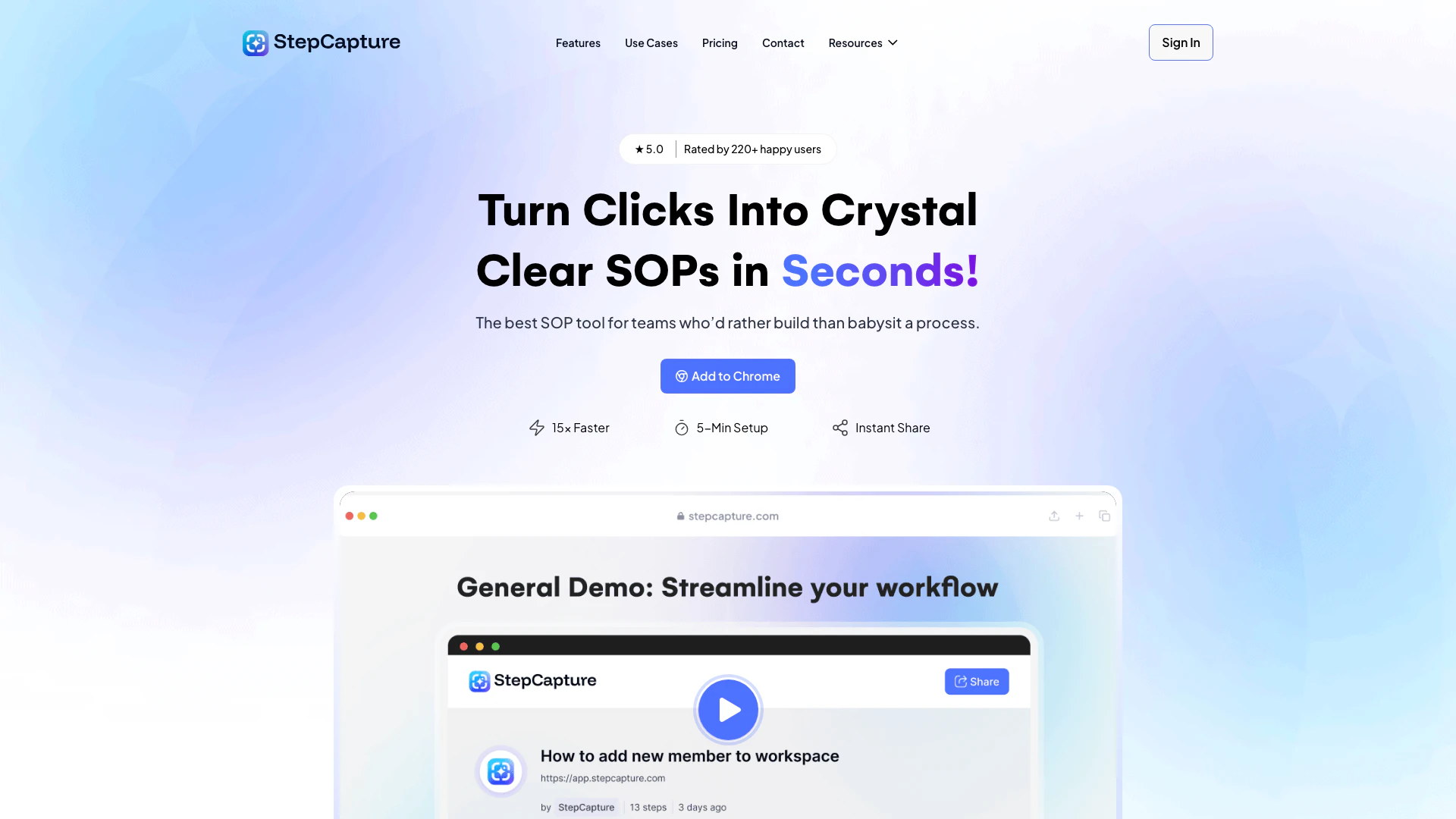
StepCapture is an innovative tool designed to transform clicks into instant, editable step-by-step guides[1]. It enables users to document processes 15 times faster using smart screenshots[2] and automatic blurring for privacy. With StepCapture, users can create professional Standard Operating Procedures (SOPs) effortlessly, allowing for secure sharing[4] and collaboration. This tool is ideal for teams looking to streamline their documentation processes without the need for extensive technical skills.
How to use StepCapture?
- Install the Extension: Download and install the StepCapture extension from the Chrome Web Store.
- Start Recording: Open the extension and click ‘Start Recording’ to begin capturing your workflow.
- Capture Actions: As you click through your process, StepCapture automatically takes screenshots and logs your actions.
- Edit Your Guide: Once you finish, you can edit the captured steps, add descriptions, and adjust screenshots as needed.
- Share Your SOP: Generate a shareable link for your guide, allowing others to view or collaborate on the documentation.
What are the main features of StepCapture?
- Smart Screenshots: Automatically captures screenshots during your workflow.
- Auto-Blur[3] for Privacy: Ensures sensitive information is obscured in shared documents.
- Instant Sharing: Generate shareable links for your SOPs without attachments.
- Action Logging[5]: Automatically logs clicks and keystrokes for comprehensive documentation.
- Customizable Templates: Create branded SOPs that fit your organization's needs.
Who is StepCapture for?
StepCapture is tailored for teams and individuals across various industries, including manufacturing, logistics, education, and design. It is particularly beneficial for those who need to document workflows, train staff, or share instructions efficiently. Whether you are a project manager, educator, or business owner, StepCapture streamlines the process of creating and sharing SOPs, making it an essential tool for enhancing productivity and clarity.
What are the use cases of StepCapture?
- Onboarding New Employees: Create clear training guides for new hires, simplifying the onboarding process.
- Documentation of Workflows: Capture and document standard operating procedures for various tasks within an organization.
- Client Instructions: Develop easy-to-follow guides for clients on using products or services effectively.
Product Images

Stepcapture Pros and Cons
Pros
- 15× Faster Documentation: StepCapture allows users to create documentation 15 times faster by automatically capturing clicks and generating step-by-step guides.
- User-Friendly Setup: With a setup time of just 5 minutes, users can start capturing their workflows without any technical headaches.
- Instant Sharing: Users can share their generated guides instantly via a single link, eliminating the need for attachments or lengthy email threads.
- Smart Action Labeling: Automatically labels clicks and keystrokes, enhancing the clarity and usability of the documentation.
Cons
No cons data detected for this tool
Stepcapture Pricing
Basic Plan
For individuals. Free forever. Includes 25 captures, shareable link, AI, 3 Knowledge Base, and invite Team-mate to Workspace.
Pro Plan
For teams. Includes everything in Basic + Unlimited captures, advanced screenshot customization, remove StepCapture Branding, 10 Knowledge Base, and Basic Export.
Ultimate Plan
For agencies. Includes everything in Pro + Share with password protection, customize with company branding, connect your own domain, 20 Knowledge Base, and advanced Export.
For the latest pricing, please visit this link: https://stepcapture.com/pricing/
Prices are subject to change. Please visit the official website for the most up-to-date pricing information.
Stepcapture Reviews
Scaling our business was impossible without a way to track and optimize our workflows. StepCapture gave us the tools to document every step, from inventory management to shipping. It’s transformed how we operate, saving us time and improving order accuracy.
Managing complex event workflows used to be a nightmare. StepCapture has allowed us to document, share, and refine processes seamlessly across departments. We’ve improved efficiency and cut down on mistakes, which means happier clients and smoother events every time.
In a complex industry like ours, StepCapture has been a game-changer. Documenting workflows for product manufacturing and logistics has reduced errors and improved communication across time zones. It’s helped us stay competitive and efficient.
For more reviews, visit this link: https://stepcapture.com/#reviews