Paytrackr





What is Paytrackr?
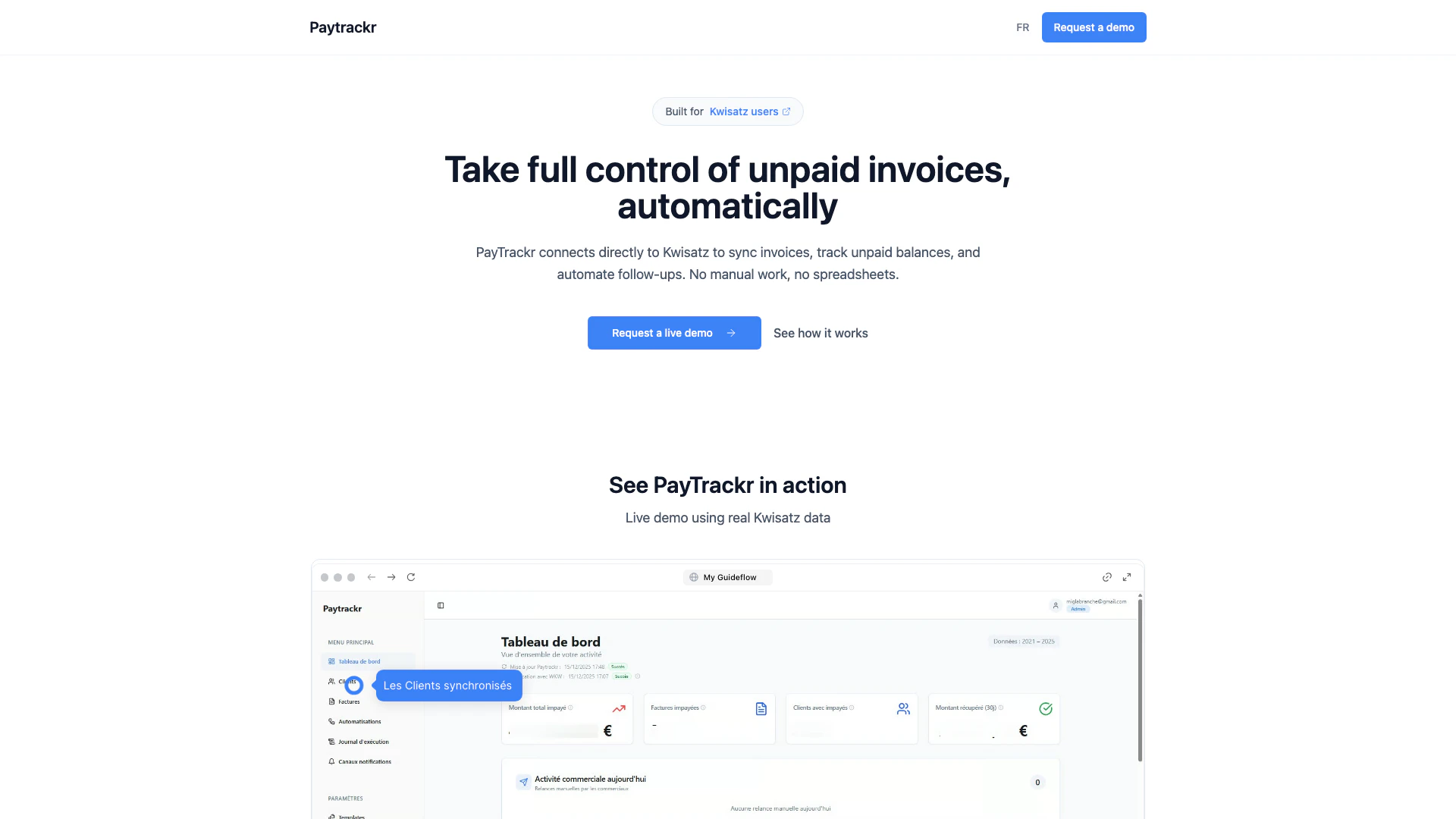
Paytrackr is an innovative tool designed to automate the tracking and follow-up of unpaid invoices. Seamlessly integrated with Kwisatz, Paytrackr eliminates the need for manual work and spreadsheets, allowing users to effortlessly manage their receivables. By syncing directly with the Kwisatz database, it provides real-time visibility[2] into unpaid balances, ensuring that no invoice goes unnoticed. This tool is perfect for businesses looking to streamline their invoicing process and improve cash flow management[3].
How to use Paytrackr?
- Connect Paytrackr to your Kwisatz account to sync invoices and payment data.
- Set up automated follow-up[1] reminders for unpaid invoices, customizing the timing and frequency as needed.
- Monitor your dashboard for real-time updates on unpaid invoices and payment statuses, allowing you to take action promptly.
What are the main features of Paytrackr?
- Direct integration with Kwisatz for real-time data synchronization[5].
- Automated tracking of unpaid invoices without manual intervention.
- Customizable follow-up reminders to ensure timely communication[4] with clients.
- Clear visibility into receivables and cash flow status.
- Elimination of manual data entry and reliance on spreadsheets.
Who is Paytrackr for?
Paytrackr is designed for businesses and teams that utilize Kwisatz for their invoicing needs. It is particularly beneficial for financial teams, accountants, and small to medium-sized enterprises that require reliable receivables data and efficient invoice management. By automating the tracking and follow-up processes, Paytrackr helps these users reduce the stress associated with managing unpaid invoices.
What are the use cases of Paytrackr?
- A small business uses Paytrackr to automatically track overdue invoices and send follow-up emails, improving cash flow.
- An accounting team utilizes Paytrackr to gain real-time insights into outstanding balances, reducing time spent on manual tracking.
- A freelancer integrates Paytrackr with their Kwisatz account to ensure timely reminders for clients, leading to faster payments.
Paytrackr Pros and Cons
Pros
- Automated Invoice Tracking: Paytrackr automates the tracking of unpaid invoices, reducing manual work and ensuring timely follow-ups.
- Direct Integration with Kwisatz: The tool connects directly to Kwisatz, allowing for real-time synchronization of invoices, clients, and payments.
- Improved Cash Flow Visibility: Provides clear visibility on receivables, helping businesses manage cash flow more effectively.
Cons
No cons data detected for this tool