Getbilly




What is Getbilly?
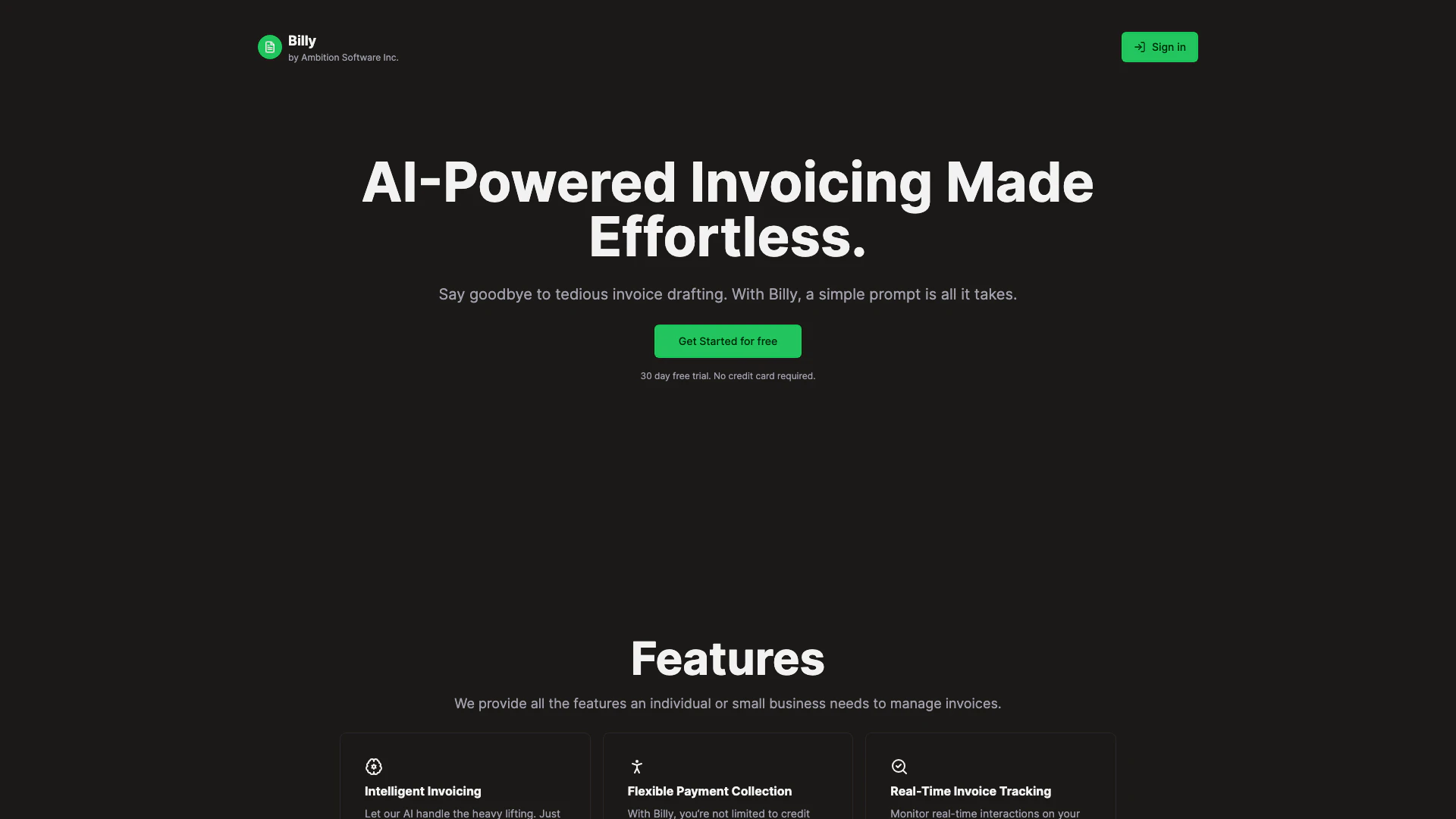
Getbilly is an AI-powered invoicing tool designed to simplify the invoicing process for individuals and small businesses. With Getbilly, users can generate invoices quickly and effortlessly by providing a simple prompt. The tool handles various aspects of invoicing, including payment collection, real-time tracking, and automated delivery, making it an essential solution for managing invoices efficiently.
How to use Getbilly?
- Sign up for a free trial on the Getbilly website to create your account.
- Enter the necessary details for your invoice, including the services provided and client information.
- Review the generated invoice crafted by the AI and make any necessary adjustments.
- Choose your preferred payment method and send the invoice directly to your client with a single click.
What are the main features of Getbilly?
- Intelligent Invoicing: AI-driven invoice creation based on user input.
- Flexible Payment Collection: Accept various payment methods beyond just credit cards.
- Real-Time Invoice Tracking: Monitor customer interactions with invoices.
- Integrated Card Payments: Accept payments via Stripe, Apple Pay, and Google Pay.
- Automated Invoice Delivery: Automatically generates emails and PDFs for sending invoices.
- Total Privacy & Flexibility: Commitment-free service with data privacy assured.
Who is Getbilly for?
Getbilly is tailored for individuals and small businesses looking for an efficient invoicing solution. Freelancers, consultants, and small service providers will find it particularly beneficial as it eliminates the tedious process of manual invoice drafting. Additionally, businesses that require flexible payment options and real-time tracking of invoices will greatly appreciate the functionalities offered by Getbilly.
What are the use cases of Getbilly?
- Freelancers can quickly create and send invoices to clients for services rendered without the hassle of manual entry.
- Small businesses can manage their invoicing needs seamlessly, integrating payment options that suit their customer base.
- Consultants can track invoice engagement in real-time, allowing them to follow up effectively with clients.
Getbilly Pros and Cons
Pros
- AI-Powered Invoicing: Billy utilizes AI to simplify invoice creation, allowing users to generate invoices with just a simple prompt.
- Flexible Payment Options: Users can choose from various payment methods beyond credit cards, ensuring convenience in payment collection.
- Real-Time Tracking: Billy provides real-time tracking of invoice interactions, helping users know when their invoices are viewed or engaged with.
- Automated Delivery: The tool automates the creation and sending of invoices, including emails and PDFs, making the process effortless.
Cons
No cons data detected for this tool
Getbilly Pricing
Standard Plan
Unlock a suite of incredible features for just $9 CAD/month with Billy. Unlimited Invoices, PDFs, and Emails.
For the latest pricing, please visit this link: https://getbilly.co/policy/terms-and-conditions.html
Prices are subject to change. Please visit the official website for the most up-to-date pricing information.
Analytics of Getbilly
Getbilly Website Traffic Analysis
Visits Over Time
Top Keywords
| Keyword | Volume | CPC | Estimated Value |
|---|---|---|---|
| billyify | 250 | $0.00 | $0.00 |