Declair





What is Declair?
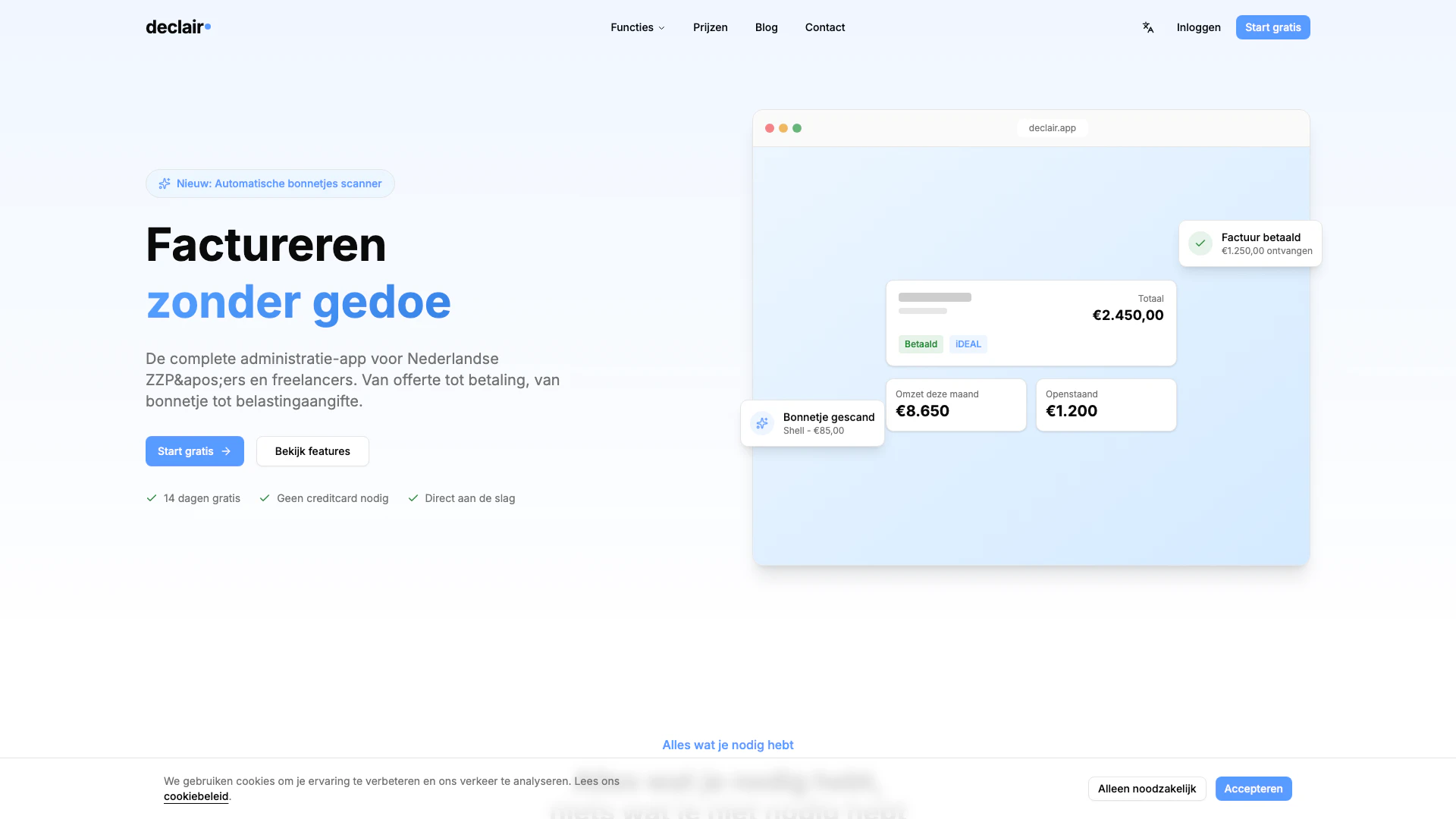
Declair is a comprehensive invoicing app designed specifically for Dutch self-employed individuals (ZZP'ers) and freelancers. It streamlines the invoicing process, allowing users to create invoices in seconds, receive payments faster through iDEAL, and effortlessly manage their administration. This tool aims to simplify the billing experience, making it easier for freelancers and self-employed professionals to focus on their work rather than administrative tasks.
How to use Declair?
- Sign up for a free account on the Declair website.
- Log in to your account and navigate to the invoicing section.
- Create a new invoice by filling in the required details such as client information, services provided, and amounts.
- Review the invoice and send it directly to your client via email or download it as a PDF.
- Monitor payment status and receive payments through iDEAL for faster transactions.
What are the main features of Declair?
- Quick invoice creation: Generate invoices in seconds with an easy-to-use interface.
- iDEAL payment integration: Facilitate faster payments by allowing clients to pay directly through iDEAL.
- Administration management: Keep track of all invoices and payments in one place.
- Customizable templates: Use various templates to match your branding and style.
- Client management: Store and manage client information for easy access and communication.
Who is Declair for?
Declair is primarily aimed at Dutch self-employed individuals (ZZP'ers) and freelancers who require a straightforward and efficient invoicing solution. It is ideal for those who want to minimize the time spent on administrative tasks and focus more on their core business activities. Whether you are a consultant, designer, or service provider, Declair caters to your invoicing needs.
What are the use cases of Declair?
- Freelancers can quickly generate invoices for clients after project completion, ensuring timely payments.
- Self-employed professionals can manage their invoicing and payment tracking without the need for complex accounting software.
- Businesses can utilize Declair to send recurring invoices to regular clients, simplifying their billing processes.
Declair Pros and Cons
Pros
- Quick Invoice Creation: Create invoices in seconds, streamlining the billing process for freelancers and ZZP'ers.
- Fast Payment Processing: Receive payments faster with iDEAL integration, enhancing cash flow for users.
- Effortless Administration: Easily manage and track your administration without hassle, making it user-friendly for non-accountants.
Cons
No cons data detected for this tool
Declair Pricing
Free
To discover Declair
Starter
For starters and small entrepreneurs
Professional
For growing entrepreneurs
Business
For professionals and teams
For the latest pricing, please visit this link: https://www.declair.app/prijzen
Prices are subject to change. Please visit the official website for the most up-to-date pricing information.