Gridtimetracker





What is Gridtimetracker?
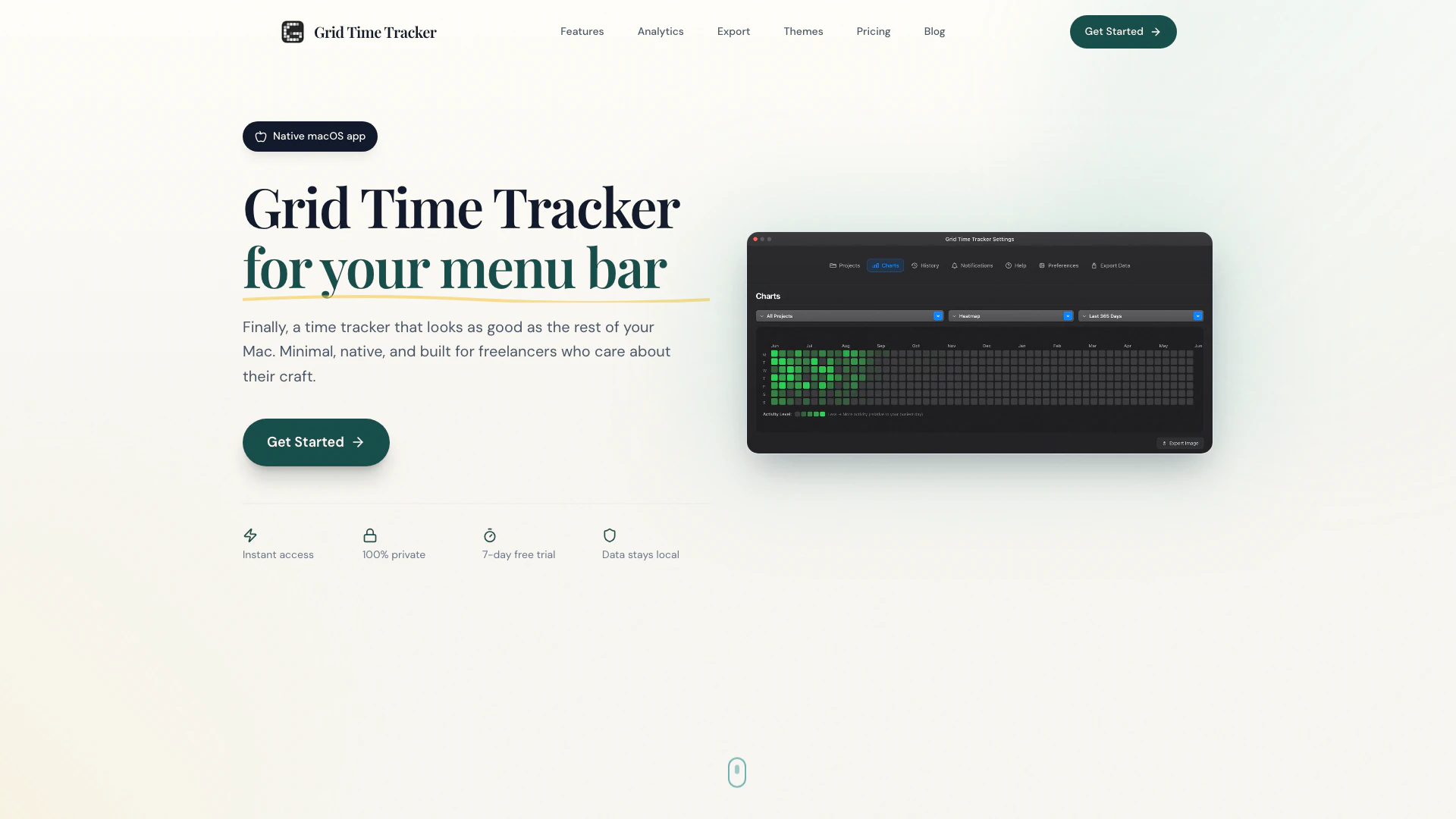
Gridtimetracker is a native macOS menu bar application designed specifically for freelancers and indie makers to effortlessly track their billable hours. By residing in the menu bar, it allows users to start tracking their time instantly from any application, without interrupting their workflow. With a focus on simplicity and efficiency, Gridtimetracker provides users with beautiful visual analytics, including heatmaps and pie charts, to help them understand their productivity patterns.
How to use Gridtimetracker?
- Download Gridtimetracker from the Mac App Store and install it on your macOS device.
- Open the application, which will appear in your menu bar.
- Click on the Gridtimetracker icon to start tracking your billable hours instantly.
- Use the manual time entry feature to add any forgotten sessions with custom times.
- Organize your work by creating projects and activities, and move activities between projects as needed.
- Visualize your work patterns using the built-in analytics features, such as heatmaps and charts.
- Export your tracked time in your preferred format (CSV, JSON, or TXT) for reporting purposes.
What are the main features of Gridtimetracker?
- Menu bar integration for quick access to time tracking.
- GitHub-style heatmaps for visualizing work patterns.
- Full session history for browsing, searching, and filtering tracked sessions.
- Manual time entry for adding forgotten sessions.
- Session rounding options to round tracked time for billing.
- Two-tier organization for projects and activities with unlimited entries.
- Flexible filters for visualizing any project or activity over chosen time periods.
- Local data storage with no account required, ensuring privacy.
Who is Gridtimetracker for?
Gridtimetracker is ideal for freelancers, agencies, and professionals who need a reliable and efficient way to track their billable hours. It is particularly suited for individuals who prefer a straightforward, no-nonsense approach to time tracking without the complexities of managing a SaaS tool. Whether you are working on multiple projects or need to keep track of various activities, Gridtimetracker provides the tools necessary for effective time management.
What are the use cases of Gridtimetracker?
- Freelancers can use Gridtimetracker to accurately bill clients based on the time spent on projects.
- Agencies can track the productivity of their team members and analyze work patterns for better project management.
- Professionals can monitor their work sessions and improve their productivity by identifying peak work hours and optimizing their schedules.
Gridtimetracker Pros and Cons
Pros
- Native Menu Bar Integration: Grid Time Tracker is a native macOS menu bar app, allowing users to track time effortlessly from any application without interrupting their workflow.
- Visual Analytics: The tool provides GitHub-style heatmaps and pie charts to visualize work patterns, making it easy to analyze productivity.
- Offline Functionality: Grid Time Tracker works completely offline, enabling users to track their time anywhere, even without internet access.
Cons
No cons data detected for this tool
Gridtimetracker Pricing
Monthly
Flexible month-to-month billing.
Annual
Best value for regular users. About $2.50/month.
Lifetime
Pay once, use forever. All future updates included.
For the latest pricing, please visit this link: https://gridtimetracker.com/#pricing
Prices are subject to change. Please visit the official website for the most up-to-date pricing information.