

Ezeditor
What is Ezeditor?
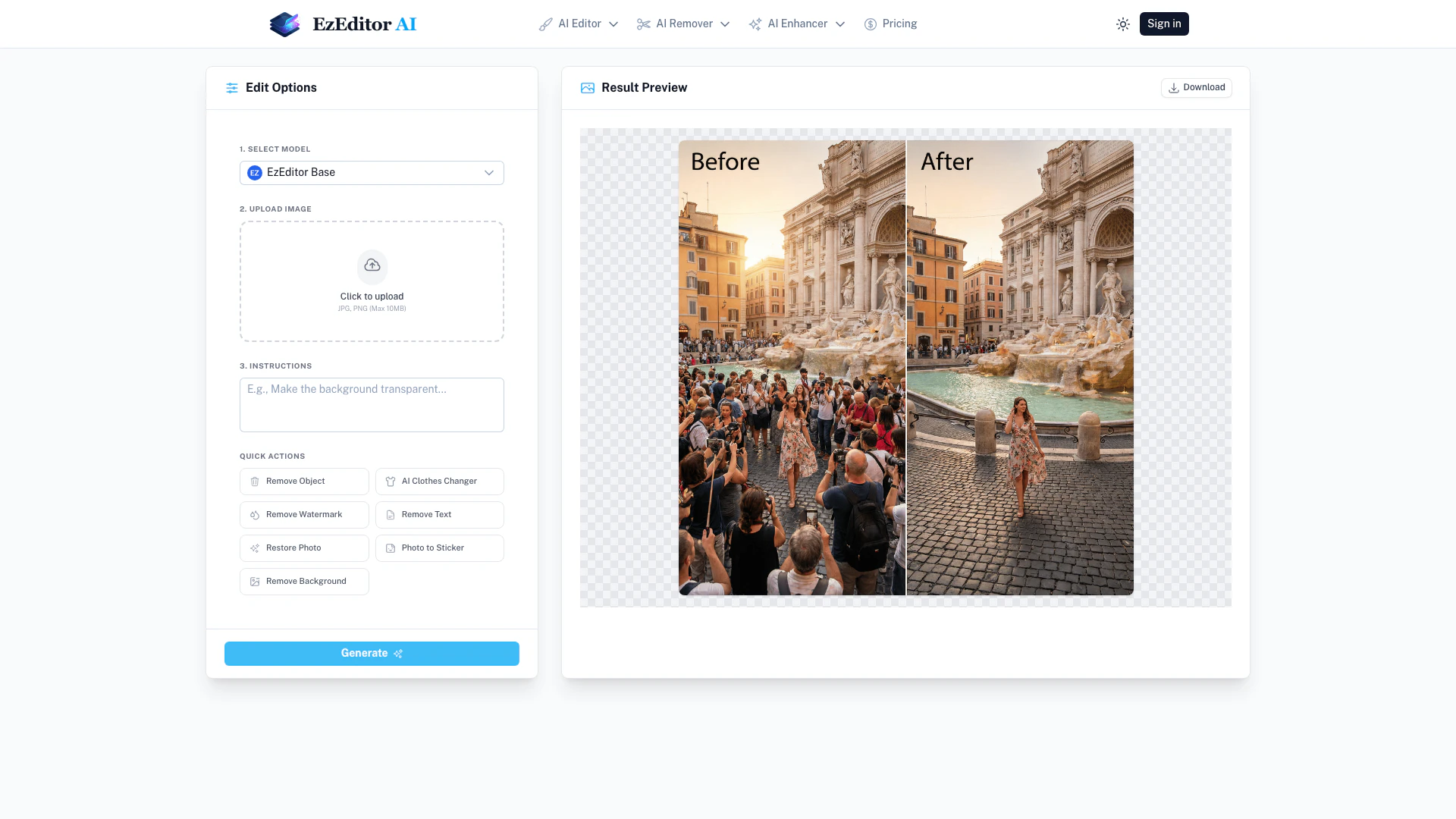
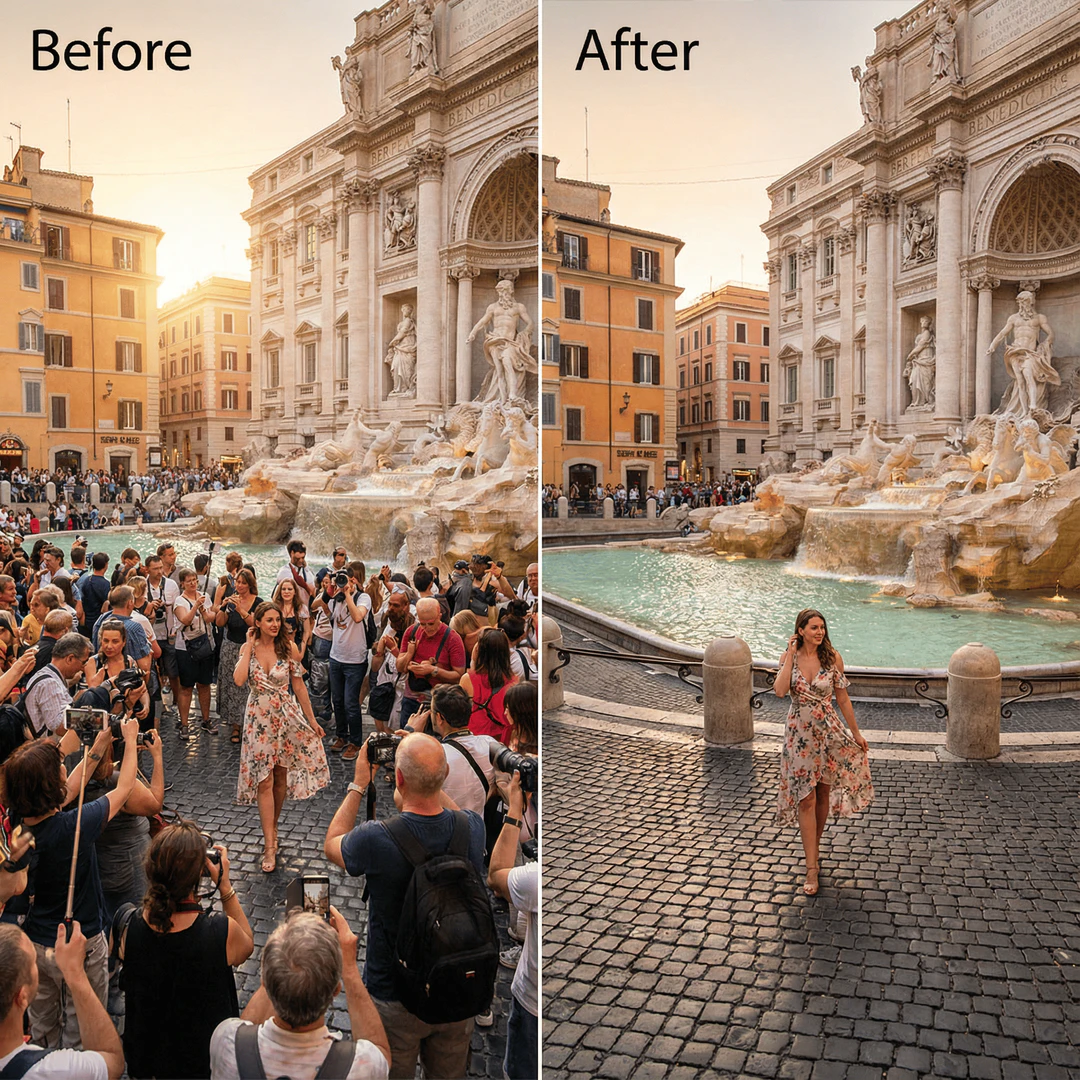
Ezeditor is a cutting-edge AI-powered photo editing tool that allows users to edit images instantly using simple text prompts. This innovative platform, known as the Magic Editor, enables users to add objects, change clothing, or expand images without the need for manual masking or complex editing skills. With its user-friendly interface and smart generative fill technology, Ezeditor transforms the way users interact with their images, making photo editing accessible to everyone. The tool offers a seamless experience by understanding the context of the images, allowing for quick and high-quality edits with minimal effort.
How to use Ezeditor?
Using Ezeditor is straightforward and can be accomplished in three simple steps: 1. Upload Image: Start by uploading the image you want to edit. Supported formats include JPG and PNG, with a maximum size of 10MB. 2. Describe Changes: Clearly describe the changes you want to make using text prompts, such as 'change hair to blonde' or 'add a cat on the sofa'. 3. Generate and Download: Use your credits to generate variations of your edited image. Preview the results and download your favorite version.
What are the main features of Ezeditor?
Ezeditor boasts several powerful features that enhance the photo editing experience: - Smart Generative Fill: Edit photos by simply typing what you want to add or change, eliminating the need for manual selection. - Magic Replace: Instantly swap elements in your images by describing the desired change, such as changing clothing or altering backgrounds. - Create Viral Trends: Utilize creative prompts to generate trending styles or expand images seamlessly to fit different aspect ratios. - Credit-Based System: Enjoy daily free credits for editing, with additional bonuses for logging in, making it easy to start creating without upfront costs. - Browser-Based Access: Edit photos from any device without the need for heavy software installations.
Who is Ezeditor for?
Ezeditor is designed for a wide range of users, including casual photographers, social media enthusiasts, and content creators looking for an efficient way to enhance their images. Its intuitive interface and prompt-based editing make it accessible for individuals without extensive photo editing experience. Whether you want to create engaging content for your social media platforms, enhance personal photos, or experiment with creative editing styles, Ezeditor caters to anyone seeking to elevate their visual storytelling.
What are the use cases of Ezeditor?
Ezeditor can be utilized in various scenarios, including: 1. Social Media Content Creation: Quickly edit photos for Instagram or Facebook posts, enhancing visual appeal with minimal effort. 2. Personal Photo Enhancement: Transform family photos by adding elements or changing backgrounds, making them more memorable. 3. Marketing and Advertising: Create eye-catching visuals for promotional materials by effortlessly swapping elements and styles to match branding.
Product Images


Ezeditor Pros and Cons
Pros
- Prompt-Based Editing: EzEditor allows users to edit photos using simple text prompts, eliminating the need for manual selection or masking.
- Generative Fill Feature: The tool can add or replace objects in images seamlessly by understanding context, making it easy to visualize changes.
- Free Daily Credits: Users receive free daily credits to start editing, along with a 30-credit welcome bonus, making it accessible for everyone.
Cons
No cons data detected for this tool
Ezeditor Pricing
Basic
Perfect for beginners. Includes 600 Credits, priority processing, 600 photo face swaps, and 600 seconds of video/GIF face swaps.
Creator
Best value for creators. Includes 1,250 Credits, priority processing, 1,250 photo face swaps, and 1,250 seconds of video/GIF face swaps.
Pro
For professional creators. Includes 3,200 Credits, priority processing, 3,200 photo face swaps, and 3,200 seconds of video/GIF face swaps.
Premium
Most popular choice. Includes 15,000 Credits, priority processing, 15,000 photo face swaps, and 15,000 seconds of video/GIF face swaps.
For the latest pricing, please visit this link: https://ezeditor.io/pricing/
Prices are subject to change. Please visit the official website for the most up-to-date pricing information.
Analytics of Ezeditor
Ezeditor Website Traffic Analysis
Visits Over Time
Traffic Sources
Jan 2026 - Jan 2026 Worldwide Desktop Only
- Search: 43.39%
- Referrals: 29.65%
- Direct: 23.16%
- Social: 2.27%
- Paid Referrals: 0.97%
- Mail: 0.13%
Top Keywords
| Keyword | Volume | CPC | Estimated Value |
|---|---|---|---|
| ai picture editor no restrictions | 0 | $0.00 | $150.00 |
| edit picture ai witchout restriction | 0 | $0.00 | $100.00 |
| ai image editor unlimited | 0 | $0.00 | $90.00 |
| ezeditor ai | 270 | $0.00 | $80.00 |
| ez remove free credit | 60 | $0.00 | $60.00 |





Ezeditor Social Listening
Evoto AI - 5 Features That Ble...
Sign up to Evoto AI and get 5 ...
This AI Image Editor is Absolu...
In this video, we dive into Dz...
EVOTO AI Tutorial – Edit Photo...
🔥EVOTO AI - https://evoto.ai/...
Unlock to view 26 social media results.