Embra





What is Embra?
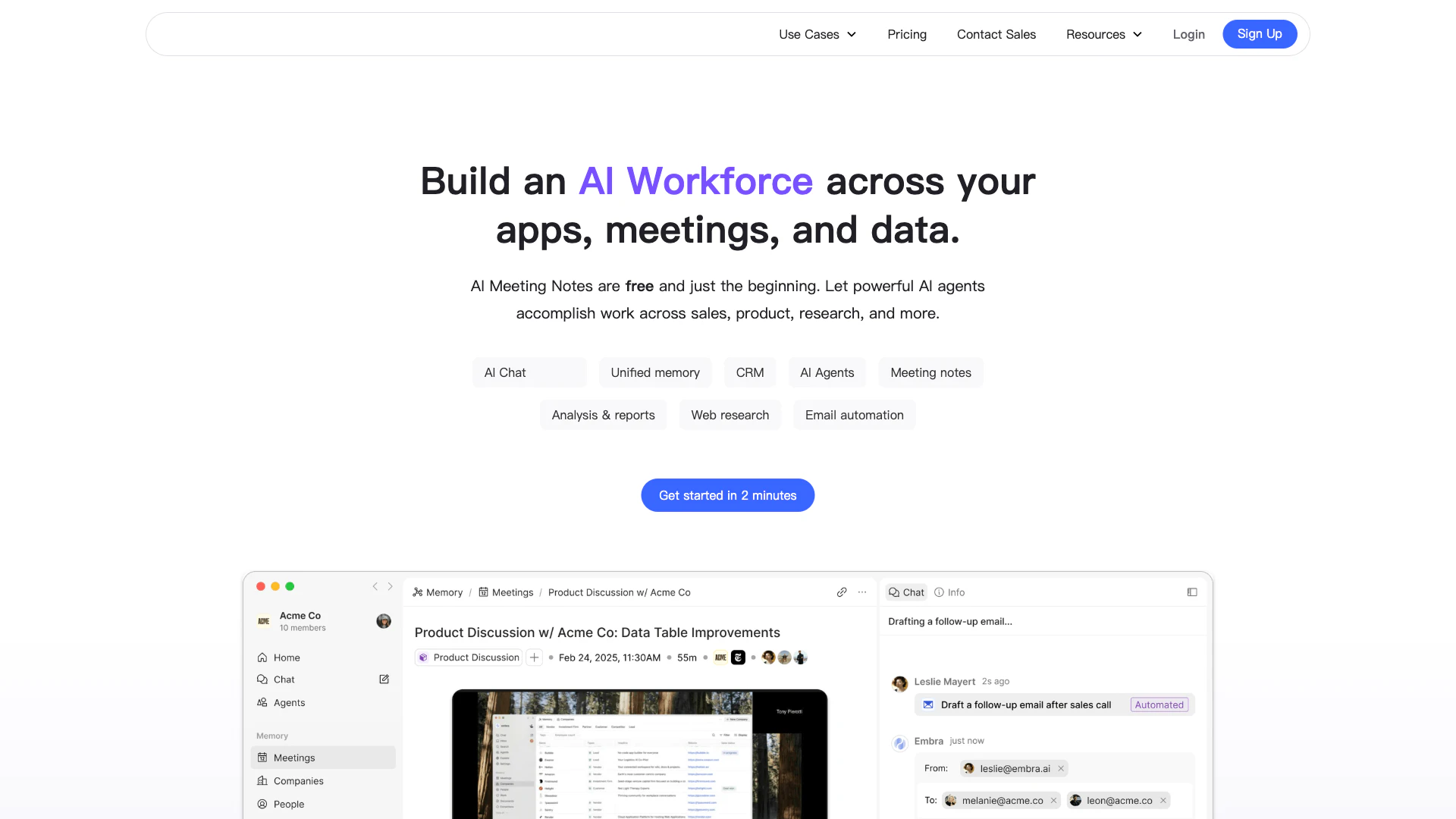
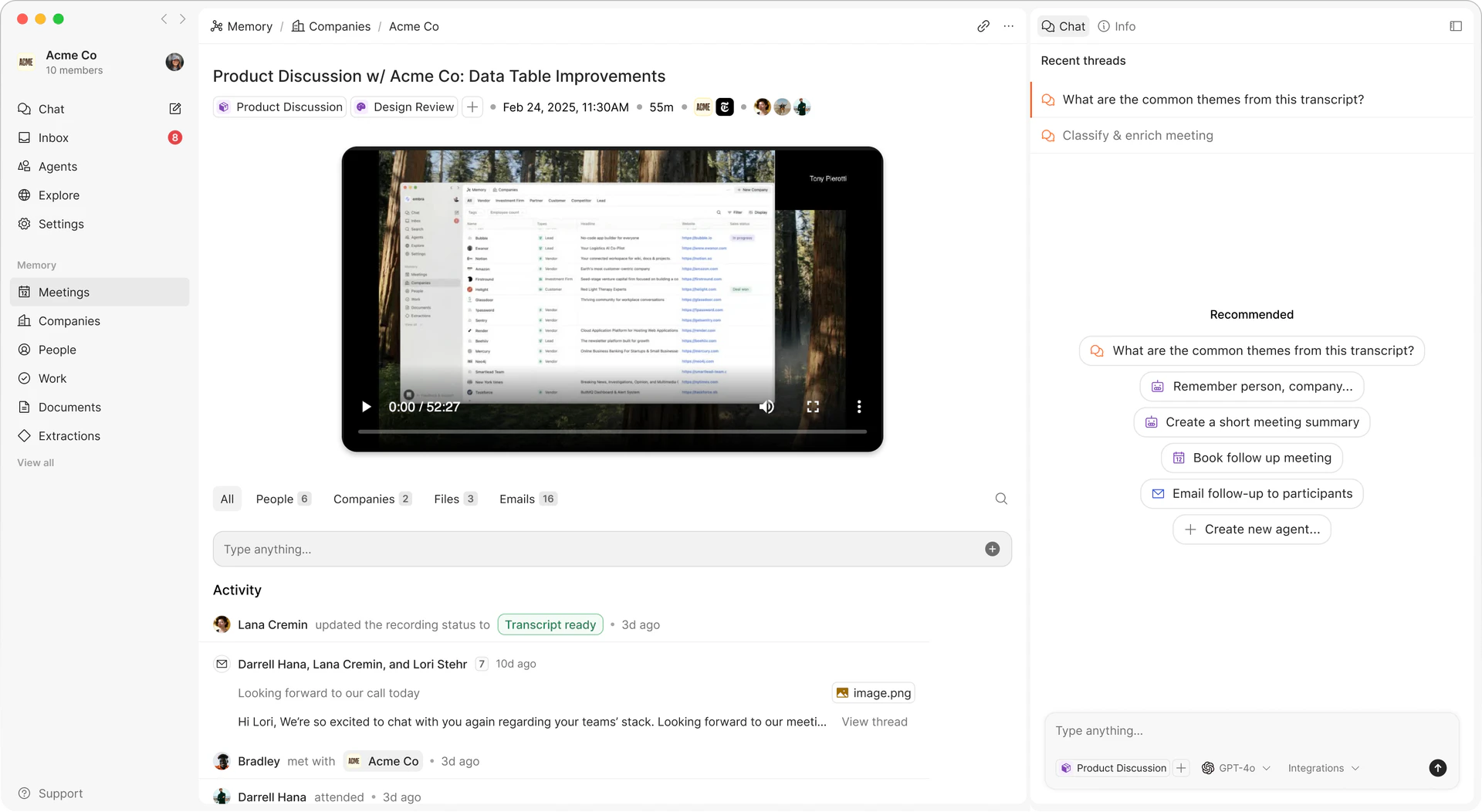
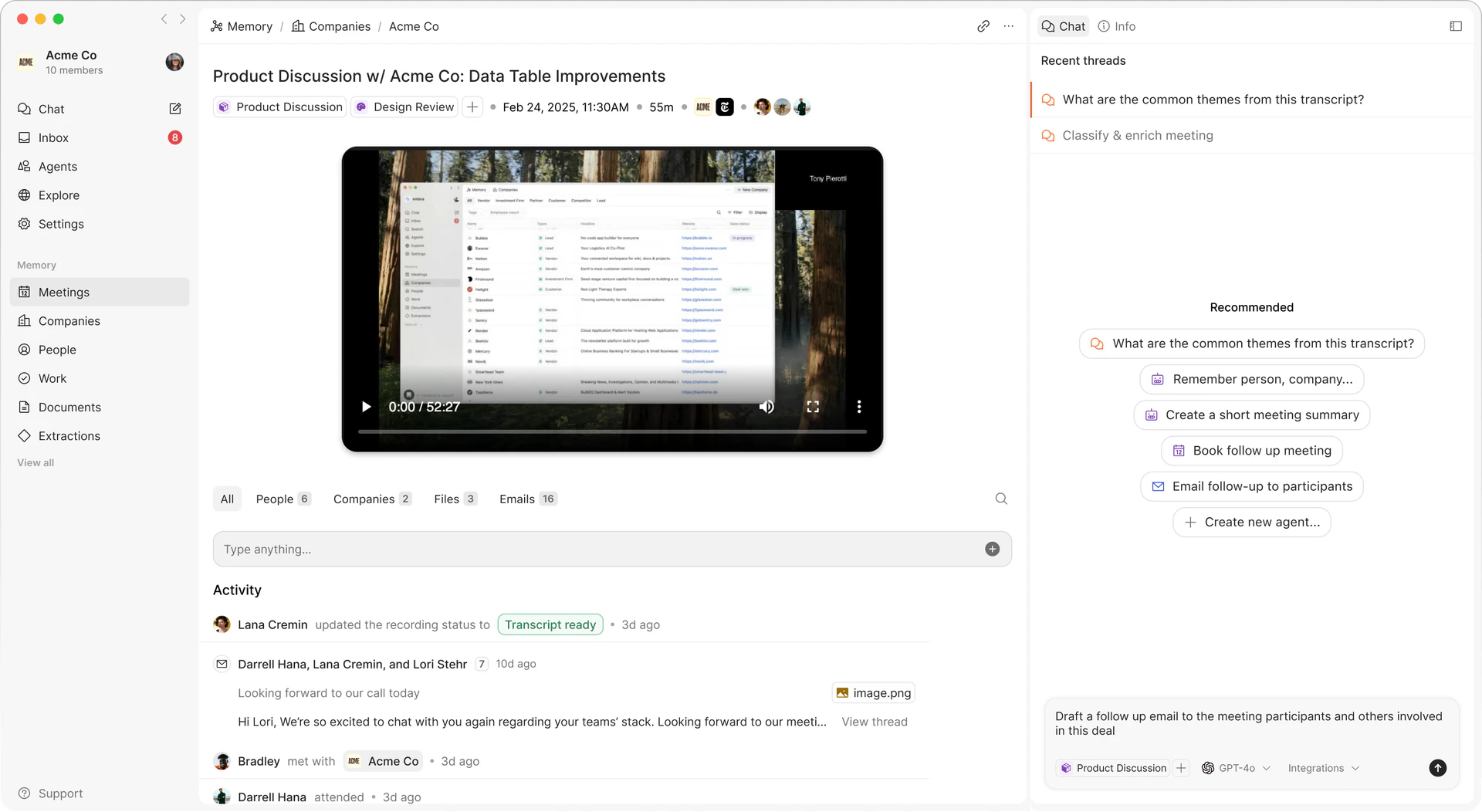
Embra is an innovative AI tool designed to streamline business operations by learning about your work processes. It serves as an AI notetaker and operating system that helps manage communication, track important tasks, and automate repetitive activities. By leveraging advanced memory capabilities, Embra aims to enhance productivity and efficiency within teams, making it an essential tool for businesses looking to optimize their workflows.
How to use Embra?
- Sign Up and Log In: Visit the Embra website and create an account. Log in to access the dashboard.
- Set Up Your Workspace: Customize your workspace by integrating your existing tools and applications to streamline your workflow.
- Start Taking Notes: Use Embra to automatically take notes during meetings, capturing key points and action items.
- Automate Tasks: Set up automation for repetitive tasks such as follow-up emails and CRM updates to save time.
- Review and Analyze: Utilize Embra's reporting features to analyze your meetings and tasks, gaining insights into your productivity.
What are the main features of Embra?
- AI Notetaking: Automatically transcribe and summarize meetings, ensuring no important detail is missed.
- Task Automation: Streamline repetitive tasks such as email drafting, CRM updates, and meeting scheduling.
- Advanced Memory: Store and recall information from past interactions to improve future communications and decisions.
- Integration Capabilities: Connect with various tools like CRM systems, email platforms, and project management software to centralize operations.
- Customizable Templates: Create templates for notes, emails, and reports to maintain consistency across communications.
Who is Embra for?
Embra is designed for professionals and teams across various industries who seek to enhance their productivity and streamline their operations. This includes sales teams needing efficient note-taking and follow-up processes, product development teams requiring organization of customer feedback, and any business looking to automate repetitive tasks. It is ideal for remote teams, startups, and established businesses aiming to optimize their workflows and improve communication.
What are the use cases of Embra?
- Sales Meetings: Automate note-taking during sales calls to ensure all details are captured and follow-ups are managed efficiently.
- Product Development: Collect and analyze customer feedback to inform product updates and streamline development processes.
- Team Collaboration: Use Embra to manage team meetings, track decisions, and share insights seamlessly, enhancing overall collaboration.
Product Images
Embra Pros and Cons
Pros
- Advanced AI Notetaking: Embra offers advanced AI notetaking capabilities, automatically recording and transcribing meetings, which enhances productivity and ensures no important details are missed.
- Automated Task Management: The tool automates repetitive tasks such as email drafting and CRM updates, allowing users to focus on more strategic activities.
- Centralized Communication Hub: Embra centralizes all communications and important documents in one place, making it easier to track progress and collaborate with team members.
Cons
No cons data detected for this tool
Embra Pricing
Free
Part-time entrepreneurs and small teams Free tier: Up to 3 seats Unlimited 60 minute meetings and uploads Limited daily credit allowance Standard models Mac Desktop App Chrome Extension Web Access
Pro
Professionals and small teams using AI Everything in Free, plus: Up to 15 seats Unlimited meeting lengths Standard number of monthly credits Advanced models Share commands across workspaces
Super Team
Mid-sized company with advanced workflow needs Everything in Pro, plus: Up to 70 seats Expanded number of monthly credits Bulk user discount for additional seats & credits Dedicated support
Enterprise
Large organizations with custom needs Everything in Super Team, plus: Unlimited seats Unlimited monthly credits Unlimited workflows Unlimited workspace members
For the latest pricing, please visit this link: https://embra.ai/
Prices are subject to change. Please visit the official website for the most up-to-date pricing information.
Analytics of Embra
Embra Website Traffic Analysis
Visits Over Time
Traffic Sources
Dec 2025 - Feb 2026 Worldwide Desktop Only
- Direct: 59.13%
- Search: 25.75%
- Social: 9.21%
- Referrals: 4.79%
- Paid Referrals: 0.88%
- Mail: 0.08%
Top Keywords
| Keyword | Volume | CPC | Estimated Value |
|---|---|---|---|
| embra | 3.84K | $0.24 | $1490.00 |
| embra ai | 350 | $0.00 | $180.00 |
| embra notion | 220 | $0.00 | $0.00 |
| ai embra | 70 | $0.00 | $70.00 |
| emnbra | 40 | $0.00 | $40.00 |
Embra Reviews
Embra has been a game-changer for me and my team. It's like having a personal assistant that understands my work style, anticipates my needs and provides solutions even before I realize I need them.
Embra is a fantastic tool that has simplified all my daily tasks. It's always on my desktop alongside my every day apps, ready whenever needed. Plus, I deeply appreciate how the team constantly improves it based on feedback.
Embra has proven to be an invaluable tool, delivering fast and informative response that surpass other Mac AI tools. Its customizable language models, integrations, and seamless Chrome integration make it stand out.
For more reviews, visit this link: https://embra.ai/#reviews