


Twitter-color Created with Sketch. Amazon-color Created with Sketch. Facebook-color Created with Sketch. github [#142] Created with Sketch. meta_fill Pinterest-color Created with Sketch. ProductHunt-color Created with Sketch. Spotify-color Created with Sketch. Threads Logo Streamline Icon: https://streamlinehq.com Yelp-color Created with Sketch. Youtube-color Created with Sketch.
TopAIToolsTopAITools
  • Free Tools
  • Category
  • Leaderboard
  • Deals
  • Submit
EN
TopAIToolsTopAITools
TopAI

TopAITools

TopAITools, The Best Top AI Tools

AI Glossary|English简体中文繁體中文한국어日本語PortuguêsEspañolDeutschFrançaisTiếng Việt|Map

© 2026 TopAITools. All rights reserved.

About

  • Privacy Policy
  • Terms of use

Contact Us

business@topaitoolsreview.com
Home
AI Document Scanner
Billie
Last updated: May 31, 2026
Billie logo

Billie

Get deal
5.0|0 Comments|0 Saved
Introduction:
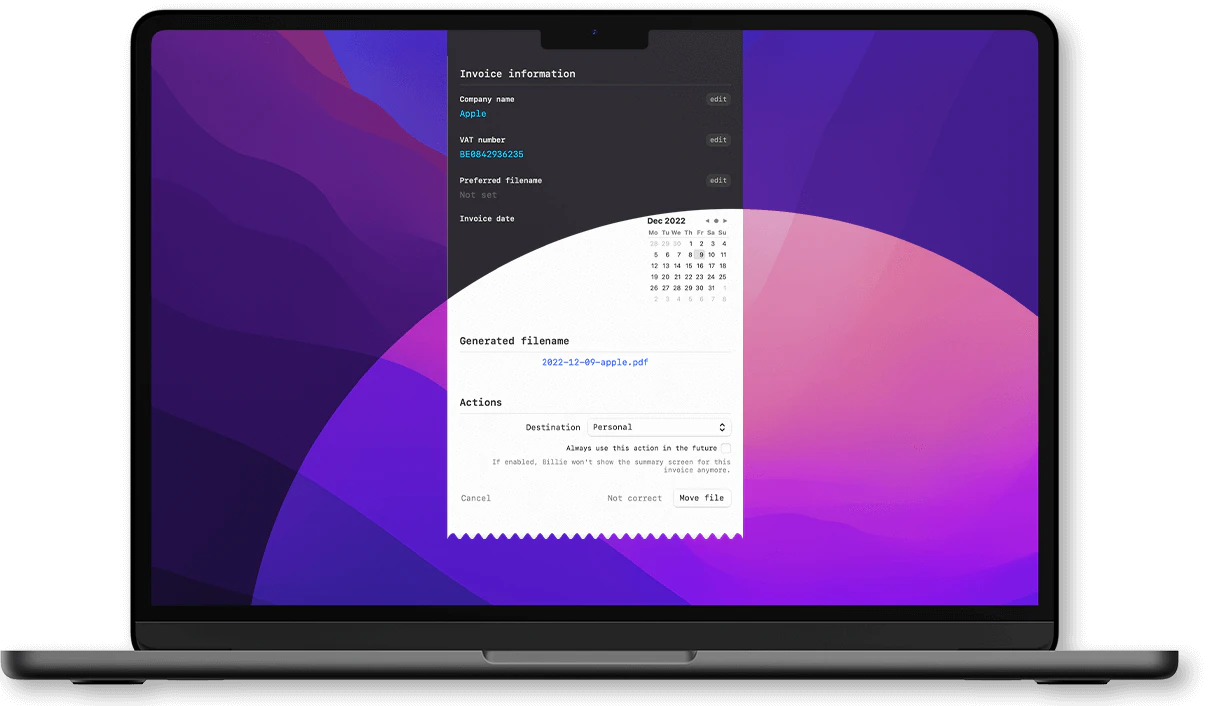
Billie - the smart invoice assistant on macOS
Launch Date:
November 22, 2022
Monthly Visits:
--
Website
💼Work
AI Document Scanner15AI Accounting Tools31Ai Assistant174Ai Productivity Tools243AI Tools Directory571
Billie website screenshot showing Billie - the smart invoice assistant on ... interface and features
Use tool
Update this tool
Character Ai logo

Character Ai

Chat with millions of AI Characters on the #1 AI chat app. Where will your next adventure take you?

Zoom logo

Zoom

Connect and collaborate seamlessly with Zoom's all-in-one platform.

Slack logo

Slack

Enhance collaboration and productivity with Slack's AI features.

Openai Codex logo

Openai Codex

OpenAI Codex enhances coding efficiency with AI-driven task support.

Emailwhiz For Gmail logo

Emailwhiz For Gmail

EmailWhiz for Gmail™ - Google Workspace Marketplace

Billie Overview

What is Billie?

Billie is a smart invoice assistant designed specifically for macOS, leveraging the power of machine learning to automate the tedious tasks of renaming and archiving invoices. It enhances your workflow by providing intelligent data extraction and seamless integration with macOS features, allowing users to manage their invoices efficiently and effectively.


How to use Billie?

  1. Download and Install: Get Billie from the Mac App Store and install it on your macOS device (requires macOS 12.0 or later).
  2. Open Billie: Launch the application and familiarize yourself with its interface.
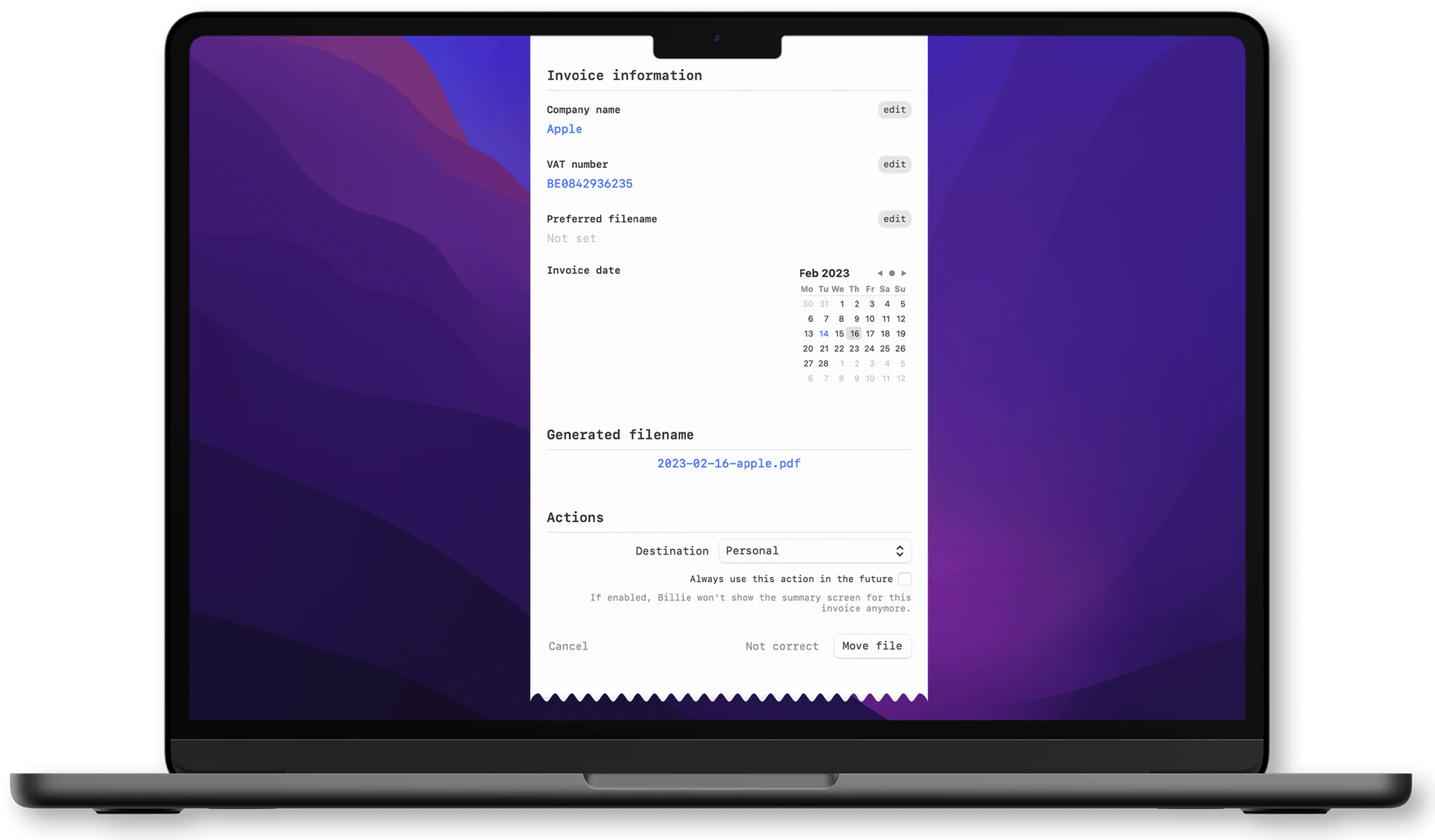
  3. Drag & Drop Invoices: Simply drag your invoice PDF files into Billie or use the 'Open With' contextual menu to open them directly with Billie.
  4. Configure Destination Groups: Set up actions in Destination Groups to automate how your invoices are processed, including moving files and emailing them.
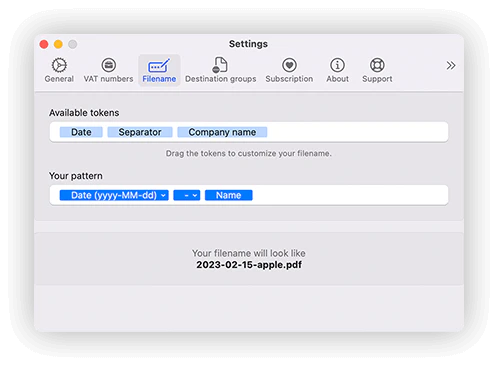
  5. Customize Filenames: Use the drag-and-drop tokens to create custom filename patterns for your invoices.
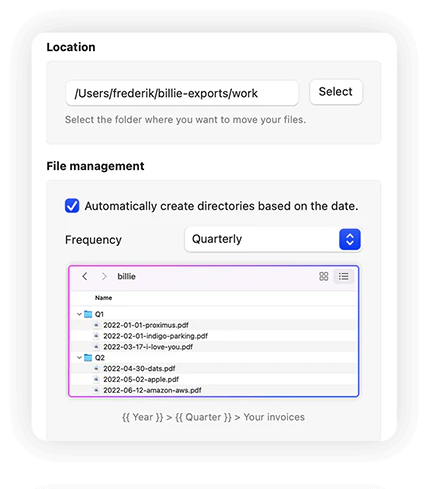
  6. Organize Invoices: Billie can automatically organize your invoices by months, fiscal quarters, or years, ensuring a structured filing system.

What are the main features of Billie?

  • AI-Powered Automation: Process invoices in seconds with intelligent automation.
  • Smart Data Extraction: Extract data accurately from invoices using machine learning.
  • Dynamic Ticket: Easily access Billie with a simple button tap, allowing for quick processing.
  • Destination Groups: Customize actions for processed invoices, such as moving files and emailing them.
  • Customizable Filename Patterns: Create personalized naming conventions for your invoices.
  • Automatic Organization: Automatically sort invoices into folders by months, quarters, or years.
  • Dark Mode Support: A visually optimized interface that supports dark mode for comfortable use at any time.

Who is Billie for?

Billie is tailored for macOS users who handle invoices regularly, including freelancers, small business owners, and accounting professionals. It is ideal for anyone looking to streamline their invoice management process, reduce manual work, and maintain an organized filing system. With its user-friendly interface and powerful automation features, Billie caters to users who value efficiency and accuracy in their financial workflows.


What are the use cases of Billie?

  1. Freelancers: Quickly process and organize client invoices, ensuring timely payments and easy access to past records.
  2. Small Business Owners: Automate invoice management to save time and reduce the risk of errors in financial documentation.
  3. Accounting Professionals: Utilize Billie's intelligent data extraction to enhance accuracy and efficiency in handling multiple clients' invoices.

Product Images
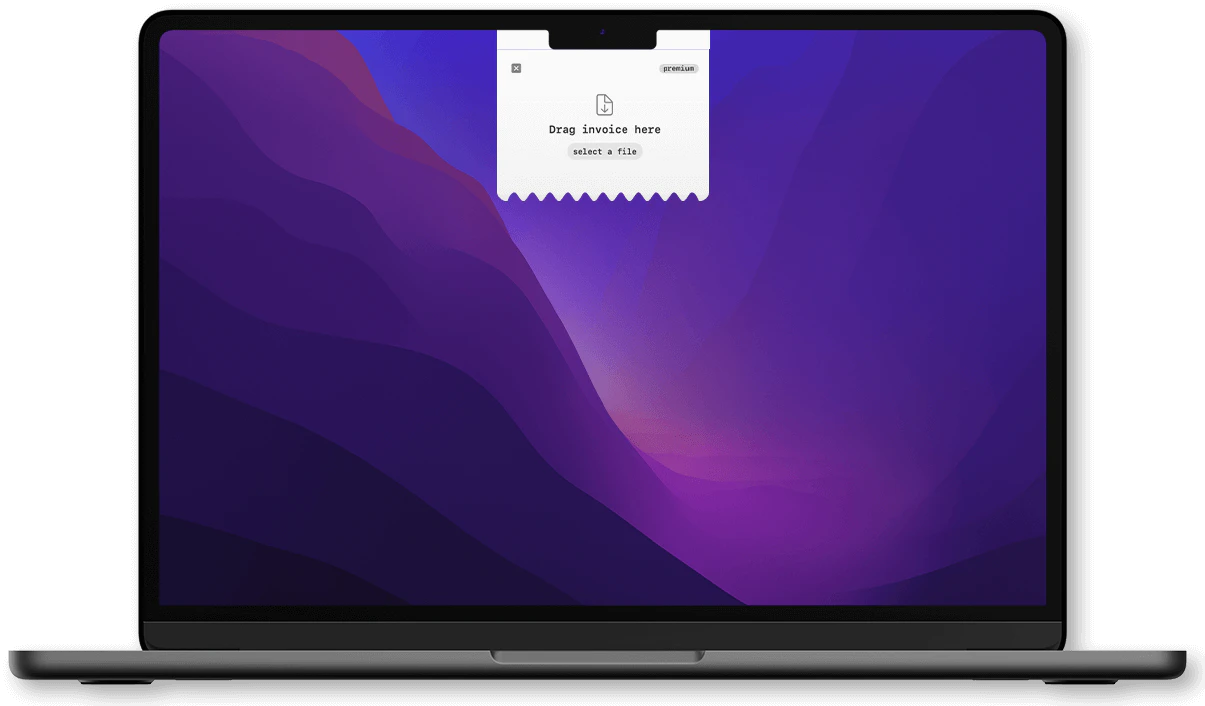
Billie drag and drop interface for invoice processing
Billie filename customization feature demonstration
Billie automatic organization interface for invoices
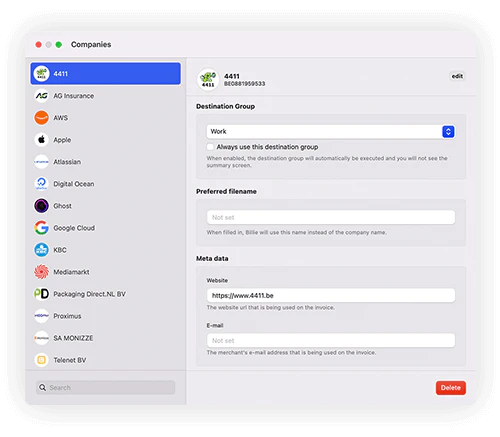
Billie company management interface
Billie product overview for macOS
Billie dark mode interface for night-time use
1 / 6

Billie Pros and Cons

Pros

  • Fast Processing: Billie can process invoices in seconds using AI-powered automation, making it efficient for users.
  • Intelligent Data Extraction: The tool features smart and accurate data extraction capabilities, enhancing the invoice management process.
  • Native macOS Integration: Billie is built specifically for Mac, providing seamless integration with the macOS environment.
  • Customizable Filename Patterns: Users have full control over naming invoices, allowing for tailored organization.
  • Dark Mode Support: Billie has been optimized for visual appeal with full dark mode support, improving usability in different lighting conditions.

Cons

No cons data detected for this tool

Billie Compare

Tool NameIntroductionPricing
Type
RatingLaunch DateLearn more
Quillbot Paraphraser logo
Quillbot Paraph...
Paraphrasing Tool (Ad-Free and No Sign-up Required) - QuillBot AI
Free
💼Work🎨Creativity
December 31, 1984
Get deal
Rewind Ai logo
Rewind Ai
Rewind
Free
🙋‍♂️Personal💼Work
February 2, 2018
Get deal
Lunit logo
Lunit
Lunit develops AI solutions that detect early-stage cancer and optimize cancer treatment for saving lives through technology.
Free
💼Work
August 10, 2015
Get deal

Info current as of post date. Offers and availability may vary by location and are subject to change.

Billie Q&A

Billie is a Smart Invoice Assistant for macOS that uses machine learning to automate the renaming and archiving of invoices.

Billie Launch embeds

Use website badges to drive support from your community for your TopAITools Review. They're easy to embed on your homepage or footer.

FEATURED ONTopaitoolsreview.com

Billie Alternatives

Google screenshot

Google

AI Time Manager offers AI-driven tools for better time management.

Website
Free
💼Work
OtherAI Tools DirectoryLarge Language Models (LLMs)Other AI Tools
  • Other
  • AI Tools Directory
  • Large Language Models (LLMs)
  • Other AI Tools
Use tool
224.8M
Direct69.58%
Search14.62%
Referrals13.19%
Chatspot screenshot

Chatspot

Boost Productivity in HubSpot with Breeze Copilot | HubSpot

Website
Free
💼Work🎨Creativity
Operations & ManagementAI CRM ToolsAi Productivity Tools
  • Operations & Management
  • AI CRM Tools
  • Ai Productivity Tools
Use tool
33.1M
Direct71.33%
Search20.60%
Referrals6.40%
Zerogpt screenshot

Zerogpt

AI Detector - Trusted AI Checker for ChatGPT, GPT4 & Gemini

Website
Free
💼Work
AI Content DetectionAI Detection BypassAi ApisAi Developer Tools
  • AI Content Detection
  • AI Detection Bypass
  • Ai Apis
  • Ai Developer Tools
Use tool
23.5M
Search69.26%
Direct29.24%
Referrals1.22%

Also used for

AI Document Scanner15AI Accounting Tools31Ai Assistant174Ai Productivity Tools243AI Tools Directory571AI Photo Restoration1AI Image Colorization2AI Identity Protection5AI Security Tools2Spiritual Tools1AI Keyboard Tools6AI Startup Matching Tools5AI Venture Capital Matching Tools2Agentic Process Automation1AI Trip Planner5Language Tools2Talent Management2
Billie logo
BillieFree
Get deal

Billie Comments (0)

Your rating

?
0/2000

No comments yet

Be the first to share your thoughts!

🚀0
🚀0

Billie Prompts (0)

Prompts And Results

Add your own prompts and outputs to help others understand how to use this AI.