Ebookcompressor





What is Ebookcompressor?
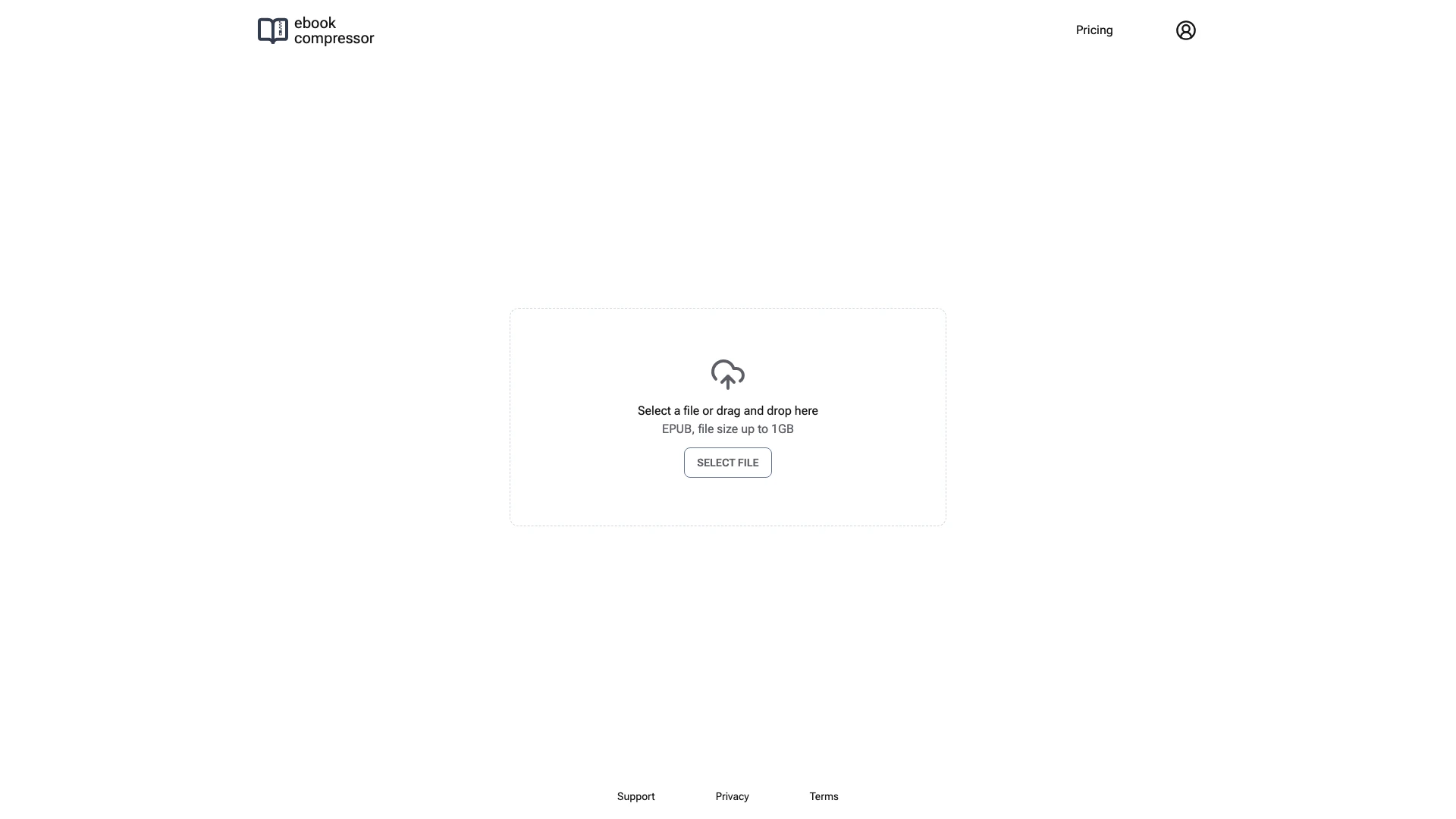
Ebookcompressor is an online tool designed to efficiently reduce the file size[3] of EPUB[1] ebooks. It allows users to select a compression[2] level that best suits their needs, balancing the trade-off between file size and quality[4]. This tool is particularly beneficial for users who need to optimize their ebooks for e-readers, ensuring faster loading times and easier storage management.
How to use Ebookcompressor?
- Visit the Ebookcompressor website.
- Click on the 'SELECT FILE' button to upload your EPUB file, or simply drag and drop your file into the designated area.
- Choose your preferred compression level to balance the file size and quality according to your needs.
- Once the settings are configured, click on the 'Compress' button to start the compression process.
- After the compression is complete, download the optimized EPUB file to your device.
What are the main features of Ebookcompressor?
- Online Compression: No installation required; simply use the web interface to compress your EPUB files.
- File Size Support: Compress EPUB files up to 1GB in size.
- Customizable Compression Levels: Choose from various compression levels to find the right balance between quality and file size.
- User-Friendly Interface: Simple drag-and-drop functionality for easy file uploads.
Who is Ebookcompressor for?
Ebookcompressor is ideal for authors, publishers, and anyone who frequently works with EPUB ebooks. It is particularly useful for those looking to optimize their ebooks for e-readers, ensuring that their files are manageable in size without sacrificing quality. Additionally, educators and students who share or distribute digital reading materials can benefit from this tool to streamline their ebook file sizes.
What are the use cases of Ebookcompressor?
- Self-Publishing Authors: Authors can compress their ebooks to meet size requirements for various online platforms.
- Educational Institutions: Schools and universities can reduce the file sizes of digital textbooks for easier distribution and access.
- Ebook Distributors: Companies that distribute ebooks can use this tool to ensure their files are optimized for quick downloads and improved user experience.
Ebookcompressor Pros and Cons
Pros
- Efficient File Size Reduction: Ebookcompressor effectively reduces EPUB file sizes, making it easier to manage and store ebooks.
- Customizable Compression Levels: Users can choose their desired compression level, allowing a balance between file size and quality.
- Supports Large Files: The tool can handle EPUB files up to 1GB, accommodating larger ebooks without issues.
Cons
No cons data detected for this tool
Ebookcompressor Pricing
10 Credits
1 credit = 1 download. Pay once for 10 credits.
100 Credits
1 credit = 1 download. Pay once for 100 credits. Popular plan.
1000 Credits
1 credit = 1 download. Pay once for 1000 credits.
For the latest pricing, please visit this link: https://ebookcompressor.com/pricing
Prices are subject to change. Please visit the official website for the most up-to-date pricing information.