Best 17 AI Stem Separation Tools in 2026

Lalal Ai, Vocalremover, Voicss, Audioshake, Audio Strip, Aimusicsampler, Stems St 02, Sievin, Dryvocal, Cooloai are the best paid / free AI Stem Separation tools.

AI Stem Separation is a powerful technology that isolates individual audio components, such as vocals, drums, bass, and instruments, from a mixed track. It enables precise control over audio elements, offering a seamless way to remix, edit, or analyze music. This tool is ideal for producers, sound engineers, and content creators who need flexibility and accuracy in audio processing. Whether refining a song’s structure or creating custom versions, AI Stem Separation delivers professional-grade results with minimal effort. Its efficiency and adaptability make it an essential asset in modern music production and audio enhancement workflows.

Lalal Ai

Split vocal and instrumental tracks quickly and accurately with LALAL.AI. Upload any audio file and receive high-quality extracted tracks in a few seconds., AI vocal remover to extract voice and instruments online.

5
1,500 views
359 saved
2.4M

Starter

0.00 USD free

Always free

View Pricing

Lite

7.50 USD monthly

$7.5 billed monthly

View Pricing

Pro

15.00 USD monthly

$15 billed monthly

View Pricing

For the latest pricing, please visit this link: https://www.lalal.ai/pricing/

Prices are subject to change. Please visit the official website for the most up-to-date pricing information.

What is LALAL.AI?

LALAL.AI is a cutting-edge online tool designed for vocal and instrumental track separation, leveraging advanced AI technology for quick and accurate audio processing. Users can upload any audio file and effortlessly extract high-quality vocal, instrumental, and various other sound components in seconds. This innovative service is perfect for musicians, audio engineers, and content creators who need to isolate specific elements from their audio tracks without compromising on quality.

Pros

  • Exclusive batch upload feature: Users can upload up to 20 files at once for stem extraction, which enhances productivity and efficiency.
  • High-quality stem splitting: Utilizes AI-powered technology to deliver high-quality separation of vocals and instruments without quality loss.
  • Flexible pricing plans: Offers a free plan and multiple subscription options to accommodate different user needs and budgets.
  • Cross-platform support: Available on multiple platforms including macOS and Windows, as well as mobile applications for iOS and Android.

Cons

  • Limited features in free plan: The free plan has restrictions such as a 200MB upload limit and only 10 minutes of processing time.
  • Recurring payments for subscriptions: Subscription plans involve recurring payments, which may not be preferable for all users.

What are the main features of LALAL.AI?

  • High-quality stem separation of vocals, instruments, and more.
  • Fast processing times, allowing for quick results.
  • Supports various audio formats including MP3, WAV, FLAC, and video formats like MP4 and AVI.
  • Enhanced processing options for improved audio quality.
  • Noise canceling features to eliminate background sounds.
  • User-friendly interface for seamless navigation and operation.
Vocalremover

Easily remove vocals from audio tracks using AI.

5
0 views
0 saved
66.3K

What is Vocalremover?

Vocalremover is an AI-powered audio separation tool designed to remove vocals from audio tracks. By simply uploading your audio file, users can easily obtain either the instrumental version or the isolated vocals. This tool is perfect for musicians, producers, and anyone looking to manipulate audio for various purposes.

Pros

  • AI-Powered Vocal Removal: Utilizes advanced AI technology to effectively separate vocals from audio tracks, providing high-quality instrumental outputs.
  • User-Friendly Interface: Designed for ease of use, allowing users to upload audio files and receive processed results without technical expertise.
  • Quick Processing Time: Delivers fast results, enabling users to quickly obtain instrumental or vocal tracks from their audio files.

What are the main features of Vocalremover?

  • AI-powered vocal separation technology for high-quality results.
  • Ability to extract either vocals or instrumentals from audio files.
  • User-friendly interface for easy navigation and operation.
  • Fast processing times to quickly obtain desired audio results.
  • Supports various audio file formats for flexibility.
Voicss

Voicss allows you to create karaoke tracks by removing vocals from any song effortlessly.

4
0 views
0 saved
14.8K

What is Voicss?

Voicss is an innovative, AI-powered online tool designed to create karaoke tracks effortlessly by removing vocals from any song in seconds. With its advanced vocal isolation technology, Voicss allows users to upload audio or video files and instantly separate vocals from instrumentals without the need for any software installation. This free tool is perfect for music enthusiasts, podcasters, and audio professionals looking for high-quality results and a user-friendly experience.

Pros

  • AI-Powered Vocal Isolation: Utilizes advanced AI technology to accurately separate vocals from background music, ensuring high precision for various audio projects.
  • User-Friendly Interface: Designed for beginners, allowing users to easily upload files and create karaoke tracks without any technical skills.
  • Supports Multiple Audio Formats: Compatible with popular audio formats like MP3, WAV, M4A, and FLAC, providing flexibility for users.
  • Instant Processing: Processes audio files directly in the browser, offering fast and secure results without the need for software downloads.

What are the main features of Voicss?

  • AI Vocal Isolation: Automatically detects and separates vocals from music with high precision.
  • Vocal Removal: Remove vocals from any song with a single click to create clean backing tracks.
  • Online Karaoke Maker: Generate karaoke-ready tracks with synced lyrics instantly.
  • Isolate Vocals for Remixing: Extract clean vocal tracks for remixing or sampling.
  • Supports Multiple Formats: Compatible with MP3, WAV, M4A, FLAC, and more.
Audioshake

Effortlessly create stems for music projects.

4
0 views
0 saved
9.8K

What is Audioshake?

Audioshake is an innovative audio processing tool designed for music professionals, enabling sync licensing, sampling, remastering, remixing, and re-imagining of audio tracks. This platform allows users to upload their music tracks and seamlessly separate them into individual stems, providing a versatile solution for artists, producers, and labels looking to enhance their audio production capabilities. With its user-friendly interface and powerful technology, Audioshake empowers creators to explore new creative possibilities and streamline their workflow.

Pros

  • Fast Stem Creation: AudioShake allows for quick and easy creation of stems and instrumentals, streamlining the music production process.
  • Supports Multiple Formats: The tool supports a variety of audio formats including MP3, WAV, FLAC, AIFF, M4A, and MP4, catering to different user needs.
  • Ideal for Sync Licensing: Designed specifically for sync licensing, sampling, remastering, and remixing, making it a valuable tool for music professionals.
  • Ideal for Various Applications: AudioShake is suitable for sync licensing, sampling, remastering, remixing, and re-imagining, making it versatile for music professionals.

What are the main features of Audioshake?

  • Stem Separation: Automatically separates audio tracks into individual components for easy manipulation.
  • Sync Licensing: Facilitates the licensing process for music tracks, making it easier for artists to monetize their work.
  • Sampling and Remixing: Provides tools for artists to sample and remix existing tracks creatively.
  • High-Resolution Uploads: Supports high-quality audio formats to ensure the best output results.
  • User-Friendly Interface: Simplifies the process of audio manipulation, making it accessible for both professionals and beginners.
Audio Strip

Easily isolate or remove vocals from any song.

4
0 views
0 saved
5.3K

Free Plan

0.00 GBP monthly

3 Isolations per Month, 3 Masters per Month, 3 Enhancements per Month, Isolation Speed: 15 - 60 mins, Output Format: MP3, Size Limit per Upload: 50 MB, Song Duration Limit per Upload: 8 mins

View Pricing

Premium Plan

5.99 GBP monthly

Unlimited Isolations, Unlimited Masters, Unlimited Enhancements, Isolation Speed: Over 10x Faster, Output Format: WAV, FLAC, MP3, Size Limit per Upload: 200 MB, Song Duration Limit per Upload: 20 mins, Fewer Captchas, Batch Uploads, Files Automatically Emailed to You, Future Premium Features

View Pricing

For the latest pricing, please visit this link: https://www.audiostrip.co.uk/#pricing

Prices are subject to change. Please visit the official website for the most up-to-date pricing information.
What is Audio Strip?

Audio Strip is an innovative online tool designed specifically for removing or isolating vocals from any song. This powerful software utilizes advanced algorithms to provide near-perfect vocal isolation, making it an essential resource for musicians, producers, and audio engineers. Whether you're looking to create instrumental tracks, enhance your music production, or simply enjoy a karaoke experience, Audio Strip offers a user-friendly interface that allows you to process audio files efficiently. The tool can be used for free, with options for premium features that enhance functionality, such as batch uploads and faster isolation speeds.

Pros

  • Effective Vocal Isolation: Audio Strip provides near-perfect isolation of vocals from backing music, making it ideal for musicians and producers.
  • User-Friendly Interface: The tool is designed with an intuitive interface that simplifies the process of vocal isolation, making it accessible for users of all skill levels.
  • Free and Premium Options: Users can access a free plan with limited features or upgrade to a premium plan for unlimited use and faster processing.
  • Batch Processing Capability: The tool allows for batch uploads, enabling users to isolate multiple audio files simultaneously, saving time.

What are the main features of Audio Strip?

  • Vocal Isolation: Remove or isolate vocals from any audio track effectively.
  • Batch Processing: Process multiple audio files simultaneously for efficient workflow.
  • Noise Removal: Enhance audio quality by removing background noise from recordings.
  • AI Mastering: Instant mastering capabilities to enhance the overall sound quality of your tracks.
  • User-Friendly Interface: Intuitive design that makes it easy for users to navigate and operate the tool.
Aimusicsampler

Aimusicsampler is a powerful tool for vocal isolation and audio separation.

5
0 views
0 saved
1.7K

What is Aimusicsampler?

Aimusicsampler is a cutting-edge vocal remover and voice isolator designed for audio enthusiasts and creatives. This innovative tool allows users to extract vocals from audio files, converting songs into individual stems such as vocals, drums, and bass. Leveraging advanced AI technology, Aimusicsampler provides high-quality audio separation, ensuring lossless results that preserve the integrity of the original sound. Whether you're a musician, producer, or content creator, Aimusicsampler offers a powerful solution for isolating or removing vocals, enabling you to enhance your creative projects.

Pros

  • High-Quality Vocal Isolation: Achieves up to 99% accuracy in isolating vocals from complex musical arrangements, ensuring high-quality results.
  • Lossless Audio Quality: Allows users to download uncompressed WAV files that preserve 100% of the audio data for optimal sound quality.
  • No Subscription Fees: Operates on a pay-per-usage model, eliminating the need for monthly subscriptions and making it cost-effective for users.
  • Advanced AI Technology: Utilizes state-of-the-art AI and neural networks for precise separation of vocal frequencies, outperforming traditional methods.

What are the main features of Aimusicsampler?

  • Vocal Isolation: Precisely extracts vocals from audio tracks, allowing for clean vocal tracks without background music.
  • Lossless Audio Quality: Downloads are available in WAV format, preserving 100% of the original audio data.
  • AI-Powered Technology: Utilizes advanced artificial intelligence for superior accuracy in separating audio elements.
  • No Subscription Required: Users pay per usage, eliminating the need for monthly subscriptions.
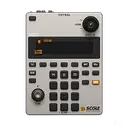
Stems St 02

Stems | ST-02

4
1,660 views
90 saved
1.2K

What is Stems St 02?

Stems St 02 is an advanced audio separation tool designed to provide high-quality vocal and instrumental isolation. Utilizing Facebook's Open Source Demucs Library, this tool allows users to easily separate sounds into individual components, such as vocals, drums, and bass. With its intuitive interface, Stems St 02 is suitable for DJs, music producers, and learners, making it a versatile addition to any music production toolkit.

Pros

  • High-Quality Sound Separation: Stems ST-02 provides state of the art vocal and instrumental isolation using advanced algorithms.
  • User-Friendly Interface: The intuitive and easy to use interface makes it suitable for DJs, producers, and music learners.

What are the main features of Stems St 02?

  • State-of-the-art vocal and instrumental isolation using advanced algorithms.
  • User-friendly interface that simplifies the separation process.
  • Ability to isolate multiple sound components from a single audio file.
  • Compatibility with various audio formats for easy integration into workflows.
  • Suitable for DJs, music producers, and educational purposes.
Sievin

Easily isolate audio elements with text prompts.

5
0 views
0 saved

Starter

19.00 USD monthly

60 minutes/month

View Pricing

Creator

54.00 USD monthly

200 minutes/month

View Pricing

For the latest pricing, please visit this link: https://sievin.com/#pricing

Prices are subject to change. Please visit the official website for the most up-to-date pricing information.

What is Sievin?

Sievin is an innovative audio processing tool designed to simplify audio separation for creators. Utilizing Meta's Segment Anything Model for Audio (SAM-Audio), Sievin allows users to isolate or remove specific sounds from audio tracks using simple text prompts. This privacy-first solution empowers users to clean up their audio without the need for complex plugins or engineering skills, making it accessible for everyone from video creators to educators.

Pros

  • Easy Audio Separation: Sievin allows users to easily separate audio using a simple text prompt, making it accessible for non-engineers.
  • Privacy-First Processing: The tool ensures privacy by processing audio on isolated GPU instances and automatically deleting files after 24 hours.
  • Multiple Use Cases: Designed for various creators, Sievin supports video editors, podcasters, educators, and musicians, providing tailored audio solutions.

What are the main features of Sievin?

Sievin offers several key features that enhance audio processing: - Prompt-Based Audio Separation: Isolate or remove sounds based on descriptive text prompts, allowing for flexibility in audio editing. - Privacy-First Processing: Ensures audio files are processed securely on isolated GPU instances, with automatic deletion after 24 hours. - User-Friendly Interface: No engineering skills are required; the tool is designed for creators of all levels. - Support for Multiple Formats: Compatible with various audio formats including MP3, WAV, FLAC, and M4A. - Fast Processing: Get results in minutes, streamlining the audio editing workflow.

Dryvocal

DryVocal offers advanced vocal extraction and noise reduction for audio clarity.

5
0 views
0 saved

What is Dryvocal?

Dryvocal is a professional-grade audio processing[5] tool designed for Windows that specializes in vocal extraction[1], dialogue cleanup[2], speaker separation[3], and intelligent noise reduction[4]. It is engineered to enhance audio clarity[6] by efficiently isolating vocals from background noise, making it an essential tool for audio engineers, content creators, and anyone working with spoken audio. With Dryvocal, users can achieve high-quality audio outputs, whether for music production, film post-production, or podcasting.

Pros

  • Professional Vocal Extraction: DryVocal offers pro-grade vocal extraction, ensuring high-quality audio separation for various applications.
  • Dialogue Cleanup: The tool effectively cleans up dialogue from audio clips, minimizing background noise and enhancing clarity.
  • Multi-Speaker Separation: Allows users to separate and export individual speaker tracks, making it ideal for conversations with multiple participants.

What are the main features of Dryvocal?

  • Professional Vocal Extraction: Isolate vocals from music and other background sounds with precision.
  • Dialogue Cleanup: Clean up dialogue tracks by reducing background noise and crosstalk for clearer audio.
  • Multi-Speaker Separation: Effectively separate individual speaker tracks from multi-person conversations, allowing for easy editing.
  • Intelligent Noise Reduction: Optimize audio quality in noisy environments by minimizing unwanted background sounds while maintaining speech clarity.
Cooloai

Effortlessly remove vocals and split audio stems online with Coolo AI.

5
0 views
0 saved

1-Month Plan

9.99 USD monthly

Billed monthly.

View Pricing

1-Year Plan

4.99 USD yearly

Billed annually.

View Pricing

10 minutes

6.99 USD one-time

Pay once, use anytime. Minutes are deducted based on the duration of the uploaded file.

View Pricing

300 minutes

39.99 USD one-time

Pay once, use anytime. Minutes are deducted based on the duration of the uploaded file.

View Pricing

For the latest pricing, please visit this link: https://coolo.ai/pricing/

Prices are subject to change. Please visit the official website for the most up-to-date pricing information.

What is Cooloai?

Cooloai is an advanced online audio tool that leverages artificial intelligence to perform various audio processing tasks, including removing vocals, splitting stems, and detecting BPM (Beats Per Minute) and key signatures. This all-in-one platform is designed to cater to musicians, DJs, and content creators by allowing them to create karaoke tracks, isolate instruments, and enhance audio quality effortlessly. With its user-friendly interface and powerful algorithms, Cooloai provides a seamless experience for anyone looking to manipulate audio files for creative purposes.

Pros

  • Advanced AI Processing: Utilizes advanced AI algorithms for precise stem separation, ensuring accurate results in seconds.
  • Free and Unlimited Usage: Offers free tools with no song limits, allowing users to split and isolate audio tracks without hidden fees.
  • High-Quality Audio Output: Delivers lossless audio output with clean vocal removal, suitable for karaoke and remixing.

What are the main features of Cooloai?

  • Vocal Remover: Remove vocals from any audio track to create karaoke versions or isolate vocals for remixing.
  • Stem Splitter: Separate tracks into individual stems, including vocals, instruments, and more, for detailed editing.
  • AI Karaoke Maker: Generate karaoke tracks quickly and easily.
  • BPM & Key Detection: Automatically detect the BPM and musical key of any audio file.
  • Background Noise Removal: Clean up recordings by removing unwanted background noise and enhancing vocal clarity.
  • Echo & Reverb Remover: Eliminate echo and reverb for clearer audio playback.
Karaokestudio

Create professional karaoke videos in minutes with AI-powered vocal removal and automatic lyrics sync.

4
0 views
0 saved

Free

0.00 USD free

Yes! Karaoke Studio has a completely free tier. You get 3 AI credits per month, 3 projects, and 720p export — no credit card required.

View Pricing

Basic

9.99 USD monthly

100 Monthly, ~20 karaokes.

View Pricing

Standard

19.99 USD monthly

200 Monthly, ~50 karaokes.

View Pricing

Pro

29.99 USD monthly

300 Monthly, ~100 karaokes.

View Pricing

For the latest pricing, please visit this link: https://karaokestudio.pro/en/#pricing-section

Prices are subject to change. Please visit the official website for the most up-to-date pricing information.

What is Karaokestudio?

Karaokestudio is an innovative AI-powered karaoke video creator that allows users to create professional-quality karaoke videos in just minutes. This tool excels in removing vocals from any song, synchronizing lyrics with advanced AI technology, and exporting videos in stunning 4K resolution. Positioned as the ultimate karaoke solution for modern creators, Karaokestudio combines user-friendly features with powerful processing capabilities to deliver broadcast-quality results.

Pros

  • AI-Powered Vocal Removal: Utilizes advanced AI technology to effectively separate vocals from instrumentals, ensuring high-quality audio for karaoke videos.
  • 4K Export Quality: Offers studio-quality export options in 4K resolution at 60 frames per second, providing a professional finish to karaoke videos.
  • User-Friendly Interface: Designed for ease of use, allowing creators to quickly produce karaoke videos without needing extensive technical skills.

What are the main features of Karaokestudio?

  • AI-powered vocal separation for high-quality results.
  • Automatic lyrics synchronization for seamless playback.
  • Export options in stunning 4K resolution at 60 frames per second.
  • User-friendly interface designed for creators of all skill levels.
  • Customization options for fonts and styles to match your brand.
  • Support for multiple audio file formats including WAV, FLAC, MP3, AIFF, and M4A.
  • Local and encrypted processing for enhanced security.
Createmusicai

Generate royalty-free music instantly with AI.

4
0 views
0 saved

Free

0.00 USD free

Get Started For Free * 2 songs per month * 1 music generation per month * 1 concurrent task * AI Music Generator * AI Lyrics Generator * AI Vocal Remover * AI Stem Splitter * AI Mastering * Basic Music Analyzer * Basic AI Song Cover Generator * Music downloads * Personal use only * No email support

View Pricing

Basic

10.49 USD monthly

$10.49/month $125.92 billed yearly. Cancel anytime. * 200 songs per month * 100 music generations per month * 2 concurrent tasks * Commercial license included * AI Music Generator * AI Lyrics Generator * AI Vocal Remover * AI Stem Splitter * AI Mastering * Remix & Edit Song * Advanced Music Analyzer * AI Singing Voice Model Training * Advanced AI Song Cover Generator * Up to 1000 downloads * Email support * Best for entry-level creators

View Pricing

Standard

20.99 USD monthly

$20.99/month $251.92 billed yearly. Cancel anytime. * 500 songs per month * 250 music generations per month * 5 concurrent tasks * Commercial license included * AI Music Generator * AI Lyrics Generator * AI Vocal Remover * AI Stem Splitter * AI Mastering * Remix & Edit Song * Advanced Music Analyzer * AI Singing Voice Model Training * Advanced AI Song Cover Generator * Unlimited downloads * 24/7 email support * Best for creators with moderate volume

View Pricing

Premium

34.99 USD monthly

$34.99/month $419.92 billed yearly. Cancel anytime. * 1200 songs per month * 600 music generations per month * 10 concurrent tasks * Commercial license included * AI Music Generator * AI Lyrics Generator * AI Vocal Remover * AI Stem Splitter * AI Mastering * Remix & Edit Song * Advanced Music Analyzer * AI Singing Voice Model Training * Advanced AI Song Cover Generator * Unlimited downloads * 24/7 email support * Best for teams needing maximum volume

View Pricing

For the latest pricing, please visit this link: https://createmusicai.ai/pricing

Prices are subject to change. Please visit the official website for the most up-to-date pricing information.

What is Create Music AI?

Create Music AI is an innovative AI music generator that enables users to create royalty-free music effortlessly. It transforms text or lyrics into original songs across various genres and moods in under 60 seconds. With the ability to generate tracks up to 8 minutes long, Create Music AI provides users with a commercial license, allowing them to use the music on platforms like YouTube, Spotify, and TikTok without any copyright concerns.

Pros

  • Royalty-Free Music Generation: Create original, royalty-free music tracks with commercial licenses, suitable for platforms like YouTube, Spotify, and TikTok.
  • Fast Music Creation: Generate and preview music in under 60 seconds, allowing for quick iterations and immediate use.
  • Comprehensive Music Toolkit: Access a complete set of tools for music creation, including AI music generation, lyrics writing, vocal removal, and MIDI editing.

What are the main features of Create Music AI?

  • AI Music Generation: Create original tracks from text or lyrics.
  • Vocal Removal: Easily remove vocals from existing tracks.
  • Stem Splitting: Isolate different musical elements for editing.
  • MIDI Editing: Refine and customize generated music with MIDI tools.
  • BPM and Key Detection: Analyze music to detect tempo and key.
  • Commercial License: All music generated is royalty-free and includes commercial rights.
Transvribe

Transvribe was designed to enhance YouTube learning, but it is currently non-functional.

4
0 views
0 saved

What is Transvribe?

Transvribe is a tool designed to enhance productivity while learning from YouTube videos by providing easy access to video transcripts. However, due to significant changes in YouTube's internal API, Transvribe is no longer functional. YouTube has implemented strict validation requirements for accessing video transcripts, making it impossible for Transvribe to extract transcripts reliably without a real browser session. Despite its initial purpose to streamline the learning process by allowing users to search for specific content within videos, the tool is currently unable to operate due to these technical limitations.

Pros

  • AI-Powered Video Search: Transvribe allows users to search any YouTube video using AI embeddings, enhancing the search experience.
  • User-Friendly Interface: The tool offers a straightforward interface for users to paste YouTube URLs and access video content easily.
  • Open Source Codebase: Transvribe's full codebase is available on GitHub, allowing developers to explore and contribute to its functionality.

What are the main features of Transvribe?

  • AI-powered embeddings for enhanced video search capabilities.
  • Ability to paste any YouTube URL for transcript retrieval.
  • Search functionality for popular videos directly from the interface.
  • Designed to make learning from YouTube videos more efficient (though currently non-functional).
Lyria3pro

Create studio-quality music in seconds with Lyria 3 Pro, powered by Google DeepMind.

4
0 views
0 saved

Free

0.00 USD free

Try Lyria 3 Pro with no commitment.

View Pricing

Starter

9.00 USD monthly

For hobbyists and casual creators. Everything in Free, plus additional features.

View Pricing

Creator

25.00 USD monthly

For musicians and content creators. Everything in Starter, plus additional features.

View Pricing

Studio

69.00 USD monthly

For studios and power users. Everything in Creator, plus additional features.

View Pricing

For the latest pricing, please visit this link: https://www.lyria3pro.video/pricing

Prices are subject to change. Please visit the official website for the most up-to-date pricing information.


What is Lyria3pro?

Lyria3pro is an advanced AI music generator designed to create studio-quality music tracks quickly and efficiently. Leveraging the power of Google DeepMind's Lyria 3 and MiniMax Music, this tool enables users to generate cinematic scores, full vocal songs, and even extract individual music stems. With a remarkable output quality of 192kHz, Lyria3pro caters to the needs of filmmakers, game developers, and content creators who require original music compositions rather than relying on stock tracks.

Pros

  • High-Quality Music Generation: Lyria 3 Pro produces studio-quality music at 192kHz, ensuring cinematic scores and full vocal songs that meet professional standards.
  • Fast Composition Time: The tool generates music tracks in approximately 30 seconds, allowing creators to quickly realize their musical ideas.
  • Stem Export Feature: Users can download individual stem tracks for each generated composition, facilitating easy integration into digital audio workstations (DAWs).

What are the main features of Lyria3pro?

  • High-Quality Output: Produces music at 192kHz, ensuring cinematic quality.
  • Fast Generation: Creates tracks in about 30 seconds, allowing for rapid music production.
  • Multiple Genres: Offers 12 genre-specific presets tailored for various creative needs.
  • Stem Extraction: Provides separate stem tracks for easy integration into digital audio workstations (DAWs).
  • AI-Powered Composition: Utilizes two advanced AI engines (Lyria 3 for orchestral compositions and MiniMax Music for vocal songs) to deliver diverse musical styles.
  • Commercial Rights: All generated music comes with full commercial rights, allowing users to monetize their creations without additional fees.

What is AI AI Stem Separation

AI Stem Separation refers to the use of artificial intelligence algorithms to isolate different elements of a music track, such as vocals, instruments, and effects. This technology leverages advanced signal processing and machine learning techniques to analyze audio files and extract distinct audio channels. This capability has transformed music production, allowing creators to manipulate individual components with precision, enhancing their overall workflow and creative possibilities.

AI Stem Separation core features

The core features of AI Stem Separation typically include: - Vocal isolation and separation - Instrumental extraction such as drums, bass, and melodies - High-quality audio output with minimal artifacts - User-friendly interface for easy manipulation - Batch processing capabilities for multiple tracks - Real-time preview of stem outputs - Compatibility with various audio formats and DAWs

Who is suitable to use AI Stem Separation

AI Stem Separation tools are suitable for a variety of users, including music producers, sound engineers, DJs, and even hobbyists who want to remix or edit tracks. These tools can be particularly beneficial for those working in music production, educational settings for teaching music theory, or any situation where clear audio manipulation is needed. However, users with different skill levels should consider their specific needs and objectives when choosing a solution, as some tools may require more technical expertise than others.

How does AI Stem Separation work?

AI Stem Separation tools work by analyzing audio signals and applying machine learning models to identify and separate the different components within a track. The process typically begins with an input audio file, which is processed through algorithms that distinguish between various sound frequencies and amplitudes. Once the components are identified, the tool can output individual stems, allowing users to mix, edit, or enhance each part independently, significantly simplifying the production process.

Advantages of AI Stem Separation

The advantages of AI Stem Separation are numerous and include: - Enhanced creativity by allowing detailed control over individual audio elements - Efficient workflow, speeding up the music production process - Accessibility for non-experts who may find traditional mixing techniques challenging - Potentially high-quality outputs that can rival those produced through conventional methods - The ability to repurpose and remix old tracks, bringing new life to existing music. However, limitations like presence of artifacts in some outputs should also be considered.

FAQ about AI Stem Separation

Choosing Moises AI for stem separation can be a good option for many users due to its user-friendly interface and effective separation capabilities. However, it may not be the best fit for everyone, especially professional musicians looking for higher precision or additional features. It's worth considering your specific needs in audio quality, and the type of projects you're working on. Trying out the tool before committing to a subscription can help in making a more informed decision.

Using a free music demixer for professional work can be useful for initial drafts or to test ideas, but generally, the trade-off in quality and reliability should be carefully evaluated. Free tools may lack the advanced features or precision found in paid options. For serious projects or finished work where quality is paramount, investing in a professional-grade demixer could provide better results and more control over the final output.

The cost of using Suno's stem extraction tool can vary based on the subscription plan you choose, whether it’s a one-time payment, monthly fee, or a tiered pricing model based on usage. Always review the specific pricing details on the provider's website or contact their support for the most accurate information, as this can help in assessing whether it fits within your budget for audio production.

When comparing which AI stem splitter performs best for vocal removal, it's important to consider factors such as the quality of the separation, ease of use, and the specific needs of your project. While some tools may excel in vocal removal, others may offer a more balanced performance across different types of audio separation. Personal trials or reviews from other users can provide valuable insights into their effectiveness

When assessing how LALAL.AI compares to Logic Pro for stem splitting, it’s crucial to understand their target audiences. LALAL.AI is more straightforward and accessible for casual users looking for quick vocal and instrumental separation, whereas Logic Pro offers a comprehensive suite of tools, including advanced editing and production capabilities. The choice ultimately depends on whether you favor simplicity or more advanced features for detailed music production.

The free Go-Splitter tool can serve as a starting point for musicians wanting to experiment with stem separation without financial commitment. However, its effectiveness may vary based on the complexity of the tracks and the quality needed for serious projects. For dedicated musicians who require high fidelity and more control over the output, investing in a more robust solution may be worthwhile.

As of 2026, advancements in AI stem separation technology may result in performance differences among various AI stem splitters. Users should pay attention to updates regarding features, efficiency improvements, and user feedback to choose a solution that remains relevant and effective in their workflow. Keeping an eye on reviews could provide insights into notable differences in the accuracy and quality of stem outputs.

For producers comparing different stem splitters, the Ultimate Stem Splitter comparison is essential because it provides insights into the various capabilities and performance metrics of available tools. An informed comparison can help producers understand which tool best fits their creative workflows, budget constraints, and specific audio processing needs, ensuring they choose the most suitable product for their projects.

The Moises AI stem separator has certain limitations, such as the potential for audio artifacts in separated tracks and a dependency on the complexity of the input audio. Additionally, while it performs well with clear audio, its effectiveness may decline with distorted or poorly mixed tracks. Users should consider these factors to set realistic expectations about the outputs they can obtain from the tool.

When looking for an AI stem separation tool, key features to consider include: - Accuracy in isolating audio elements - Ease of use and availability of tutorials - Speed of processing audio files - Quality of the output with minimal artifacts - Compatibility with various audio formats and music production software - Customer support and user community resources for troubleshooting.



