Karaokestudio



What is Karaokestudio?
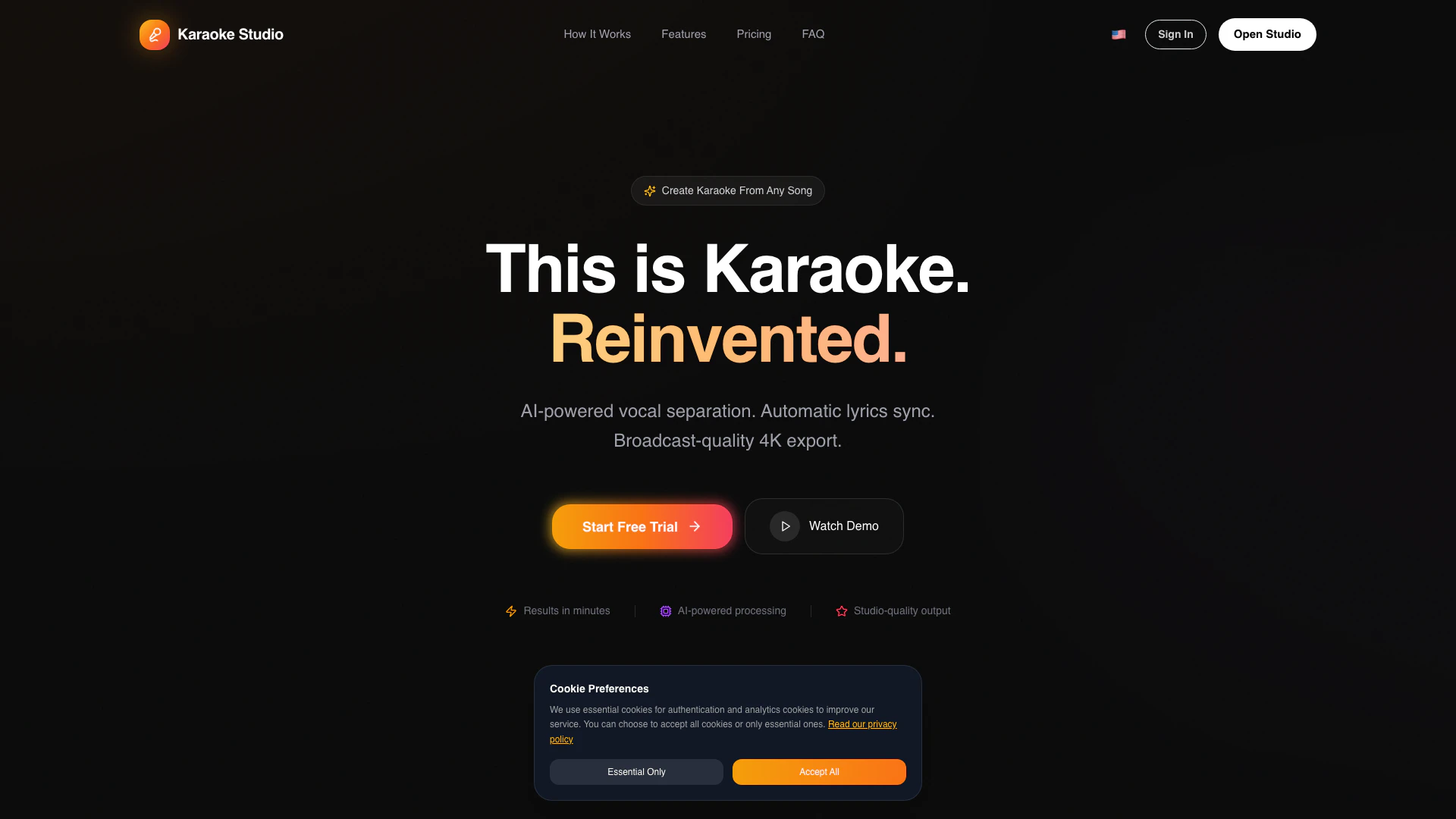
Karaokestudio is an innovative AI-powered karaoke video creator that allows users to create professional-quality karaoke videos in just minutes. This tool excels in removing vocals from any song, synchronizing lyrics with advanced AI technology, and exporting videos in stunning 4K resolution. Positioned as the ultimate karaoke solution for modern creators, Karaokestudio combines user-friendly features with powerful processing capabilities to deliver broadcast-quality results.
How to use Karaokestudio?
- Visit the Karaokestudio website and sign up for a free account or choose a subscription plan that fits your needs.
- Upload the audio track from which you want to create a karaoke video.
- Utilize the AI vocal remover feature to eliminate the vocals from the song.
- Automatically sync the lyrics using the integrated AI technology.
- Customize your karaoke video with various styles and settings.
- Preview the video and make any necessary adjustments.
- Export your finished karaoke video in 4K resolution.
What are the main features of Karaokestudio?
- AI-powered vocal separation for high-quality results.
- Automatic lyrics synchronization for seamless playback.
- Export options in stunning 4K resolution at 60 frames per second.
- User-friendly interface designed for creators of all skill levels.
- Customization options for fonts and styles to match your brand.
- Support for multiple audio file formats including WAV, FLAC, MP3, AIFF, and M4A.
- Local and encrypted processing for enhanced security.
Who is Karaokestudio for?
Karaokestudio is designed for a diverse range of users including content creators looking to produce engaging videos for platforms like TikTok, YouTube, and Instagram; karaoke producers aiming to build extensive karaoke libraries; educators and tutors who need to create polished tutorials; and social media managers focused on generating captivating content. This versatile tool caters to anyone wanting to create high-quality karaoke videos quickly and efficiently.
What are the use cases of Karaokestudio?
- Creating karaoke videos for personal enjoyment or social gatherings, allowing friends and family to sing along.
- Producing professional karaoke content for YouTube channels or live events, enhancing audience engagement.
- Developing educational materials with karaoke-style lessons for language learning or music education.
Karaokestudio Pros and Cons
Pros
- AI-Powered Vocal Removal: Utilizes advanced AI technology to effectively separate vocals from instrumentals, ensuring high-quality audio for karaoke videos.
- 4K Export Quality: Offers studio-quality export options in 4K resolution at 60 frames per second, providing a professional finish to karaoke videos.
- User-Friendly Interface: Designed for ease of use, allowing creators to quickly produce karaoke videos without needing extensive technical skills.
Cons
No cons data detected for this tool
Karaokestudio Pricing
Free
Yes! Karaoke Studio has a completely free tier. You get 3 AI credits per month, 3 projects, and 720p export — no credit card required.
Basic
100 Monthly, ~20 karaokes.
Standard
200 Monthly, ~50 karaokes.
Pro
300 Monthly, ~100 karaokes.
For the latest pricing, please visit this link: https://karaokestudio.pro/en/#pricing-section
Prices are subject to change. Please visit the official website for the most up-to-date pricing information.