Audio Strip





What is Audio Strip?
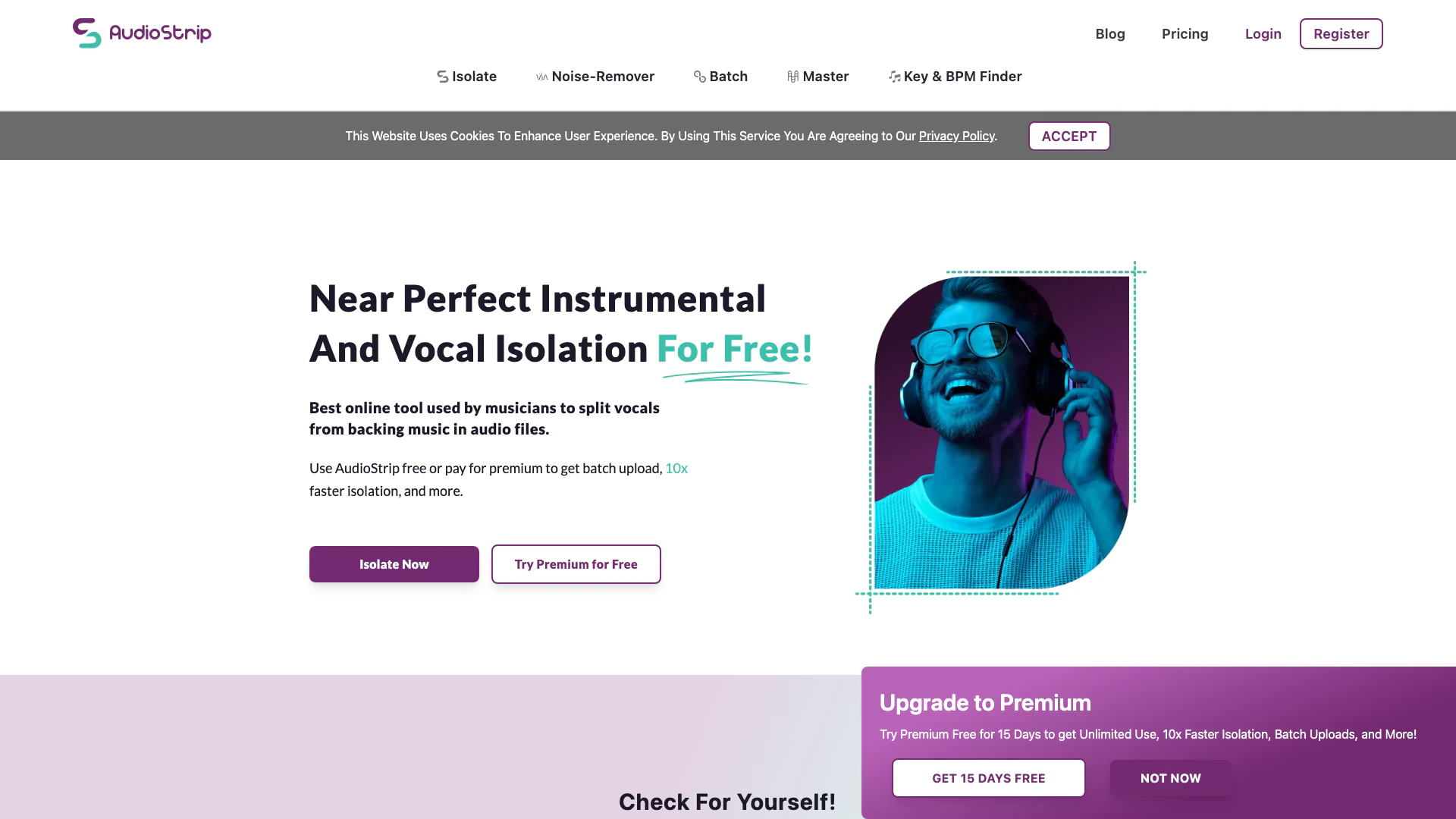
Audio Strip is an innovative online tool designed specifically for removing or isolating vocals from any song. This powerful software utilizes advanced algorithms to provide near-perfect vocal isolation, making it an essential resource for musicians, producers, and audio engineers. Whether you're looking to create instrumental tracks, enhance your music production, or simply enjoy a karaoke experience, Audio Strip offers a user-friendly interface that allows you to process audio files efficiently. The tool can be used for free, with options for premium features that enhance functionality, such as batch uploads and faster isolation speeds.
How to use Audio Strip?
- Visit the Audio Strip website at https://www.audiostrip.co.uk/.
- Click on the 'Isolate' option to upload your audio file.
- Select the audio file you want to process and wait for the isolation process to complete.
- Download the isolated vocals or instrumentals in your preferred format.
- Optionally, sign up for a premium account to access faster processing, batch uploads, and additional features.
What are the main features of Audio Strip?
- Vocal Isolation: Remove or isolate vocals from any audio track effectively.
- Batch Processing: Process multiple audio files simultaneously for efficient workflow.
- Noise Removal: Enhance audio quality by removing background noise from recordings.
- AI Mastering: Instant mastering capabilities to enhance the overall sound quality of your tracks.
- User-Friendly Interface: Intuitive design that makes it easy for users to navigate and operate the tool.
Who is Audio Strip for?
Audio Strip is tailored for a diverse range of users, including musicians, audio engineers, music producers, and content creators. It is particularly beneficial for those who need to create karaoke tracks, remixes, or isolated vocal performances. Additionally, educators and students in music production courses can utilize Audio Strip for practical learning and projects. With its easy-to-use interface and powerful features, it serves both amateur and professional users looking to enhance their audio editing capabilities.
What are the use cases of Audio Strip?
- Karaoke Creation: Isolate vocals from popular songs to create karaoke tracks for personal or commercial use.
- Music Production: Aid music producers in remixing songs by extracting vocals or instrumentals for new compositions.
- Audio Analysis: Use isolated tracks for educational purposes, such as analyzing vocal techniques or instrumental arrangements in music classes.
Product Images







Audio Strip Pros and Cons
Pros
- Effective Vocal Isolation: Audio Strip provides near-perfect isolation of vocals from backing music, making it ideal for musicians and producers.
- User-Friendly Interface: The tool is designed with an intuitive interface that simplifies the process of vocal isolation, making it accessible for users of all skill levels.
- Free and Premium Options: Users can access a free plan with limited features or upgrade to a premium plan for unlimited use and faster processing.
- Batch Processing Capability: The tool allows for batch uploads, enabling users to isolate multiple audio files simultaneously, saving time.
Cons
No cons data detected for this tool
Audio Strip Pricing
Free Plan
3 Isolations per Month, 3 Masters per Month, 3 Enhancements per Month, Isolation Speed: 15 - 60 mins, Output Format: MP3, Size Limit per Upload: 50 MB, Song Duration Limit per Upload: 8 mins
Premium Plan
Unlimited Isolations, Unlimited Masters, Unlimited Enhancements, Isolation Speed: Over 10x Faster, Output Format: WAV, FLAC, MP3, Size Limit per Upload: 200 MB, Song Duration Limit per Upload: 20 mins, Fewer Captchas, Batch Uploads, Files Automatically Emailed to You, Future Premium Features
For the latest pricing, please visit this link: https://www.audiostrip.co.uk/#pricing
Prices are subject to change. Please visit the official website for the most up-to-date pricing information.
Analytics of Audio Strip
Audio Strip Website Traffic Analysis
Visits Over Time
Traffic Sources
Dec 2025 - Feb 2026 Worldwide Desktop Only
- Direct: 78.51%
- Search: 9.51%
- Referrals: 6.36%
- Social: 4.31%
- Paid Referrals: 1.26%
- Mail: 0.05%
Top Keywords
| Keyword | Volume | CPC | Estimated Value |
|---|---|---|---|
| audiostrip | 2.11K | $0.84 | $20.00 |
Audio Strip Reviews
One of the best stems isolation algorithm we got to use so far. Very few artifacts left in the lead vocal, which helps us develop new processes for our music production business and new software features for our app development business.
Of all the audio extraction tools I’ve used, by far the AudioStrip algorithm resulted in the cleanest and most usable results. This is a terrific British product that deserves to be an essential part of any audio/post production professional’s toolkit.
Here is something I did with the vocals pulled out using AudioStrip. It's definitely one of the best programs I've experimented with for these processes.
For more reviews, visit this link: https://www.audiostrip.co.uk/#reviews