Best 17 AI Photo Restoration Tools in 2026

Remini, 4ddig, Wondershare, Imagecolorizer, Restorephotos, Photor Ai, Exportsnaps, Removemoire, Weezard, Crayonai are the best paid / free AI Photo Restoration tools.

Revive faded memories with AI Photo Restoration. This powerful tool brings life back to old and damaged photos using advanced algorithms that intelligently repair scratches, colorize grayscale images, and enhance details. Whether it's a cherished family heirloom or historical documents, it offers a seamless way to restore visual integrity. Ideal for photographers, historians, and individuals looking to preserve their past, AI Photo Restoration ensures precision and natural results without manual effort. Transform your images effortlessly and keep your memories intact for generations to come.

Remini

Transform old photos into stunning HD images.

4
0 views
0 saved
1.2M

What is Remini?

Remini is a cutting-edge AI tool designed to enhance the quality of old and low-resolution photos and videos. By leveraging state-of-the-art artificial intelligence technology, Remini transforms these visuals into stunning high-definition masterpieces. The tool specializes in restoring faded images, sharpening details, and improving overall image quality, making it ideal for anyone looking to revive their cherished memories or enhance their visual content. With features such as unblurring, denoising, and color correction, Remini stands out as a comprehensive solution for both casual users and professionals alike.

Pros

  • Multiple Enhancement Features: The tool offers a variety of features including unblurring, denoising, color fixing, and face enhancement, catering to diverse photo enhancement needs.
  • Advanced AI Technology: Remini utilizes cutting-edge AI technology to enhance and restore old photos, providing high-definition results that transform low-quality images into stunning visuals.
  • High-Quality Output: Utilizing advanced AI technology, Remini transforms low-quality visuals into stunning HD images, making it suitable for professional use.
  • User-Friendly Interface: The app is designed for ease of use, enabling users to enhance their images with just a single tap, making it accessible for everyone.
  • User-Friendly Experience: Remini is designed for ease of use, allowing users to enhance their photos with just a single tap, making it accessible for everyone, regardless of technical skill.

What are the main features of Remini?

  • Unblur & Sharpener: Removes motion blur and enhances clarity in images and videos.
  • Denoiser: Cleans up grainy images, resulting in clear and sharp visuals.
  • Old Photos Restorer: Revives blurred, faded, and damaged photos, enhancing their vibrancy.
  • Image Enlarger: Upscales photos and videos up to 2x without losing quality.
  • Color Fixer: Enhances color tones, producing natural and vivid images.
  • Face Enhancer: Improves facial details in portraits for a more natural look.
  • Background Enhancer: Increases the quality of background details in images.
4ddig

Restore damaged photos effortlessly with 4DDiG.

5
0 views
0 saved
1.1M

What is 4DDiG Photo Repair[1]?

4DDiG Photo Repair is an advanced software tool designed to restore and enhance damaged or corrupted photos[5]. It effectively repairs images that are unopenable, blurry, overexposed, or pixelated. The tool supports a wide range of image formats, including JPG, JPEG, PNG, RAW, and many others, making it versatile for users who need to recover photos from various devices. With its AI-powered technology, 4DDiG Photo Repair not only repairs images but also enhances their quality, colorizes old black-and-white photos, and allows users to uncrop or expand images while preserving high quality.

Pros

  • Advanced AI Repair Features: 4DDiG Photo Repair utilizes advanced AI algorithms to restore and enhance photos, effectively handling issues like blurriness, pixelation, and color distortion.
  • Batch Processing Capability: The tool can repair and enhance up to 3,000 images simultaneously, making it efficient for users with large photo collections.
  • Wide Format Support: Supports a variety of image formats including JPG, PNG, HEIC, and RAW, ensuring compatibility with most users' needs.

What are the main features of 4DDiG Photo Repair?

  • Repair corrupted, damaged, or blurry photos.
  • Enhance photo quality using AI technology[2].
  • Colorize old black-and-white photos automatically.
  • Uncrop or expand images while maintaining quality.
  • Support for a wide range of image formats including JPG, PNG, RAW, and more.
  • Batch processing[4] capability to repair up to 3,000 images simultaneously.
Wondershare

Relumi retakes, restores, and animates photos, ensuring every moment is worth keeping.

4
0 views
0 saved
402.3K

Repairit for Email

0.00 USD free

For seamless repair of PST & OST files and lost Outlook emails.

View Pricing

For the latest pricing, please visit this link: https://repairit.wondershare.com/buy/store.html

Prices are subject to change. Please visit the official website for the most up-to-date pricing information.

What is Wondershare?

Wondershare is a versatile AI-powered photo enhancement app designed to retake, restore, and animate photos, ensuring that every precious moment is preserved. The app, known as Relumi, is available for free on both iOS and Android platforms, making it accessible for users looking to enhance their photographic memories effortlessly. With a focus on correcting common photo issues such as closed eyes, awkward expressions, and low-quality images, Wondershare transforms still images into dynamic memories, allowing users to relive their cherished moments in a more vibrant way.

Pros

  • Comprehensive Photo Restoration Features: Relumi offers a wide range of features for restoring old photos, including scratch and damage removal, faded photo restoration, and intelligent colorization, making it ideal for preserving memories.
  • User-Friendly One-Tap Repair: The app allows users to repair photos quickly and easily with a single tap, making it accessible for users of all skill levels.
  • Free Trial Available: Users can try all features of the app for free without the need for signing up, allowing them to evaluate its capabilities before committing.

What are the main features of Wondershare?

  • AI Retake: Fix closed eyes and awkward expressions in photos without needing a reference shot.
  • Photo Animation: Add natural movement to still images, bringing portraits to life with just one tap.
  • Old Photo Restoration: Restore faded and scratched photos, preserving memories that might otherwise be lost.
  • AI Image Quality Enhancer: Sharpen blurry or low-resolution images, enhancing facial features and overall clarity.
  • Corrupted Photo Repair: Recover unreadable or damaged photo files, including various RAW formats.
Imagecolorizer

Revive your old photos with AI-powered colorization.

4
0 views
0 saved
203.6K

Free

0.00 USD free

Forever free with 50 credits/month, up to 3000px, single processing, all AI features, ads.

View Pricing

Starter

3.90 USD monthly

Limited credits for starters with 500 credits/month, up to 3000px, single processing, batch processing (up to 8 images for bulk processing), all AI features, no ads, credits roll up until subscription cancelled.

View Pricing

Premium

6.90 USD monthly

Save 20% with more credits, 1000 credits/month, up to 3000px, single processing, batch processing (up to 8 images for bulk processing), all AI features, no ads, credits roll up until subscription cancelled.

View Pricing

Business

9.90 USD monthly

More credits for usage with 2000 credits/month, up to 3000px, single processing, batch processing (up to 8 images for bulk processing), all AI features, no ads, credits roll up until subscription cancelled.

View Pricing

For the latest pricing, please visit this link: https://imagecolorizer.com/pricing

Prices are subject to change. Please visit the official website for the most up-to-date pricing information.

What is ImageColorizer?

ImageColorizer is a leading online tool designed for transforming and reviving cherished memories by colorizing and restoring old photos. Utilizing advanced AI technology, it brings black and white images to life, adding vibrant and realistic colors with exceptional accuracy. This tool allows users to restore faded, damaged, or time-worn pictures, ensuring that every detail is revived with stunning clarity. ImageColorizer is perfect for anyone looking to preserve their history and relive their favorite memories effortlessly.

Pros

  • Advanced AI Technology: Image Colorizer utilizes cutting-edge AI technology to automatically colorize and restore old photos with exceptional accuracy, enhancing their visual appeal.
  • User-Friendly Interface: The tool features a simple and intuitive interface, allowing users to easily upload photos and achieve professional results without any editing skills.
  • Free and Premium Options: Image Colorizer offers both free and premium versions, enabling users to experience photo restoration services without any cost, while also providing additional features for paid members.

What are the main features of ImageColorizer?

  • AI-driven colorization of black and white photos, adding realistic and vibrant colors.
  • Restoration of old photos, enhancing image resolution and clarity.
  • Retouching capabilities to improve facial features and smooth skin textures in portraits.
  • Repairing damaged photos by removing scratches, tears, and imperfections.
  • Object removal feature to eliminate unwanted elements from images effortlessly.
Restorephotos

Revive your cherished memories by restoring old photos with AI.

4
0 views
0 saved
45.8K

What is Restorephotos?

Restorephotos is an innovative online tool[5] designed to restore old and blurry face photos using advanced artificial intelligence technology. Its primary goal is to help users revive cherished memories by enhancing the quality of their old photographs. With a user-friendly interface[2], Restorephotos allows individuals to easily upload their images and receive restored versions that bring clarity and vibrancy back to their memories. The service is accessible to everyone, making it a perfect solution for those looking to preserve their personal history.

Pros

  • AI-Powered Photo Restoration: Utilizes advanced AI technology to restore old and blurry face photos, enhancing clarity and detail.
  • User-Friendly Interface: Designed for ease of use, allowing anyone to restore photos without technical skills.
  • Free Restoration Service: Offers a completely free service to restore photos, making it accessible for everyone.

What are the main features of Restorephotos?

  • AI-Powered Restoration[1]: Utilizes advanced artificial intelligence algorithms to enhance and restore old photos.
  • User-Friendly Interface: Simple and intuitive design that makes photo restoration accessible to everyone.
  • 100% Free Service: Offers free restoration of photos, allowing users to preserve their memories without any cost.
  • Fast Processing[3]: Quickly processes images, providing restored versions in a short time.
  • High-Quality Results[4]: Delivers impressive enhancements, turning blurred images into clear and vibrant photos.
Photor Ai

Transform your photos with AI tools.

4
0 views
0 saved
15.3K

Personal

9.99 USD monthly

Perfect for hobbyists - 50 credits per day - 1,500 credits per month - AI Chat Assistant - Cancel anytime

View Pricing

Professional

18.00 USD monthly

For photographers & creators - 100 credits per day - Advanced AI features - Batch processing - Priority support

View Pricing

Premium

89.00 USD yearly

Maximum value & features Save 61% - Everything in Professional - 100 daily credits - Premium AI features - Early access to updates

View Pricing

For the latest pricing, please visit this link: https://photor.io/pricing

Prices are subject to change. Please visit the official website for the most up-to-date pricing information.

Pros

  • AI-Powered Photo Enhancement: Utilizes advanced AI technology to enhance photos quickly and effectively, providing professional-grade results.
  • Comprehensive Photo Analysis: Offers detailed feedback on composition, lighting, and color balance, helping users improve their photography skills.
  • Batch Processing Capability: Allows users to enhance multiple photos simultaneously, saving time and increasing productivity.
Exportsnaps

Restore and organize your Snapchat memories effortlessly.

4
0 views
0 saved
3.8K

Free

0.00 USD free

Get started with basic features including uploading Snapchat JSON and downloading up to 200 files.

View Pricing

Pro

14.99 USD one-time

One-time payment for lifetime access. Includes unlimited file processing, multi-threaded downloads, full metadata tagging (date, GPS, captions), batch renaming, smart error handling, and merging overlay images and videos.

View Pricing

For the latest pricing, please visit this link: https://www.exportsnaps.com/pricing

Prices are subject to change. Please visit the official website for the most up-to-date pricing information.
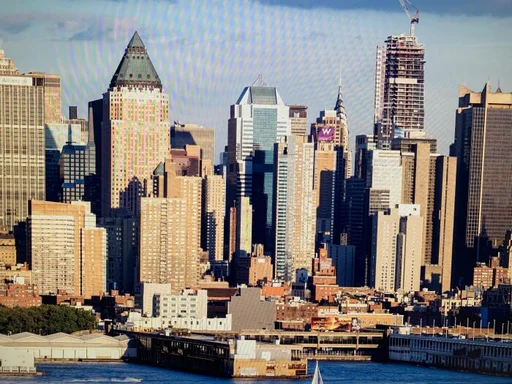
What is Exportsnaps?

Exportsnaps is a powerful desktop application designed to fix the export issues associated with Snapchat memories. It restores essential metadata such as capture dates, GPS coordinates, and other vital information that is often lost during the export process. This tool enables users to process unlimited photos and videos locally, ensuring that their memories are preserved accurately. With its user-friendly interface and robust functionality, Exportsnaps provides a seamless solution for anyone looking to retrieve and organize their Snapchat memories effectively.

Pros

  • Local Processing: All processing occurs locally on your device, ensuring privacy and security for your photos and videos.
  • Automatic Metadata Restoration: Restores capture dates, GPS coordinates, and other metadata automatically, enhancing the organization of your memories.
  • User-Friendly Overlay Merging: Automatically merges text and sticker overlays back onto photos and videos, creating a seamless viewing experience.

What are the main features of Exportsnaps?

  • Fix Timestamp: Restores the original capture dates of your Snapchat memories.
  • Add GPS Coordinates: Embeds accurate location data into your exported files.
  • Automatic Overlay Merging: Merges separate text and sticker overlays back onto the main media files.
  • Rename by Date: Allows you to rename files based on their original capture dates.
  • Zip Export: Facilitates exporting your memories in a compressed format for easier storage.
  • Smart Retry: Handles download failures by allowing you to retry without reprocessing all files.
Removemoire

Instantly eliminate moire patterns from photos with AI technology.

5
0 views
0 saved
2.4K

Basic

5.00 USD monthly

Max 5MP images - 5 processes per month - Max 5MP image size - Max 10MB file size

View Pricing

Pro - Most Popular

20.00 USD monthly

Max 20MP images - 15 processes per month - Max 20MP image size - Max 25MB file size

View Pricing

Enterprise

100.00 USD monthly

Max 40MP images - 50 processes per month - Max 40MP image size - Max 40MB file size

View Pricing

For the latest pricing, please visit this link: https://removemoire.com/

Prices are subject to change. Please visit the official website for the most up-to-date pricing information.

What is removemoire?

removemoire is a professional AI-powered tool designed to instantly remove moire patterns and effects from your photos. This online platform allows users to eliminate moire artifacts from images, providing advanced moire removal technology that ensures high-quality results. Whether you are a photographer or a creative professional, removemoire offers a fast and efficient solution for improving image quality.

Pros

  • Fast Moire Removal: Morie uses advanced AI technology to remove moire patterns from images in seconds, providing quick results without manual editing.
  • High-Quality Results: The tool delivers professional-quality moire removal, preserving image details while eliminating unwanted artifacts effectively.
  • User-Friendly Interface: Morie features a simple and intuitive interface, making it easy for users of all skill levels to remove moire patterns from their images.

What are the main features of removemoire?

  • Instant moire removal: Quickly eliminate moire patterns from images.
  • AI-powered technology: Utilizes advanced algorithms for effective results.
  • Supports multiple formats: Upload images in PNG, JPG, JPEG, and WebP formats.
  • High-quality output: Maintains image integrity while removing artifacts.
  • User-friendly interface: Simple steps to achieve professional results.
Weezard

Elevate your images with AI-powered editing tools.

5
0 views
0 saved
1.0K

Free

0.00 USD monthly

5 generations per month, Basic quality, Watermark on images, Email support, HD quality, Generation history, Priority support.

View Pricing

Pro

20.00 USD monthly

250 credits per month, HD quality, No watermark, Priority support, Generation history, Advanced features, $0.08 per image.

View Pricing

Basic Pack

5.00 USD one-time

50 Credits for a one-time purchase.

View Pricing

Standard Pack

10.00 USD one-time

120 Credits for a one-time purchase.

View Pricing

Premium Pack

20.00 USD one-time

300 Credits for a one-time purchase.

View Pricing

Ultimate Pack

50.00 USD one-time

1000 Credits for a one-time purchase.

View Pricing

For the latest pricing, please visit this link: https://weezard.app/pricing

Prices are subject to change. Please visit the official website for the most up-to-date pricing information.
What is Weezard?

Weezard is a professional AI-powered image editing tool designed to transform your images using cutting-edge artificial intelligence technology. It offers a comprehensive suite of features including restoration, colorization, object removal, and artistic style transfer, allowing users to achieve professional results in seconds. With an intuitive user interface, Weezard caters to various image editing needs, making it an essential tool for photographers, designers, and anyone looking to enhance their images.

Pros

  • Comprehensive AI Tools: Weezard offers a wide range of AI-powered tools for image restoration, colorization, object removal, and style transfer, catering to various editing needs.
  • Fast Processing Speed: The platform delivers professional-quality results in seconds, significantly speeding up the image editing workflow.
  • User-Friendly Interface: Weezard features an intuitive user interface that allows users to perform complex edits using simple natural-language instructions.

What are the main features of Weezard?

  • Restorer: Revives old and damaged photographs by removing scratches and fixing tears.
  • Colorizer: Adds realistic colors to black and white images using advanced machine learning techniques.
  • Remover: Seamlessly removes unwanted objects or blemishes from your photos.
  • Upscaler: Enhances image resolution and quality, adding detail and sharpness.
  • Restyler: Applies artistic styles to transform your photos into stunning artwork.
  • Weezard's features are designed to provide professional-quality outputs quickly and easily.
Crayonai

CrayonAI is an all-in-one AI tool for image creation and editing.

5
0 views
0 saved
267

Pro Plan

20.00 USD monthly

800 credits/month, Up to 800 images/month, Up to 80 videos/month, Up to 800 Remove Background/month, Up to 800 Restore Image/month, Up to 800 Upscale Image/month, Valid for 1 month, Fast generation speed, Unlimited number of downloads.

View Pricing

Basic Plan

10.00 USD monthly

300 credits/month, Up to 300 images/month, Up to 30 videos/month, Up to 300 Remove Background/month, Up to 300 Restore Image/month, Up to 300 Upscale Image/month, Valid for 1 month, Normal generation speed, Limited number of downloads.

View Pricing

For the latest pricing, please visit this link: https://crayonai.net/pricing

Prices are subject to change. Please visit the official website for the most up-to-date pricing information.
What is CrayonAI?

CrayonAI is an all-in-one image toolbox designed to unleash creativity by providing a suite of powerful AI tools for generating, editing, and optimizing images. This innovative platform allows users to create stunning visuals, restore old photos, remove backgrounds, and even generate memes, all within a single, user-friendly interface. CrayonAI aims to simplify the creative process, making it accessible for everyone, from casual users to professional designers.

Pros

  • Comprehensive Image Toolbox: CrayonAI offers a wide range of tools including image generation, editing, background removal, and photo restoration, making it a versatile solution for all image-related needs.
  • User-Friendly Interface: The platform features a simple and intuitive user interface, allowing users to navigate and utilize its tools with ease, enhancing the overall user experience.
  • Multi-Platform Support: CrayonAI can be accessed on various devices such as computers, tablets, and mobile phones, providing flexibility for users to work on the go.
  • Real-Time Editing: Users can preview modifications in real-time while editing, which helps in making quick decisions and adjustments for better results.

What are the main features of CrayonAI?

  • AI Image Generator: Create unique images from text prompts with high-resolution outputs.
  • Photo Editor: Edit images easily with tools for cropping, resizing, rotating, and adding text or stickers.
  • Background Removal[3]: Automatically remove backgrounds for clean, professional-looking images.
  • Photo Restoration[4]: Enhance and restore old or damaged photos using advanced AI technology.
  • Meme Generator: Quickly create memes using customizable templates and your own images.
  • Image Resizer: Adjust image dimensions and formats while maintaining quality.
Photorestoreai

Restore old, damaged, and faded photos in seconds with AI, fixing scratches, colorizing black and white images, and enhancing faces effortlessly.

5
0 views
0 saved

Starter Pack

5.00 USD one-time

Try it out with a small pack - 5 photo restorations, $1.00 per photo, Valid for 12 months.

View Pricing

Popular Pack

19.90 USD one-time

Great for a personal project - 30 photo restorations, $0.66 per photo, Save 33%, Credits never expire, HD downloads, All AI features included.

View Pricing

Family Pack

39.90 USD one-time

Perfect for family photo albums - 80 photo restorations, $0.50 per photo, Save 49%, Credits never expire, HD downloads, All AI features included, All formats supported.

View Pricing

Archive Pack

186.00 USD one-time

For large photo collections - 500 photo restorations, $0.37 per photo, Save 62%, Credits never expire, HD downloads, All AI features included, All formats supported, Priority support.

View Pricing

For the latest pricing, please visit this link: https://photorestore.ai/

Prices are subject to change. Please visit the official website for the most up-to-date pricing information.

What is Photorestoreai?

Photorestoreai is an innovative AI-powered tool designed to restore old, damaged, and faded photographs in just seconds. By leveraging advanced artificial intelligence, it can efficiently fix scratches, colorize black and white images, and enhance facial details, making it an invaluable resource for anyone looking to preserve their cherished memories. With a user-friendly interface, Photorestoreai offers a free trial with no signup required, allowing users to experience its powerful restoration capabilities firsthand.

Pros

  • Fast Restoration Process: PhotoRestore.ai restores old and damaged photos in seconds, significantly faster than traditional methods that can take days or weeks.
  • Cost-Effective Solution: Unlike traditional restoration services that can cost hundreds of dollars per photo, PhotoRestore.ai offers a free trial and affordable pricing, making it accessible for everyone.
  • No Skills Required: Users do not need any professional skills to restore photos, as the AI handles the entire process automatically, making it user-friendly.

What are the main features of Photorestoreai?

  • One-click restoration for unblurring, colorizing, and de-scratching photos.
  • Context-aware filling to seamlessly repair tears, creases, and stains.
  • Advanced color reconstruction based on historical accuracy and ambient lighting.
  • AI-driven face enhancement for clearer, more natural facial details.
  • Fast processing times, achieving results in seconds without professional skills.
Bringback

BringBack AI restores old photos with advanced animation.

5
0 views
0 saved

Starter

4.99 USD one-time

Perfect for high-quality photo restoration. 5 Credits Included. Restore 5 Photos. High-Resolution Output. Credits Never Expire. Up to 5 Free Photo Upscale. Free Digital Frames. 30-Day Money-Back Guarantee.

View Pricing

Pro

9.99 USD one-time

Everything in Starter, plus bring photos to life. 20 Flexible Credits. Restore up to 20 Photos or Create 2 Video Animations. Mix & Match Usage. High-Resolution 1080P Output. Credits Never Expire. Up to 20 Free Photo Upscale. Free Digital Frames. 30-Day Money-Back Guarantee.

View Pricing

Family

17.99 USD one-time

Perfect for photo animation for your family. 60 Flexible Credits. Restore up to 60 Photos or Create 6 Video Animations. Mix & Match Usage. High-Resolution 1080P Output. Credits Never Expire. Up to 60 Free Photo Upscale. Free Digital Frames. 30-Day Money-Back Guarantee.

View Pricing

For the latest pricing, please visit this link: https://bringback.pro/pricing

Prices are subject to change. Please visit the official website for the most up-to-date pricing information.

What is BringBack?

BringBack is an innovative AI-powered tool designed to restore old, faded, and damaged photographs to their original glory. By utilizing advanced artificial intelligence technology, BringBack can automatically repair color, fix scratches and tears, and even animate portraits to create lifelike memories. This tool is ideal for anyone looking to preserve their family history and enhance the quality of cherished photographs.

Pros

  • Automatic Photo Restoration: BringBack AI automatically repairs scratches, tears, and fading in photos, restoring them to their original quality with precision.
  • Realistic Animation Features: The tool offers lifelike animations, allowing users to see their restored photos come to life with natural movements like smiling and waving.
  • User-Friendly Interface: No technical skills are required; users can simply upload their photos and click a button to start the restoration process.

What are the main features of BringBack?

BringBack offers a range of powerful features designed to restore and animate photos: - Photo Restoration: Automatically repairs scratches, tears, and fading with precision. - Color Restoration: Revives faded sepia tones into vibrant, historically accurate colors. - Face Enhancement: Upscales low-resolution faces to HD clarity using facial landmark reconstruction. - Natural Face Animation: Creates realistic facial movements while preserving the person's authentic likeness. - Smart Damage Check: Automatically offers a second pass for heavily damaged photos.

Restore your faded photos and create living memories effortlessly.

5
0 views
0 saved

Monthly Basic

14.99 USD monthly

5 tokens monthly. Standard processing. Photos: <1min • Videos: <3min.

View Pricing

Monthly Premium

29.99 USD monthly

15 tokens monthly. Priority processing. Photos: <1min • Videos: <3min.

View Pricing

Basic Restoration

19.99 USD one-time

5 tokens. Perfect for getting started with photo restoration. Standard processing. Photos: <1min • Videos: <3min.

View Pricing

Premium Restoration

49.99 USD one-time

15 tokens. Enhanced restoration with professional quality. Priority processing. Photos: <1min • Videos: <3min.

View Pricing

Family Heritage Collection

89.99 USD one-time

30 tokens. Complete family photo collection restoration. Priority processing. Photos: <1min • Videos: <3min.

View Pricing

For the latest pricing, please visit this link: https://easyphotorepair.com/#pricing

Prices are subject to change. Please visit the official website for the most up-to-date pricing information.

What is Easyphotorepair?

Easyphotorepair is an innovative online tool designed to restore faded and damaged photos using advanced AI technology[2]. With a promise to transform your cherished memories into vibrant images and living videos, Easyphotorepair caters to individuals looking to revive their family history and preserve important moments. The tool is capable of restoring photos in under a minute and creating captivating video memories in just three minutes, making it an efficient solution for photo restoration[1]. Whether it's a family reunion, wedding, or any significant occasion, Easyphotorepair helps bring those memories back to life.

Pros

  • AI-Powered Restoration: Utilizes advanced AI technology to restore faded and damaged photos quickly, bringing them back to life in under a minute.
  • Video Creation Feature: Allows users to create living videos from restored photos, adding gentle animations that enhance the emotional impact of memories.
  • Flexible Pricing Plans: Offers token-based pricing for flexibility, allowing users to choose plans that fit their needs, whether for occasional use or regular restoration.

What are the main features of Easyphotorepair?

  • AI-Powered Restoration: Instantly restore faded, damaged, or scratched photos with professional quality[6].
  • Video Creation[3]: Transform restored photos into living videos with gentle animations, enhancing the emotional connection to memories.
  • Fast Processing[4]: Photo restoration takes under 1 minute, while video creation takes less than 3 minutes.
  • Flexible Token-Based Pricing[5]: Users can purchase tokens for restoration services, allowing for easy management of costs and services.
Supares

Enhance your images effortlessly with AI.

5
0 views
0 saved

Free

0.00 USD free

Free plan with one-time quota just to get started.

View Pricing

Basic

9.00 USD monthly

For individuals working on small apps and websites.

View Pricing

Advanced

39.00 USD monthly

For teams looking for robust AI image enhancement solution.

View Pricing

Premium

99.00 USD monthly

For fast-growing companies producing content at scale.

View Pricing

One-time Purchase - 20 credits

9.00 USD one-time

One-time purchase for 20 processing credits.

View Pricing

One-time Purchase - 50 credits

19.00 USD one-time

One-time purchase for 50 processing credits.

View Pricing

One-time Purchase - 120 credits

39.00 USD one-time

One-time purchase for 120 processing credits.

View Pricing

One-time Purchase - 300 credits

79.00 USD one-time

One-time purchase for 300 processing credits.

View Pricing

For the latest pricing, please visit this link: https://supares.com/pricing

Prices are subject to change. Please visit the official website for the most up-to-date pricing information.

What is SupaRes?

SupaRes is a cutting-edge AI-powered image enhancement tool designed to automatically upscale, restore, denoise, fix, and optimize images with remarkable speed and accuracy. This platform utilizes advanced algorithms to transform low-quality images into high-resolution visuals, making it an ideal solution for various industries, including web design, real estate, marketing, and publishing. With its user-friendly interface and powerful capabilities, SupaRes ensures that users can achieve professional-quality images in just seconds.

Pros

  • Blazingly Fast Image Enhancement: SupaRes offers a rapid AI-powered engine that enhances images automatically, ensuring quick turnaround times for users.
  • Comprehensive Image Processing Features: The tool includes multiple features such as upscaling, denoising, face enhancement, tone adjustments, and noise removal, catering to various image enhancement needs.
  • User-Friendly Interface: SupaRes provides an intuitive UI that allows users to easily upload and enhance images without requiring extensive technical knowledge.

What are the main features of SupaRes?

  • Super Resolution[2]: Enhances low-quality images to high-resolution outputs.
  • Face Enhancement[3]: Automatically detects and enhances facial features in images.
  • Tone Adjustments: Adjusts lighting, color, and white balance for optimal image quality.
  • Artifacts Reduction: Removes compression artifacts for clearer visuals.
  • Low-Light Boost: Improves visibility and detail in poorly lit images.
  • Noise Removal: Denoises images while preserving original textures.
Retouch

Retouch is an AI skin retouching tool designed for portrait and wedding photographers, enabling them to edit full photoshoots in minutes with natural results.

5
0 views
0 saved

Monthly Plan

12.00 EUR monthly

200 credits per month, everything included.

View Pricing

For the latest pricing, please visit this link: https://retouch.to/

Prices are subject to change. Please visit the official website for the most up-to-date pricing information.

What is Retouch?

Retouch is an advanced AI skin retouching tool specifically designed for portrait and wedding photographers. It allows users to enhance and edit full photoshoots in a matter of minutes, delivering natural-looking results at full resolution. With capabilities for both automatic and brush-based editing, Retouch streamlines the retouching process, making it an essential tool for professionals looking to save time while maintaining high-quality outcomes.

Pros

  • Fast Retouching Process: Retouch allows photographers to process a full set of portraits in minutes, significantly reducing the time spent on each image compared to traditional methods.
  • Natural Results Preservation: The tool preserves natural skin texture and pores while removing blemishes, ensuring that the final images look authentic and professional.
  • Project Storage and History: Users benefit from 2 GB of project storage and a full edit history for each image, allowing easy access to previous versions without losing any edits.

What are the main features of Retouch?

  • Automatic AI cleanup for quick skin retouching.
  • Manual brush tool for detailed spot retouching.
  • History retention to track and revert edits.
  • 2 GB of project storage for easy access to all your images and edits.
  • Bulk retouching feature (coming soon) to process multiple images simultaneously.
Foreviai

Revitalize and animate old photos with AI.

4
0 views
0 saved

Starter

19.00 USD monthly

40 credits per month. Subscribers can purchase extra credits. Features include Video Generation & Animation, Audio / Voice Generation, Image Restoration & Editor, 4K Photo Upscale, 30-Day File Storage, Commercial Use License, and Standard Support.

View Pricing

Pro

39.00 USD monthly

150 credits per month. Subscribers can purchase extra credits. Features include Video Generation & Animation, Audio / Voice Generation, Image Restoration & Editor, 4K Photo Upscale, 30-Day File Storage, Commercial Use License, and Standard Support.

View Pricing

Agency

89.00 USD monthly

400 credits per month. Subscribers can purchase extra credits. Features include Video Generation & Animation, Audio / Voice Generation, Image Restoration & Editor, 4K Photo Upscale, 90-Day File Storage, Commercial Use License, and Priority Support.

View Pricing

Buy Credits

79.00 USD one-time

One-time purchase, no subscription needed. $79 for 100 credits ($0.79/credit). All features included with a Commercial Use License.

View Pricing

For the latest pricing, please visit this link: https://forevi.ai/#pricing

Prices are subject to change. Please visit the official website for the most up-to-date pricing information.


What is Foreviai?

Foreviai is an advanced AI-powered[1] tool designed to restore, colorize, and enhance old photographs, bringing them back to life with remarkable detail and realism. By utilizing cutting-edge technology, Foreviai not only repairs damaged images but also adds vibrant colors and enhances resolution to achieve stunning results. Users can also animate their photos with motion and sound, recreating the moments captured in the images. This makes Foreviai a versatile solution for anyone looking to preserve and revitalize their cherished memories.

Pros

  • Advanced Photo Restoration: Forevi AI effectively restores damaged, scratched, and faded photos, removing imperfections and enhancing natural details.
  • Colorization of Black-and-White Photos: The tool transforms black-and-white images into vivid color scenes, accurately recreating historical colors based on context.
  • High-Definition Upscaling: Forevi AI enhances low-resolution images to 4K clarity, reconstructing lost details and providing ultra-clear results.
  • Cinematic Animation Features: Users can animate photos with dynamic scenes and realistic motion, creating engaging visual experiences.

What are the main features of Foreviai?

  • Photo Restoration[2]: Repair damaged, scratched, and faded photos to restore them to their original glory.
  • Colorization: Transform black-and-white images into vibrant color scenes, accurately reflecting historical contexts.
  • Image Enhancement[4]: Upscale low-resolution images to 4K clarity, improving detail and sharpness.
  • Animation: Animate photos with motion and sound, creating dynamic scenes that bring memories to life.
  • Audio Generation: Add realistic voice lines or ambient sounds that match the context of the photo.
Imagetoimageaiai

Transform and enhance photos effortlessly with AI.

4
0 views
0 saved

Standard

9.90 USD monthly

Get Started with the Standard plan.

View Pricing

Premium

19.90 USD monthly

Get Premium with enhanced features.

View Pricing

Business

49.90 USD monthly

Get Business for advanced needs.

View Pricing

Enterprise

99.90 USD monthly

Get Enterprise for the highest level of service.

View Pricing

For the latest pricing, please visit this link: https://www.imagetoimageai.ai/pricing

Prices are subject to change. Please visit the official website for the most up-to-date pricing information.

What is Image to Image AI?

Image to Image AI is a free online image generator[1] and editor that leverages advanced artificial intelligence technology to transform and enhance photos. This tool allows users to perform a variety of tasks including face swap[2]ping, restoring old photos, removing backgrounds, upscaling images, and applying artistic styles. Designed for ease of use, Image to Image AI requires no technical skills, making it accessible for everyone, from casual users to professional creators. With its comprehensive suite of features, users can achieve professional-quality results in just seconds.

Pros

  • Comprehensive Toolset: Image to Image AI offers over 12 powerful features including face swap, photo restoration, and background removal, making it a versatile solution for various photo editing needs.
  • User-Friendly Interface: The platform requires no technical skills, allowing users to easily upload photos and apply transformations with just a few clicks.
  • High-Quality Outputs: The AI image editor delivers professional-quality results suitable for commercial use, enhancing images without compromising on detail.

What are the main features of Image to Image AI?

Image to Image AI offers a wide range of powerful features for photo transformation, including: - AI Image Enhancer: Automatically improves brightness, contrast, sharpness, and color balance. - AI Style Transfer: Applies iconic art styles to photos, such as oil painting and watercolor. - AI Face Swap: Seamlessly swaps faces between images. - Old Photo Restoration: Repairs and enhances old, damaged photos. - AI Image Upscaler: Upscales low-resolution images to high-definition quality. - AI Background Remover: Removes backgrounds with precision. - AI Watermark Remover: Erases unwanted marks from images. - AI Object Remover: Removes distractions from photos while filling in the background seamlessly. - AI Photo Colorizer[7]: Adds realistic colors to black and white photos. - AI Portrait Retouch: Enhances portraits for a professional finish. - AI Anime Converter: Transforms photos into anime-style artwork. - AI Cartoon Generator: Converts images into cartoon illustrations.


