

Exportsnaps





What is Exportsnaps?
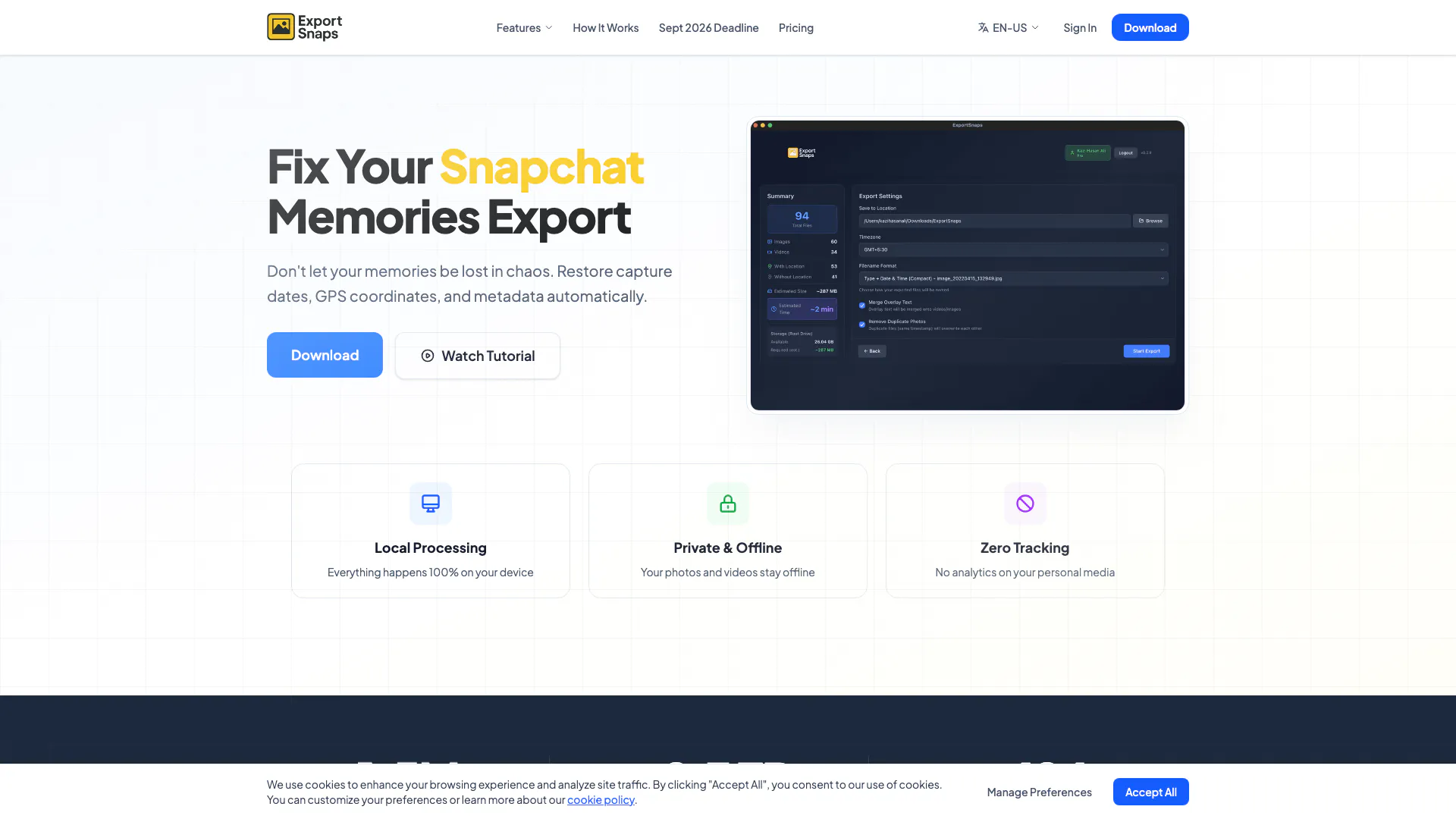
Exportsnaps is a powerful desktop application designed to fix the export issues associated with Snapchat memories. It restores essential metadata such as capture dates, GPS coordinates, and other vital information that is often lost during the export process. This tool enables users to process unlimited photos and videos locally, ensuring that their memories are preserved accurately. With its user-friendly interface and robust functionality, Exportsnaps provides a seamless solution for anyone looking to retrieve and organize their Snapchat memories effectively.
How to use Exportsnaps?
- Download and install the Exportsnaps application on your desktop (available for macOS and Windows).
- Request your Snapchat data by visiting accounts.snapchat.com and enabling the export of JSON files.
- Open the Exportsnaps application and upload your memories_history.json file.
- The app will download your media directly from Snapchat's servers and process it locally, embedding the correct metadata into each file.
- After processing, your photos and videos will be organized with accurate timestamps and GPS coordinates.
What are the main features of Exportsnaps?
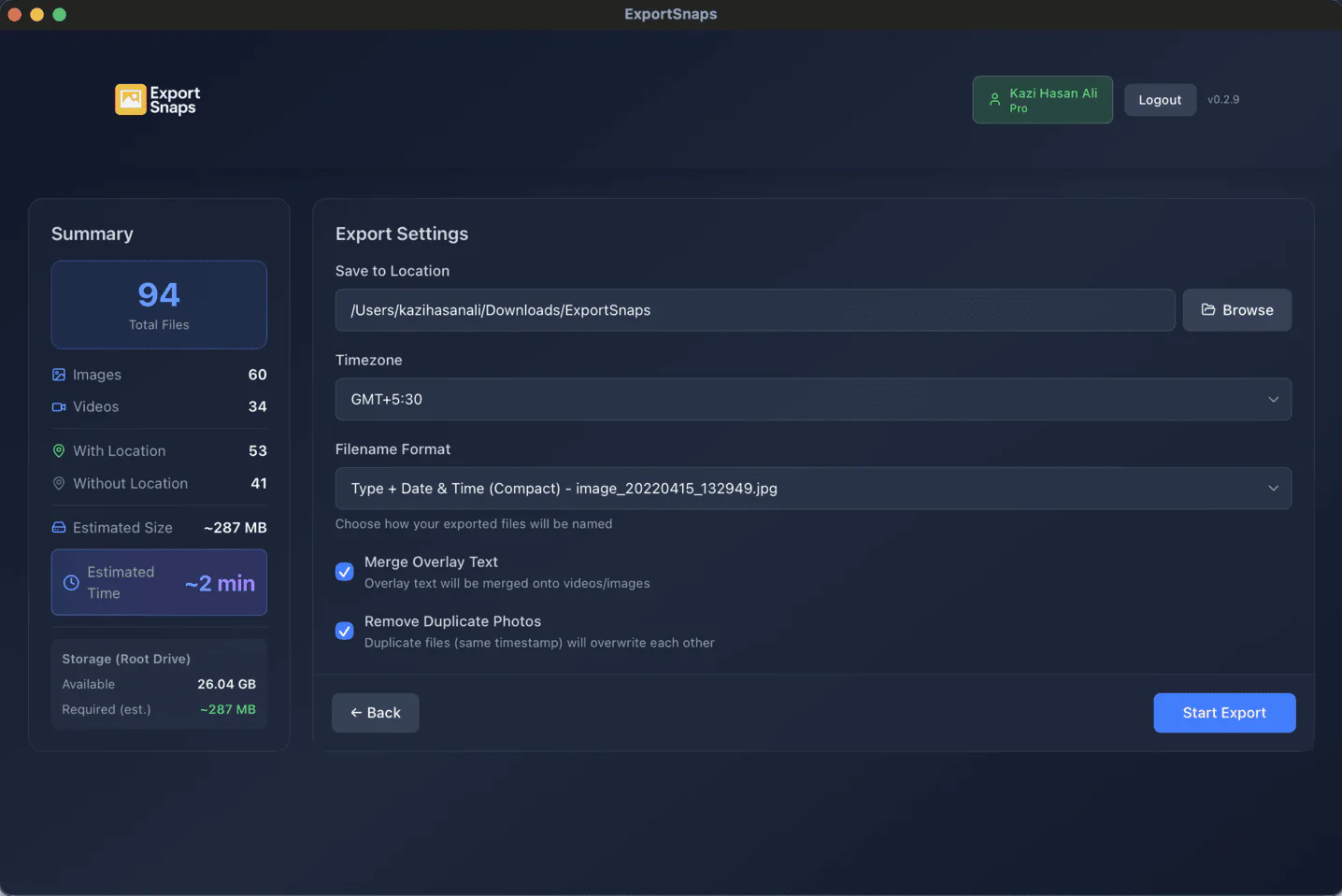
- Fix Timestamp: Restores the original capture dates of your Snapchat memories.
- Add GPS Coordinates: Embeds accurate location data into your exported files.
- Automatic Overlay Merging: Merges separate text and sticker overlays back onto the main media files.
- Rename by Date: Allows you to rename files based on their original capture dates.
- Zip Export: Facilitates exporting your memories in a compressed format for easier storage.
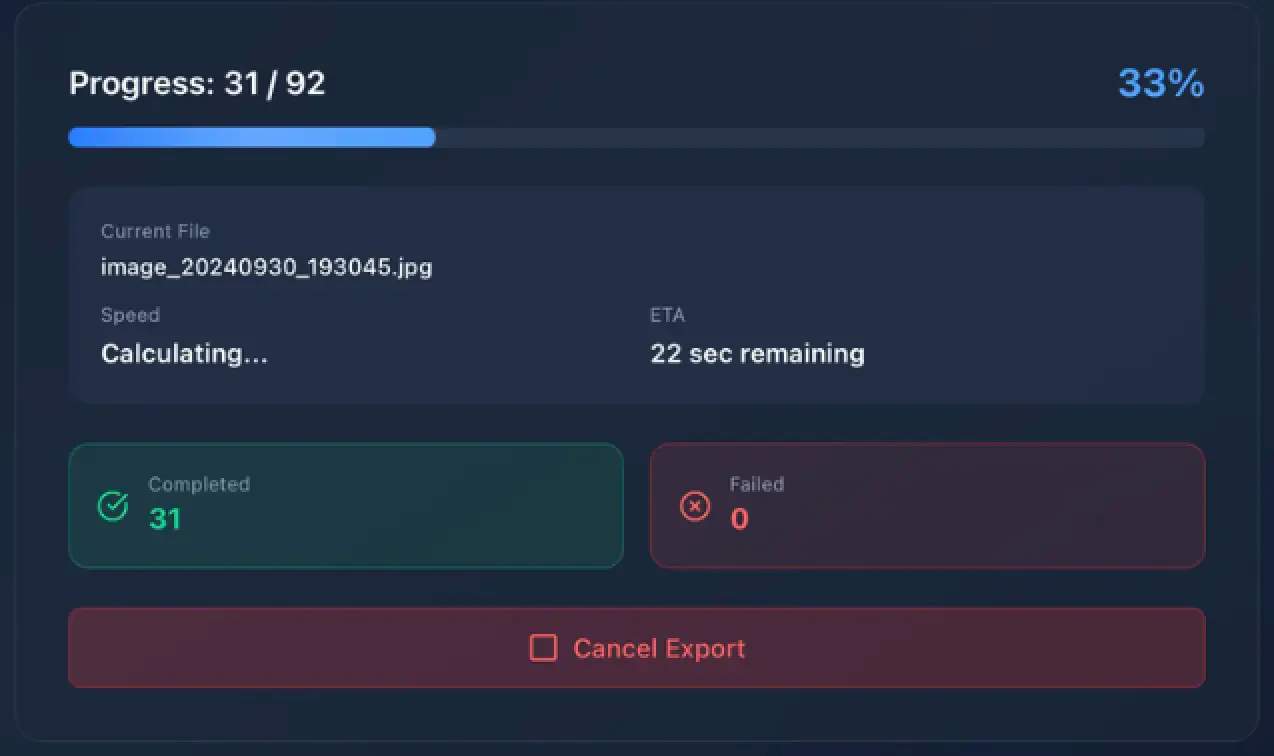
- Smart Retry: Handles download failures by allowing you to retry without reprocessing all files.
Who is Exportsnaps for?
Exportsnaps is ideal for Snapchat users who want to retrieve and organize their memories accurately. This tool caters to a diverse audience, including casual users who wish to maintain personal memories, as well as archival enthusiasts who require precise metadata for historical documentation. It is particularly beneficial for individuals who have exported large amounts of data from Snapchat and need a reliable solution to restore lost information.
What are the use cases of Exportsnaps?
- Personal Memory Preservation: Users can restore and organize their Snapchat memories for personal use, ensuring that all important dates and locations are accurately reflected.
- Archiving: Archival enthusiasts can use Exportsnaps to maintain a chronological and geographically accurate record of their digital memories, which is crucial for documentation purposes.
- Family and Friends Sharing: Users can prepare their Snapchat exports for sharing with family and friends, ensuring that everyone can view the memories with the correct context and information.
Product Images
Exportsnaps Pros and Cons
Pros
- Local Processing: All processing occurs locally on your device, ensuring privacy and security for your photos and videos.
- Automatic Metadata Restoration: Restores capture dates, GPS coordinates, and other metadata automatically, enhancing the organization of your memories.
- User-Friendly Overlay Merging: Automatically merges text and sticker overlays back onto photos and videos, creating a seamless viewing experience.
Cons
No cons data detected for this tool
Exportsnaps Pricing
Free
Get started with basic features including uploading Snapchat JSON and downloading up to 200 files.
Pro
One-time payment for lifetime access. Includes unlimited file processing, multi-threaded downloads, full metadata tagging (date, GPS, captions), batch renaming, smart error handling, and merging overlay images and videos.
For the latest pricing, please visit this link: https://www.exportsnaps.com/pricing
Prices are subject to change. Please visit the official website for the most up-to-date pricing information.
Analytics of Exportsnaps
Exportsnaps Website Traffic Analysis
Visits Over Time
Traffic Sources
Nov 2025 - Dec 2025 Worldwide Desktop Only
- Search: 42.05%
- Direct: 41.15%
- Referrals: 9.52%
- Social: 5.21%
- Paid Referrals: 1.34%
- Mail: 0.14%
Top Keywords
| Keyword | Volume | CPC | Estimated Value |
|---|---|---|---|
| exportsnaps macos tool | 190 | $0.00 | $180.00 |
| snapchat-exif-restorer | 130 | $0.00 | $120.00 |
| exportsnaps on more devices | 100 | $0.00 | $90.00 |
| exportsnaps safe | 100 | $0.00 | $90.00 |
| exportsnaps videos | 100 | $0.00 | $90.00 |




