Toggl Widget




What is Toggl Widget?
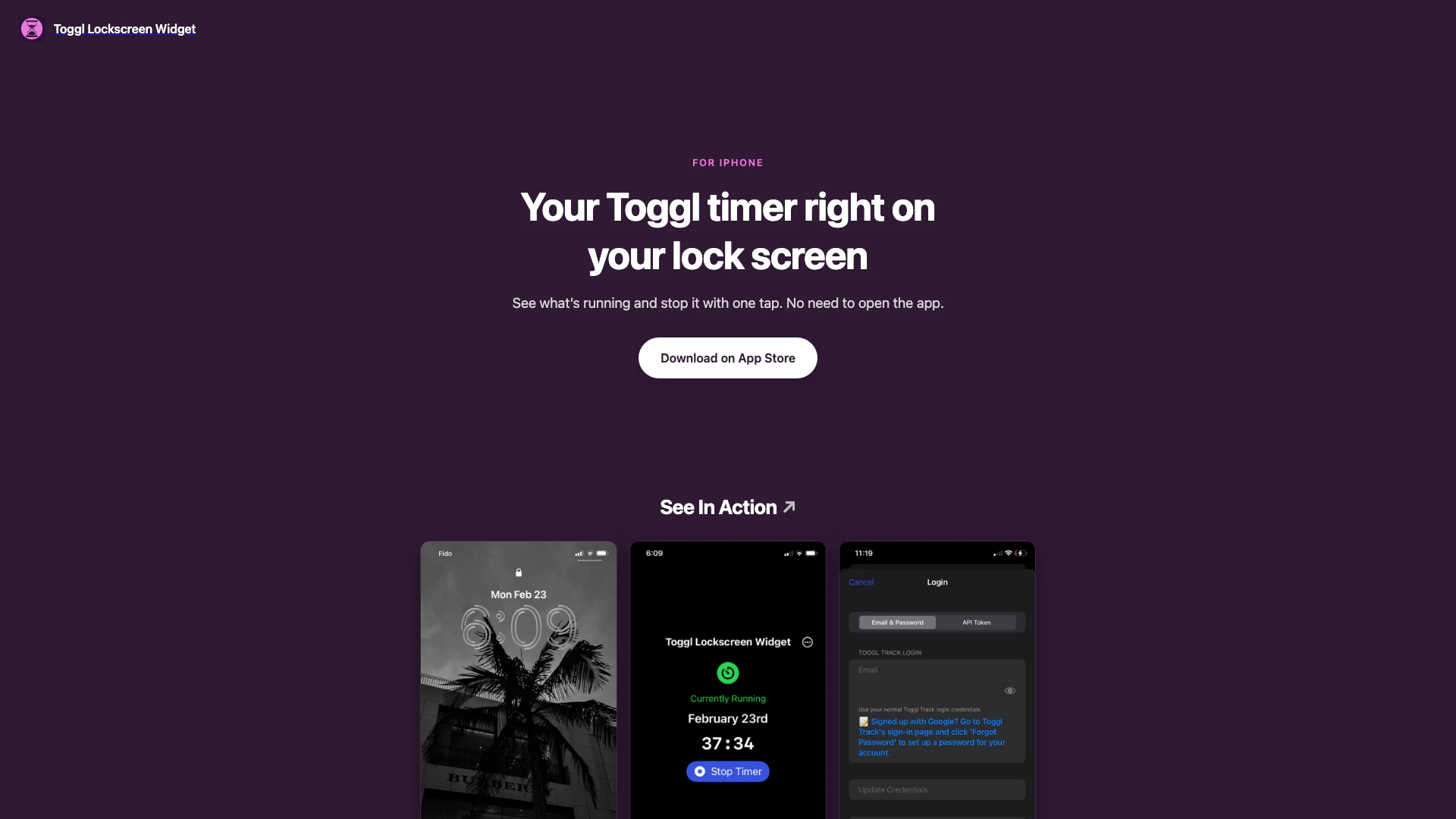
Toggl Widget is a convenient mobile application designed for iPhone users, allowing them to manage their Toggl timers directly from their lock screen. This innovative tool provides a Live Activity feature that displays the currently running timer, enabling users to stop it with just one tap, all without needing to open the Toggl app. This functionality streamlines time tracking for professionals, freelancers, and teams, ensuring that they can monitor their work hours efficiently and effectively.
How to use Toggl Widget?
- Log in to your Toggl Track account using the Toggl Widget app.
- Start a timer in Toggl Track, either on the web, desktop, or mobile app.
- Open the Toggl Widget app once to ensure the timer appears on your iPhone's lock screen.
- Lock your screen, and you will see the timer displayed; simply tap 'Stop' to end the timer without switching apps.
What are the main features of Toggl Widget?
- Real-time updates on the lock screen showing the current timer status.
- One-tap functionality to stop the timer directly from the lock screen.
- Displays timer description, project name, and live elapsed time.
- Ensures privacy by keeping your API token encrypted on the device.
Who is Toggl Widget for?
Toggl Widget is ideal for anyone who utilizes Toggl Track for time management. It particularly benefits freelancers who need to monitor billable hours at a glance, teams that want to quickly see ongoing tasks, and individuals working on side projects who prefer not to interrupt their workflow by switching to the Toggl app.
What are the use cases of Toggl Widget?
- Freelancers can easily track billable hours without the need to open the app, enhancing productivity.
- Teams can manage task switching efficiently by stopping timers directly from their lock screens, reducing downtime.
- Individuals working on side projects can keep track of their time seamlessly, allowing for better focus on their work.
Toggl Widget Pros and Cons
Pros
- Convenient Timer Access: The Toggl Widget allows users to access their timers directly from the iPhone lock screen, providing quick visibility without opening the app.
- Real-Time Updates: The widget updates in real-time, displaying the current project name, description, and elapsed time, ensuring users have the latest information.
- Easy Timer Control: Users can stop the timer with just one tap on the lock screen, making it easy to manage time tracking without interrupting workflow.
Cons
No cons data detected for this tool
Toggl Widget Pricing
Free Plan
Works with your existing Toggl Track account. Allows you to see your Toggl timer on your lock screen, start timers from anywhere, and stop them with one tap.
For the latest pricing, please visit this link: https://toggl-widget.com/
Prices are subject to change. Please visit the official website for the most up-to-date pricing information.