Sitekeeper





What is Sitekeeper?
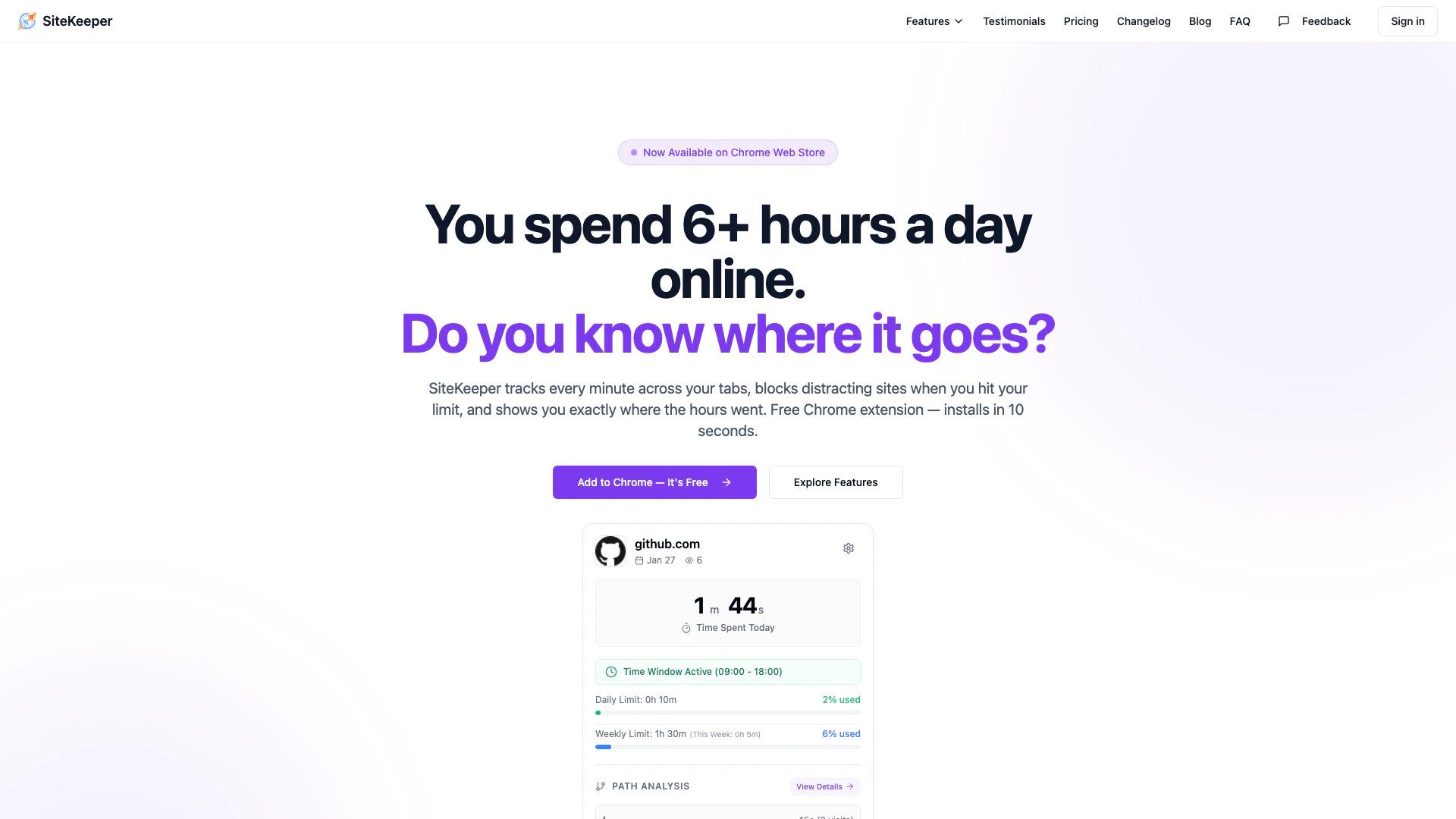
Sitekeeper is a free Chrome extension designed to help users track their browsing time[7], block distracting websites, and enhance productivity. By providing detailed insights into how time is spent online, Sitekeeper empowers users to take control of their daily internet usage. The tool automatically tracks time spent on various tabs, offers smart blocking[2] features to limit access to distracting sites, and provides deep analytics[3] to visualize productivity trends over time.
How to use Sitekeeper?
- Install Sitekeeper from the Chrome Web Store by clicking the 'Add to Chrome' button.
- Open the Sitekeeper extension to view your current browsing time and set daily/weekly limits for specific websites.
- Use the focus mode[6] to block all distractions instantly when you need to concentrate on your tasks.
What are the main features of Sitekeeper?
- Time Tracking[1]: Automatically tracks your time spent on each tab, providing detailed daily, weekly, and monthly breakdowns.
- Smart Blocking: Set daily limits for distracting websites, which will be blocked once the limit is reached.
- Path Analysis[4]: Analyze usage by URL path to understand which pages consume your time.
- Deep Analytics: Receive a productivity score[5] and access trend charts, along with options to export your data in CSV or JSON format.
Who is Sitekeeper for?
Sitekeeper is ideal for anyone looking to improve their online productivity, including students, professionals, freelancers, and anyone who finds themselves distracted by social media or other non-essential websites during work hours. It is particularly beneficial for those who want to gain insight into their internet usage patterns and take proactive steps to manage their time more effectively.
What are the use cases of Sitekeeper?
- Time Management: Use Sitekeeper to track and manage how much time you spend on various websites, helping you identify areas for improvement.
- Focus Enhancement: Set limits on distracting websites like social media to ensure you stay focused during work hours.
- Productivity Analysis: Utilize the analytics features to monitor your productivity trends and make data-driven decisions to enhance your work efficiency.
Sitekeeper Pros and Cons
Pros
- Automatic Time Tracking: SiteKeeper automatically tracks time spent on each tab, providing detailed daily, weekly, and monthly breakdowns without any setup required.
- Smart Site Blocking: Users can set daily limits for distracting sites, and once the limit is reached, the site is blocked until the next day, helping to manage time effectively.
- Detailed Path Analysis: SiteKeeper allows users to analyze time spent on specific URL paths, enabling a better understanding of where time is wasted on websites.
Cons
No cons data detected for this tool
Sitekeeper Pricing
Free
Automatic time tracking on every site, daily time limits with site blocking, categorize sites by tags, path analysis (up to 3 sites), time window tracking (up to 3 sites), daily productivity score (0–100), full data export (CSV), community support.
Featured
Take full control of your digital day, track every site — no caps, no gaps, daily, weekly & custom time limits, path analysis on unlimited sites, time windows on unlimited sites, productivity score with AI insights, priority support.
Unlock Full Control
Pay once, own it forever, track every site — no caps, no gaps, daily, weekly & custom time limits, path analysis on unlimited sites, time windows on unlimited sites, productivity score with AI insights, priority support. One purchase, no recurring fees, every future update included.
For the latest pricing, please visit this link: https://www.sitekeeper.tech/pricing
Prices are subject to change. Please visit the official website for the most up-to-date pricing information.
Sitekeeper Reviews
I was spending 3 hours a day on Reddit without realizing it. After a week with SiteKeeper, I cut it to 30 minutes and shipped two features I'd been putting off.
The productivity score made it real — seeing a 42 on Monday morning was the wake-up call I needed. Now I consistently hit 75+.
I set a 20-minute limit on Twitter during work hours. When the blocked page pops up, I actually feel relieved — it takes the decision off my plate.
For more reviews, visit this link: https://sitekeeper.tech/#testimonials