General Task Beta





What is General Task Beta?
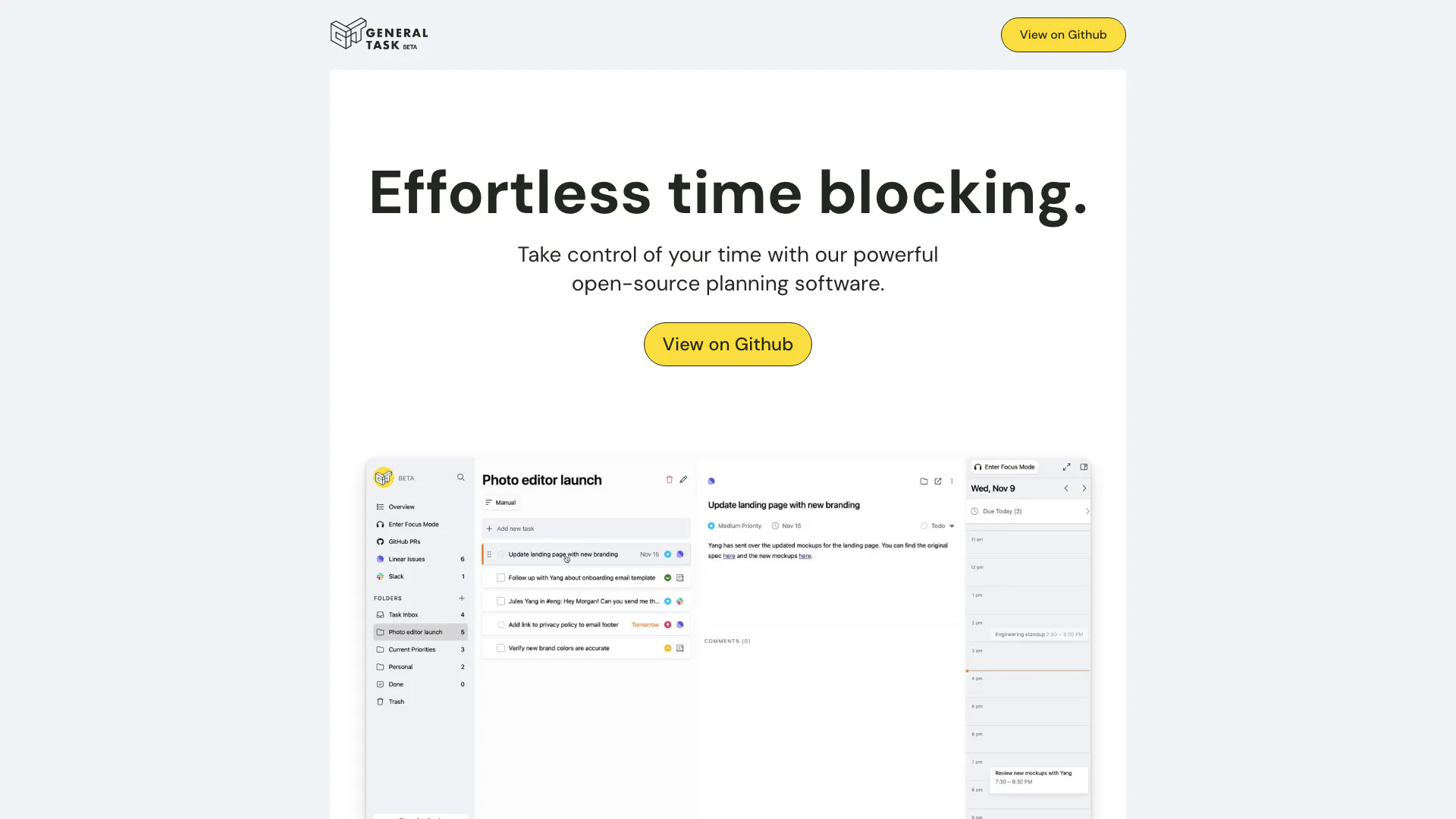
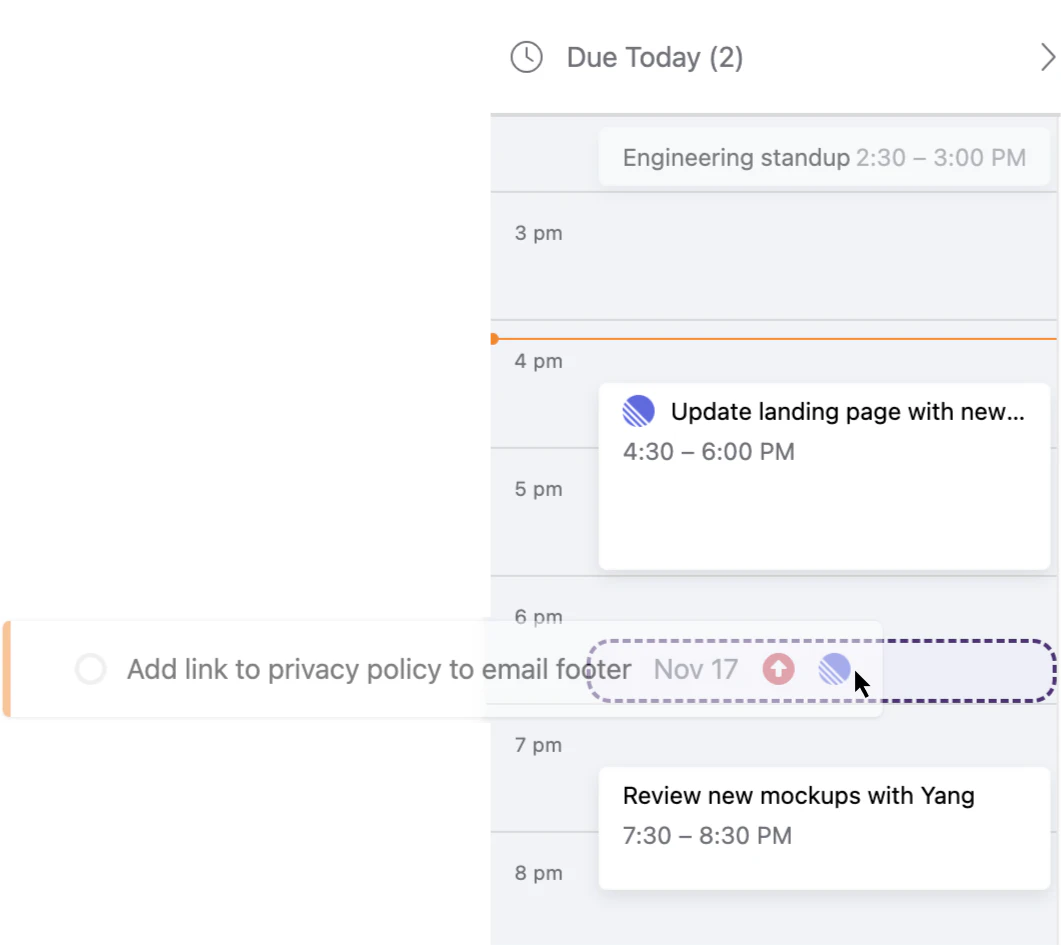
General Task Beta is an open-source planning software designed to simplify time blocking and task management. It empowers users to take control of their schedules by allowing them to drag and drop tasks directly into their calendars, creating events seamlessly on Google Calendar. This tool prioritizes focus and productivity by minimizing distractions, enabling users to concentrate on one task at a time, which it refers to as 'singletasking'. With a user-friendly interface and robust integration capabilities, General Task Beta is ideal for individuals and teams looking to enhance their planning efficiency.
How to use General Task Beta?
- Download and Install: Access General Task Beta from the official website or GitHub repository and install it on your system.
- Create an Account: Sign up for an account if required, or log in if you already have one.
- Add Tasks: Begin adding tasks to your dashboard, specifying details such as deadlines and priorities.
- Integrate with Calendar: Drag tasks to your calendar view to automatically create events in your Google Calendar.
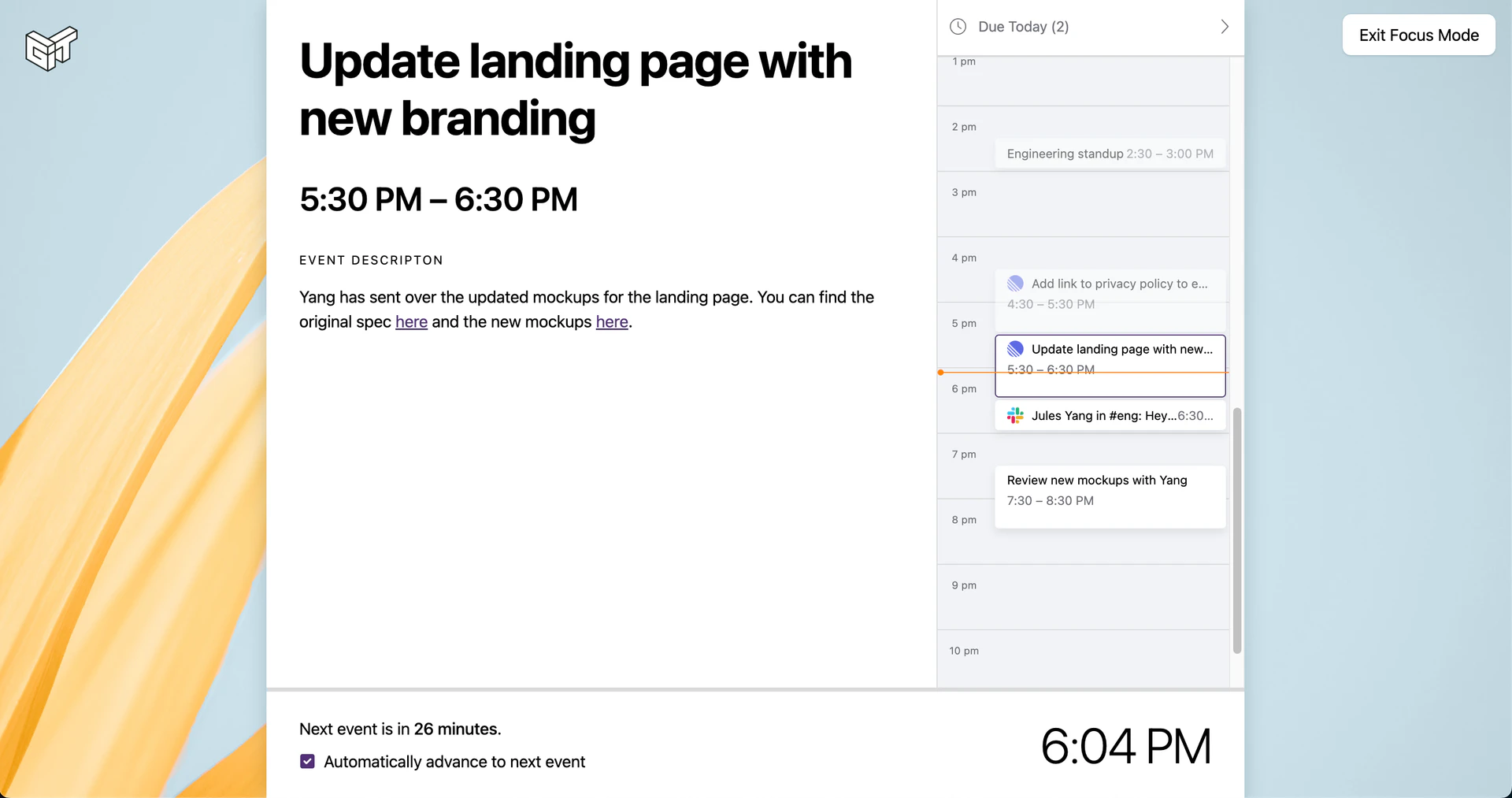
- Utilize Focus Mode: Activate Focus Mode to concentrate on one task at a time without distractions, enhancing your productivity.
- Sync with Other Tools: Connect General Task Beta with other tools like GitHub, Jira, and Slack for a comprehensive overview of your tasks.
What are the main features of General Task Beta?
- Time Blocking: Effortlessly schedule tasks by dragging them into your calendar.
- Focus Mode: A unique feature that encourages 'singletasking' by minimizing distractions, allowing users to focus on one task at a time.
- Integration Capabilities: Sync with various platforms like Google Calendar, GitHub, Linear, and Slack to keep all your tasks and meetings organized in one place.
- Quick Command Tool: An ergonomic feature that enables users to execute multiple commands with simple keystrokes, enhancing efficiency.
- Open Source: General Task Beta is open-source, allowing users to self-host and customize the tool according to their needs.
Who is General Task Beta for?
General Task Beta is designed for individuals and teams seeking to improve their productivity and time management skills. It is particularly useful for professionals who juggle multiple tasks, such as project managers, software developers, and freelancers. The tool's focus on singletasking makes it suitable for anyone looking to minimize distractions and enhance their workflow. Additionally, teams that utilize collaborative tools like GitHub, Jira, and Slack will find General Task Beta beneficial for integrating their tasks and planning effectively.
What are the use cases of General Task Beta?
- Project Management: Teams can use General Task Beta to plan and track project milestones, ensuring that all tasks are completed on time.
- Personal Productivity: Individuals can manage their daily tasks and appointments, helping them stay organized and focused on their priorities.
- Software Development: Developers can integrate their tasks from GitHub or Jira, allowing them to keep track of issues and deadlines in one interface.
- Meeting Scheduling: Users can easily schedule meetings by dragging tasks into their calendar, ensuring they allocate time effectively.
Product Images

General Task Beta Pros and Cons
Pros
- Open-Source and Free Self-Hosting: General Task is open-source and can be self-hosted for free, allowing users full control over their data and the software environment.
- Integration with Popular Tools: The software integrates seamlessly with tools like GitHub, Linear, Jira, Google Calendar, and Slack, providing a comprehensive overview of tasks and meetings.
- Focus Mode: The Focus Mode feature encourages 'singletasking', helping users concentrate on one task at a time, which can enhance productivity.
- Efficient User Interface: The interface is designed for efficiency and comfort, with tools like Quick Command for easy navigation and operation.
Cons
No cons data detected for this tool