Digitalcadence




What is Digitalcadence?
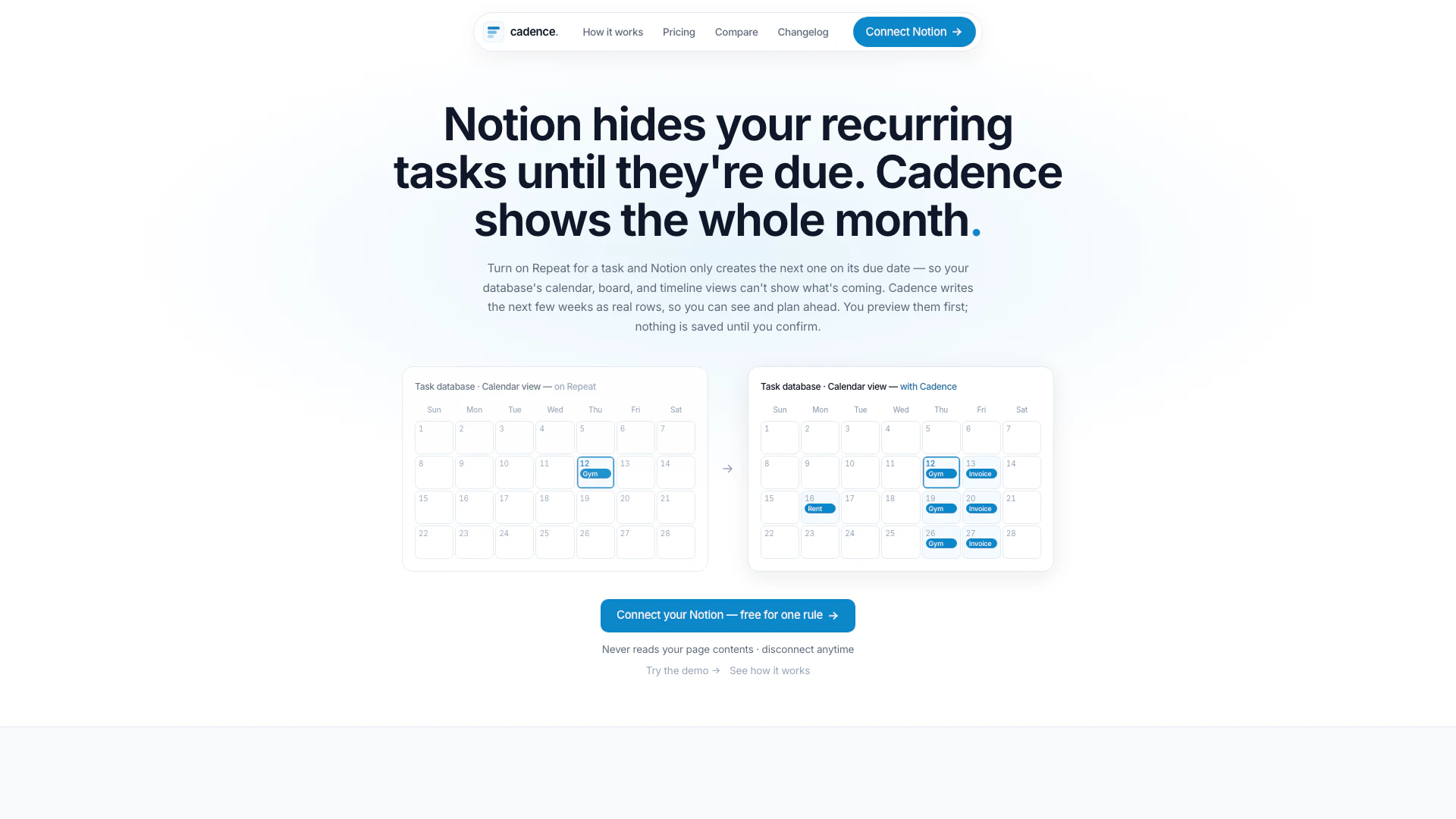
Digitalcadence is a powerful tool designed to enhance task management within Notion by allowing users to visualize recurring tasks ahead of time. Unlike Notion's default settings, which only display tasks on their due dates, Digitalcadence provides a preview of upcoming tasks for several weeks, allowing users to plan and organize their schedules effectively. This tool bridges the gap between task creation and visibility, ensuring that users can manage their workloads proactively.
How to use Digitalcadence?
- Connect a Database: Start by pointing Cadence at the Notion database that contains your tasks. This ensures that only the fields you select are accessed, and your page contents remain private.
- Preview the Next 10 Dates: Once connected, Cadence will allow you to preview the next 10 occurrences of your recurring tasks. You can see each date and task title before any data is written to Notion.
- Confirm the Write: After reviewing the preview, click 'Confirm' to write the tasks into your Notion database. This is the only action that writes data, ensuring that your edits in Notion will remain intact.
What are the main features of Digitalcadence?
- Comprehensive Preview: View the next few weeks of tasks as real database rows before confirming them.
- Privacy Assurance: Cadence never reads your page contents, ensuring your data stays secure.
- Single Write Confirmation: Only the confirmed tasks are written to Notion, preventing unwanted changes.
- No Duplicates: Each rule and date has a reserved slot, eliminating the risk of duplicate entries.
- Multiple Pricing Plans: Options range from a free plan to more extensive features for teams, catering to different user needs.
Who is Digitalcadence for?
Digitalcadence is tailored for a variety of users including individuals, teams, and project managers who utilize Notion for task management. It is particularly beneficial for those who rely on recurring tasks and need a clear overview of their upcoming responsibilities. Whether you are a freelancer managing personal projects or part of a larger team coordinating multiple tasks, Digitalcadence enhances your productivity by providing a structured approach to task visibility.
What are the use cases of Digitalcadence?
- Task Management: Ideal for individuals who want to manage recurring tasks efficiently in Notion without cluttering their view.
- Team Collaboration: Useful for teams that need to visualize upcoming tasks and deadlines collectively.
- Project Planning: Helps project managers to plan and allocate recurring tasks over weeks, ensuring no deadlines are missed.
Digitalcadence Pros and Cons
Pros
- Preview Upcoming Tasks: Cadence allows users to preview upcoming tasks for several weeks ahead, unlike Notion which only shows tasks on their due date.
- Confirm Before Writing: Users can confirm the tasks before they are written to Notion, ensuring accuracy and control over the data.
- Seamless Integration with Notion: Cadence integrates seamlessly with Notion, allowing users to connect their task database without reading page contents.
Cons
- Limited Free Plan: The free plan allows only one rule and one database, which may limit usage for users with more complex needs.
- Notion-Only Compatibility: Cadence is designed specifically for Notion, which means it cannot be used with other task management platforms.
Digitalcadence Pricing
Free
1 rule, 1 database, 7-day history.
Solo
10 rules, 30-day history, flat.
Team
Unlimited rules, 90-day history.
For the latest pricing, please visit this link: https://digitalcadence.net/pricing
Prices are subject to change. Please visit the official website for the most up-to-date pricing information.