

Ainotetools





What is AiNoteTools?
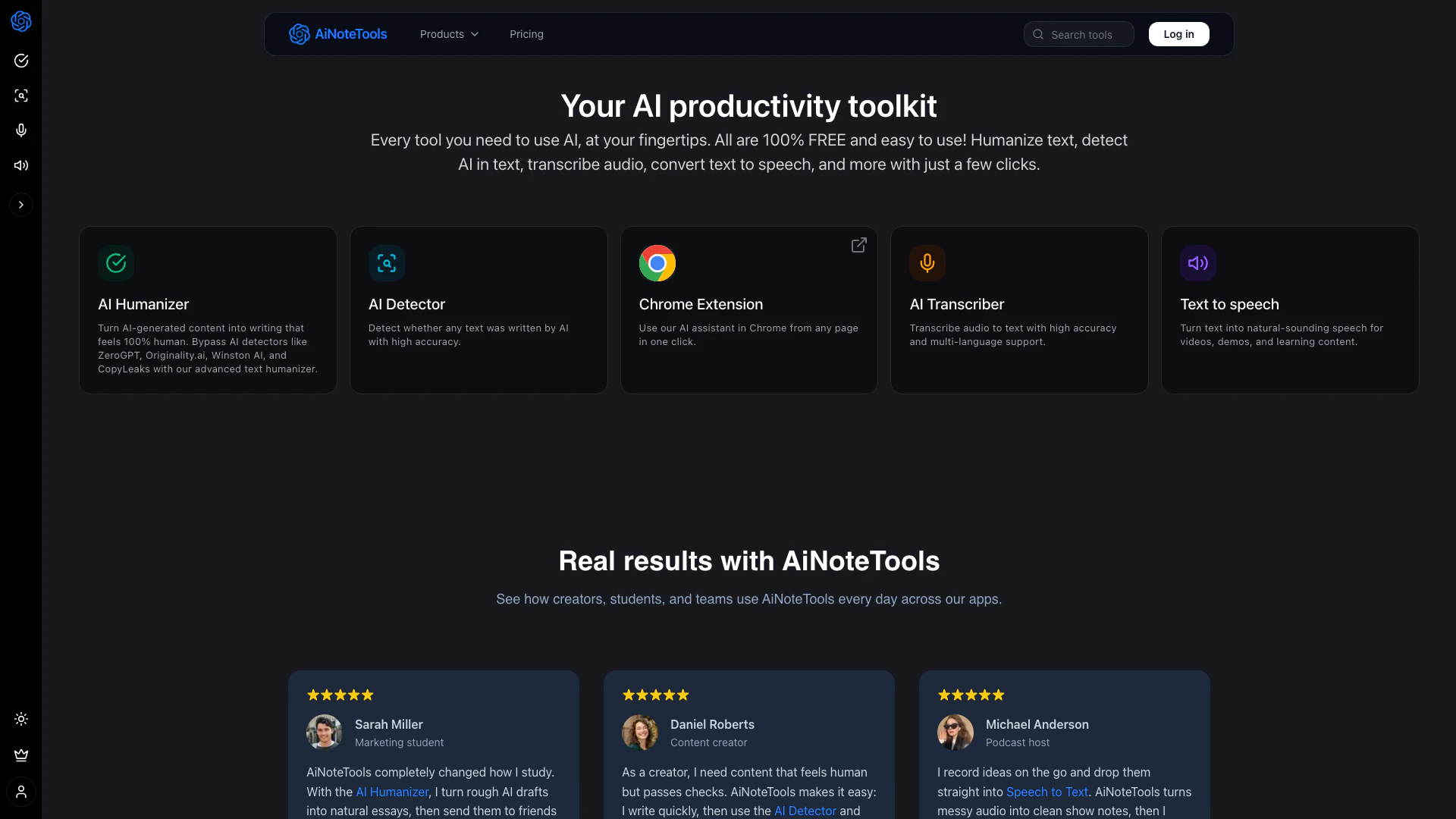
AiNoteTools is your comprehensive AI productivity toolkit designed to streamline various tasks related to content creation[6] and management. This innovative platform offers a suite of tools that allow users to humanize AI-generated content, detect AI-written text, transcribe audio into text, and convert text to speech[4], all with just a few clicks. With a focus on user-friendliness and accessibility, AiNoteTools empowers creators, students, and professionals to enhance their productivity and creativity without any cost.
How to use AiNoteTools?
- Visit the AiNoteTools website at https://ainotetools.com/.
- Choose the specific tool you want to use, such as AI Humanizer[1], AI Detector[2], Speech to Text[3], or Text to Speech.
- Follow the on-screen instructions to upload your content or input text.
- Click the respective button to process your content (e.g., 'Humanize', 'Detect', 'Transcribe', 'Convert').
- Review the output and make any necessary adjustments. You can then download or share the results.
What are the main features of AiNoteTools?
- AI Humanizer: Transforms AI-generated text into natural, human-like writing, helping users bypass AI detection tools.
- AI Detector: Accurately identifies whether a piece of text was generated by AI, ensuring authenticity in content.
- Speech to Text: Converts spoken audio into text with high accuracy and supports multiple languages, making transcription easy.
- Text to Speech: Produces natural-sounding speech from text, ideal for creating videos, demos, and educational content.
- Chrome Extension[5]: Provides one-click access to AiNoteTools directly from your browser for seamless integration into your workflow.
Who is AiNoteTools for?
AiNoteTools is designed for a diverse range of users including students, content creators, marketers, podcasters, and professionals in various fields. It caters to anyone who needs to enhance their written content, transcribe audio, or convert text to speech. Whether you're a student looking to improve your essays, a content creator needing to pass AI detection, or a professional seeking to streamline communication within your team, AiNoteTools provides the necessary tools to boost productivity and creativity.
What are the use cases of AiNoteTools?
- Academic Writing: Students can use the AI Humanizer to refine AI-generated drafts into polished essays that sound authentic.
- Content Creation: Content creators can employ the AI Detector and Humanizer in tandem to ensure their posts maintain a human touch while passing AI checks.
- Podcast Production: Podcast hosts can transcribe their recordings using Speech to Text, turning messy audio into organized notes and scripts.
Ainotetools Pros and Cons
Pros
- Comprehensive AI Toolkit: AiNoteTools offers a wide range of AI tools including text humanization, AI detection, audio transcription, and text-to-speech conversion, all in one platform.
- User-Friendly Interface: The platform is designed for ease of use, allowing users to perform complex tasks with just a few clicks.
- High Accuracy Features: The AI Detector and Transcriber provide high accuracy in detecting AI-generated content and transcribing audio, ensuring reliable results.
Cons
No cons data detected for this tool
Ainotetools Pricing
Basic
For individuals getting started with our AI tools. 150 Credits/month. Full access to AI Humanizer, AI Detector, AI Transcriber, Text to Speech, and Chrome extension usage included.
Pro
Most popular. For power users who rely on AI every day. 500 Credits/month. Full access to AI Humanizer, AI Detector, AI Transcriber, Text to Speech, and Chrome extension usage included.
Unlimited
For teams that need more usage and flexibility. Unlimited Credits/month. Full access to AI Humanizer, AI Detector, AI Transcriber, Text to Speech, Chrome extension usage included, optimized performance across all tools, and priority 24/7 support.
For the latest pricing, please visit this link: https://ainotetools.com/pricing
Prices are subject to change. Please visit the official website for the most up-to-date pricing information.
Ainotetools Reviews
AiNoteTools completely changed how I study. With the AI Humanizer, I turn rough AI drafts into natural essays, then send them to friends using Text to Speech. My notes sound like a real tutor walking me through every chapter.
As a creator, I need content that feels human but passes checks. AiNoteTools makes it easy: I write quickly, then use the AI Detector and Humanizer together. Now my posts sound like me and still stay safe for clients.
I record ideas on the go and drop them straight into Speech to Text. AiNoteTools turns messy audio into clean show notes, then I polish the scripts with the Humanizer. It feels like having a full editing team in one tab.
For more reviews, visit this link: https://ainotetools.com#reviews




Ainotetools Social Listening
Best AI tool for studies!
Follow us on Instagram: https:...
Top 5 BEST AI Note-Taking Apps...
In this video, I explore my pe...
Top AI Note-Taking Apps and Ho...
There are so many AI note take...
Unlock to view 13 social media results.