
Wtmp: Who Touched My Phone Pro - iOS App





What is WTMP: Who Touched My Phone Pro?
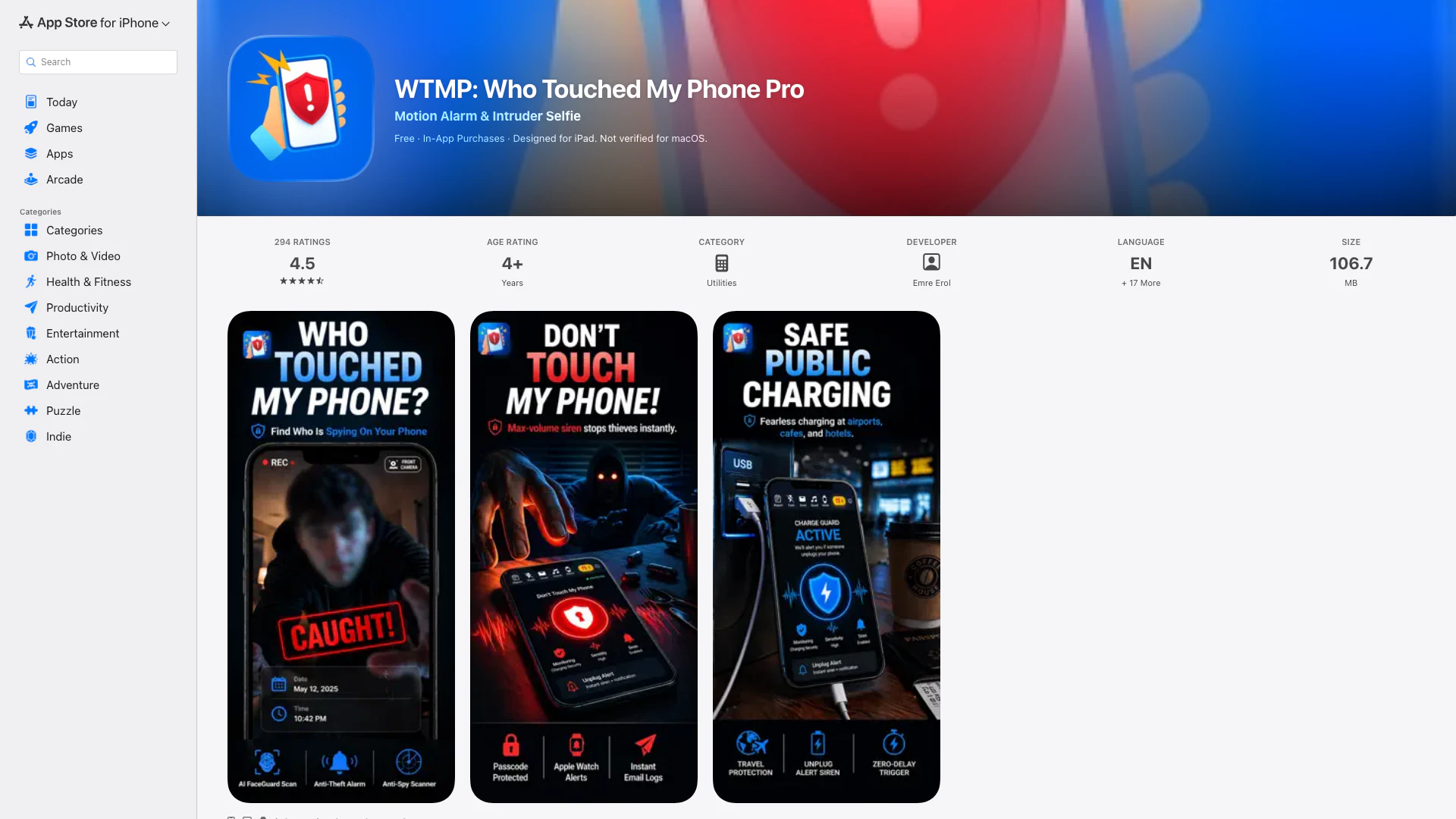
WTMP: Who Touched My Phone Pro is an innovative mobile application designed to enhance the security of your iPhone by preventing unauthorized access. This tool transforms your device into a personal guardian with advanced motion detection features and a focus on privacy. WTMP ensures that whether you are at a café, office, gym, or home, you will receive immediate notifications if someone touches, moves, or attempts to unlock your phone. By utilizing features like Lockwatch and Anti Spy Setup, WTMP acts as a vigilant protector of your personal device.
How to use WTMP: Who Touched My Phone Pro?
- Download and open the WTMP app.
- Tap on 'WTMP' to activate the Lockwatch feature, then lock your phone.
- If there's an unauthorized unlock attempt, the app will automatically capture an intruder selfie and save it securely.
- To use the Motion Alarm feature, tap 'Don’t Touch My Phone,' activate it, and place your phone down.
- Any movement will trigger a loud alert that can only be disabled with your PIN.
- For securing your privacy settings, tap on 'Anti Spy Setup' and follow the guided checklist.
- To set a Charge Alert, plug your phone in, open the app, and tap 'Charge Alert' to activate it.
What are the main features of WTMP: Who Touched My Phone Pro?
- Lockwatch: Automatically captures selfies of intruders attempting to unlock your phone without permission.
- Motion Alarm: Triggers a loud alert when the phone is touched or moved, deterring potential theft.
- Anti Spy Setup: Provides a step-by-step privacy checklist to strengthen your device's security against unauthorized access.
- Charge Alert: Notifies you with an alarm if your charging cable is unplugged, ensuring your device stays secure.
- Privacy-First Security: No personal data is accessed or shared, keeping all information local to your device.
Who is WTMP: Who Touched My Phone Pro for?
WTMP: Who Touched My Phone Pro is ideal for anyone looking to enhance their mobile phone security. This includes business professionals who may leave their devices in public spaces, students studying in cafes or libraries, and individuals concerned about potential unauthorized access to their sensitive information. With its intuitive interface and comprehensive features, WTMP effectively serves a wide range of users, from tech-savvy individuals to those with minimal technical knowledge seeking a straightforward security solution.
What are the use cases of WTMP: Who Touched My Phone Pro?
- Public Spaces Security: Utilize WTMP when leaving your phone unattended in public places like cafes or gyms to receive instant alerts on any movement.
- Office Environment: Protect your phone from colleagues or unauthorized access while in shared office spaces or during meetings.
- Personal Device Security: Use the app at home to ensure your phone is safe from curious friends or family members who may attempt to access it without permission.
Wtmp: Who Touched My Phone Pro Pros and Cons
Pros
- Smart Motion Detection: The app features advanced motion detection that alerts users when their phone is touched or moved, enhancing security in various settings.
- Intruder Selfies: Automatically captures selfies of anyone attempting to unlock the phone without permission, providing visual evidence of unauthorized access.
- Privacy-Focused Security: All data, including photos and reports, are stored locally on the device, ensuring that no personal information is accessed or shared externally.
Cons
No cons data detected for this tool
Wtmp: Who Touched My Phone Pro Pricing
Weekly Premium
Access premium features on a weekly basis.
Monthly Premium
Enjoy premium features every month.
Annual Premium
Get premium features for a whole year.
WTMP Premium Lifetime
One-time purchase for lifetime access to premium features.
WTMP Flash Sale Lifetime
Limited time offer for lifetime access to premium features at a discounted price.
For the latest pricing, please visit this link: https://apps.apple.com/us/app/wtmp-who-touched-my-phone-pro/id1671312081
Prices are subject to change. Please visit the official website for the most up-to-date pricing information.