

Visualizeai
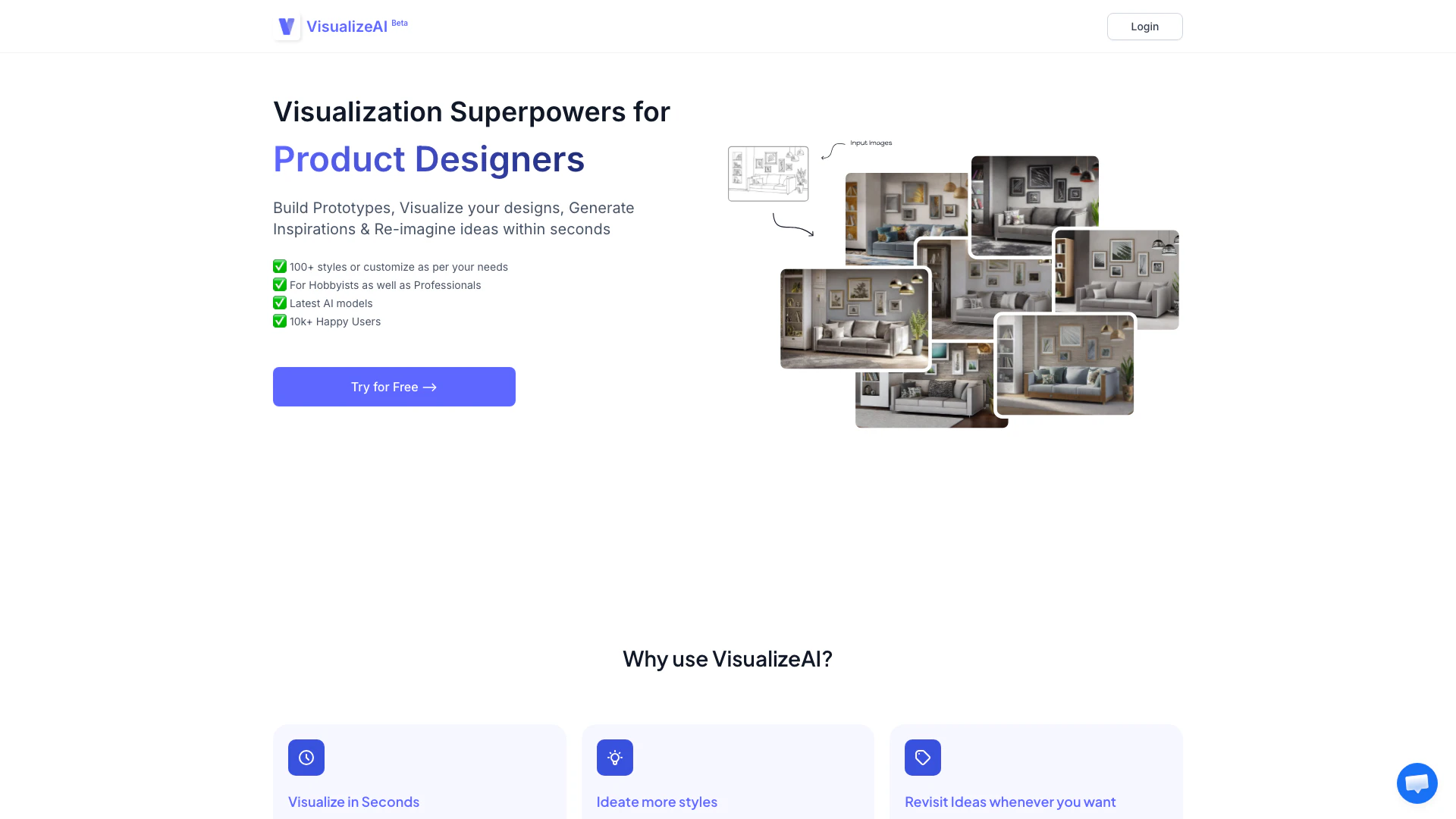





What is VisualizeAI?
VisualizeAI is an innovative design visualization tool that empowers users to build prototypes, visualize their designs, generate inspirations, and re-imagine ideas within seconds. This AI-based platform is tailored for both hobbyists and professionals, offering over 100 customizable styles to cater to diverse design needs. With its advanced AI models, VisualizeAI simplifies the visualization process, allowing users to transform basic sketches or images into detailed renders quickly and efficiently.
How to use VisualizeAI?
- Upload Input: Start by selecting your use case and uploading an input image, which can be a sketch, a picture, or any visual reference.
- Configure Style: Choose your desired output requirements, including style, colors, and themes to match your vision.
- That's All: Your visual output will be generated within seconds, allowing you to iterate on your design ideas swiftly.
What are the main features of VisualizeAI?
- Fast Visualization: Generate visualizations in seconds, significantly reducing the time spent on traditional design software.
- Customizable Styles: Choose from over 100 styles or customize options to fit specific project needs.
- Save and Access: All visualizations are saved and can be accessed anytime, making it easy to revisit ideas.
- Versatile Applications: Suitable for architecture, interior design, and more, allowing users to visualize various concepts.
Who is VisualizeAI for?
VisualizeAI is designed for a wide range of users, including hobbyists, budding designers, architects, and interior designers. It caters to anyone who needs to visualize ideas quickly and effectively, whether for personal projects or professional presentations. The tool is particularly beneficial for those who want to explore different design styles and materials without investing extensive time in traditional rendering software.
What are the use cases of VisualizeAI?
- Architectural Visualization: Quickly convert sketches or basic images into detailed architectural renders to showcase designs to clients.
- Interior Design Prototyping: Experiment with different styles and materials for interior spaces, allowing for rapid iteration and client feedback.
- Creative Ideation: Use the tool to transform ideation sketches into polished renders, helping designers explore and present their concepts effectively.
Visualizeai Pros and Cons
Pros
- Rapid Visualization: Visualize ideas in seconds instead of spending hours on traditional software like 3ds Max or V-ray.
- Quick Visualization Process: VisualizeAI allows users to visualize ideas in seconds, significantly reducing the time spent on traditional design software like 3ds Max or V-Ray.
- Diverse Style Options: With over 100 styles available, users can easily customize their visualizations to meet specific client needs and preferences.
- Extensive Style Options: Choose from over 100 styles or customize your designs to meet specific needs.
- Accessible Idea Revisions: All visualizations are saved, allowing users to revisit and modify ideas whenever needed.
- User-Friendly Process: Simple three-step process: upload an image, configure style, and receive output within seconds.
- Accessible Design History: All visualizations are saved and can be revisited at any time, providing users with easy access to their design history.
- User-Friendly Prototyping: Easily upload images and configure styles to generate visualizations quickly.
Cons
No cons data detected for this tool
Visualizeai Pricing
Basic
150 Renders / Upscales, Commercial Use, Beta Access
Pro
1000 Renders / Upscales, Commercial Use, Beta Access
For the latest pricing, please visit this link: https://visualizeai.pro/login
Prices are subject to change. Please visit the official website for the most up-to-date pricing information.
Analytics of Visualizeai
Visualizeai Website Traffic Analysis
Visits Over Time
Traffic Sources
Dec 2025 - Feb 2026 Worldwide Desktop Only
- Direct: 41.76%
- Search: 40.46%
- Referrals: 14.22%
- Social: 2.26%
- Paid Referrals: 1.19%
- Mail: 0.10%
Top Keywords
| Keyword | Volume | CPC | Estimated Value |
|---|---|---|---|
| visualizeai | 3.99K | $2.34 | $3490.00 |
| visualize ai | 2.19K | $2.64 | $1310.00 |
| ai visualizer | 670 | $2.81 | $200.00 |
| visualise ai | 330 | $0.00 | $280.00 |
| visualizeai: | 180 | $0.00 | $170.00 |




Visualizeai Social Listening
Best AI Interior Design Tool? ...
🔗 Try it now: https://ideal.h...
Create interior design by one ...
In this video, Alexandra Choo,...
Architectural Inspiration with...
Architectural Inspiration with...
Unlock to view 9 social media results.