

Upscaler





What is Upscaler?
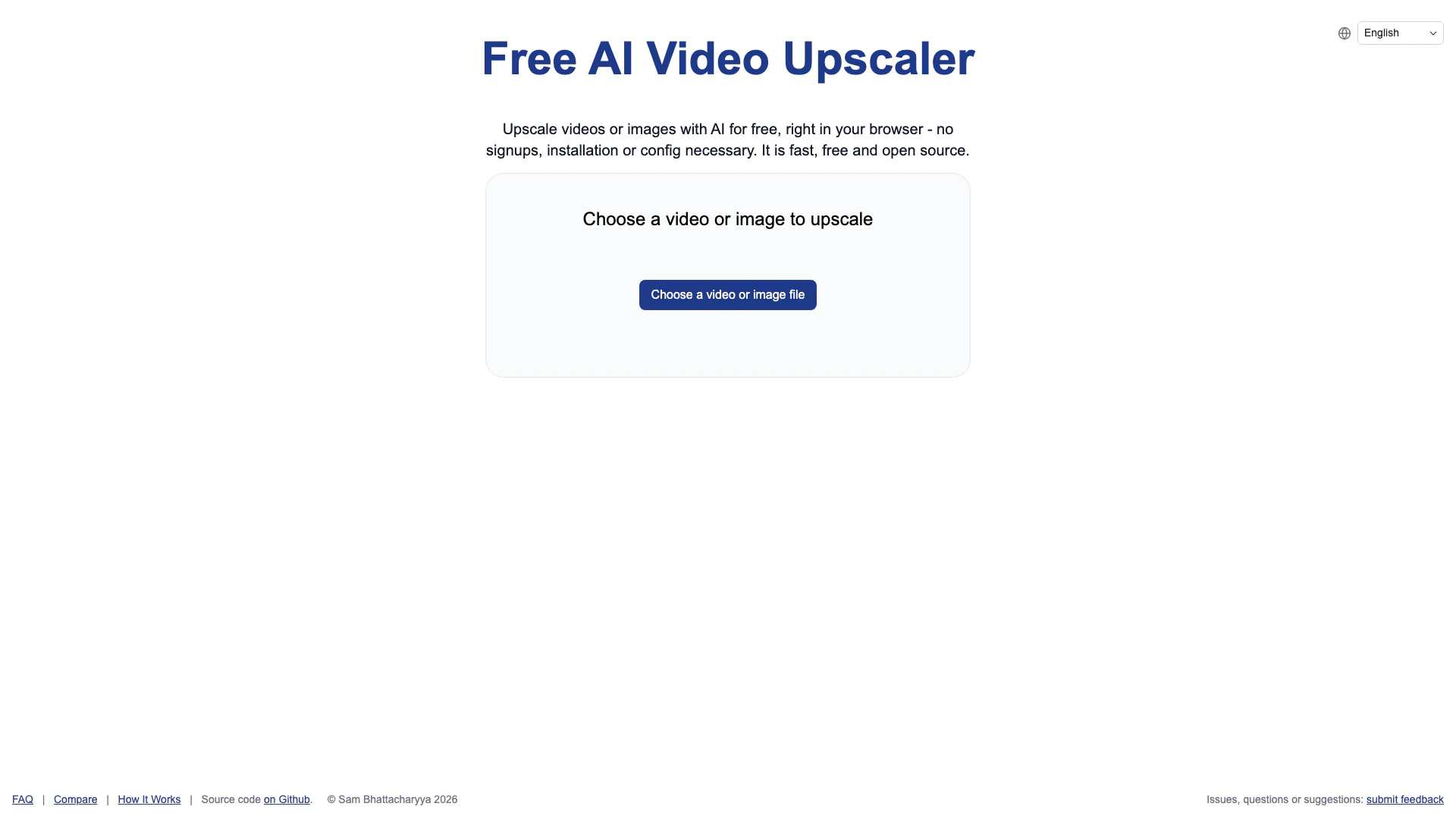
Upscaler is a free AI-powered[1] video and image upscaling[2] tool that operates entirely in your web browser. It allows users to enhance the quality of their images and videos without the need for any downloads, sign-ups, or watermarks. This browser-based[3] solution ensures privacy and convenience, making it accessible to anyone looking to upscale their media instantly. The tool is particularly effective for animated content and is built on open-source[4] technology, making it fast, efficient, and user-friendly.
How to use Upscaler?
- Visit the Upscaler website in your browser.
- Choose a video or image file from your device to upscale.
- Select the desired output quality (Small, Medium, or Large).
- Click on the 'Start upscaling' button to begin the process.
- Wait for the upscaling process to complete; do not close the tab.
- Once finished, download the upscaled file to your device.
What are the main features of Upscaler?
- Free and open-source tool for upscaling images and videos.
- No sign-up or installation required, fully browser-based.
- Supports multiple output quality settings (Small, Medium, Large).
- Fast processing using advanced AI algorithms like Anime4K[5] and RealESRGAN[6].
- Ideal for upscaling animated content and casual video projects.
- Private and secure, with no watermarks on output files.
Who is Upscaler for?
Upscaler is designed for casual users, content creators, and anyone who needs to enhance the quality of their images and videos quickly and efficiently. It is particularly beneficial for individuals working with animated content or those who want a straightforward solution for upscaling without the complexities of professional software. This tool is ideal for users who value privacy, as it operates entirely in the browser without requiring any personal information.
What are the use cases of Upscaler?
- Enhancing the quality of old video footage for personal projects.
- Upscaling images for social media posts or online portfolios.
- Improving animated content for presentations or educational materials.
- Quickly preparing media for online streaming or sharing without the need for extensive software.
Product Images

Upscaler Pros and Cons
Pros
- No Signup Required: Users can access the upscaling features without any registration or signup, making it quick and hassle-free.
- 100% Browser-Based: The tool operates entirely in the browser, eliminating the need for software installation and ensuring privacy.
- Free and Open Source: The upscaler is completely free to use and open source, allowing users to upscale videos and images without any costs.
Cons
No cons data detected for this tool
Upscaler Pricing
Free Plan
Upscale videos or images with AI for free, right in your browser - no signups, installation or config necessary. It is fast, free and open source.
For the latest pricing, please visit this link: https://free.upscaler.video/
Prices are subject to change. Please visit the official website for the most up-to-date pricing information.
Analytics of Upscaler
Upscaler Website Traffic Analysis
Visits Over Time
Traffic Sources
Nov 2025 - Jan 2026 Worldwide Desktop Only
- Direct: 47.88%
- Search: 32.18%
- Social: 10.05%
- Referrals: 9.08%
- Paid Referrals: 0.73%
- Mail: 0.07%
Top Keywords
| Keyword | Volume | CPC | Estimated Value |
|---|---|---|---|
| video upscaler | 63.04K | $0.63 | $22000.00 |
| upscale video | 44.90K | $0.52 | $9960.00 |
| video upscaler free | 25.35K | $0.36 | $15110.00 |
| free video upscaler | 16.76K | $0.80 | $7940.00 |
| upscale video free | 8.75K | $0.46 | $3720.00 |





Upscaler Social Listening
Photoshops New Upscale Feautre...
After 10yrs of Testing, This i...
Is this the best image upscale...
3 Ways to UPSCALE Ai Images (F...
1. https://dgb.lol/ 2. https:...
Unlock to view 43 social media results.