

Img Upscaler




What is Img Upscaler?
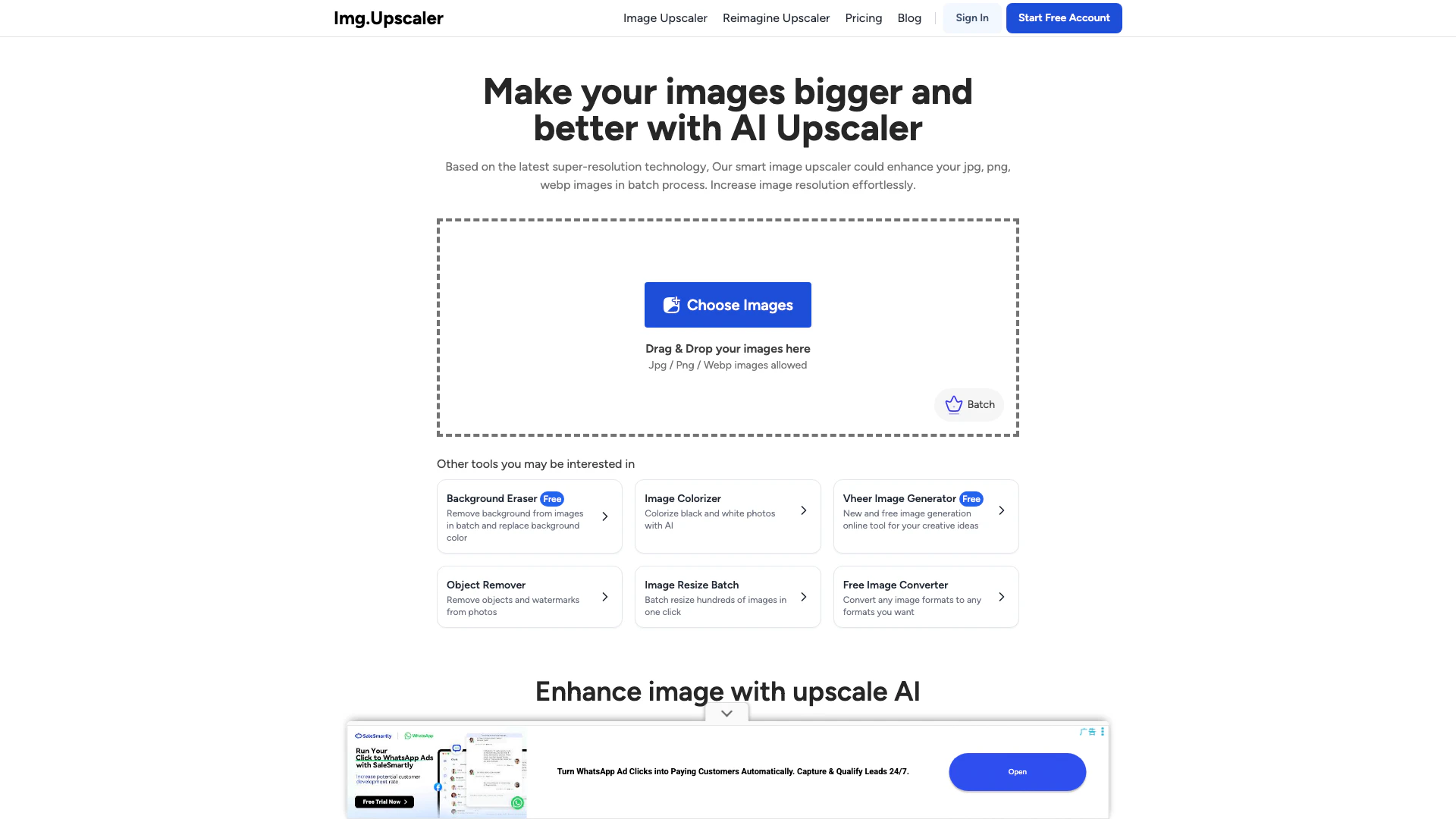
Img Upscaler is an AI-powered online image upscaling tool that enables users to enlarge photos and enhance image resolution without compromising quality. Utilizing advanced super-resolution technology, it allows users to upscale images by 200% or 400%, transforming low-resolution photos into high-definition (HD) and 4K images with clear details. This tool is designed for ease of use, supporting various image formats like JPG, PNG, and WEBP, making it suitable for both casual users and professionals looking to improve their image quality.
How to use Img Upscaler?
- Upload Your Image: Drag and drop any photo you want to upscale. Img Upscaler supports various types of images including portraits, landscapes, and product photos.
- Choose the Upscale Ratio: Select either 200% or 400% to increase your image size. Click 'Upload and Start' to initiate the AI processing.
- Preview and Download: Once the processing is complete, preview your upscaled image with enhanced resolution and detail. You can then download it instantly in high quality.
What are the main features of Img Upscaler?
- AI-Powered Upscaling: Enlarges images by 200% or 400% while preserving quality and detail.
- Batch Processing: Allows users to upscale multiple images simultaneously, enhancing efficiency for professionals.
- Smart Enhancement: Maintains natural details, sharp edges, and realistic textures in upscaled images.
- Built-in Editing Tools: Offers additional editing features such as cropping, filters, and annotations for further image enhancement.
- Privacy Protection: Ensures user privacy by deleting uploaded images within 24 hours and not sharing data with third parties.
- Commercial Use: Allows free usage of upscaled images for personal and commercial projects without hidden fees or watermarks.
Who is Img Upscaler for?
Img Upscaler is designed for a wide range of users including photographers, graphic designers, e-commerce sellers, and anyone needing to enhance image quality. It is particularly beneficial for those who work with large volumes of images, as the batch processing feature streamlines the workflow. Additionally, casual users looking to improve their personal photos will find this tool easy to use and effective for enhancing images for social media or print.
What are the use cases of Img Upscaler?
- E-commerce Product Images: Enhance product photos to improve visual appeal and detail for online listings.
- Restoring Old Photos: Upscale and enhance low-resolution or damaged images for preservation and sharing.
- Digital Art and Illustrations: Improve the quality of artwork and illustrations for printing or online display, ensuring sharpness and detail.
Product Images




Img Upscaler Pros and Cons
Pros
- High-Quality Upscaling: Utilizes advanced AI technology to upscale images by 200% or 400% without losing quality, ensuring clear details and high resolution.
- Batch Processing Capability: Allows users to upscale multiple images simultaneously, making it ideal for photographers and designers handling large volumes of images.
- User-Friendly Interface: Simple drag-and-drop functionality and easy-to-follow steps for uploading and processing images, making it accessible for all users.
- Privacy Protection: Automatically deletes uploaded images within 24 hours, ensuring user privacy and data security.
Cons
No cons data detected for this tool
Img Upscaler Pricing
Free Plan
Forever free with 20 credits per month. 1 credit = 1 image upscaling. 1 credit = 1 image Reimagine. Unused credits roll up until the subscription is cancelled. Email Support, Reimagine AI, Single Processing, up to 8 images for bulk processing.
Starter Plan
Limited credits for starters with 100 credits per month. 1 credit = 1 image upscaling. 1 credit = 1 image Reimagine. Unused credits roll up until the subscription is cancelled. Email Support, Reimagine AI, Batch Processing, up to 8 images for bulk processing. No Ads.
Premium Plan
Save 40% with 500 credits per month. 1 credit = 1 image upscaling. 1 credit = 1 image Reimagine. Unused credits roll up until the subscription is cancelled. Email Support, Reimagine AI, Batch Processing, up to 8 images for bulk processing. No Ads.
Business Plan
Unlimited credits for usage. No Credits Limit. 1 credit = 1 image upscaling. 1 credit = 1 image Reimagine. Unused credits roll up until the subscription is cancelled. Email Support, Single Processing, Reimagine AI, Batch Processing, up to 8 images for bulk processing. No Ads.
For the latest pricing, please visit this link: https://imgupscaler.com/pricing
Prices are subject to change. Please visit the official website for the most up-to-date pricing information.
Analytics of Img Upscaler
Img Upscaler Website Traffic Analysis
Visits Over Time
Traffic Sources
Dec 2025 - Feb 2026 Worldwide Desktop Only
- Search: 62.51%
- Direct: 34.86%
- Referrals: 2.04%
- Social: 0.35%
- Paid Referrals: 0.23%
- Mail: 0.02%
Top Keywords
| Keyword | Volume | CPC | Estimated Value |
|---|---|---|---|
| upscale image | 571.88K | $0.24 | $217520.00 |
| image upscaler | 547.55K | $0.24 | $635410.00 |
| ai upscaler | 115.23K | $0.94 | $73310.00 |
| ai image upscaler | 109.97K | $0.66 | $76890.00 |
| upscaler | 84.43K | $0.41 | $59960.00 |
Img Upscaler Reviews
ImgUpscaler is exactly what you need for upscaling multiple images. Thanks to its batch processing feature, you can improve dozens of shots at a time.
Upscaling images should be neither costly nor difficult. And that is what Img.Upscaler offers.
ImgUpscaler can upscale all types of images, whether they are blurry landscapes, product photos, or old photos for Instagram. Once the scene has been captured, AI will automatically remove random noise and blur.
For more reviews, visit this link: https://imgupscaler.com#testimonial





Img Upscaler Social Listening
The Most INSANE AI Image Upsca...
► Sign up HERE: https://bit.ly...
STOP Paying for AI Upscaling -...
Upscaling AI videos to 4K just...
Upscayl Tutorial - How to use ...
Welcome to our step-by-step tu...
Unlock to view 41 social media results.