Supercut





What is Supercut?
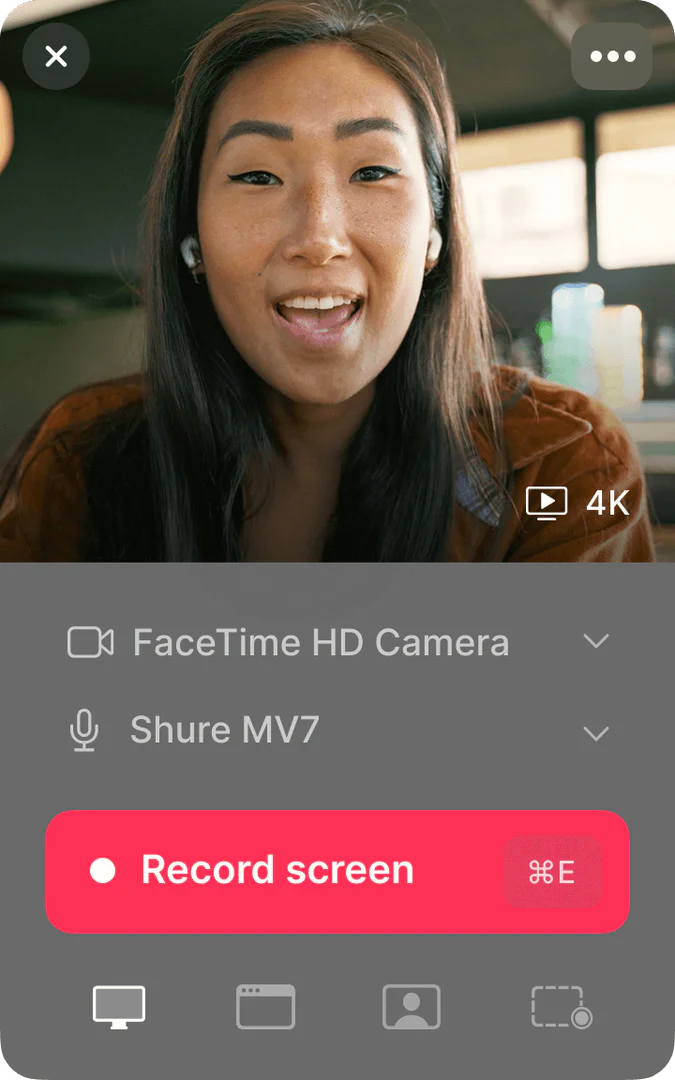
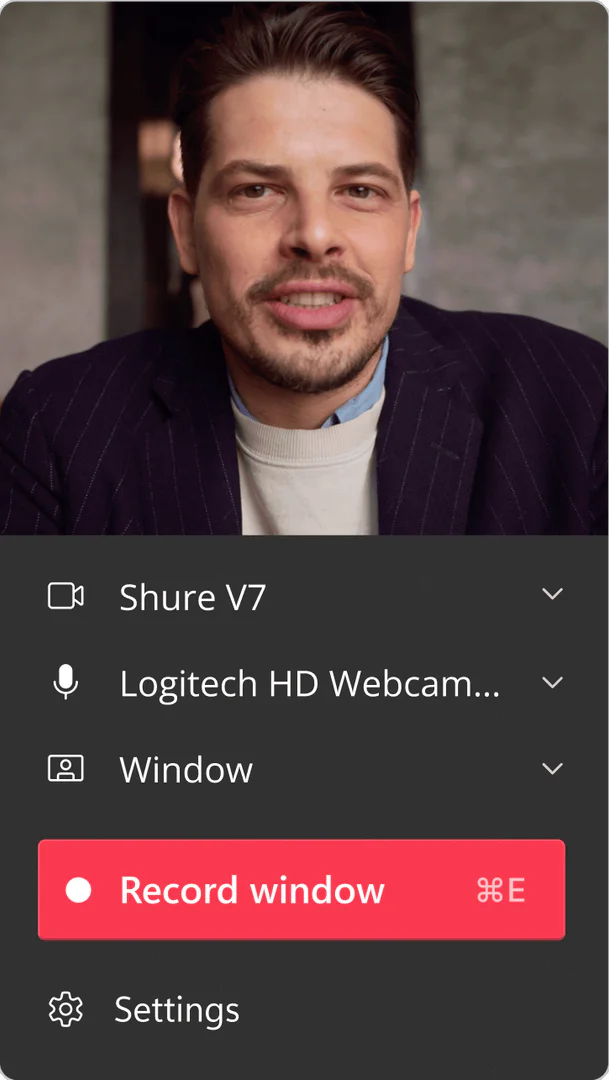
Supercut is an innovative video messaging[1] tool designed to simplify the process of recording[2] and sharing[3] videos that explain your work. It enables users to create engaging video content quickly and effectively, helping others to understand complex information and take action. With features like smart navigation, auto-editing, and high-quality recording options, Supercut caters to fast-moving teams looking to enhance their communication and collaboration.
How to use Supercut?
- Sign up for a Supercut account on the website.
- Download and install the Supercut application on your device (available for macOS and Windows).
- Open the application and select the recording settings you prefer, such as video quality and audio input.
- Click on the 'Record' button to start capturing your video content.
- Use the auto-editing feature to enhance your video with chapters and call-to-action links.
- Once finished, share your video instantly through public or private links.
What are the main features of Supercut?
- Easy video recording and sharing capabilities.
- High-quality recording up to 4K resolution.
- Smart navigation with auto-chapters for better organization.
- Instant sharing options for public or private access.
- Built-in auto-editing tools for professional-looking videos.
- Secure and compliant with ISO 27001 and SOC 2 standards.
Who is Supercut for?
Supercut is tailored for teams and professionals who require effective communication tools to convey their ideas clearly. This includes product teams, sales teams, and customer support teams. It is particularly beneficial for fast-paced environments where quick video explanations can enhance understanding and drive action.
What are the use cases of Supercut?
- Product teams can create video demos to showcase new features and updates to stakeholders.
- Sales teams can record personalized pitches and product walkthroughs for potential clients.
- Customer support teams can develop tutorial videos to assist users in troubleshooting issues.
Product Images

Supercut Pros and Cons
Pros
- Easy Video Recording: Supercut allows users to effortlessly record videos that explain their work, making communication straightforward.
- Instant Sharing: Users can share their recorded videos instantly, either publicly or privately, enhancing collaboration.
- High-Quality Output: The tool supports recording in up to 4K resolution, ensuring professional-quality videos.
Cons
No cons data detected for this tool
Supercut Pricing
Pro
AI-Powered Video Messaging for Pros. Premium screen recording. Blazing fast native recording. Instant 4K unlimited sharing. Multiple layouts & branding. AI Assistant. Auto-Chapters. Auto-Edit.
For the latest pricing, please visit this link: https://supercut.ai/pricing
Prices are subject to change. Please visit the official website for the most up-to-date pricing information.