

Klu
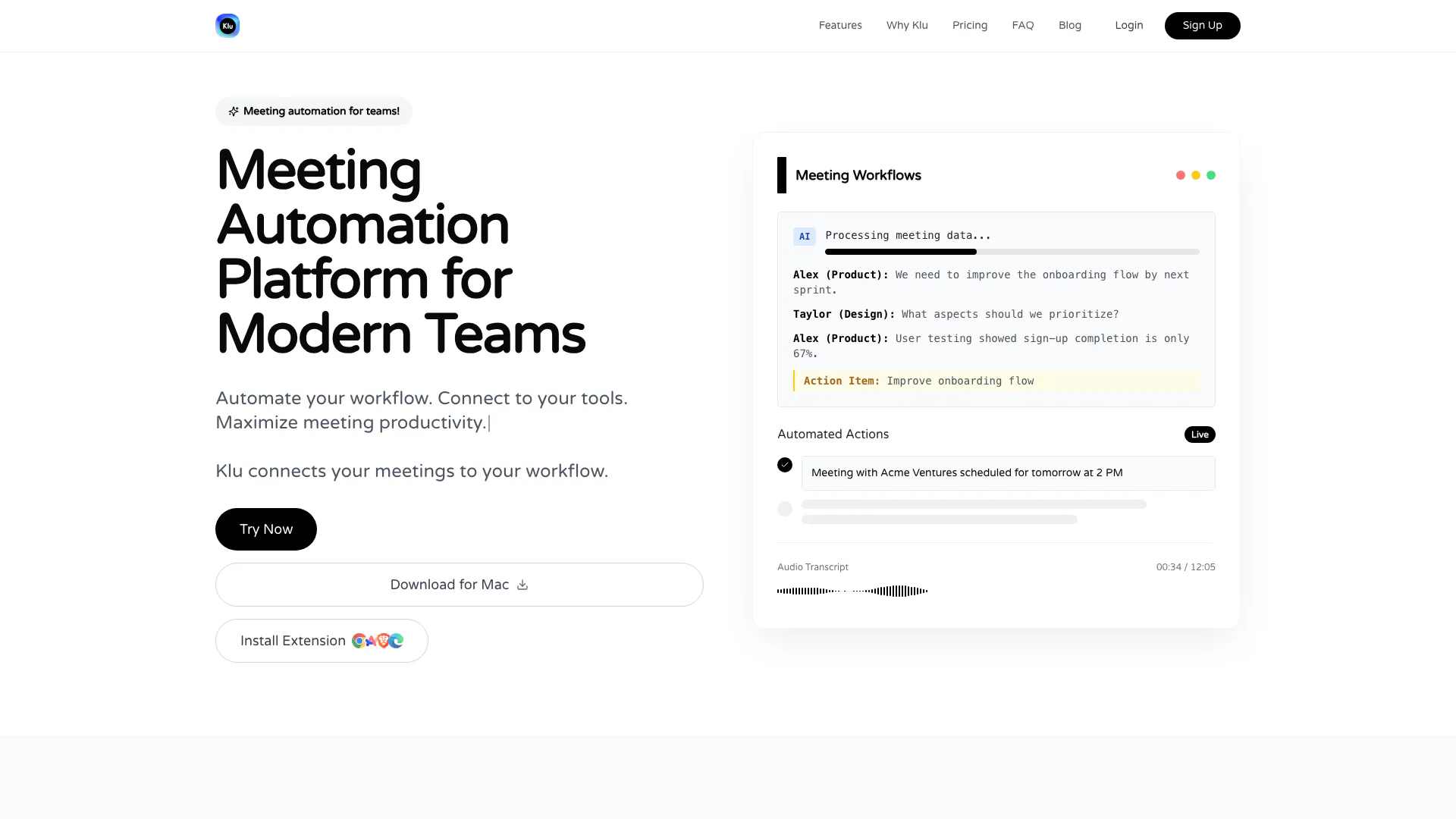



What is Klu?
Klu is an innovative meeting automation platform designed to streamline workflows for modern teams. By integrating seamlessly with various productivity tools, Klu maximizes meeting productivity by automating the capture, processing, and actioning of meeting data. With its AI-driven capabilities, Klu transforms traditional meeting notes into actionable insights, allowing teams to focus on meaningful discussions rather than manual documentation.
How to use Klu?
- Sign up for a Klu account on the website and choose a suitable plan.
- Download the Klu application for Mac or install the browser extension for Chrome, Brave, Arc, or Edge.
- Schedule a meeting and connect Klu to your preferred productivity tools (e.g., Notion, Slack, Asana).
- During the meeting, use Klu to record and transcribe discussions automatically.
- After the meeting, review the captured action items, decisions, and insights generated by Klu.
- Utilize Klu’s automation features to sync notes and tasks to your workflow, ensuring follow-ups and updates are handled efficiently.
What are the main features of Klu?
- AI-powered meeting transcription and summarization.
- Automated extraction of action items and key insights.
- Seamless integration with productivity tools like Notion, Slack, Asana, and Jira.
- Real-time sharing of meeting notes and summaries with team members.
- Customizable workflows for task assignment and follow-up scheduling.
- Enhanced team collaboration through organized meeting documentation.
Who is Klu for?
Klu is designed for a diverse range of users, including sales teams, customer success professionals, product teams, remote teams, consultants, agencies, and hiring teams. It is particularly beneficial for those who require efficient documentation of meetings, seamless integration with existing tools, and the ability to automate workflows to enhance productivity. Klu caters to organizations that prioritize effective communication and collaboration, regardless of their industry or size.
What are the use cases of Klu?
- Sales Teams: Automatically document client meetings and save notes to CRM systems like HubSpot or Pipedrive, ensuring no critical information is lost.
- Customer Success: Keep accurate records of customer interactions by automatically documenting support calls and sharing insights with the team.
- Product Teams: Capture action items from sprint meetings and share updates in real-time without disrupting the flow of conversation.
- Remote Teams: Maintain alignment across different time zones with automatic meeting documentation accessible to all team members.
- Hiring Teams: Consistently document interview discussions and share feedback with the hiring team to streamline the recruitment process.
Klu Pros and Cons
Pros
- Seamless Workflow Integration: Klu connects your meetings directly to your favorite tools like Notion, Slack, Asana, and Jira without any manual data entry.
- Time-Saving Automation: Klu handles transcription, summarization, and task extraction automatically, allowing users to focus on meaningful conversations.
- Simple, Transparent Pricing: The pricing structure offers a free plan with basic limits and a clear transition to paid plans with enhanced features.
Cons
- Limited Free Plan: The free plan has basic limits such as a maximum of 25 meetings per month and only 1 hour of meeting duration.
Klu Pricing
Free
Fallback plan after trial with basic limits.
Pro
Ideal plan for professionals needing full power.
For the latest pricing, please visit this link: https://klu.so/
Prices are subject to change. Please visit the official website for the most up-to-date pricing information.
Analytics of Klu
Klu Website Traffic Analysis
Visits Over Time
Traffic Sources
Oct 2025 - Dec 2025 Worldwide Desktop Only
- Direct: 32.99%
- Search: 29.05%
- Referrals: 21.14%
- Social: 15.57%
- Paid Referrals: 1.14%
- Mail: 0.06%
Top Keywords
| Keyword | Volume | CPC | Estimated Value |
|---|---|---|---|
| klu | 8.73K | $0.22 | $20.00 |
| best ai notetaker | 840 | $13.08 | $0.00 |
| fireflies vs otter | 310 | $5.28 | $0.00 |
| fireflies vs fathom | 300 | $3.36 | $0.00 |
| fireflies vs fanthom vs otter ai | 70 | $0.00 | $60.00 |



