Stylize
What is Stylize?
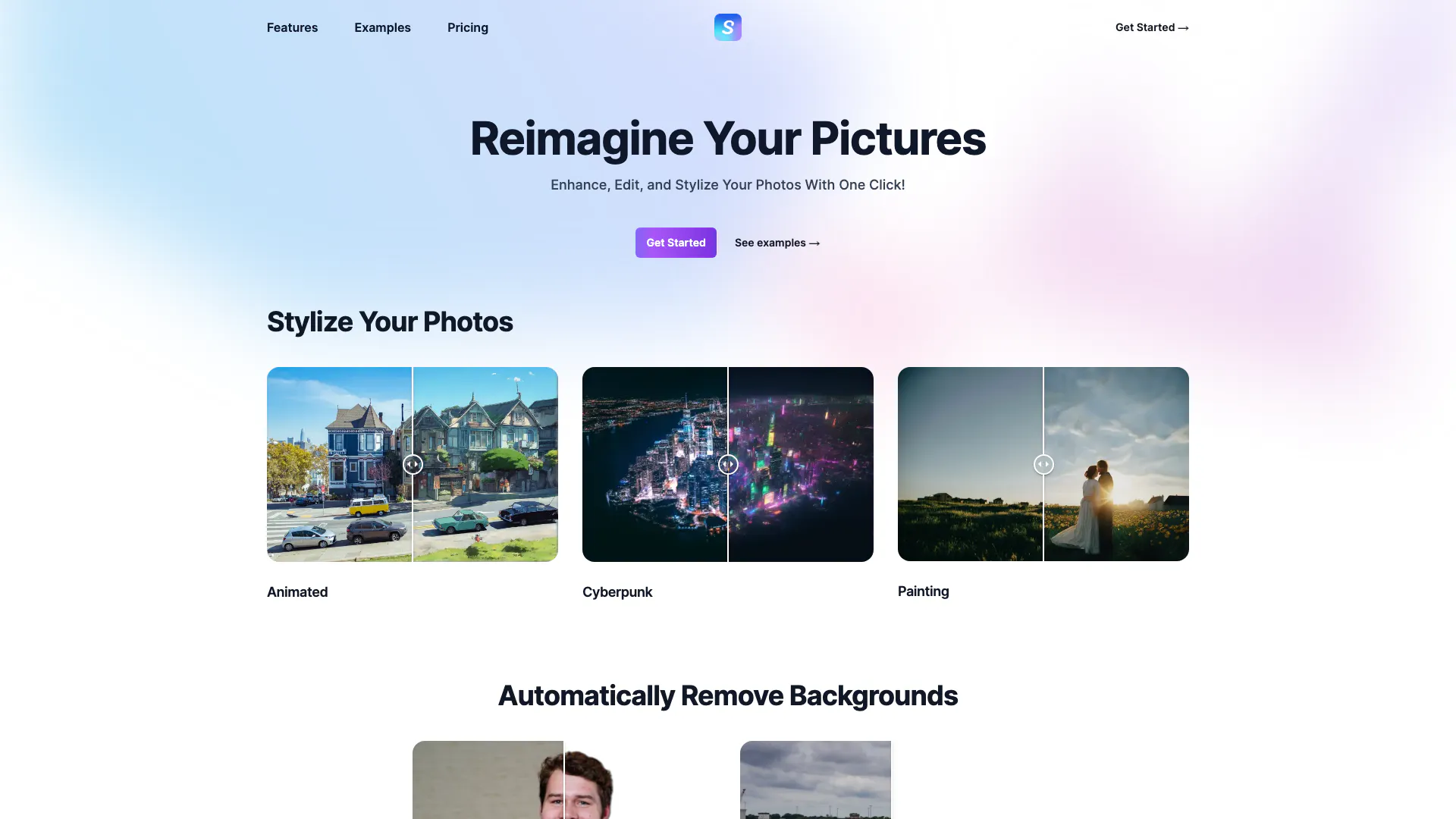
Stylize is an innovative AI-powered photo editing tool designed to enhance, edit, and stylize images with just a single click. This user-friendly platform allows users to transform their pictures into stunning visuals by applying various artistic styles, making it perfect for both casual users and professional photographers. With Stylize, you can easily reimagine your photos, remove backgrounds, upscale images, and colorize black-and-white photos, all while leveraging advanced artificial intelligence technology.
How to use Stylize?
- Visit the Stylize website at https://www.usestylize.com/ and sign up for an account.
- Click on the 'Get Started' button to access the editing tools.
- Upload the photo you wish to enhance or edit.
- Choose the desired feature, such as stylization, background removal, colorization, or upscaling.
- Follow the prompts to apply your selected edits, and preview the changes.
- Once satisfied with the results, download your edited photo.
What are the main features of Stylize?
- One-click photo enhancement and stylization.
- Background removal tool to create clean, professional images.
- AI-driven colorization feature to bring old photos to life.
- Image upscaling capability to enhance photo resolution up to four times.
- Various artistic styles, including animated and cyberpunk effects.
Who is Stylize for?
Stylize is designed for a wide range of users, including amateur photographers looking to enhance their personal photos, professional photographers seeking efficient editing solutions, social media influencers wanting to create eye-catching visuals, and businesses that need high-quality images for marketing purposes. Its intuitive interface and powerful features make it accessible for anyone who wants to improve their images without extensive editing skills.
What are the use cases of Stylize?
- Creating stunning social media posts by enhancing and stylizing photos to attract more engagement.
- Editing family photos by removing backgrounds or colorizing black-and-white images for a nostalgic touch.
- Producing professional-quality images for marketing campaigns, product listings, or websites.
- Transforming ordinary photos into artistic creations for personal projects or gifts.
Stylize Pros and Cons
Pros
- One-Click Enhancement: Users can enhance, edit, and stylize their photos with just one click, making the process quick and user-friendly.
- Multiple Editing Features: The tool offers a variety of editing options including background removal, upscaling, and colorizing photos.
- AI Upscaling: Photos can be upscaled to 4x their original size using AI technology.
Cons
No cons data detected for this tool
Analytics of Stylize
Stylize Website Traffic Analysis
Visits Over Time
Traffic Sources
Oct 2025 - Dec 2025 Worldwide Desktop Only
- Search: 57.70%
- Direct: 24.74%
- Referrals: 8.63%
- Social: 7.36%
- Paid Referrals: 1.13%
- Mail: 0.31%
Top Keywords
| Keyword | Volume | CPC | Estimated Value |
|---|---|---|---|
| stylize | 820 | $0.00 | $60.00 |
| stylize image | 180 | $0.00 | $120.00 |
| sttlize picture | 60 | $0.00 | $60.00 |
| stylized ai | 30 | $0.00 | $10.00 |
| styluze | 20 | $0.00 | $20.00 |