

Sketchmason



What is SketchMason?
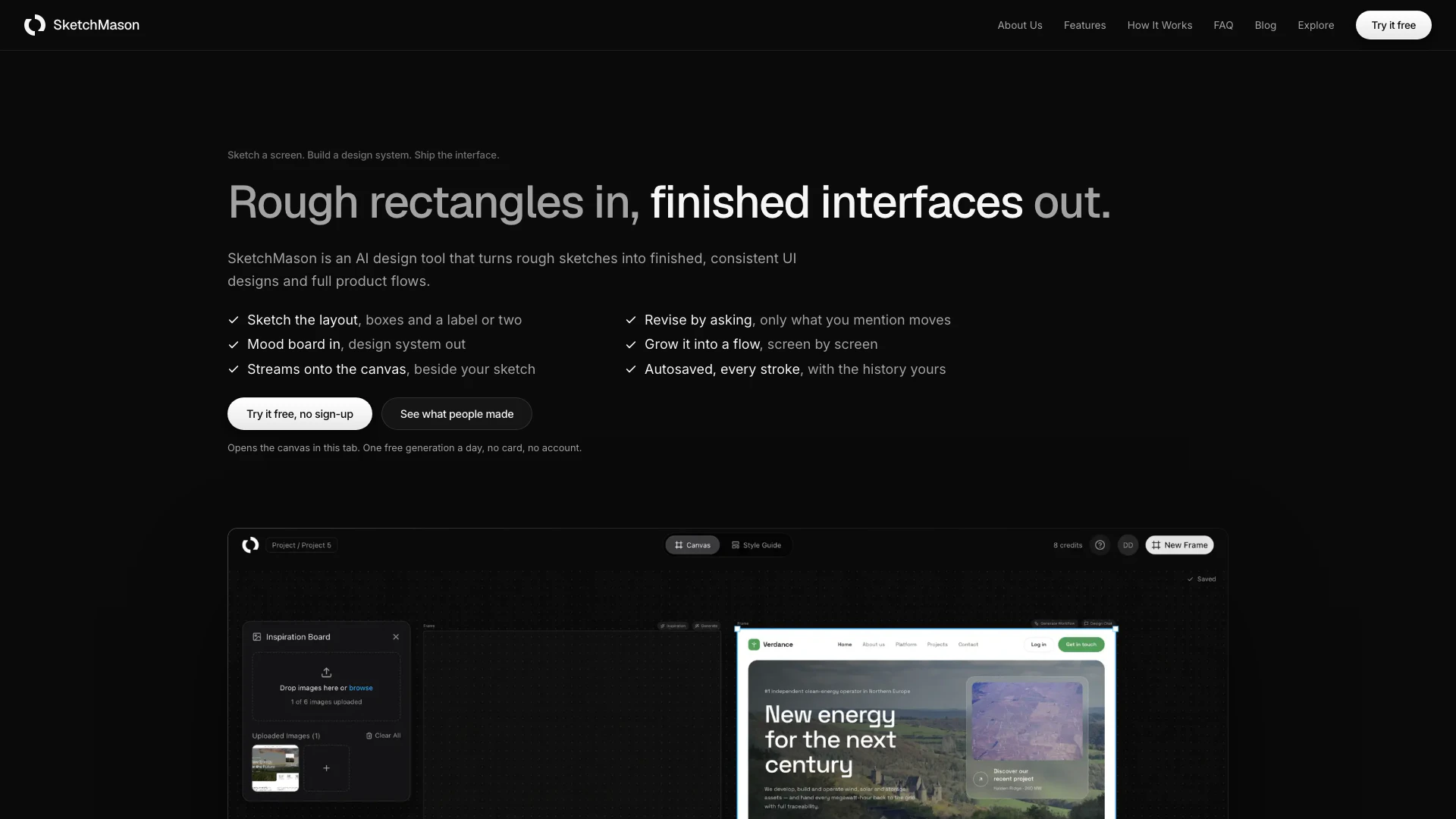
SketchMason is an innovative AI design tool that transforms rough sketches into polished and consistent user interface (UI) designs and complete product flows. By allowing users to start from images that inspire them rather than a blank canvas, SketchMason streamlines the design process. It intelligently analyzes uploaded images to create a cohesive design system, ensuring that all subsequent screens maintain a consistent look and feel. This tool is particularly beneficial for designers who want to efficiently convert their ideas into functional digital products, reducing the time and effort typically required for UI design.
How to use SketchMason?
- Start by uploading images that capture the design style you want for your project. SketchMason will analyze these images to create a design system based on the colors, contrasts, and typography.
- Sketch the layout of your UI using basic shapes like rectangles and circles. Focus on the structure and layout without detailing pixels, as this will inform the design generation.
- Watch as SketchMason builds the interface in real-time beside your sketch. You can see changes instantly, allowing for quick adjustments if the layout is not as intended.
- If you need to make changes, use the chat feature to specify what you want to revise. Only the elements you mention will be altered, keeping the rest of your design intact.
- Continue to develop your design into a full product flow by utilizing the autosave feature, which saves every change you make, and allows you to undo actions easily.
What are the main features of SketchMason?
- Image Analysis: Upload images to generate a cohesive design system based on color, contrast, and typography.
- Sketching Tools: Use simple shapes to define layout and structure without focusing on pixel-perfect details.
- Real-Time Interface Building: See your design evolve instantly as the interface is built next to your sketch.
- Chat for Revisions: Request specific changes through chat, ensuring only selected elements are modified.
- Autosave & History: Every action is saved automatically, allowing easy retrieval and undoing of changes.
Who is SketchMason for?
SketchMason is designed for a variety of users, including professional UI/UX designers, product managers, and teams involved in digital product development. It is particularly useful for those who prefer a hands-on approach to design, as well as for individuals who may not have advanced design skills but want to create visually appealing interfaces. Additionally, educators and students in design fields can leverage SketchMason as a learning tool to understand design principles and workflows.
What are the use cases of SketchMason?
- UI/UX Design: Ideal for designers looking to quickly prototype user interfaces from rough sketches, making the design process more efficient.
- Collaborative Projects: Teams can use SketchMason to visualize ideas and gather feedback in real-time, enhancing collaboration among team members.
- Educational Purposes: Great for teaching design principles, allowing students to see how sketches translate into digital interfaces.
Sketchmason Pros and Cons
Pros
- Image-Based Design System: SketchMason allows users to start from images they love, enabling the creation of design systems based on visual references.
- Selective Editing: The tool enables users to make changes to specific elements without affecting the rest of the design, ensuring efficiency and precision.
- Flow Generation: SketchMason generates complete user flows from a single screen, allowing for a cohesive design experience across multiple screens.
Cons
- Platform Limitations: Currently, SketchMason may have limitations in terms of supported platforms or devices, which could restrict its usability for some users.




