Sinaptic




What is Sinaptic?
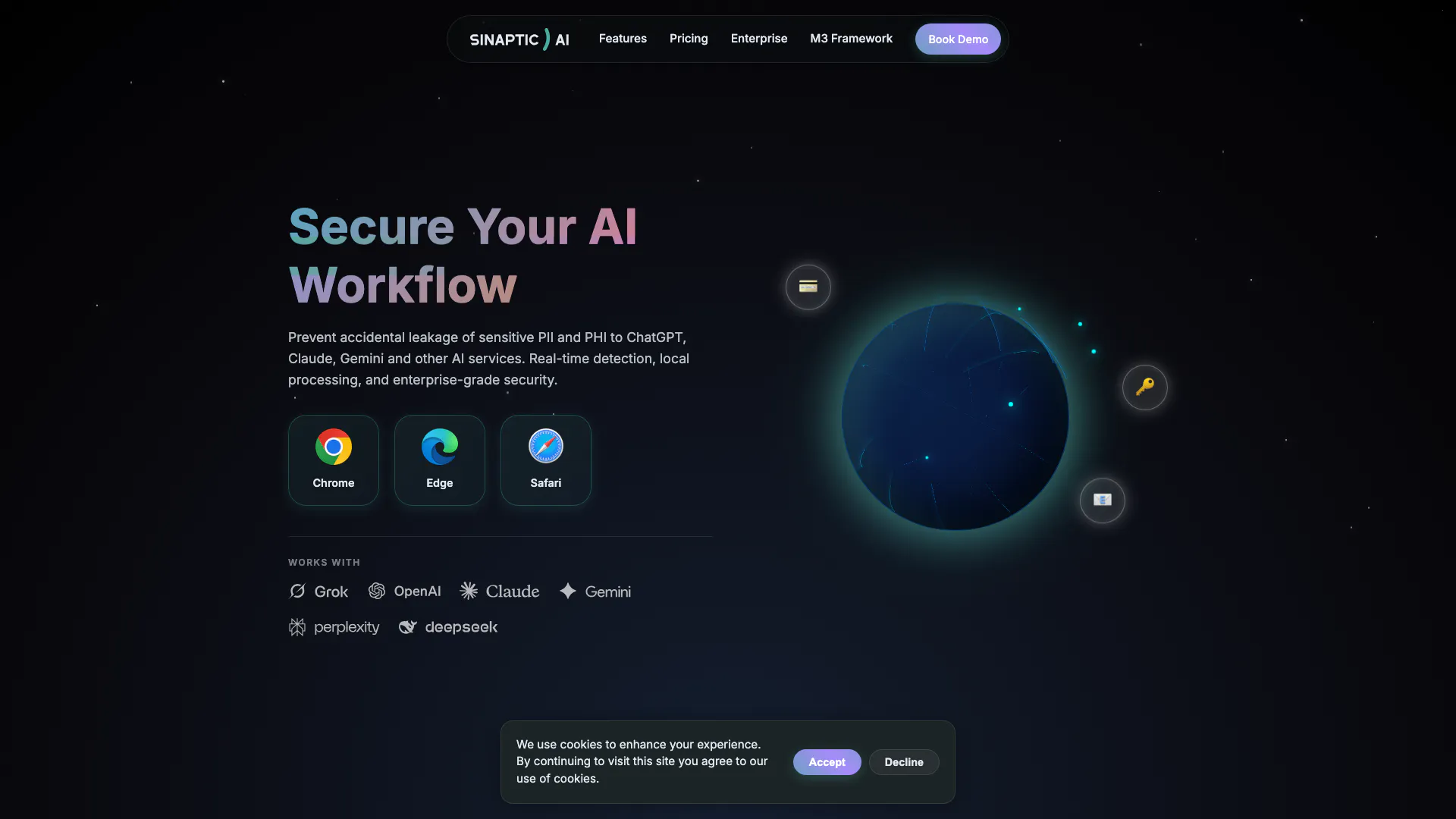
Sinaptic is an advanced data protection tool designed to prevent the accidental leakage of sensitive Personally Identifiable Information (PII) and Protected Health Information (PHI) to AI services like ChatGPT, Claude, and Gemini. It provides real-time detection and local processing capabilities, ensuring enterprise-grade security. Built with compliance in mind, Sinaptic adheres to the M3 Framework, making it an essential tool for organizations concerned about data privacy and regulatory adherence.
How to use Sinaptic?
- Install the Sinaptic extension for your preferred browser (available for Chrome, Edge, and Safari).
- Once installed, configure your settings to establish exclusion rules for specific URLs or sensitive data types.
- Start browsing as usual; Sinaptic will automatically scan your input in real-time to detect any sensitive PII or PHI, providing alerts and blocking transmission if necessary.
What are the main features of Sinaptic?
- Real-time Detection: Instantly scans user input using a hybrid engine of Regex and NLP to identify sensitive data like credit cards and emails.
- Smart Validation: Reduces false positives with advanced logic and context awareness.
- Network Interception: Intercepts network requests to block sensitive data transmission at the source.
- Visual Feedback: Highlights sensitive data in text areas with non-intrusive underlines and tooltips.
- Custom Rules: Allows users to configure exclusion rules and manage monitoring modes.
- Privacy First: All processing occurs locally on the device, ensuring no user data is sent to servers.
Who is Sinaptic for?
Sinaptic is designed for a diverse range of users including developers, freelancers, employees, and compliance teams such as CISOs and DPOs. It caters to organizations that require robust data protection measures to comply with regulations like GDPR and HIPAA. By providing local processing and real-time alerts, it is ideal for any entity looking to safeguard sensitive information while using AI services.
What are the use cases of Sinaptic?
- Data Protection for Developers: Ensures that developers do not accidentally expose sensitive data while coding or testing applications.
- Compliance for Enterprises: Assists compliance teams in managing sensitive data effectively to adhere to regulations like GDPR and HIPAA.
- Freelancer Security: Provides freelancers with a tool to protect client data while using AI tools for content generation or data analysis.
Sinaptic Pros and Cons
Pros
- Real-time Detection: Sinaptic provides instant scanning of user input using a hybrid engine of Regex and NLP, ensuring sensitive data like credit cards and emails are detected before leaving the browser.
- Privacy First Approach: All processing occurs locally on the device, ensuring no user data is sent to external servers, which enhances privacy and security.
- Customizable Rules: Users can configure exclusion rules for specific URLs or values, offering flexibility in how sensitive data is monitored and managed.
Cons
No cons data detected for this tool
Sinaptic Pricing
Enterprise
Core: Centralized Control For: CISOs, DPOs, Compliance Teams Everything in Community, plus: * ✓ Centralized Policy Management * ✓ SIEM Integration (Splunk, Datadog) * ✓ SSO & Directory Sync (Okta, AD) * ✓ Silent Install (MSI / GPO) * ✓ Incident Reporting Dashboard * ✓ Source Code Audit Rights * ✓ M3 Audit Assistance
For the latest pricing, please visit this link: https://sinaptic.ai/#pricing
Prices are subject to change. Please visit the official website for the most up-to-date pricing information.