
Renderfit
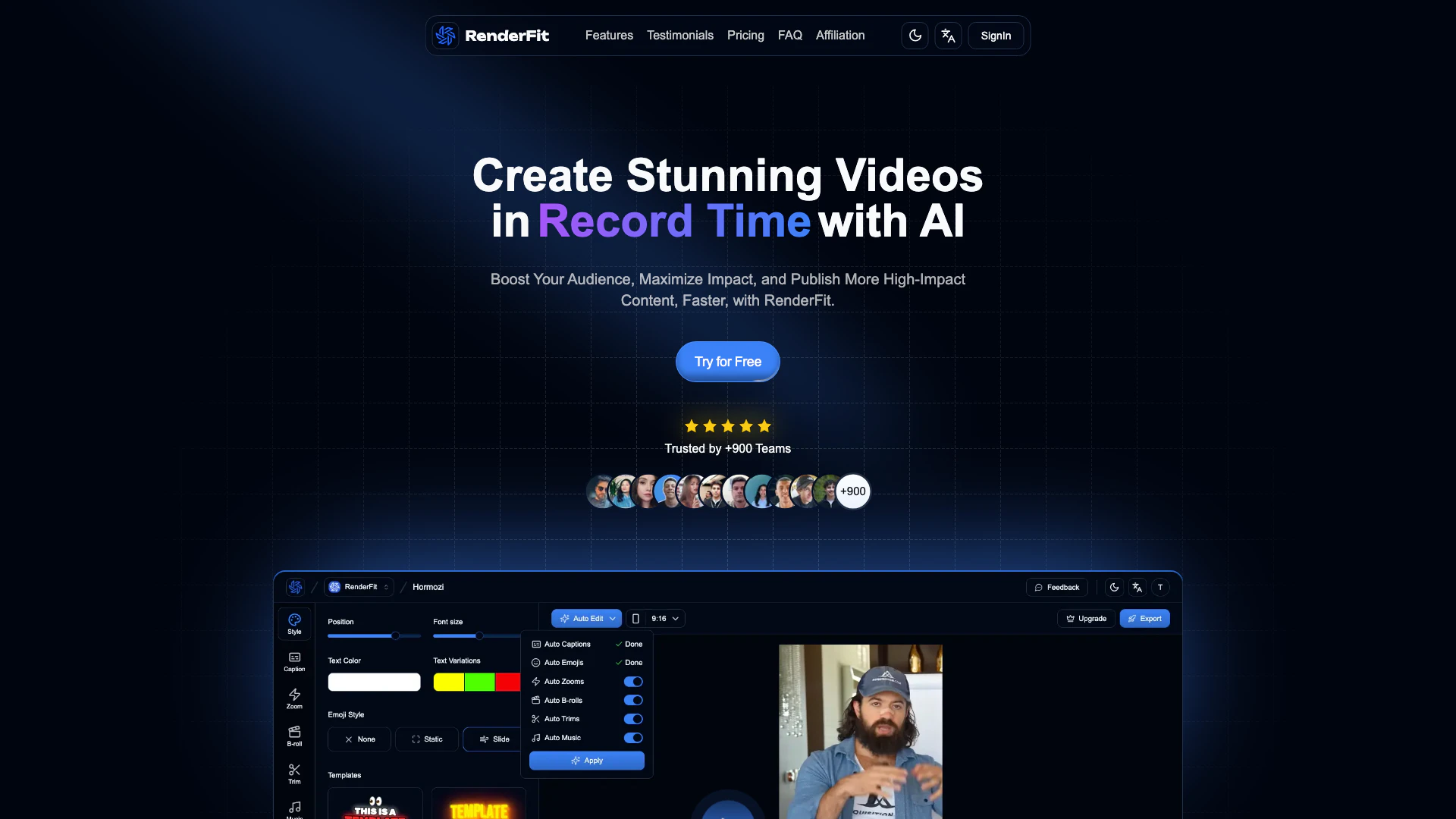




What is Renderfit?
Renderfit is an innovative AI-powered[1] video editing[2] tool designed to help users create stunning videos 10 times faster and without the need for technical skills. It empowers content creators, marketers, and teams to produce high-impact video content efficiently, utilizing advanced AI features that automate tedious editing tasks. With Renderfit, users can enhance their storytelling, engage their audience, and maximize the impact of their video content seamlessly.
How to use Renderfit?
- Sign up for a Renderfit account on their website.
- Upload your raw video footage to the platform.
- Select the AI editing features you want to apply, such as auto cuts[3], subtitles[4], or B-rolls[5].
- Customize the edits as needed using the intuitive interface.
- Preview the video in real-time to make any final adjustments.
- Export your finished video and share it across your desired platforms.
What are the main features of Renderfit?
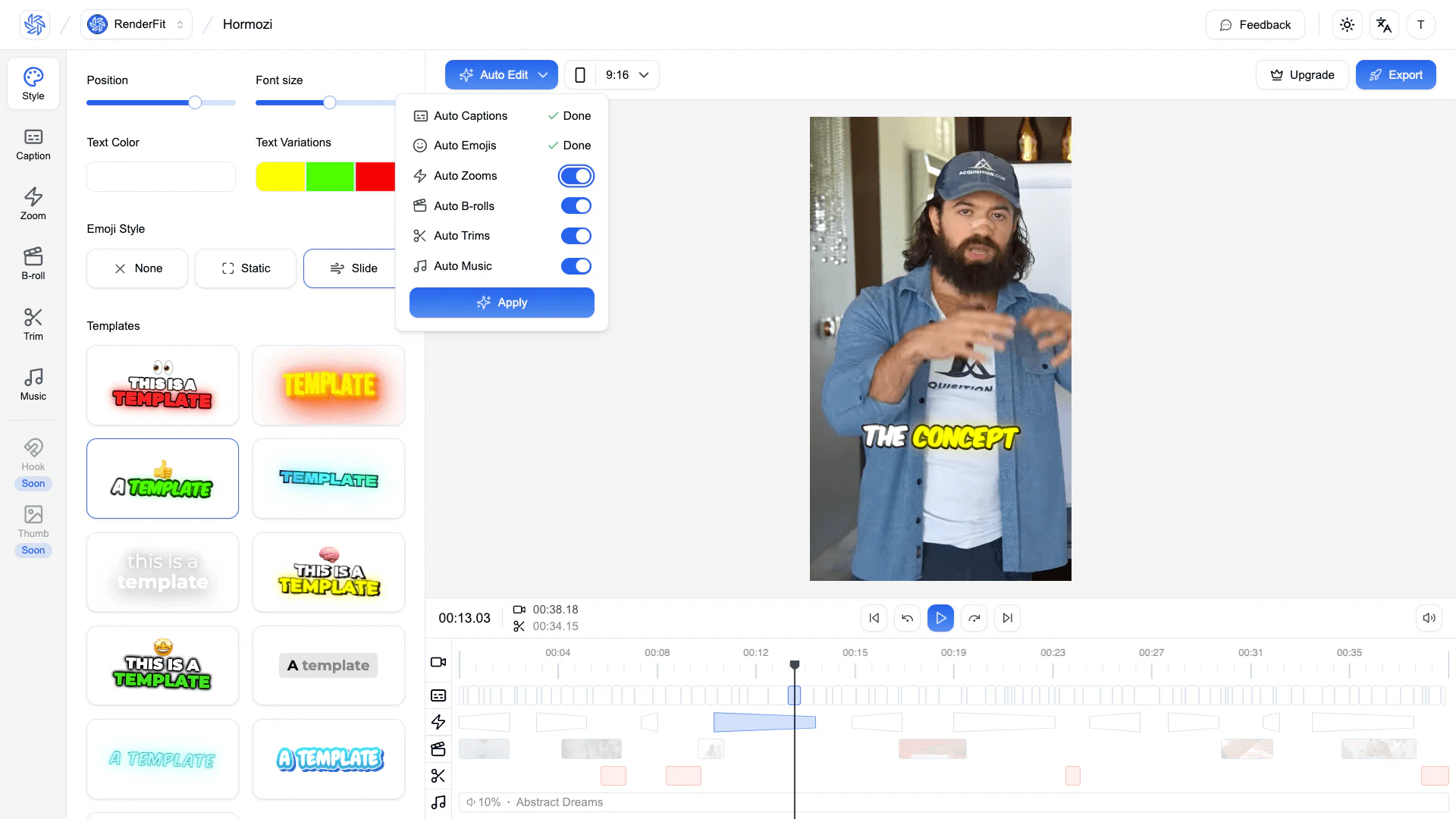
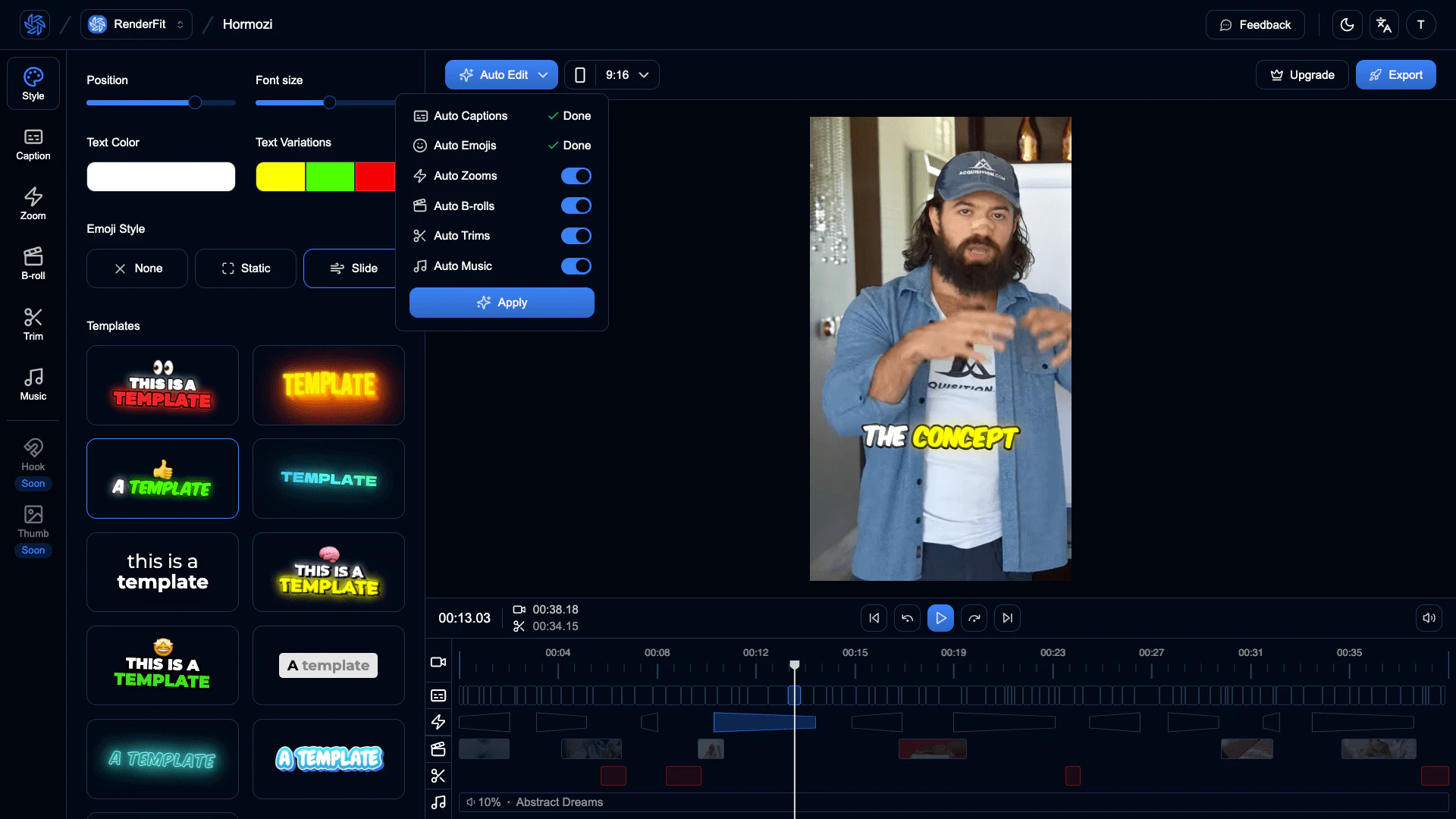
- AI Subtitles: Automatically generate eye-catching subtitles in over 50 languages.
- Auto Cuts: Smartly trim silences and create a smooth flow in your videos.
- Auto Zooms: Add dynamic zoom effects to enhance video engagement.
- Emoji Detection: Automatically add relevant emojis to subtitles for better viewer connection.
- Free Music: Access a library of royalty-free music for your videos.
- Auto B-Rolls: Utilize customizable B-Roll footage to enrich your storytelling.
- AI Hooks & Thumbnails: Generate compelling hooks and thumbnails to increase viewer engagement.
- Social Descriptions: Create AI-crafted descriptions for social media platforms.
- Live Preview: Edit and see changes in real-time for quick adjustments.
Who is Renderfit for?
Renderfit is designed for content creators, marketers, video agencies, and teams looking to streamline their video production process. It is ideal for users who lack technical editing skills but still want to create professional-quality videos quickly and efficiently. Whether you're a YouTube creator, a startup founder, or part of a marketing team, Renderfit provides the tools needed to elevate your video content and enhance audience engagement.
What are the use cases of Renderfit?
- Social Media Marketing: Create engaging promotional videos for platforms like Instagram and TikTok.
- YouTube Content Creation: Edit and enhance YouTube videos with automated features for faster uploads.
- Corporate Training: Produce training videos with professional quality for employee onboarding.
- Event Recaps: Compile highlights from events or conferences into captivating recap videos.
- Personal Projects: Edit family videos or personal vlogs effortlessly with AI assistance.
Product Images
Renderfit Pros and Cons
Pros
- Fast Video Editing: RenderFit utilizes AI to edit videos in minutes, significantly reducing the time required for manual editing.
- User-Friendly Interface: The platform is designed for users with zero technical skills, making video creation accessible to everyone.
- Comprehensive Features: Offers a variety of tools like AI subtitles, auto cuts, and customizable B-Rolls, enhancing the video editing experience.
Cons
No cons data detected for this tool
Renderfit Pricing
Starter
For beginners or occasional users 30 videos / month 90 seconds / video 5 users - No Watermark - AI Auto Captions - Emoji Detection - Unlimited B-Rolls - Auto Remove Silence - AI Hooks Generator - Dynamic Zooms - Music Library - AI Descriptions Generator - 1GB max per video
Pro
For content creators and small teams 90 videos / month 180 seconds / video 20 users - No Watermark - AI Auto Captions - Emoji Detection - Unlimited B-Rolls - Auto Remove Silence - AI Hooks Generator - Dynamic Zooms - Music Library - AI Descriptions Generator - 1GB max per video
Enterprise
For agencies and high-volume creators 300 videos / month 300 seconds / video 100 users - No Watermark - AI Auto Captions - Emoji Detection - Unlimited B-Rolls - Auto Remove Silence - AI Hooks Generator - Dynamic Zooms - Music Library - AI Descriptions Generator - 1GB max per video
For the latest pricing, please visit this link: https://renderfit.com/
Prices are subject to change. Please visit the official website for the most up-to-date pricing information.
Analytics of Renderfit
Renderfit Website Traffic Analysis
Visits Over Time
Top Keywords
| Keyword | Volume | CPC | Estimated Value |
|---|---|---|---|
| renderlift | 290 | $0.00 | $0.00 |
Renderfit Reviews
RenderFit’s AI cut our editing time by 70%, clients rave about the pro quality and fast delivery. It’s a game-changer for our agency!
RenderFit scales effortlessly with our growth. Multi-upload and AI hooks tripled our social reach, it’s the tool we didn’t know we needed!
RenderFit’s auto-subtitles and B-Rolls took my views through the roof overnight. The simplicity blows me away, I’m hooked for life!
For more reviews, visit this link: https://renderfit.com/#testimonials