Ocr


What is Ocr?
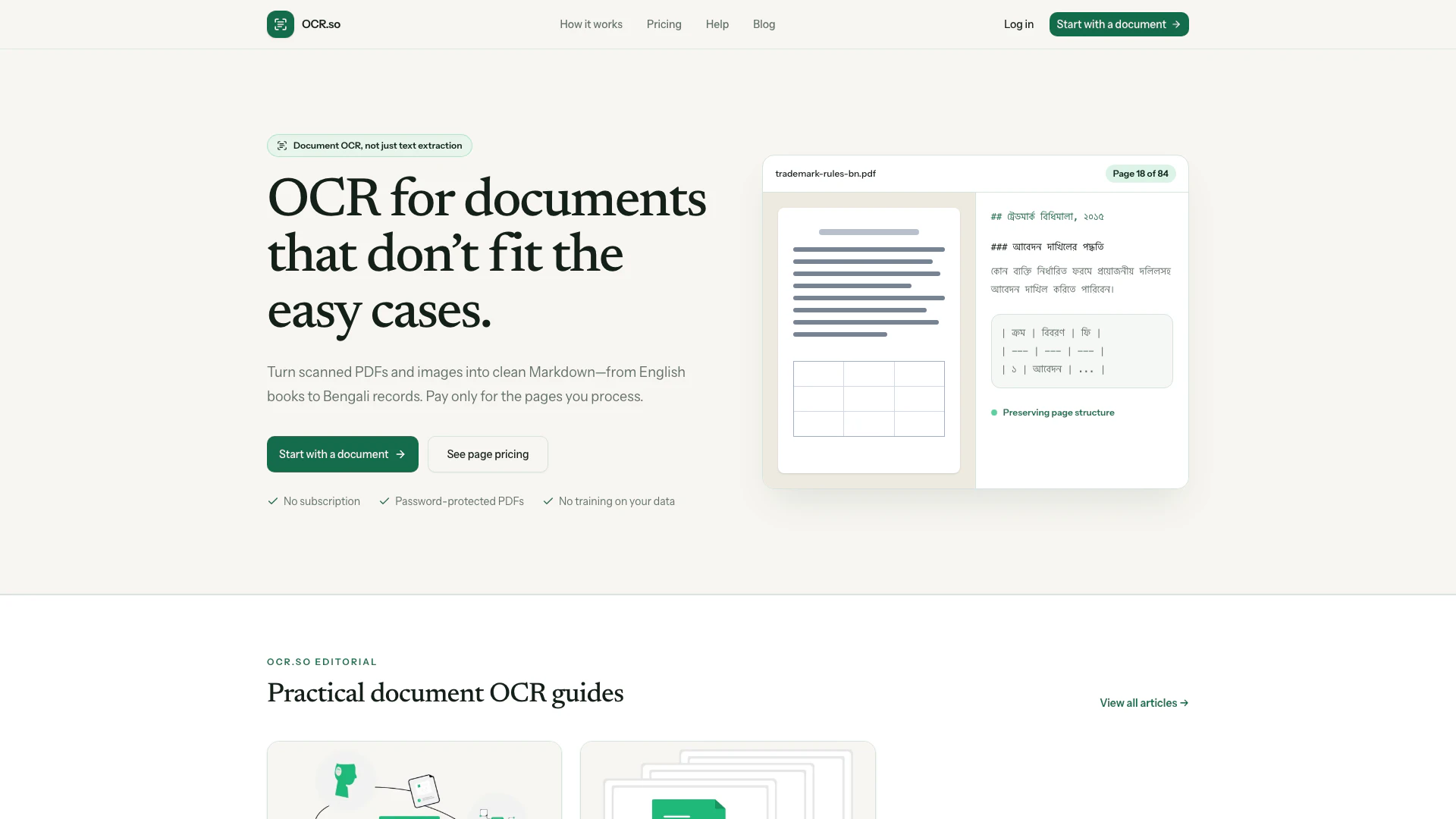
Ocr is a powerful and accurate multilingual Optical Character Recognition (OCR) tool designed to convert scanned documents, PDFs, and images into clean, structured Markdown files. Unlike basic text extraction tools, Ocr focuses on preserving the original layout and structure of documents, making it suitable for complex cases that involve multiple languages, such as English and Bengali. Its core value lies in providing a user-friendly experience with a pay-per-page pricing model, ensuring that users only pay for the content they process. Ocr is ideal for anyone needing to digitize and edit documents while maintaining their original formatting.
How to use Ocr?
- Upload a PDF or Image: Start by uploading your document, whether it's a scanned PDF or an image file. If your document is password-protected, securely unlock it before proceeding.
- Confirm Page Count and Credits: After uploading, confirm the number of pages in your document and receive an estimate of the credits required for processing. Note that completed documents have a minimum requirement of five credits.
- Preview or Download Your Document: Once processing is complete, you can preview the results and download your document as a clean Markdown file, ready for use.
What are the main features of Ocr?
- Accurate Multilingual OCR: Supports various languages, including English and Bengali, allowing for effective document processing across different languages.
- Clean Markdown Output: Converts documents into structured Markdown format, preserving headings, lists, paragraphs, and tables for easy readability and editing.
- No Subscription Model: Users pay only for the pages they process, starting at a low rate of $0.010 per page, with no hidden fees or subscriptions.
- Secure Document Handling: Supports encrypted PDFs, ensuring privacy and security. Files are deleted within 7 days or upon user request.
- User-Friendly Workflow: Simple three-step process to convert documents without the need for constant monitoring.
Who is Ocr for?
Ocr is designed for a diverse range of users, including professionals, businesses, and organizations that require accurate document processing. This tool is particularly beneficial for legal firms, educational institutions, and multilingual businesses that need to convert documents in various languages into editable formats. Additionally, it serves researchers and archivists who wish to digitize historical documents while preserving their original layout and structure. With its user-friendly interface and flexible pricing, Ocr caters to anyone looking to streamline their document management processes.
What are the use cases of Ocr?
- Digitizing Legal Documents: Law firms can convert scanned legal documents into editable Markdown files for easy review and modification.
- Translating Multilingual Texts: Businesses operating in multilingual environments can use OCR to process and translate documents in different languages efficiently.
- Archiving Historical Records: Libraries and archives can digitize old records and books, making them accessible in a modern, searchable format.
Ocr Pros and Cons
Pros
- Multilingual OCR Capabilities: Accurate multilingual OCR for documents, allowing users to convert scanned PDFs and images into clean Markdown.
- Preserved Document Structure: Preserves the original layout and structure of documents, including headings, lists, and tables, ensuring the output is usable.
- Flexible Pricing Model: No subscription fees; users pay only for the pages they process, starting at $0.010 per page.
- Privacy and Security: Files are deleted within 7 days or at the user's discretion, ensuring privacy and security.
Cons
- Limited Document Compatibility: Limited to document types that fit the OCR process; may not handle complex layouts or formats well.
- User Knowledge Requirement: Requires users to have basic knowledge of document handling and OCR processes to effectively use the tool.
- File Type Limitations: May not support all file types or formats, limiting the range of documents that can be processed.
Ocr Pricing
Pay Per Page Pricing
Pay only for the pages you process. OCR is currently $0.010 per page.
Credit Pack Pricing
Start at $5.00. 20 credits are included when you create an account. No subscription or surprise model surcharge.
For the latest pricing, please visit this link: https://ocr.so/pricing
Prices are subject to change. Please visit the official website for the most up-to-date pricing information.