
Twitter-color Created with Sketch. Amazon-color Created with Sketch. Facebook-color Created with Sketch. github [#142] Created with Sketch. meta_fill Pinterest-color Created with Sketch. ProductHunt-color Created with Sketch. Spotify-color Created with Sketch. Threads Logo Streamline Icon: https://streamlinehq.com Yelp-color Created with Sketch. Youtube-color Created with Sketch.
TopAIToolsTopAITools
  • Free Tools
  • Category
  • Leaderboard
  • Deals
  • Submit
EN
TopAIToolsTopAITools
TopAI

TopAITools

TopAITools, The Best Top AI Tools

AI Glossary|English简体中文繁體中文한국어日本語PortuguêsEspañolDeutschFrançaisTiếng Việt|Map

© 2026 TopAITools. All rights reserved.

About

  • Privacy Policy
  • Terms of use

Contact Us

business@topaitoolsreview.com
Home
AI Design Generator
Makeui
Last updated: July 21, 2026
Makeui logo

Makeui

Get deal
5.0|0 Comments|0 Saved
Introduction:
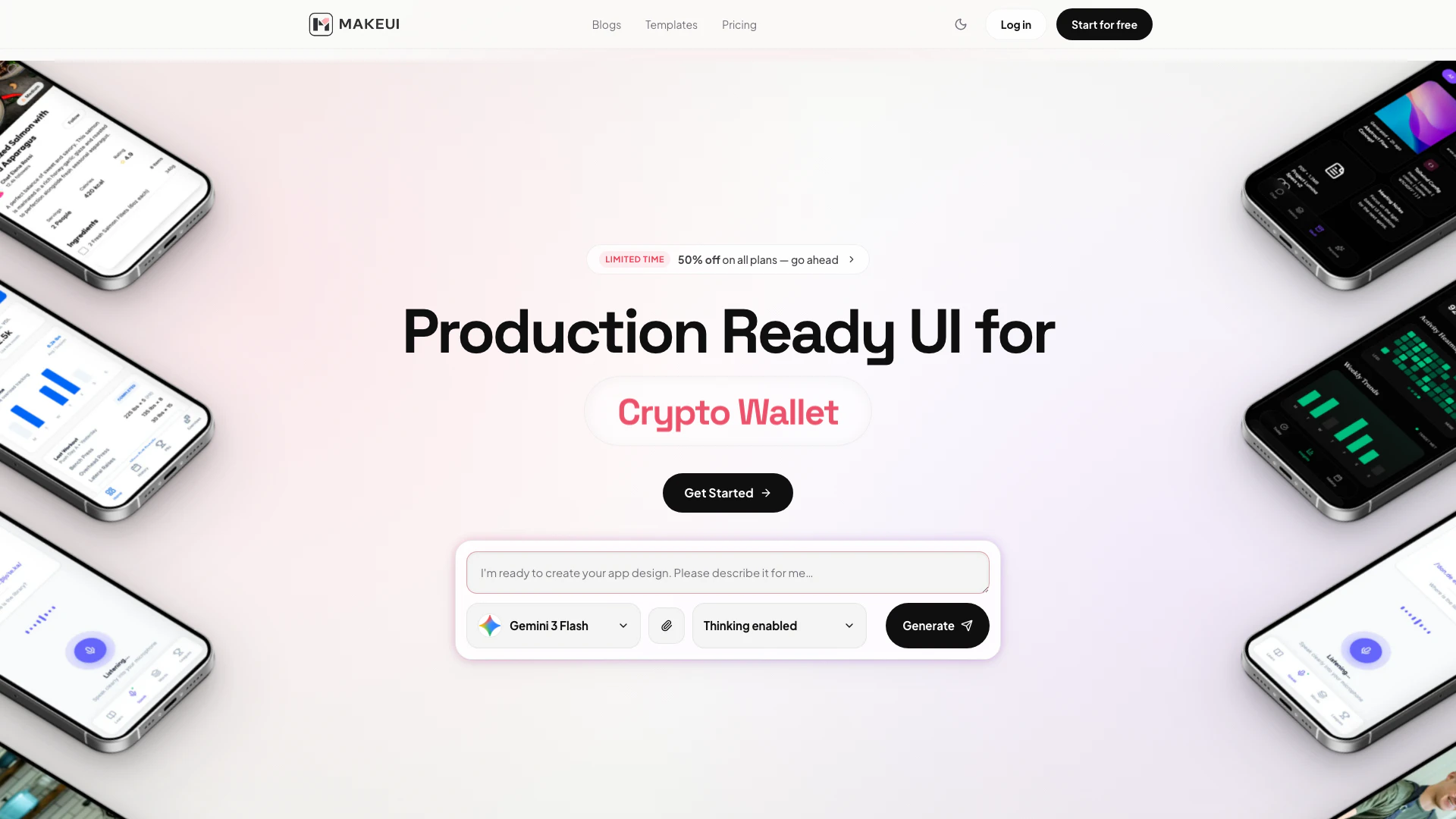
Generate production-ready mobile UI designs with AI, allowing you to describe a screen and export editable Figma layers or clean HTML/CSS.
Launch Date:
February 28, 2026
Monthly Visits:
--
Inputs:
Text
Outputs:
TextCode
Website
50% off on all plans
💼Work
AI Design Generator757AI UX/UI Design133AI Wireframe Generator5
Makeui website screenshot showing Generate production-ready mobile UI desi... interface and features
Use tool
Update this tool
Box logo

Box

Box AI enhances enterprise productivity with intelligent content management and automation.

Openai Codex logo

Openai Codex

OpenAI Codex enhances coding efficiency with AI-driven task support.

Adobe logo

Adobe

Adobe empowers users to create and optimize digital content.

Plus Ai For Google Slides logo

Plus Ai For Google Slides

Stop creating slides and docs the old way. Make work easier with the best AI tools for Google Slides™ and Google Docs™.

Docsgpt logo

Docsgpt

DocsGPT for Google Docs™ - Google Workspace Marketplace

Makeui Overview

What is Makeui?

Makeui is an innovative AI-powered tool designed to generate production-ready mobile user interface (UI) designs. It allows users to describe a screen and receive fully designed mobile screens complete with proper layouts, spacing, and design tokens. Makeui is powered by advanced AI models including Claude, Gemini, and GPT, ensuring high-quality outputs suitable for various applications. This tool is particularly beneficial for designers and developers looking to streamline their UI design process, enabling them to export designs as editable Figma layers or clean HTML/CSS code.


How to use Makeui?

  1. Visit the Makeui website and create an account or log in.
  2. Type a detailed description of the mobile screen you want to generate in the provided prompt area.
  3. Click on the 'Generate' button to create your screen design.
  4. Review the generated design, which includes navigation, cards, forms, and color tokens.
  5. Export the design to Figma for further editing or copy the clean HTML/CSS code for use in your project.

What are the main features of Makeui?

  • AI-driven screen generation for mobile UIs.
  • Exports designs as editable Figma layers for seamless collaboration.
  • Generates clean HTML and CSS code for easy integration into projects.
  • Powered by cutting-edge AI models like Claude, Gemini, and GPT.
  • Offers a user-friendly interface for quick and efficient design creation.
  • Supports various project types, including finance, productivity, health, and more.

Who is Makeui for?

Makeui is ideal for a wide range of users including UI/UX designers, mobile app developers, and product teams who need to create high-quality mobile interfaces quickly. It is particularly useful for freelancers, small agencies, and larger enterprises that require rapid prototyping and design iterations. Additionally, those looking to enhance their design workflow with AI capabilities will find Makeui to be a valuable asset.


What are the use cases of Makeui?

  1. Rapid prototyping of mobile app interfaces for client presentations.
  2. Creating consistent UI designs for various applications such as expense trackers, to-do lists, and fitness apps.
  3. Streamlining the design process by exporting ready-to-use code for integration into web projects.
  4. Facilitating collaboration among design teams by exporting designs to Figma for further refinement.
  5. Enhancing productivity for solo developers and agencies by automating the UI design process.

Makeui Pros and Cons

Pros

  • AI-Powered Design Generation: MakeUI utilizes advanced AI models like Claude, Gemini, and GPT to generate production-ready mobile UI designs quickly and efficiently.
  • Seamless Figma Integration: Users can export their designs as editable layered frames directly into Figma, facilitating easy design reviews and hand-offs.
  • Flexible Pricing Plans: MakeUI offers a range of pricing plans, including a free tier, allowing users to choose a plan that fits their needs and budget.

Cons

No cons data detected for this tool

Makeui Pricing

Free

Contact Us

Perfect to test the waters. 7 Free Credits, 1 Project, Access to All Models, Unlimited Export to Code, Unlimited Export to Figma, Priority Support.

Indie

$9/month

For solo developers. 100 Credits / mo. Each screen/edit takes 1 credit per screen with Gemini Flash 3.0 Mode. Unlimited Projects, Access to All Models, Unlimited Export to Code, Unlimited Export to Figma, Purchase additional credits, Priority Support.

Pro

$19/month

For agencies and studios. 300 Credits / mo. Each screen/edit takes 1 credit per screen with Gemini Flash 3.0 Mode. Unlimited Projects, Access to All Models, Unlimited Export to Code, Unlimited Export to Figma, Purchase additional credits, Priority Support.

Power

$39/month

For enterprise scale. 700 Credits / mo. Each screen/edit takes 1 credit per screen with Gemini Flash 3.0 Mode. Unlimited Projects, Access to All Models, Unlimited Export to Code, Unlimited Export to Figma, Purchase additional credits, Priority Support.

For the latest pricing, please visit this link: https://makeui.design/pricing

Prices are subject to change. Please visit the official website for the most up-to-date pricing information.

Makeui Compare

Tool NameIntroductionPricing
Type
RatingLaunch DateLearn more
Tutorai logo
Tutorai
Tutor AI - Your personal AI tutor to learn anything
Free
🙋‍♂️Personal💼Work
September 23, 2007
Get deal
Education Copilot logo
Education Copil...
Generate AI lesson plans, PowerPoints, and more with Copilot! Use Copilot to breeze through your unit planning and material creation!
Free
💼Work
November 13, 2022
Get deal
Steamship logo
Steamship
Build, scale, and monitor AI Agents.
Free
💼Work
September 13, 1996
Get deal

Info current as of post date. Offers and availability may vary by location and are subject to change.

Makeui Q&A

Yes. The generated design output can be used in your production workflow, then refined further inside your existing product process.

Makeui Launch embeds

Use website badges to drive support from your community for your TopAITools Review. They're easy to embed on your homepage or footer.

FEATURED ONTopaitoolsreview.com

Makeui Alternatives

Adobe screenshot

Adobe

Adobe empowers users to create and optimize digital content.

Website
Free
💼Work🎨Creativity
Art & DesignAI Graphic Design ToolsAI UX/UI DesignAI Creative Suite
  • Art & Design
  • AI Graphic Design Tools
  • AI UX/UI Design
  • AI Creative Suite
Use tool
331.2M
Direct58.42%
Search33.67%
Referrals6.19%
Figma screenshot

Figma

Automate layer renaming in Figma for better organization.

Website
Free
💼Work🎨Creativity
Art & DesignAI Design AssistantAI Graphic Design ToolsAI UX/UI Design
  • Art & Design
  • AI Design Assistant
  • AI Graphic Design Tools
  • AI UX/UI Design
Use tool
84.7M
Direct74.83%
Search18.36%
Referrals5.84%
Miro screenshot

Miro

Speed up product development from ideation to launch. Align teams, break tool silos, and ship what customers need in one AI-powered visual platform.

Website
FreeArt & DesignAI Design AssistantAI UX/UI DesignAi Whiteboard
  • Art & Design
  • AI Design Assistant
  • AI UX/UI Design
  • Ai Whiteboard
Use tool
27.2M
Direct72.10%
Search22.34%
Referrals4.23%

Makeui Tags

AI UI DesignMobile App DesignFigma ExportHTML/CSS CodeProduction ReadyAI Models

Also used for

AI Design Generator757AI UX/UI Design133AI Wireframe Generator5AI Scheduling Tools5AI Creative Suite28Ai Multi Design Creator2Indie Hacker Roadmap Creator2Visual Roadmap Tools1Note to Sketch Converter1Icon Library Tools1AI 3D Model Generator13AI Album Cover Generator2AI Anime Art3AI Anime Generator3AI Art Generator147
Makeui logo
MakeuiFree
Get deal

Makeui Comments (0)

Your rating

?
0/2000

No comments yet

Be the first to share your thoughts!

Makeui Prompts (0)

Prompts And Results

Add your own prompts and outputs to help others understand how to use this AI.

🚀0
🚀0



