
Infographai




What is Infographai?
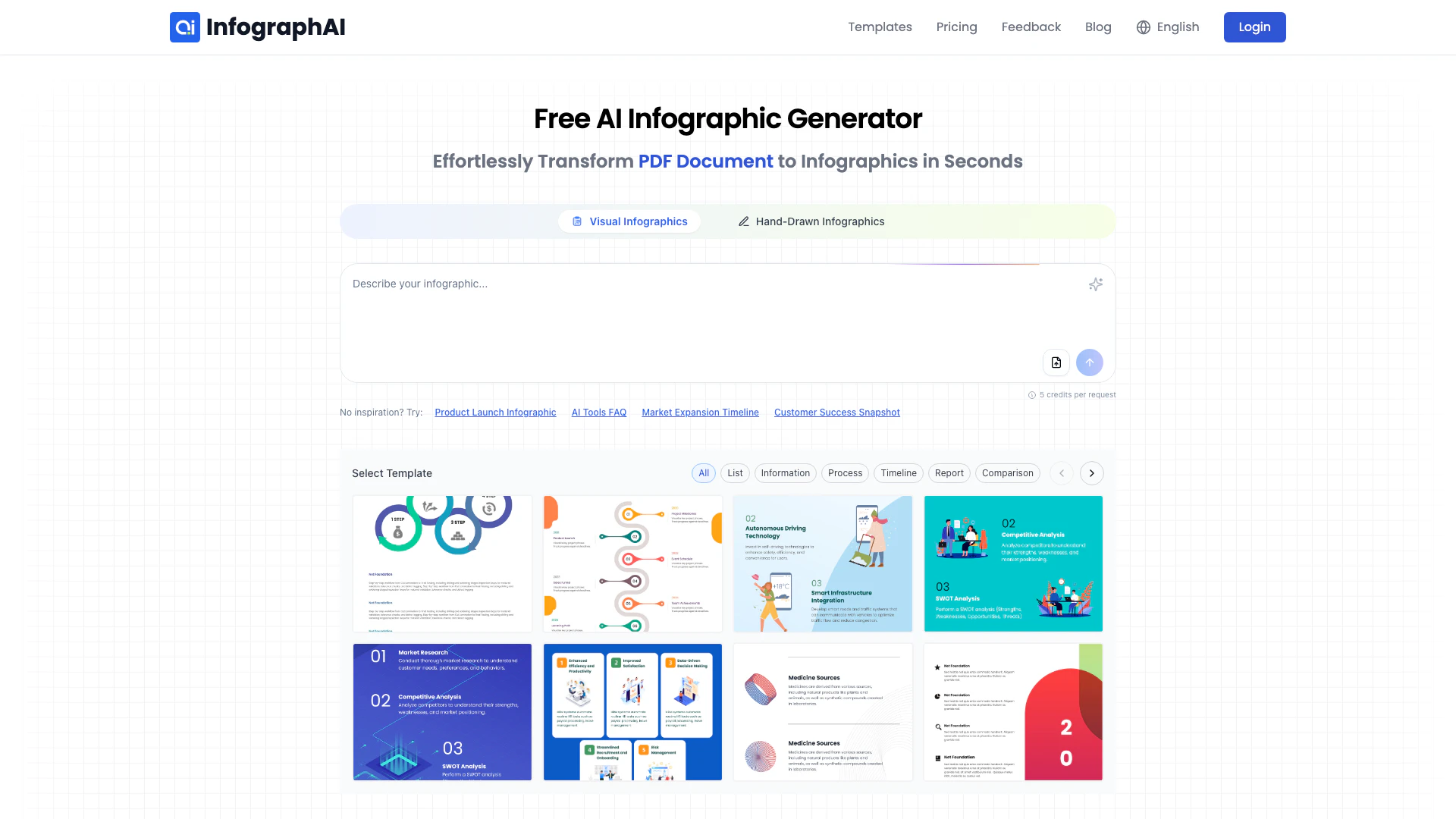
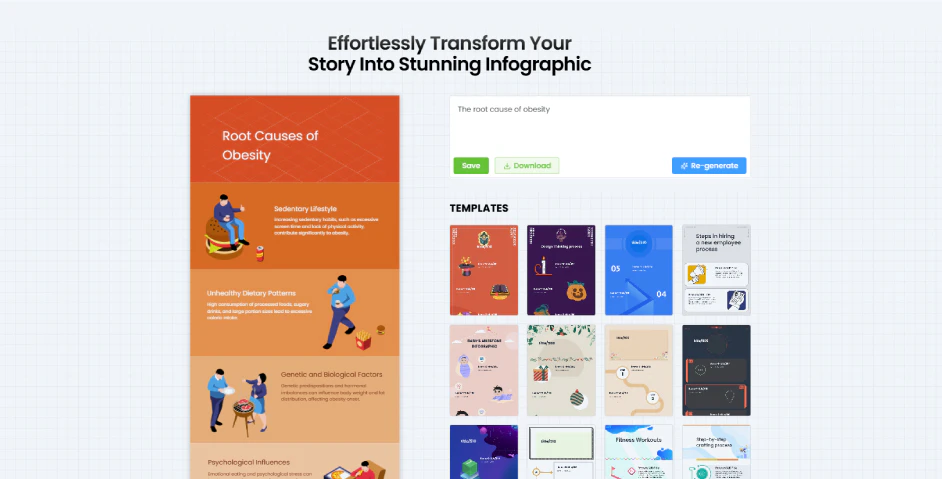
Infographai is an AI-powered[1] infographic generator[2] that allows users to create stunning infographics quickly and effortlessly. This innovative tool leverages artificial intelligence to transform text, data, or URLs into visually appealing infographics in a matter of seconds. With a user-friendly interface[5] and a wide range of customizable templates[3], Infographai is designed for individuals and businesses looking to visualize information effectively without needing advanced design skills.
How to use Infographai?
Using Infographai to create infographics is simple and can be done in five easy steps: 1. Choose an Infographic Template: Start by selecting from thousands of customizable infographic templates tailored for various industries. 2. Input Data or URL: Add your text, upload a file, or paste a blog URL to generate an infographic. 3. Generate Infographic with AI: Let the AI-powered generator create a stunning visual instantly. 4. Customize Your Infographic: Edit fonts, colors, and styles to make your infographic unique and engaging. 5. Save and Download: Download your infographic as a PDF or save it to your dashboard for future edits.
What are the main features of Infographai?
Infographai offers a range of powerful features designed to enhance the infographic creation process: - Extensive Infographic Templates: Access a vast library of professionally designed templates suitable for various industries and topics. - AI-Powered Infographic Design: Utilize smart layout suggestions[6] and optimized color schemes[7] to create visually appealing infographics effortlessly. - Customizable Infographic Elements: Modify colors, fonts, and layouts to ensure your infographic aligns with your brand identity. - Fast and Efficient Infographic Generation: Generate infographics quickly from your ideas, minimizing design time while ensuring high-quality results. - User-Friendly Infographic Creator: A no-code interface that allows anyone to create infographics easily, regardless of their design skills.
Who is Infographai for?
Infographai is designed for a diverse range of users, including marketers, educators, business professionals, and researchers. It caters to anyone who needs to visualize data or information effectively. Whether you're a content creator looking to enhance blog posts with infographics, an educator simplifying complex concepts for students, or a business analyst presenting market trends, Infographai provides the tools to create engaging visuals[8] that communicate your message clearly.
What are the use cases of Infographai?
Infographai can be utilized in various scenarios, including: 1. Business & Market Analysis: Create infographics that visualize market trends, consumer behavior, and sales data to support data-driven decision-making. 2. Education & Research: Simplify complex information by visualizing scientific results and summarizing research findings in an engaging format. 3. Finance & Investment Visualization[4]: Design infographics that depict financial data, stock market trends, and economic indicators to aid investors in making informed choices.
Product Images



Infographai Pros and Cons
Pros
- AI-Powered Design: Utilizes advanced AI to create visually appealing infographics quickly, making design accessible for all users.
- Extensive Template Library: Offers a wide range of professionally designed templates for various industries, allowing users to start designing without prior experience.
- Customizable Elements: Allows full customization of colors, fonts, and layouts, ensuring that users can create unique infographics that match their branding.
Cons
No cons data detected for this tool
Infographai Pricing
Free
Free forever. No credit card required.
Pro
Limited-time offer for early adopter. Billed annually at $90, cancel anytime. Get all 3600 credits instantly with an annual subscription.
For the latest pricing, please visit this link: https://infographai.net/pricing
Prices are subject to change. Please visit the official website for the most up-to-date pricing information.
Analytics of Infographai
Infographai Website Traffic Analysis
Visits Over Time
Traffic Sources
Nov 2025 - Jan 2026 Worldwide Desktop Only
- Referrals: 64.59%
- Search: 12.61%
- Direct: 12.09%
- Social: 9.09%
- Paid Referrals: 1.51%
- Mail: 0.09%
Top Keywords
| Keyword | Volume | CPC | Estimated Value |
|---|---|---|---|
| сверстать обучающую инфографику в ии бесплатно | 0 | $0.00 | $70.00 |
| infographic ai | 8.22K | $1.21 | $30.00 |
| ai infographic generator | 7.09K | $2.38 | $0.00 |
| ai infographic | 1.83K | $2.95 | $200.00 |
| infographai | 310 | $0.00 | $330.00 |