

Aidiagrammaker
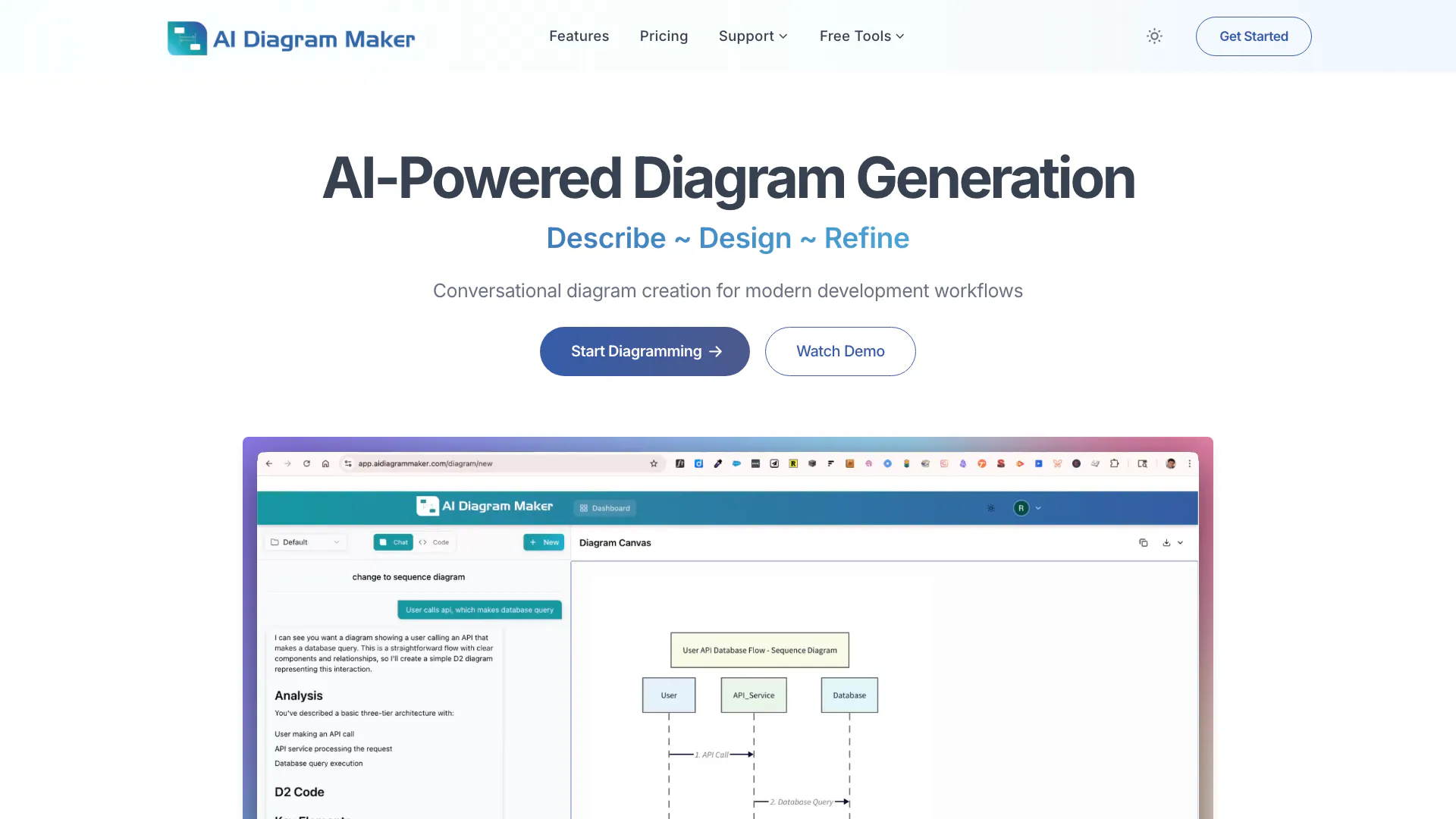




What is AI Diagram Maker[1]?
AI Diagram Maker is an innovative tool designed to create professional software architecture[2], UML, and flow diagrams[3] in seconds using artificial intelligence. By simply typing your ideas in plain English, users can generate complex diagrams without the need for traditional drag-and-drop interfaces. This tool streamlines the diagramming process, allowing developers and teams to visualize complex systems quickly and efficiently, thereby enhancing productivity and collaboration.
How to use AI Diagram Maker?
- Visit the AI Diagram Maker website and click on 'Get Started' to access the diagramming tool.
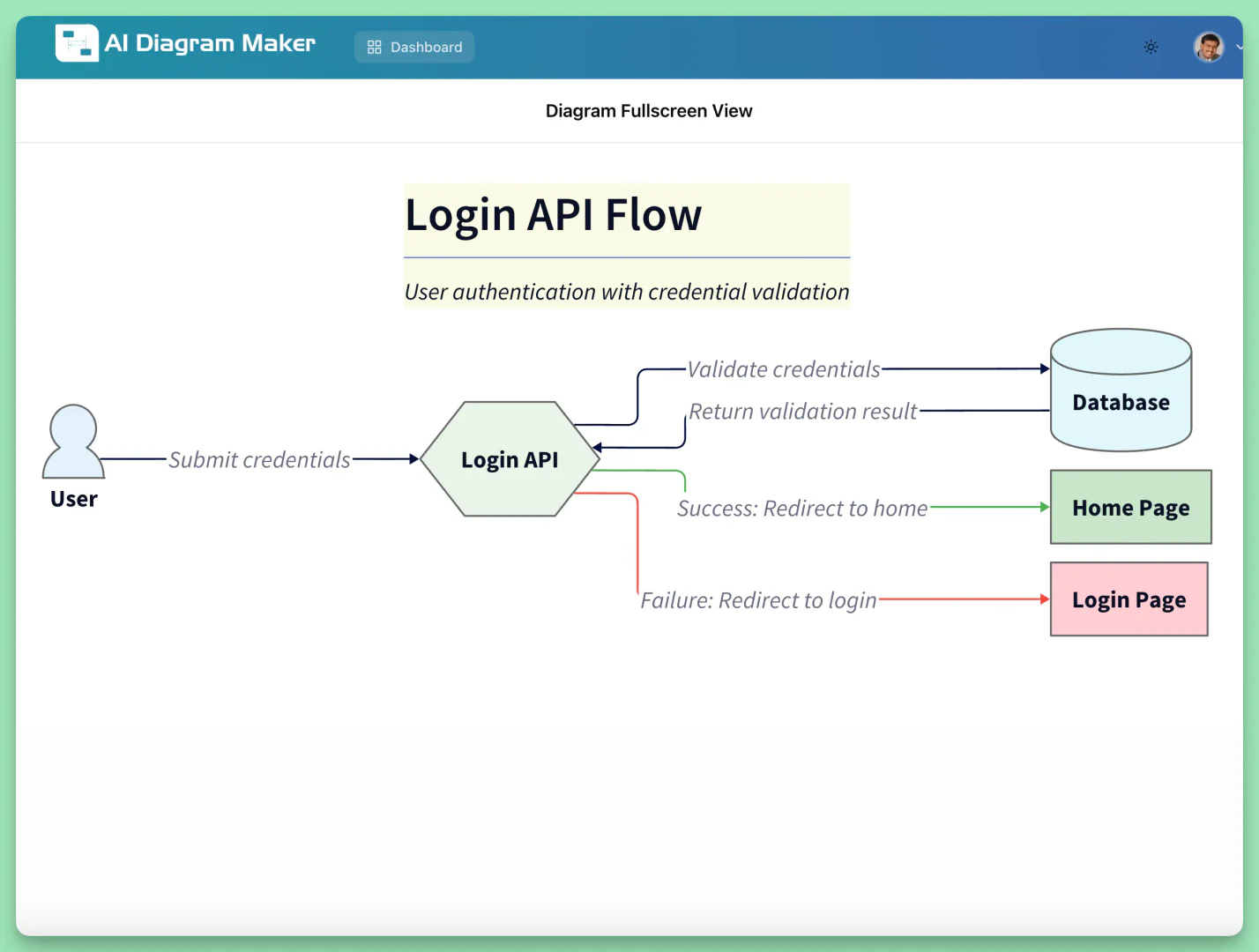
- In the text input area, describe your diagram in plain English, such as 'User calls login API, it validates credentials with the database. If success, redirects to home; if failure, redirects to login.'
- The AI will process your input and generate the corresponding diagram in seconds.
- If you need to make changes, simply type your request, like 'Change this to a sequence diagram', and the AI will update the diagram accordingly.
- Once satisfied, you can export the diagram in various formats such as PNG, SVG, or D2 code.
What are the main features of AI Diagram Maker?
- AI-powered generation[4]: Create diagrams from plain text descriptions, making it easy to visualize complex systems.
- Automatic layout[5] & styling: The AI handles the positioning and design, ensuring professional results instantly.
- Code to diagram[6]: Generate diagrams directly from GitHub repositories, visualizing your codebase architecture.
- Revision history: Track changes over time and restore previous versions with advanced plans.
- Export options: Download diagrams in multiple formats including PNG, SVG, or as diagram code for documentation and presentations.
Who is AI Diagram Maker for?
AI Diagram Maker is designed for software developers, architects, project managers, and teams who require quick and efficient diagramming solutions. It is particularly beneficial for those working in agile environments where rapid iteration and collaboration are essential. The tool caters to users who may not have extensive design skills but need to visualize complex workflows, system architectures, and processes without the overhead of traditional diagramming tools.
What are the use cases of AI Diagram Maker?
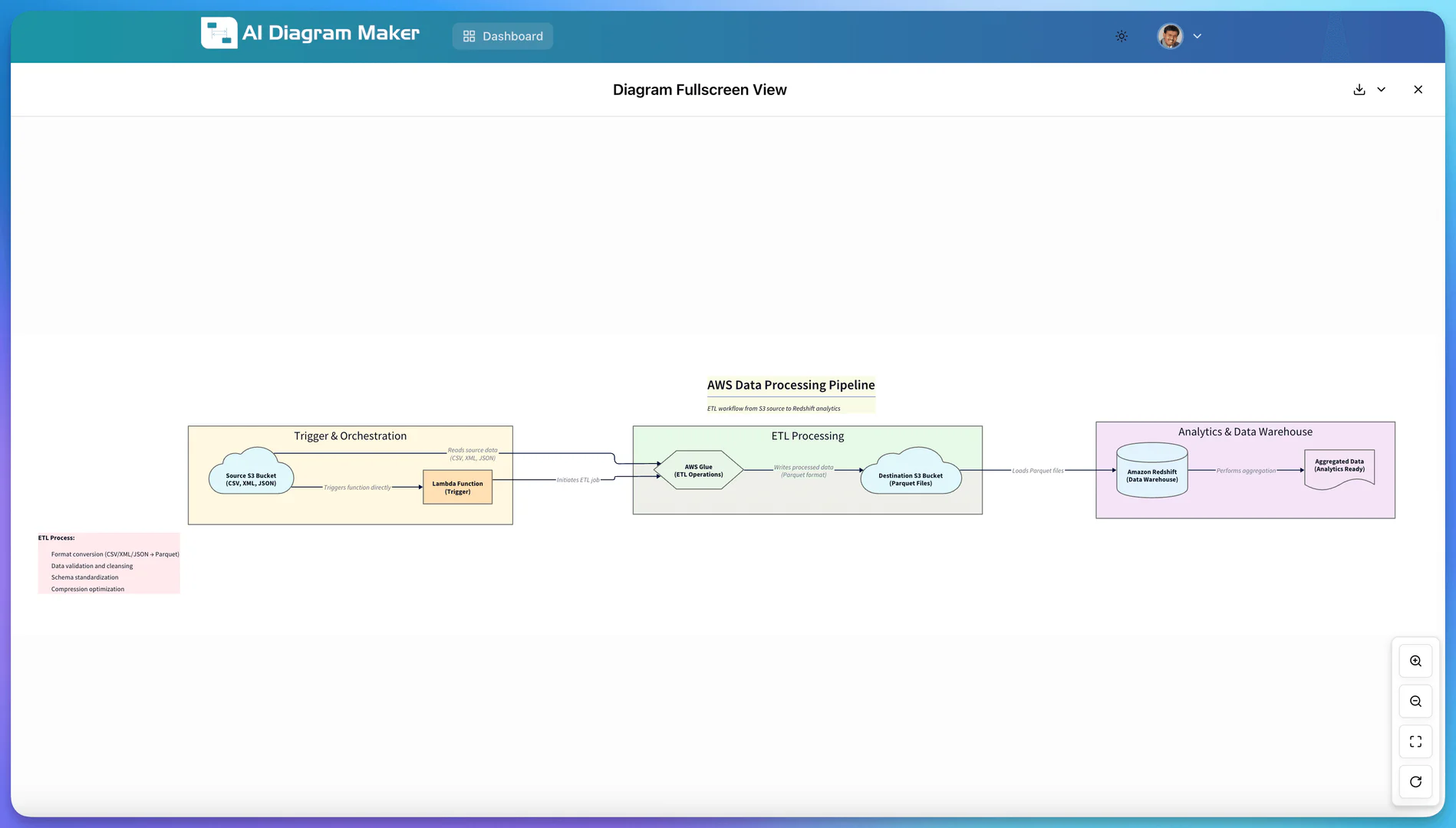
- Software Architecture Visualization: Quickly generate architecture diagrams for software systems, helping teams understand and communicate the structure of their applications.
- Flowchart Creation: Design flowcharts for business processes, making it easy to visualize workflows and decision points.
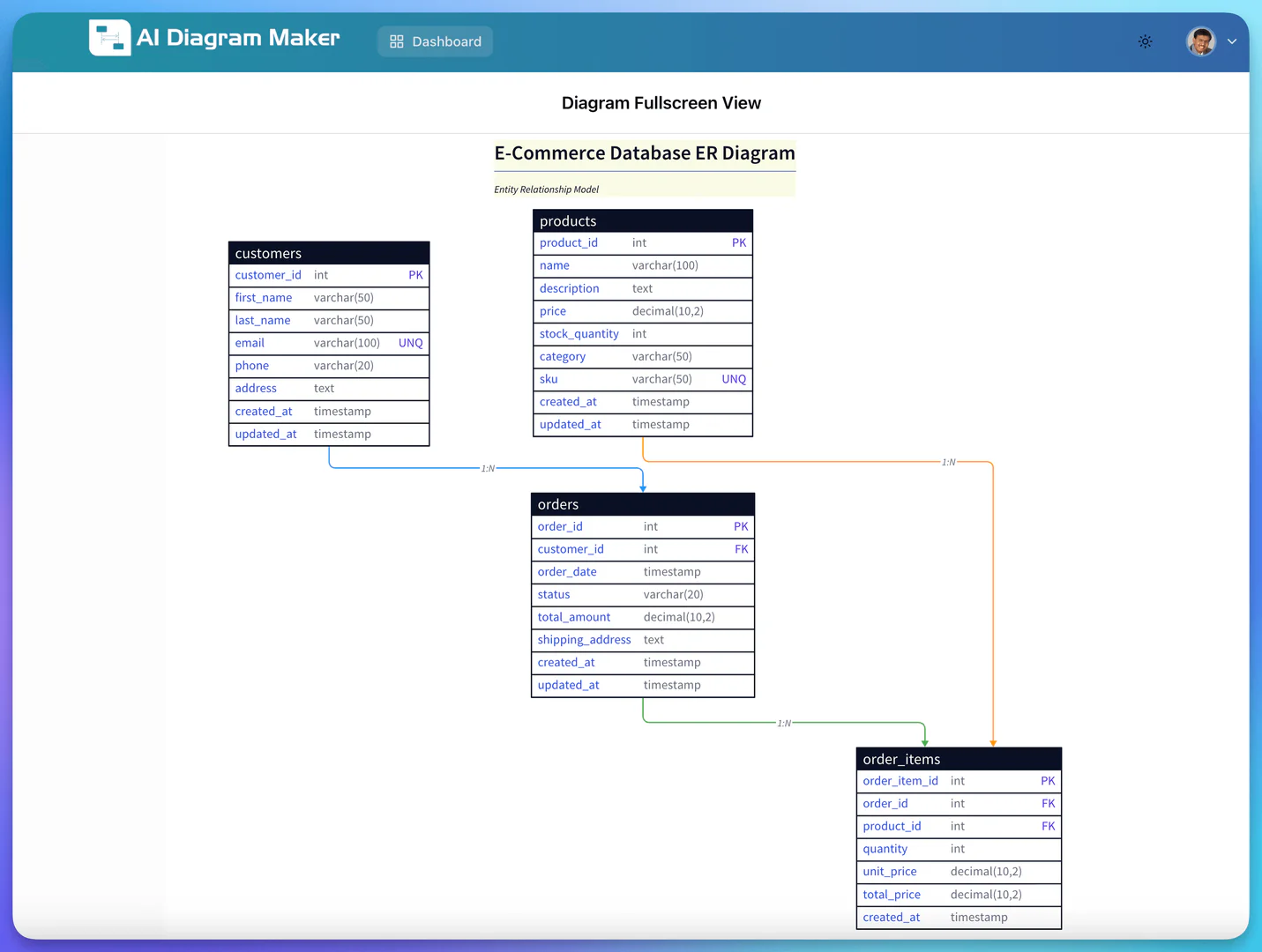
- Database Schema Design: Create ER diagrams to illustrate database relationships, aiding in the development of complex database systems.
Product Images


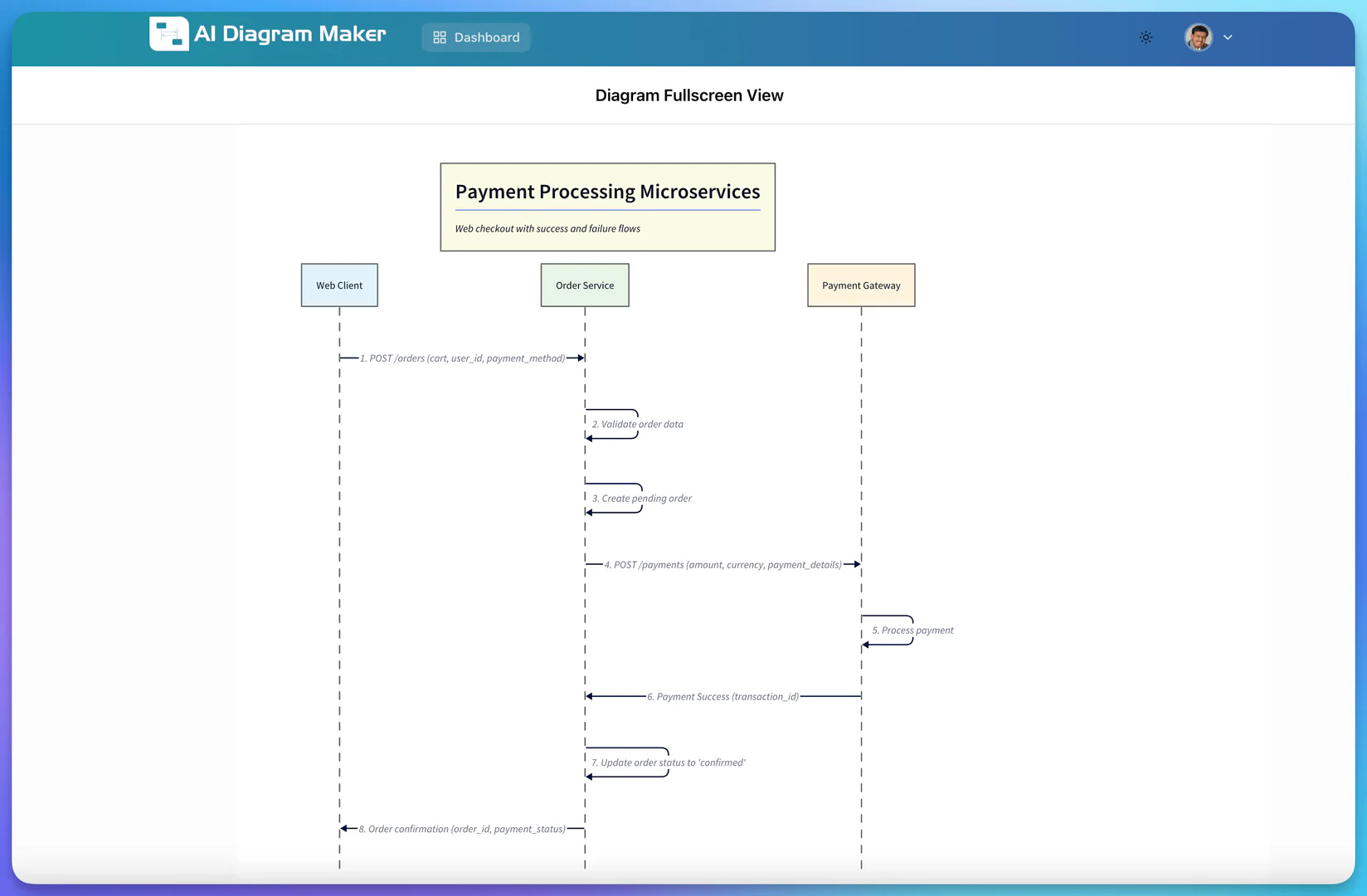
Aidiagrammaker Video

Aidiagrammaker Pros and Cons
Pros
- AI-Powered Diagram Generation: Create professional diagrams quickly from plain text descriptions, reducing the time from minutes to seconds.
- Conversational Interface: Users can interact with the tool using natural language, making it easy to generate and modify diagrams.
- Automatic Layout and Styling: The AI automatically handles positioning and design, ensuring professional results without manual adjustments.
Cons
No cons data detected for this tool
Aidiagrammaker Pricing
Basic
Perfect for getting started. Includes AI diagram generation, AI diagram editing, export diagram code, SVG or PNG, automatic layout and styling, create diagram from document, code to diagram (GitHub repos), and 50 AI credits/month.
Plus
Advanced features for power users. Includes everything in Basic, 250 AI credits/month, diagram revision history for 30 days, and priority support.
Max
Maximum power and features. Includes everything in Basic, 500 AI credits/month, diagram revision history for 90 days, and priority support.
For the latest pricing, please visit this link: https://www.aidiagrammaker.com/pricing
Prices are subject to change. Please visit the official website for the most up-to-date pricing information.
Aidiagrammaker Reviews
Using AIDiagramMaker made designing my app architecture so much easier. I was able to visualize complex workflows in just a few minutes. It saved me several hours of manual diagramming. The interface is intuitive and super fast to work with. Collaboration and editing are seamless and hassle-free. Highly recommend it for anyone needing quick, professional architecture diagrams!
Tried the tool – it's surprisingly good. Converts plain English to proper architecture diagrams in seconds. Great for quick brainstorming and design sessions.
I used this to create a flow diagram of a community onboarding process, and instead of randomly throwing an output, it asked relevant questions to understand what I exactly want. That's the best part of it. If you're building processes for an organisation and want to convey it to the team, this is an apt tool and will be a go-to tool for my team!
For more reviews, visit this link: https://www.aidiagrammaker.com/#testimonials





