Fraudcheck




What is Fraudcheck?
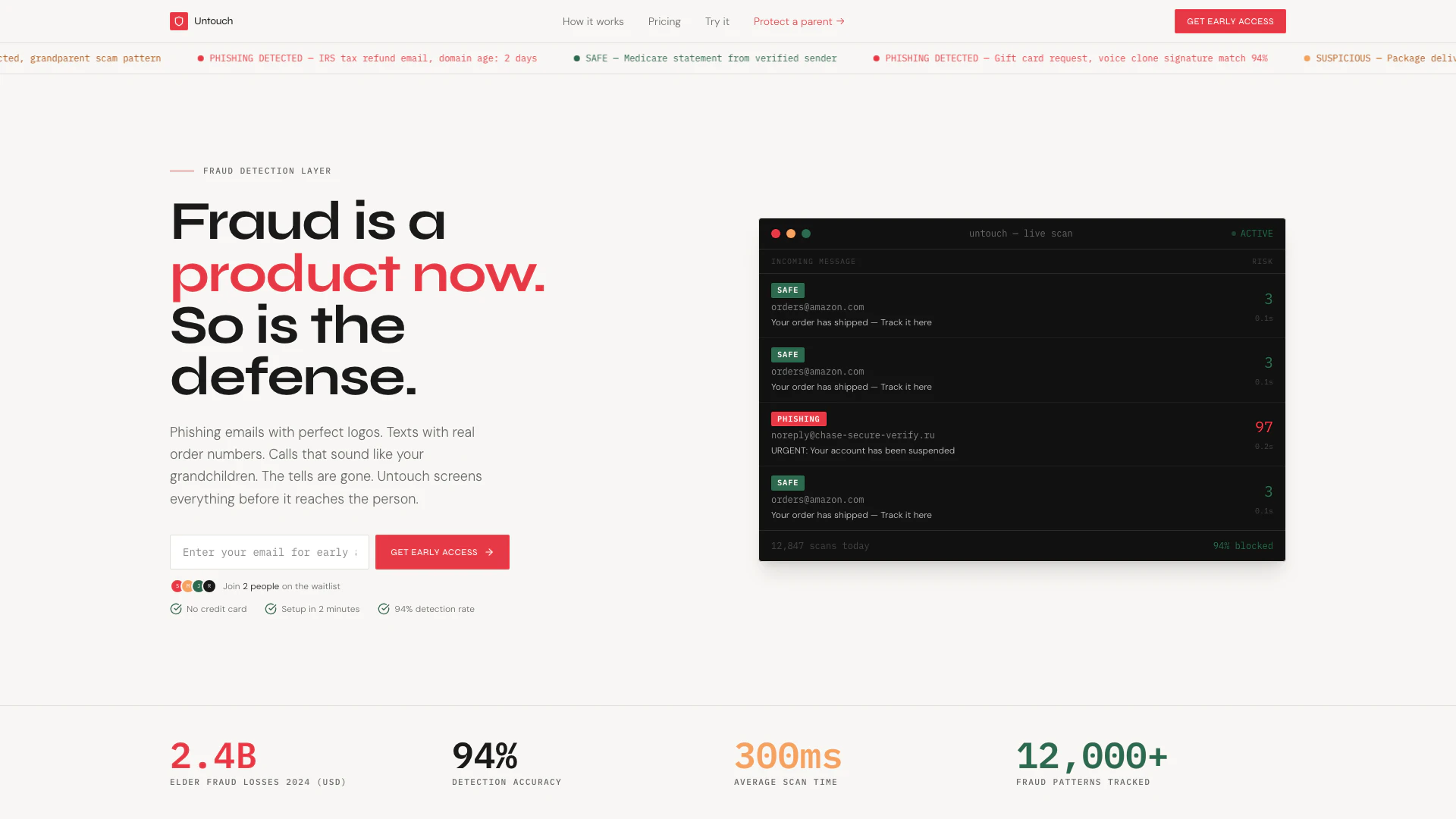
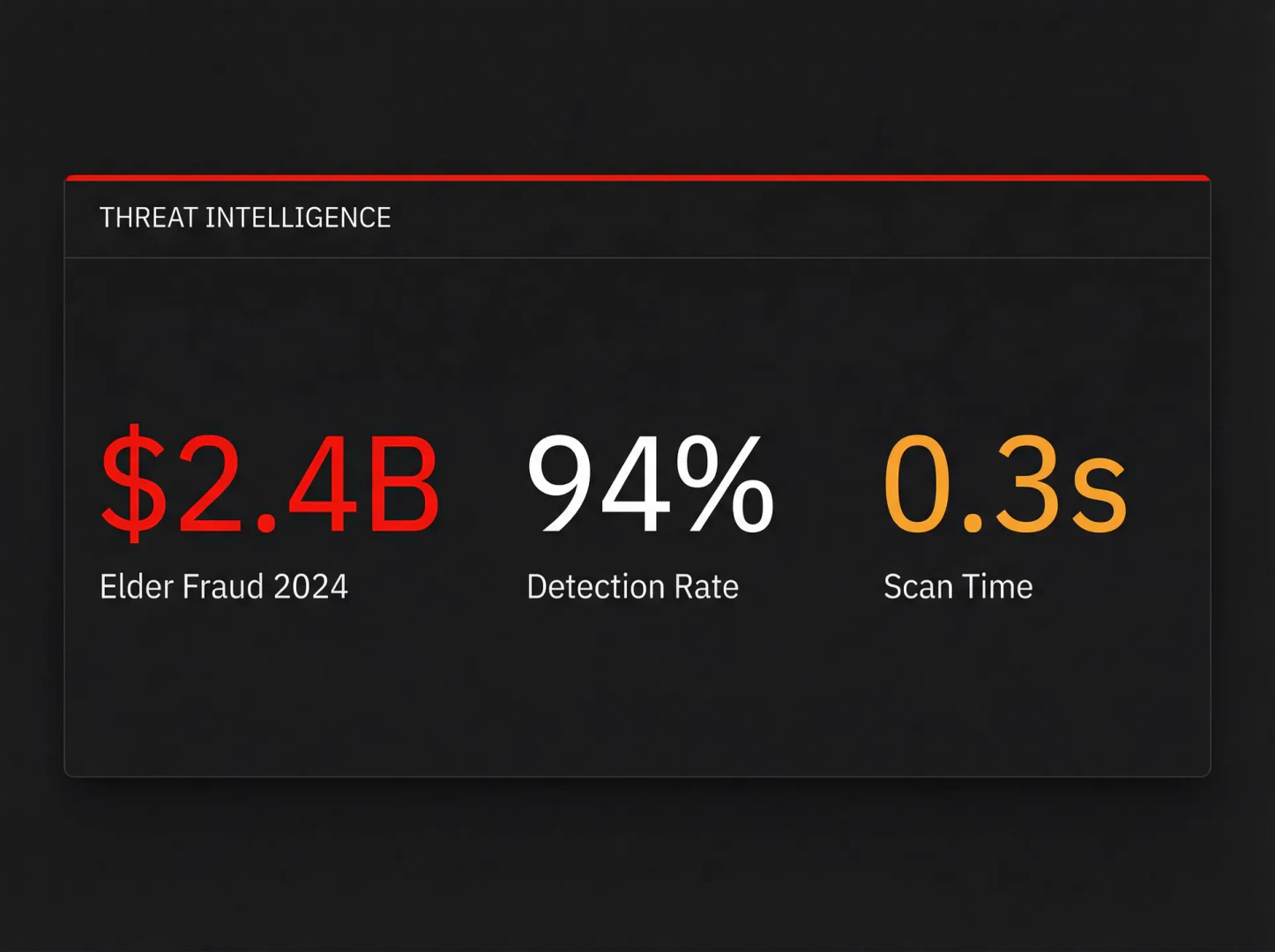
Fraudcheck is an advanced AI-powered fraud detection tool designed to protect individuals and families from various forms of scams, including phishing emails, smishing texts, and fraudulent calls. It functions by screening incoming communications against known fraud patterns before they reach the user, ensuring that only safe messages are delivered. With a remarkable 94% detection rate, Fraudcheck provides real-time alerts and detailed reports on potential threats, making it an essential tool for elder fraud prevention and family safety.
How to use Fraudcheck?
- Sign up for an account on the Fraudcheck website to get early access.
- Set up the tool by adding your email, phone number, or the details of the family member you wish to protect.
- Allow Fraudcheck to scan incoming emails, texts, and calls automatically.
- Monitor the family dashboard for real-time alerts and reports on detected threats.
What are the main features of Fraudcheck?
- Email Screening: Checks emails against sender reputation, domain age, and phishing signatures.
- SMS Analysis: Scans text messages for suspicious links and brand impersonation patterns.
- Call Intelligence: Detects caller ID spoofing and matches audio signatures against known scams.
- Family Dashboard: Provides a centralized view for family members to monitor threats.
- Real-Time Alerts: Sends notifications to users when potential scams are detected.
- Plain-English Reports: Offers clear explanations of flagged messages without jargon.
Who is Fraudcheck for?
Fraudcheck is primarily designed for families, especially those with elderly members who are at a higher risk of falling victim to scams. It is ideal for adult children looking to protect their parents or grandparents from sophisticated fraud tactics that often impersonate trusted sources. Additionally, it can be beneficial for organizations wanting to safeguard their employees from phishing attacks and other forms of fraud.
What are the use cases of Fraudcheck?
- Elder Fraud Prevention: Protect elderly family members from scams that exploit their trust and vulnerability.
- Family Safety: Monitor and block potential threats to ensure family members receive only safe communications.
- Organizational Security: Implement Fraudcheck in workplaces to prevent phishing attacks and secure sensitive information.
Product Images
Fraudcheck Pros and Cons
Pros
- Comprehensive Fraud Detection: Fraudcheck screens emails, texts, and calls against known fraud patterns, providing a robust layer of protection against various scams.
- AI-Powered Analysis: Utilizes advanced AI technology to detect and analyze potential scams in real-time, ensuring high accuracy and quick response.
- Family Protection Dashboard: Offers a centralized dashboard for families to monitor threats, making it easier for adult children to protect their parents from fraud.
Cons
No cons data detected for this tool
Fraudcheck Pricing
Personal
One person. Full protection across email, SMS, and calls. Email scanning (Gmail, Outlook), SMS analysis, Call screening, Threat reports, Mobile app.
Family
Up to 5 people. One dashboard for the whole family. Everything in Personal, Up to 5 protected people, Family dashboard, Real-time alerts to family members, Priority support, Voice clone detection.
Enterprise
For organizations protecting employees and customers at scale. Unlimited users, API access, Custom threat rules, SIEM integration, Dedicated support, SLA guarantee.
For the latest pricing, please visit this link: https://fraudcheck.click/#pricing
Prices are subject to change. Please visit the official website for the most up-to-date pricing information.
Fraudcheck Reviews
My mother almost lost $12,000 to a grandparent scam. The voice sounded exactly like my son. Untouch flagged the call before she picked up.
We deployed this for our 200 employees after a CFO phishing attack cost us $80k. Zero successful phishing attempts in 6 months.
The family dashboard is the feature I didn't know I needed. I can see every threat my parents faced this week without calling them every day.
For more reviews, visit this link: https://fraudcheck.click/#from-users