
Last updated:
Ebsynth

Ebsynth

Get deal
4.00 Comments0 Saved
Introduction:
Transform videos creatively with EbSynth.
Launch Date:
Social links:
Monthly Visits:
50.2K
Inputs:
VideoImage
Outputs:
VideoImage
Supported Languages:
EN
AI Models:
Generate Image
Ebsynth Overview

What is EbSynth?

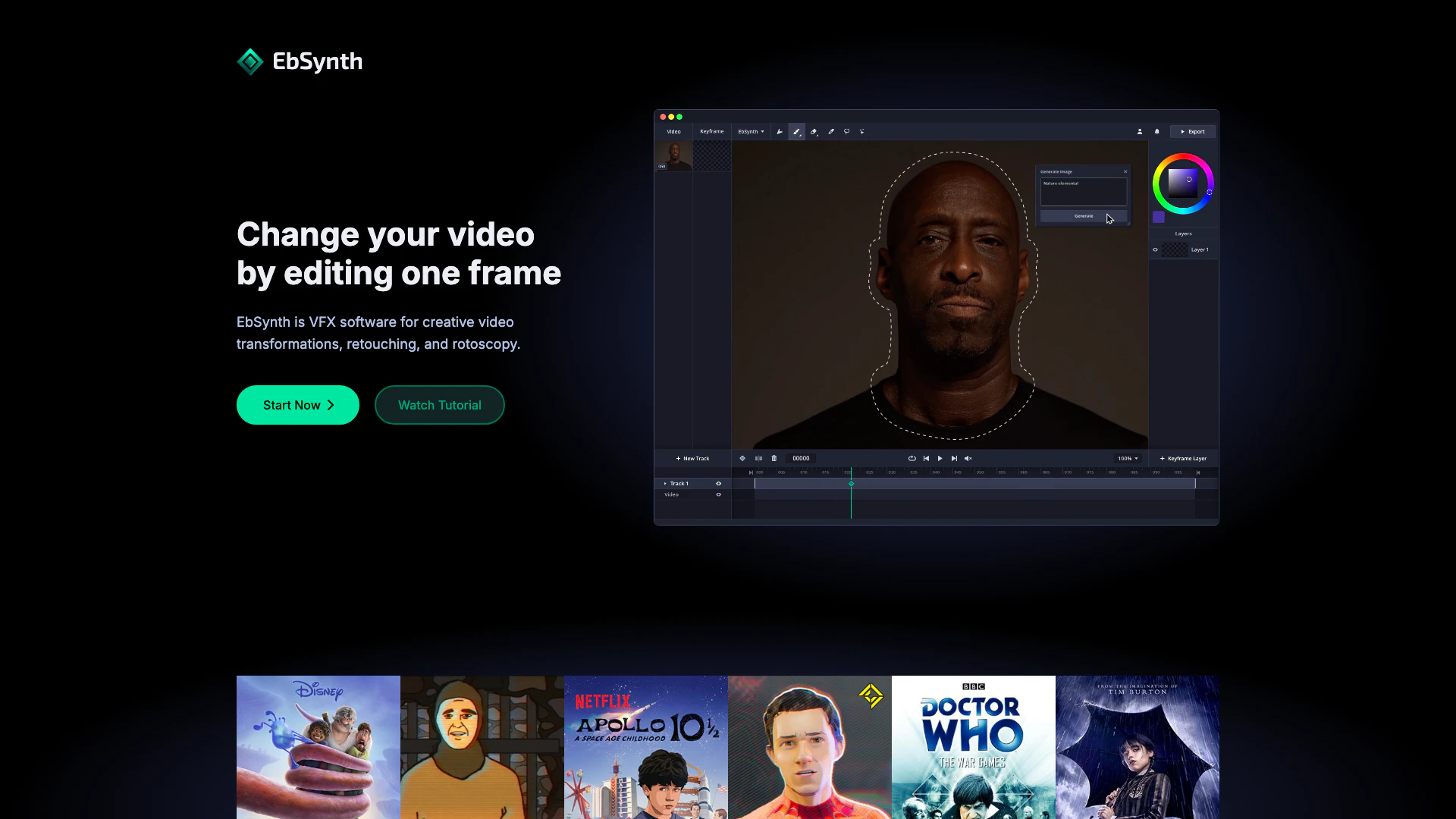
EbSynth is a powerful VFX software designed for creative video transformations, retouching, and rotoscopy. This innovative tool allows users to change their videos by editing just one frame, turning performances into hand-drawn animations, and facilitating quick video touch-ups and colorization. With a user-friendly interface and advanced features, EbSynth empowers artists and creators to bring their ideas to life seamlessly.


How to use EbSynth?

  1. Start by downloading and installing EbSynth from the official website.
  2. Open the software and import the video you want to transform.
  3. Select a frame to edit; this will serve as your keyframe.
  4. Use the painting tools to modify the keyframe as desired.
  5. Once satisfied with the keyframe, click on the 'synthesize' button to apply the changes across the video.
  6. Review the results and make any necessary adjustments to the keyframes as needed.

What are the main features of EbSynth?

  • Video Transformation: Change your video by editing a single frame.
  • Hand-drawn Animation: Turn performances into animations by painting keyframes.
  • Retouching & Colorization: Quickly apply digital makeup and colorize videos without manual tracking.
  • Fast Iteration: Instantly bring ideas to life and maintain a creative flow.
  • User-friendly Interface: Designed for ease of use, allowing quick access to essential tools.

Who is EbSynth for?

EbSynth is tailored for video creators, VFX artists, animators, and anyone involved in digital content creation who seeks to enhance their projects with innovative video transformations and retouching capabilities. Whether you're a professional looking to streamline your workflow or a hobbyist wanting to explore creative video editing, EbSynth provides the tools needed to elevate your work.


What are the use cases of EbSynth?

  1. Animation Production: Use EbSynth to create frame-by-frame animations from live-action footage.
  2. Film and Video Editing: Enhance scenes with digital makeup and retouching for a polished look.
  3. Creative Experimentation: Explore unique visual styles by transforming videos into artistic expressions.
  4. Educational Projects: Utilize EbSynth in teaching environments to demonstrate video editing techniques.

Product Images

EbSynth usage step screenshot showing keyframe painting
EbSynth usage step screenshot demonstrating video editing process
EbSynth operation interface for video editing
EbSynth operation interface for video transformations
EbSynth features demonstration showing retouching capabilities
EbSynth creators showcasing the software
EbSynth real application scenario showcasing video editing in action
EbSynth product interface showing video transformations
EbSynth product interface showing video transformation
EbSynth showcasing creative video transformations
EbSynth VFX software for creative video transformations
EbSynth VFX software interface
EbSynth showcasing video retouching features
EbSynth demonstrating rotoscopy features
EbSynth user scenario image showing creative professionals using the software
1 / 15

Ebsynth Pros and Cons

Pros

  • Creative Video Transformations: EbSynth allows users to transform videos creatively by editing just one frame, making it easy to achieve unique visual effects.
  • Effortless Retouching and Colorization: The software simplifies video touch-ups and colorization, eliminating the need for manual tracking and speeding up the editing process.
  • User-Friendly Keyframe Painting: Users can turn performances into hand-drawn animations by painting keyframes, with EbSynth handling the rest, enhancing the creative workflow.
  • Fast Iteration for Ideas: EbSynth enables rapid iteration of creative ideas, allowing users to stay immersed in their creative flow without interruptions.

Cons

No cons data detected for this tool

Ebsynth Pricing

Free

Contact Us

Experience the whole EbSynth with no time or functional limitations.

Pro

$20/month

Access advanced features like high-resolution render, PNG sequence output, or more keyframe generations.

Studio

Contact Us

Custom pricing for fully offline processing with no uploads.

For the latest pricing, please visit this link: https://ebsynth.com/app

Prices are subject to change. Please visit the official website for the most up-to-date pricing information.

Analytics of Ebsynth

Ebsynth Website Traffic Analysis

Visits Over Time

Dec 2025 - Feb 2026 All Traffic
#1,890
AI Tools Rank
50.19K
Monthly Visits
41.16%
Bounce Rate
2.83
Pages Per Visit
0:32
Visit Duration
534.65K
Global Rank
244.80K
Country Rank

Traffic Sources

Dec 2025 - Feb 2026 Worldwide Desktop Only

  • Search: 43.33%
  • Direct: 40.89%
  • Referrals: 8.73%
  • Social: 5.93%
  • Paid Referrals: 0.94%
  • Mail: 0.09%

Top Regions

Dec 2025 - Feb 2026 Desktop Only
RegionPercentage
🇺🇸
United States
35.95%
🇧🇷
Brazil
7.26%
🇮🇳
India
6.90%
🇨🇦
Canada
6.88%
🇷🇺
Russia
3.47%
  1. United States: 35.95%
  2. Brazil: 7.26%
  3. India: 6.90%
  4. Canada: 6.88%
  5. Russia: 3.47%

Top Keywords

KeywordVolumeCPCEstimated Value
ebsynth8.02K$1.96$5750.00
eb synth530$2.92$230.00
ebsynth ai450$2.92$350.00
ebsynth download420$0.00$140.00
ai software for ae that animates footage that starts with e180$0.00$170.00

Ebsynth Compare

Tool NameIntroductionPricing
Type
RatingLaunch DateLearn more
Civitai: The Home of Open-Source Generative AI
Free
November 2, 2022
Get deal
Edit your selfies to get the results you want with powerful and easy-to-use tools. Give your selfies the VIP treatment. Touch up, reshape & apply digital makeup.
Free
December 1, 2012
Get deal
AiSofiya offers AI-powered tools, chatbots, and automation to help websites and businesses work smarter, faster, and 24/7.
Free
January 10, 2023
Get deal

Info current as of post date. Offers and availability may vary by location and are subject to change.

Ebsynth Q&A

The propagation of keyframes across the timeline doesn't use AI. It's a texture-synthesis algorithm that only uses your video and keyframes to produce the final result, it doesn't use generative models trained on external datasets. There is an optional AI feature "Generate Image" in EbSynth that lets you generate your keyframes.

We recommend Chrome for the best experience, especially for large projects with long or high-resolution videos. Chrome handles memory-intensive processing most reliably. On laptops, make sure it uses your dedicated graphics card for optimal performance.

No, your projects stay on your computer. We temporarily upload your video and keyframes to our servers to render your animation, then immediately delete them once results are sent back. We never share your files or use them for any internal purposes. For fully offline processing with no uploads, consider our Studio Plan. Contact us at studio@ebsynth.com.

Start with a single keyframe. Create additional keyframes by fixing broken areas in already synthesized frames. Choose the timing of your keyframes carefully. Select frames that show the most content and clear poses, not the middle of movements. Align the shapes in your keyframes to the shapes of the videoframes. If they don't match, you might end up with stretchy, ripple-like artifacts. If you use AI to generate your keyframes and it produces artifacts, use a paintbrush to roughly correct the errors, then run another AI pass with lower strength to polish the result. Divide your shot into parts that move independently and need a different timing for keyframes (like the background, face, or eyes). Work on each area in a separate video track. Use keyframes on transparent background. Isolate the elements you want to synthesize and put them in your keyframes. Leave the rest empty. For example, corrections to eye movements can go on a separate track with alpha channel keyframes.

Yes, we offer a Free plan to anyone who wants to try it out. There are no time or functional limitations, you get to experience the whole EbSynth. If you need advanced features like high-resolution render, PNG sequence output, or more keyframe generations, you can upgrade to our Pro plan.

Click the user menu in the top right corner and select "Manage Subscription" to cancel. Your plan stays active until the end of your current billing period.

For more FAQs, please visit this link: https://ebsynth.com/#faq

Ebsynth Launch embeds

Use website badges to drive support from your community for your TopAITools Review. They're easy to embed on your homepage or footer.

Ebsynth Alternatives

Capcut screenshot

CapCut is a comprehensive online creative suite for video editing and graphic design.

  • Video & Animation
  • AI Video Editor
  • AI Video Creation Suite
  • AI Creative Video Production
Direct52.20%
Search43.42%
Referrals2.25%
Higgsfieldai screenshot

Create stunning AI-generated videos and images with ease.

  • Video & Animation
  • AI Video Generator
  • AI Video and Image Creator
  • AI Creative Video and Image Generation
Klingai screenshot

Kling AI empowers creators to generate stunning images and videos using advanced generative AI techniques.

  • Image Generation & Editing
  • AI Image Generator
  • AI Video Generator
  • AI Image and Video Synthesis
Direct58.79%
Search36.17%
Referrals3.43%

Ebsynth Tags

Also used for

Ebsynth
EbsynthFreemium