Conceptviz





What is ConceptViz?
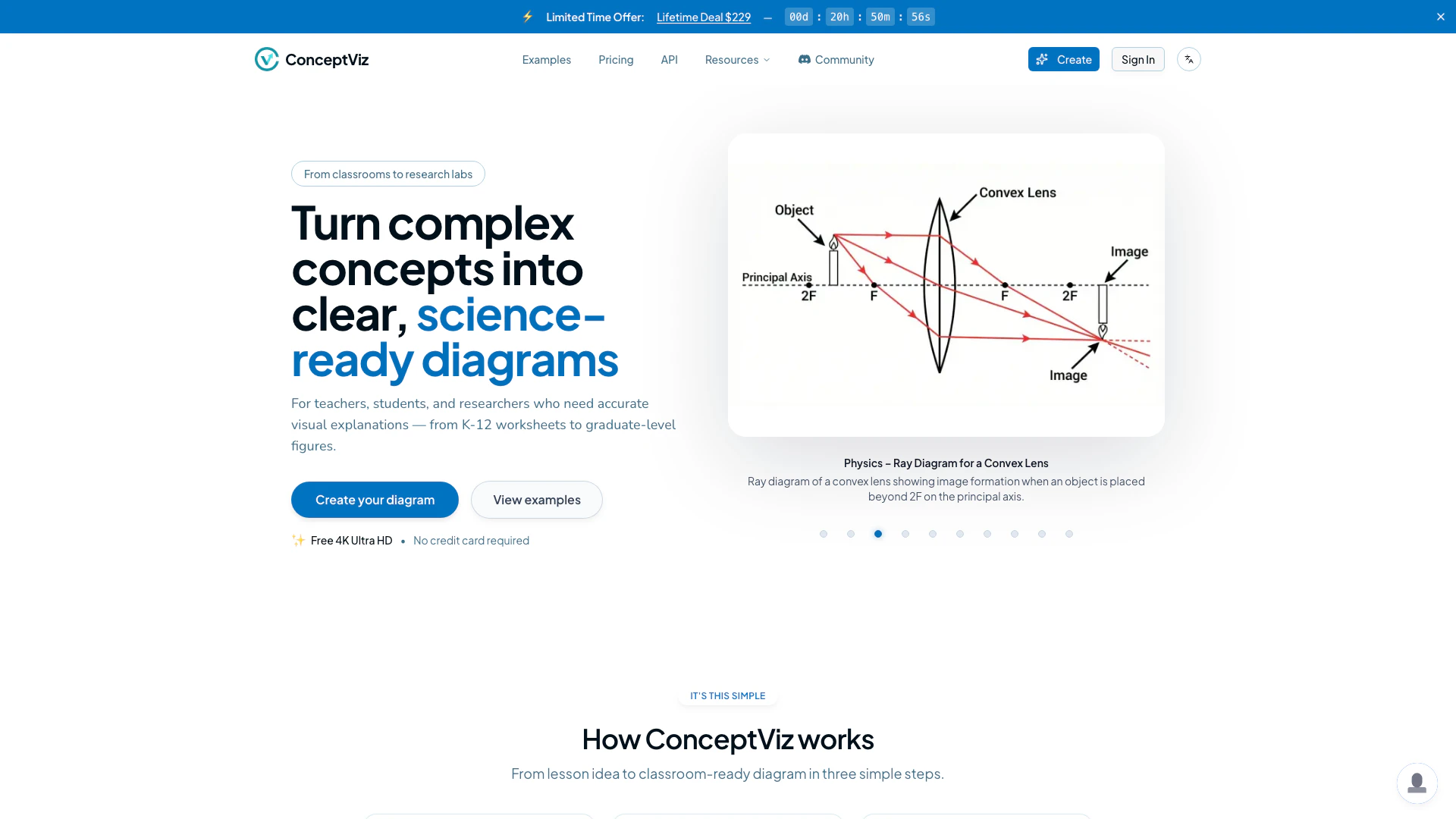
ConceptViz is an innovative online tool designed to transform complex scientific concepts into visually appealing diagrams in a matter of seconds. It caters to a wide audience, including teachers, students, and researchers, allowing them to create professional-grade visuals for various educational purposes, from elementary school worksheets to advanced academic journals. With its user-friendly interface[2] and powerful diagramming[1] capabilities, ConceptViz simplifies the process of visualizing scientific information, making it accessible and engaging.
How to use ConceptViz?
- Sign in & choose your topic: Create a free account and select your subject and grade level, whether it’s K-12 physics, biology, chemistry, or university-level topics.
- Describe the diagram you need: Input a brief description in plain English, such as "convex lens ray diagram with object between F and 2F" or "labeled plant cell cross-section for 8th grade."
- Generate and drop it into your slides: ConceptViz will create a clean, projector-ready diagram that you can download and insert directly into your presentations or worksheets.
What are the main features of ConceptViz?
- User-Friendly Interface: Designed for ease of use, requiring no prior design skills.
- Subject & Grade Presets: Quick presets for physics, biology, chemistry, earth & space, and math, tailored for U.S. grade levels.
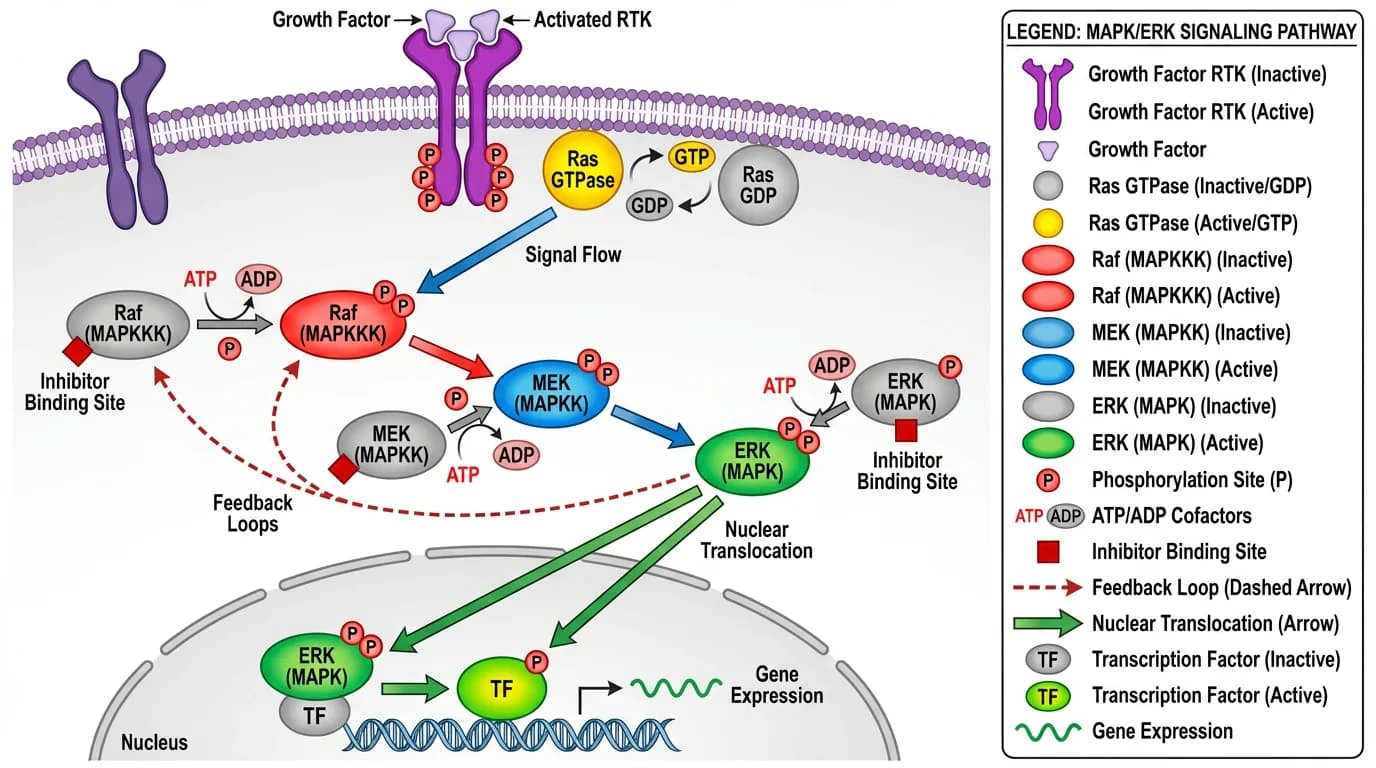
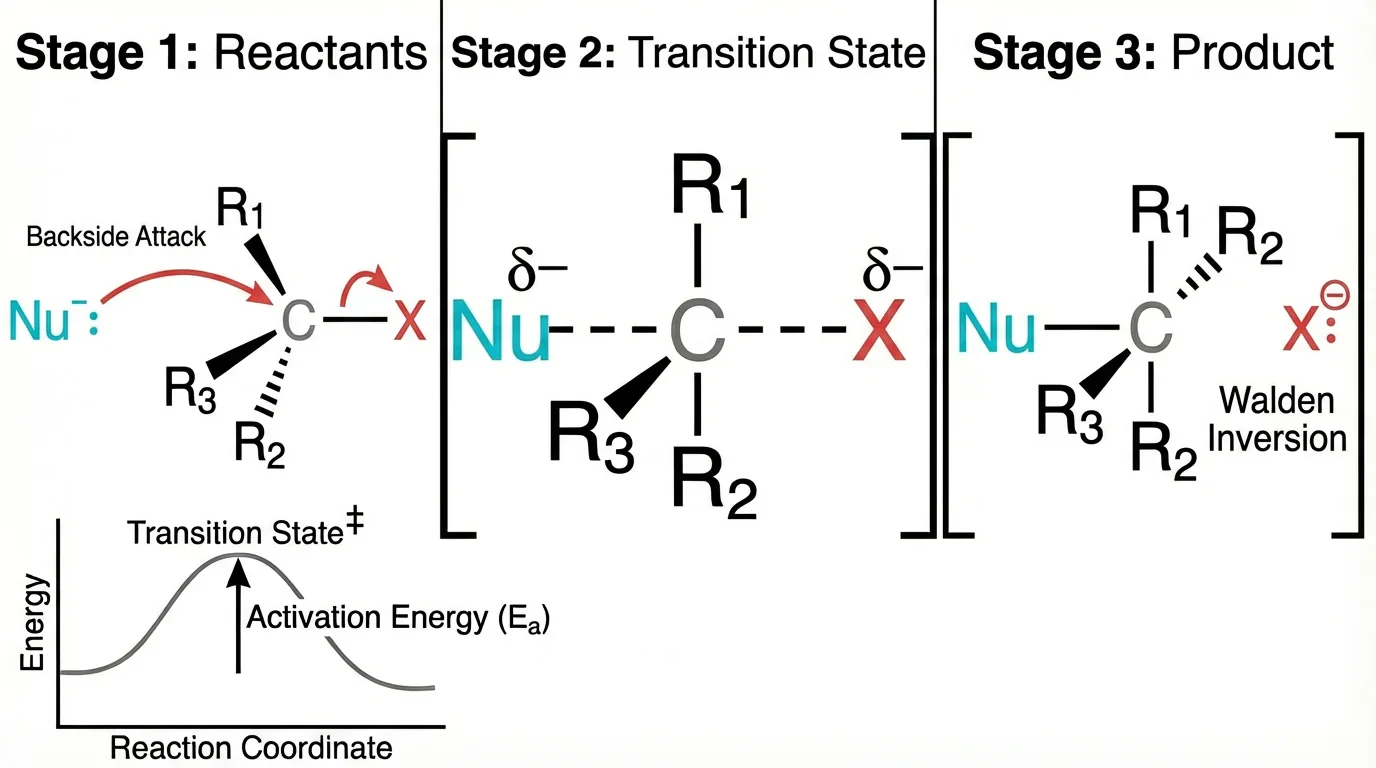
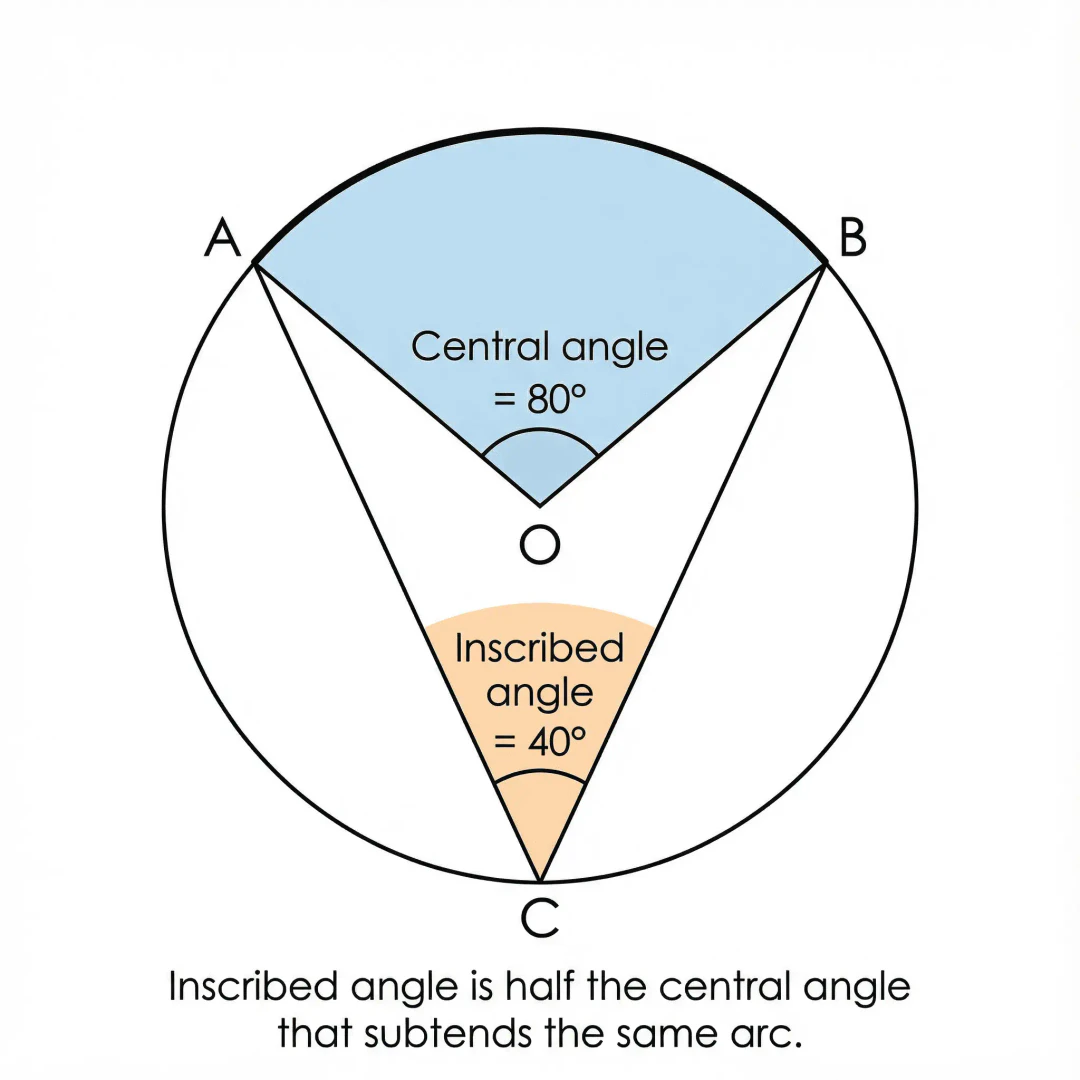
- High-Resolution Diagrams[3]: Generates 4K Ultra HD diagrams that are projector-ready and suitable for printing.
- Fast Generation[4] Speed: Quickly transforms text descriptions into diagrams, saving valuable preparation time.
- Flexible Export Options: Allows users to download diagrams in various formats for integration into slides and worksheets.
Who is ConceptViz for?
ConceptViz is primarily designed for educators, students, and researchers in the STEM fields. It is particularly beneficial for teachers who need to create clear and engaging diagrams for classroom instruction, students who require visual aids for learning complex concepts, and researchers who need high-quality visuals for academic publications. The tool is suitable for all grade levels, from elementary to graduate studies, making it a versatile resource for anyone involved in science education.
What are the use cases of ConceptViz?
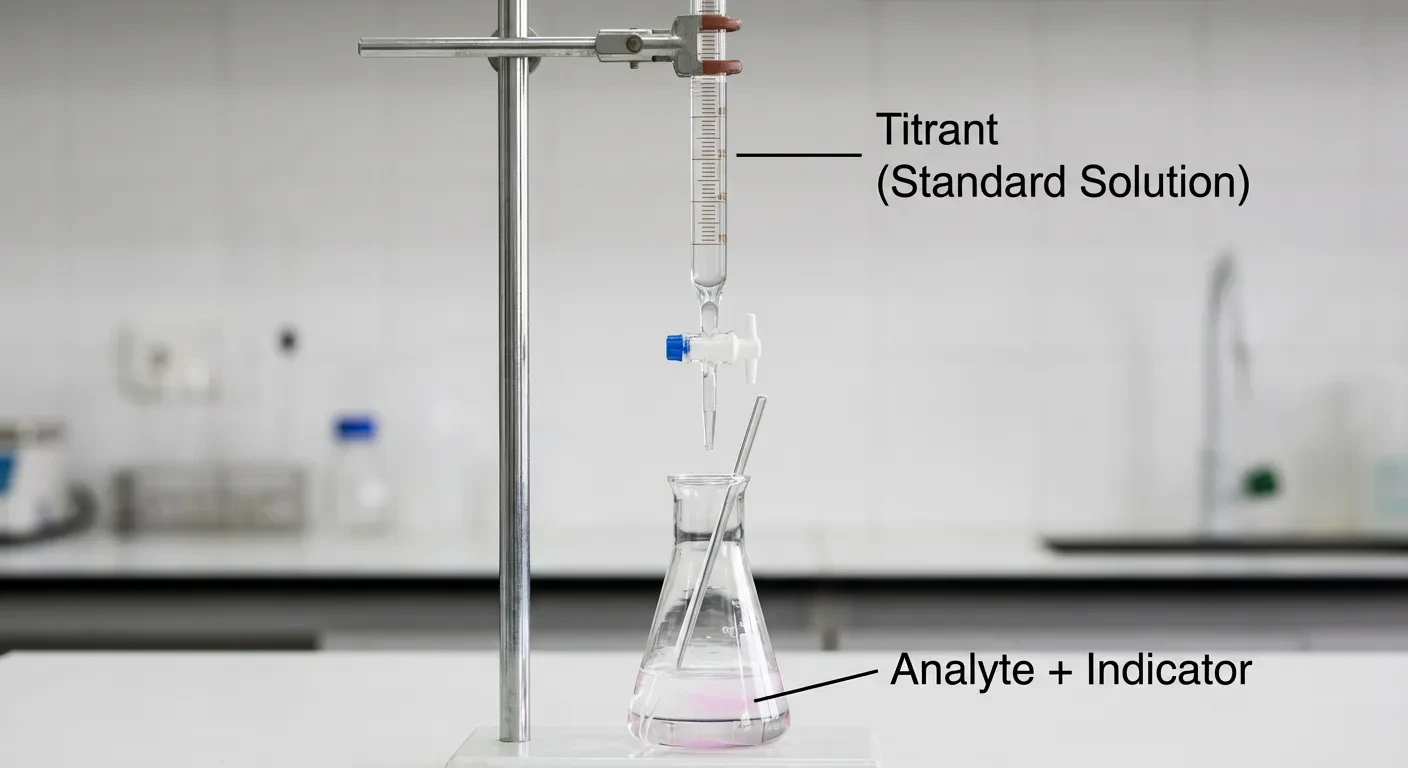
- Creating Educational Materials[5]: Teachers can quickly generate diagrams for lesson plans, worksheets, and presentations to enhance student understanding of scientific concepts.
- Research Publications: Researchers can produce publication-ready figures for thesis work, journal articles, and conference presentations, ensuring clarity and professionalism.
- Student Projects: Students can use ConceptViz to create diagrams for science projects, reports, and presentations, facilitating better communication of their ideas.
Product Images
Conceptviz Pros and Cons
Pros
- Effortless Diagram Creation: ConceptViz allows users to create professional diagrams quickly and easily, transforming complex concepts into clear visuals in just three steps.
- Wide Range of Applications: Suitable for various educational levels, from K-12 to graduate studies, making it versatile for teachers and researchers across different subjects.
- High-Quality Visuals: Generates 4K Ultra HD diagrams that are projector-ready, ensuring clarity and readability in classroom settings.
Cons
No cons data detected for this tool
Conceptviz Pricing
Lifetime Deal
Get permanent access to all Pro features with a one-time payment. No recurring fees, ever. Includes 1,500 diagram credits (one-time) + 80 credits/month for 12 months after initial credits used, 50% off all credit package purchases, all Pro features included forever, fast generation speed, 2K / 4K export for posters & print, generate up to 5 diagrams simultaneously, priority generation queue, 180-day history storage, early access to new features, feature request priority, and 1-on-1 customer support.
Free
One-time bonus: 3 diagram credits included. 4K Ultra HD generation, access to all subjects & grade presets, slide-friendly aspect ratio (16:9), classroom use allowed, generate 1 diagram at a time, 7-day history storage.
Standard Plan
80 diagram credits/month. 4K Ultra HD generation, fast generation speed, no watermark — projector-ready, slide & worksheet friendly layouts (16:9 and A4), commercial use license included, batch: 4 images/task × 3 tasks (up to 12), 30-day history storage, priority queue, and priority support.
Pro Plan
160 diagram credits/month. 4K Ultra HD generation, fast generation speed, everything in Essentials, plus: batch: 4 images/task × 5 tasks (up to 20), priority generation queue during busy hours, priority support (24h email response target), early access to new subject presets & features, 90-day history storage, team/department seats (coming soon). Unused credits reset each month — upgrade or downgrade anytime.
For the latest pricing, please visit this link: https://conceptviz.app/
Prices are subject to change. Please visit the official website for the most up-to-date pricing information.
Analytics of Conceptviz
Conceptviz Website Traffic Analysis
Visits Over Time
Traffic Sources
Dec 2025 - Jan 2026 Worldwide Desktop Only
- Direct: 61.94%
- Search: 33.89%
- Referrals: 2.04%
- Social: 1.63%
- Paid Referrals: 0.31%
- Mail: 0.03%
Top Keywords
| Keyword | Volume | CPC | Estimated Value |
|---|---|---|---|
| plant cell unlabeled | 840 | $0.00 | $0.00 |
| what is a manuscript in research | 760 | $0.00 | $0.00 |
| 10 color bind friendly pallet science | 90 | $0.00 | $20.00 |
| conceptviz | 20 | $0.00 | $20.00 |
| conceptviz graphical abstract maker | 20 | $0.00 | $20.00 |
Conceptviz Reviews
ConceptViz turned my messy whiteboard ray diagrams into clean slides in seconds. My students actually asked me to "zoom in" on the diagram instead of tuning out.
I used to spend 30 minutes in PowerPoint drawing lenses and forces. Now I type one sentence and have a projector-ready diagram that looks like it came from a textbook.
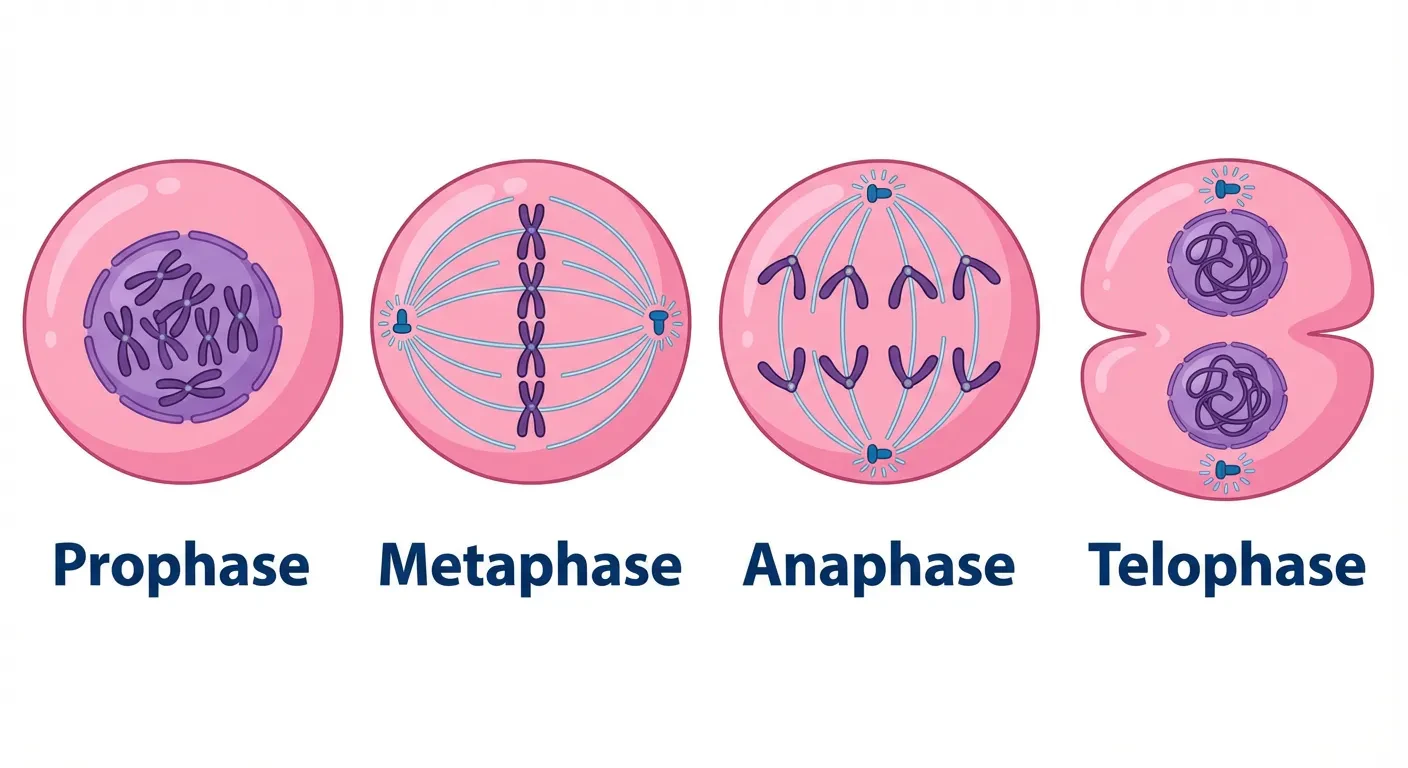
The plant and animal cell diagrams are crystal clear. Labels are readable from the back of the room, and I can print the same image as a worksheet.
For more reviews, visit this link: https://conceptviz.app/#testimonials