Angry Email Translator



What is Angry Email Translator?
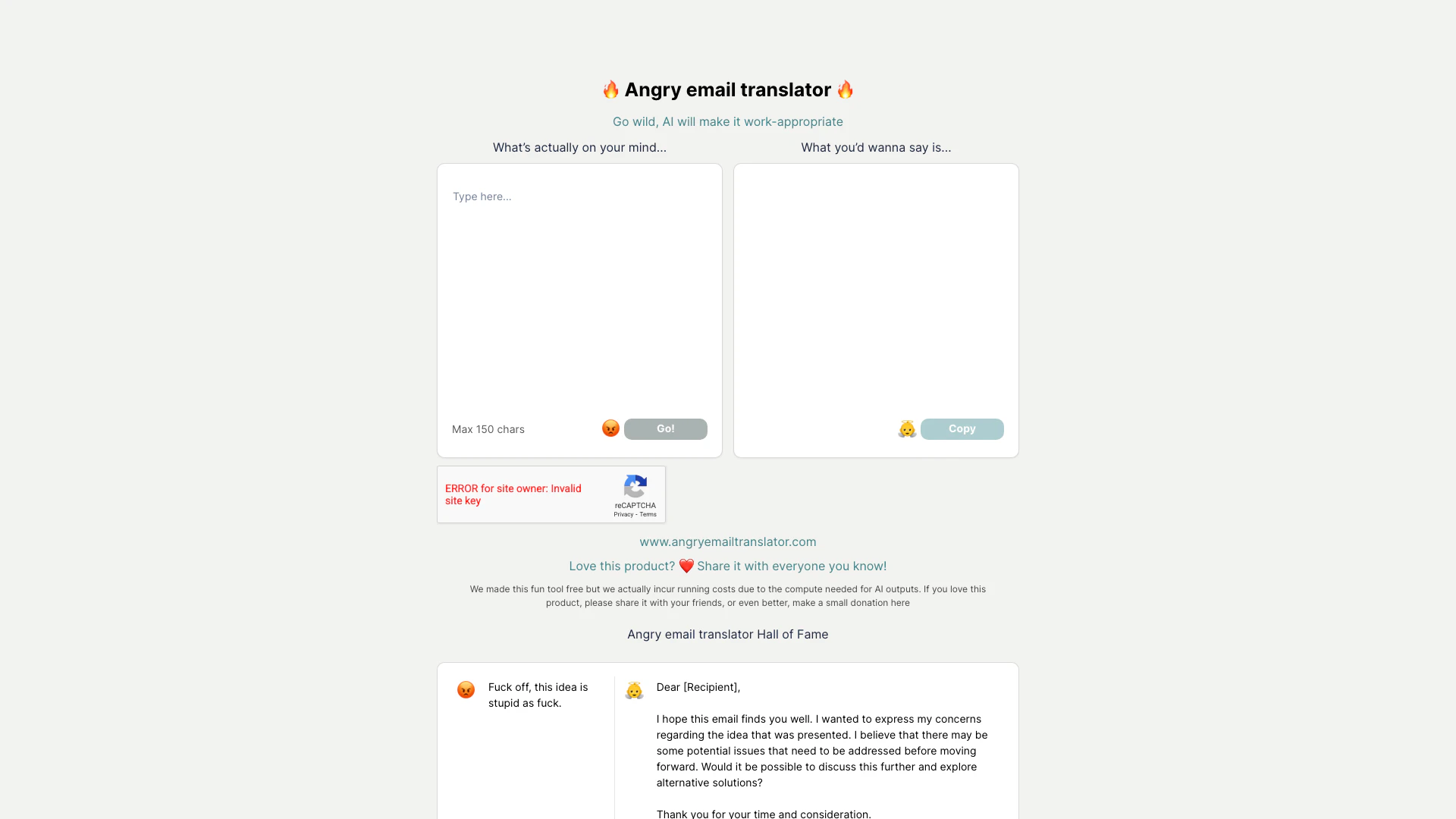
Angry Email Translator is an innovative AI-powered tool designed to transform emotionally charged and aggressive email content into professional and polite language. This tool allows users to express their genuine thoughts without compromising professionalism, making it ideal for workplace communication. By simply inputting a raw, angry email, users receive a refined version that maintains the original intent while ensuring it is appropriate for business contexts.
How to use Angry Email Translator?
- Visit the Angry Email Translator website at https://angryemailtranslator.com/.
- In the provided text box, type or paste your angry email content (maximum 150 characters).
- Click the 'Go!' button to initiate the translation process.
- Review the translated email generated by the AI, which will present a more professional version of your message.
- Copy the refined email and send it to your intended recipient.
What are the main features of Angry Email Translator?
- AI-driven translation of angry emails into professional language.
- User-friendly interface for easy input and output.
- Quick processing time to generate appropriate email responses.
- Free to use, with an option for donations to support operational costs.
- Examples of translated emails provided for reference.
Who is Angry Email Translator for?
Angry Email Translator is primarily targeted at professionals and employees who often find themselves frustrated in workplace communications. It is ideal for anyone who struggles to articulate their feelings in a constructive manner, including managers, team members, and customer service representatives. This tool is perfect for those who want to maintain professionalism while addressing issues or concerns in a tactful way.
What are the use cases of Angry Email Translator?
- Transforming aggressive feedback into constructive criticism for colleagues.
- Responding to unsatisfactory service or proposals in a professional manner.
- Communicating frustrations about meetings or projects without damaging professional relationships.
- Crafting polite emails to express concerns while retaining the original intent of the message.
Angry Email Translator Pros and Cons
Pros
- Free to Use: The tool is available for free, making it accessible to a wide audience.
- Effective Tone Transformation: The tool effectively transforms angry messages into more appropriate and polite emails.
Cons
- Running Costs: Despite being free, the tool incurs running costs due to the compute needed for AI outputs.