Aiblurweb





What is Aiblurweb?
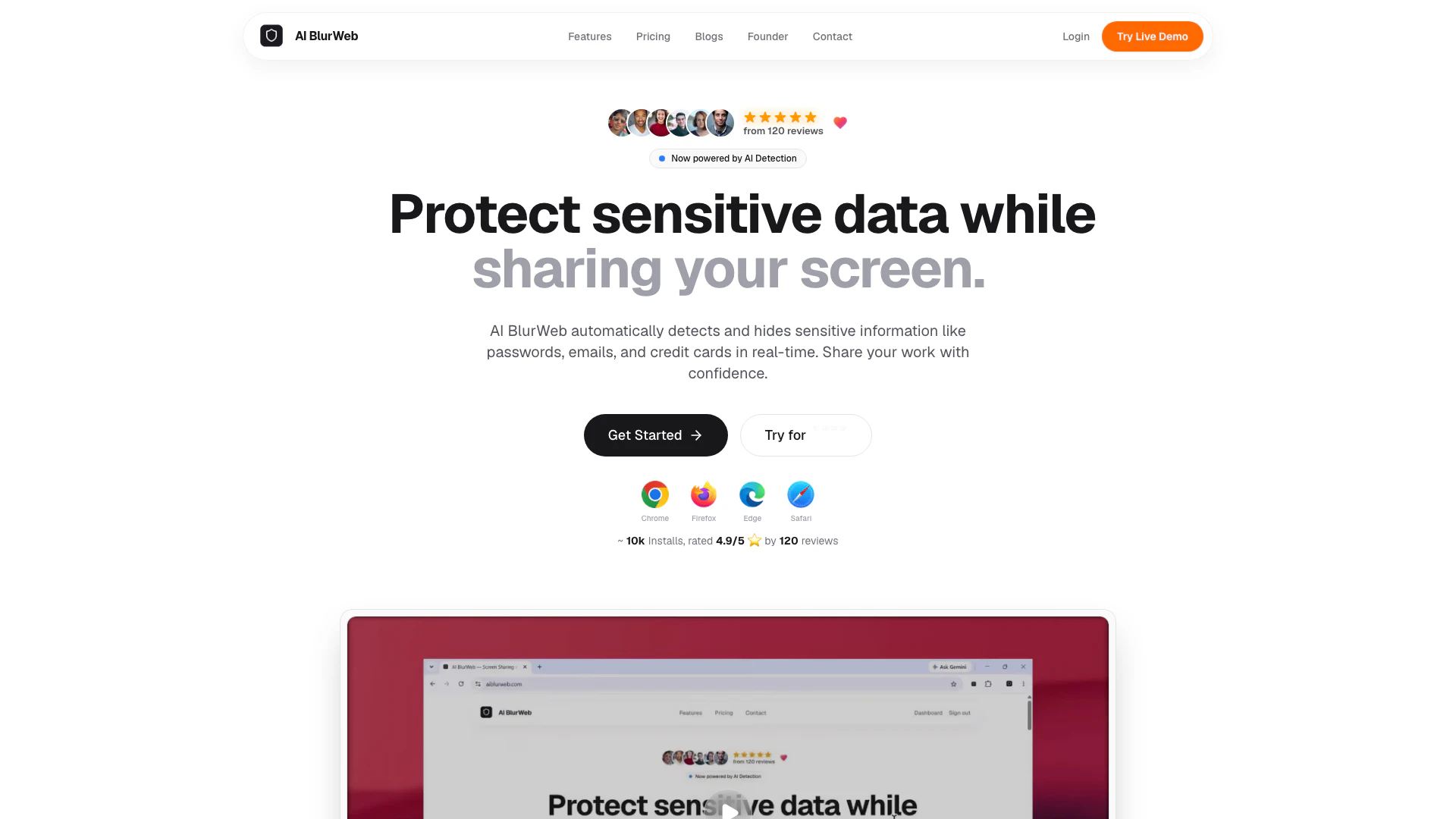
Aiblurweb is an advanced privacy tool designed to protect sensitive data during screen sharing and recordings. It automatically detects and blurs sensitive information, such as passwords, emails, credit card numbers, and other Personally Identifiable Information (PII) in real-time. With a focus on user privacy, Aiblurweb processes all data locally in the browser, ensuring that no sensitive information leaves the user's device. This makes it an essential tool for developers, presenters, and remote workers who require a secure way to share their screens without risking exposure of confidential information.
How to use Aiblurweb?
- Install the Aiblurweb extension for your preferred browser (Chrome, Firefox, Edge, or Safari).
- Once installed, click on the Aiblurweb icon in your browser toolbar to activate the tool.
- During screen shares or recordings, the tool will automatically detect sensitive information such as passwords and credit card numbers, blurring them in real-time.
- You can also take screenshots, and Aiblurweb will ensure that any sensitive data is blurred, even if it is visible on the screen.
- Toggle the protection on or off with a single click whenever you need it.
What are the main features of Aiblurweb?
- Auto-blur sensitive fields: Instantly blurs sensitive information like passwords and credit card numbers.
- Blur on screenshot: Automatically hides sensitive data in screenshots, ensuring privacy.
- AI-powered detection: Utilizes advanced algorithms to identify Personally Identifiable Information (PII) across various websites.
- Local Processing: Ensures maximum security by processing data locally within your browser.
- Universal Support: Compatible with a wide range of web applications including CRMs, dashboards, social media, and email.
- Instant Activation: Easy one-click toggle for protection, making it user-friendly and convenient.
Who is Aiblurweb for?
Aiblurweb is specifically designed for developers, presenters, and remote workers who regularly engage in screen sharing or recordings. It caters to professionals who need to ensure their sensitive data, such as passwords and financial information, remains private during virtual interactions. Additionally, it is suitable for anyone who frequently takes screenshots of web applications and wants to protect their personal information from being unintentionally exposed.
What are the use cases of Aiblurweb?
- Remote Work: Ideal for professionals who frequently share their screens during virtual meetings, ensuring sensitive data remains confidential.
- Presentations: Useful for presenters who want to display information without exposing personal or sensitive data.
- Data Entry: Perfect for users entering sensitive information into web applications, providing peace of mind that their data is protected while working online.
Aiblurweb Video

Aiblurweb Pros and Cons
Pros
- Auto-blur Sensitive Fields: Automatically detects and blurs sensitive information like passwords and credit card numbers in real-time.
- Blur on Screenshot: Seamlessly hides sensitive data in screenshots, ensuring privacy even when data is visible on screen.
- AI-powered Detection: Utilizes advanced algorithms to identify Personally Identifiable Information (PII) across various websites.
- Local Processing: Processes all data locally within the browser, ensuring that sensitive information never leaves the user's device.
- Universal Support: Compatible with a wide range of web applications, including CRMs, dashboards, social media, and email.
- Instant Activation: Simple one-click activation makes it easy to toggle protection on and off.
Cons
- Limited Platform Support: Limited to web applications and may not support desktop applications or offline usage.
- Configuration Requirements: Users may need to adjust settings or configurations for optimal performance across different web apps.