

Videomuleai





What is Videomuleai?
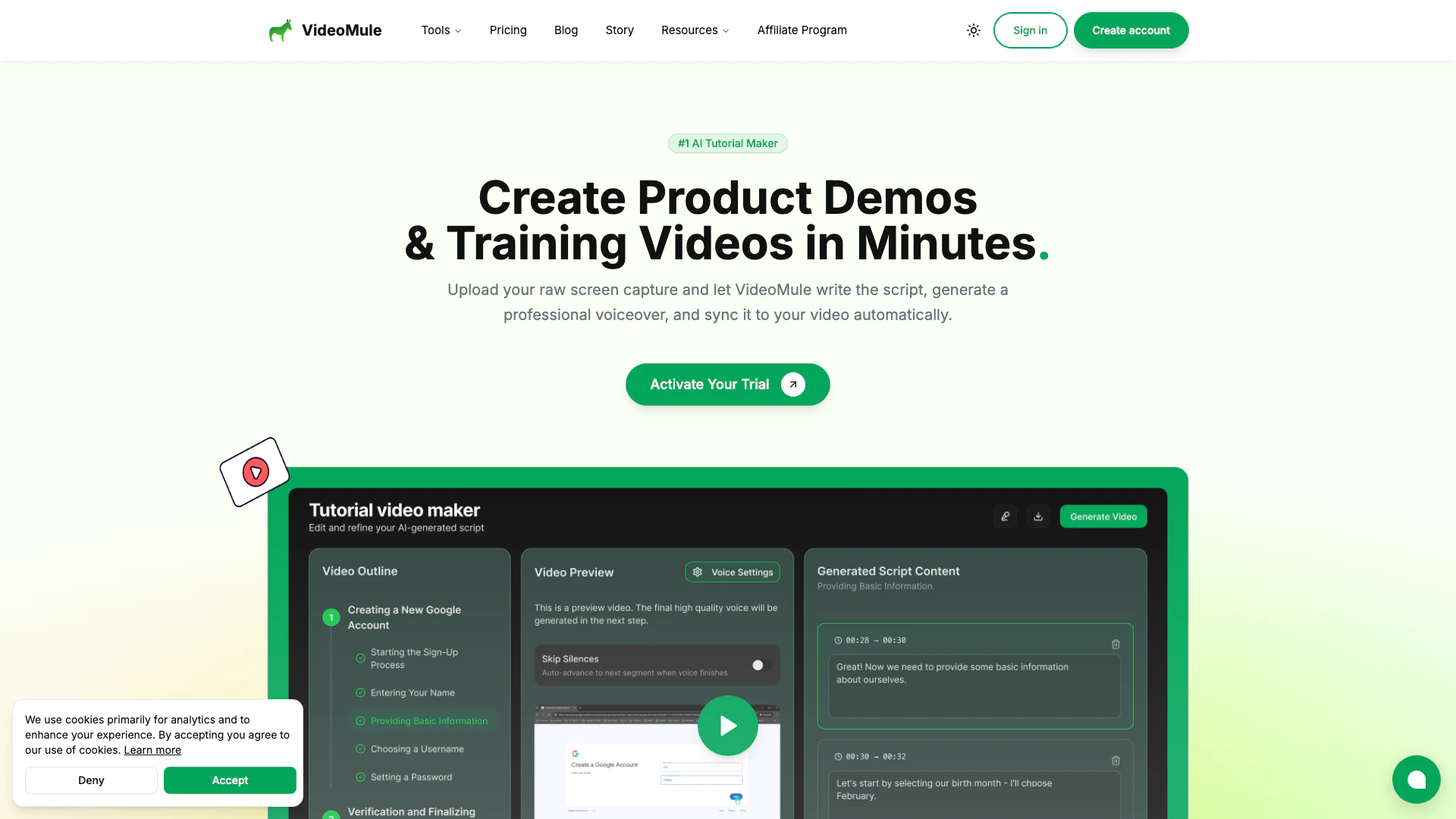
Videomuleai is an innovative AI tutorial video maker[1] designed to transform screen recordings[2] into professional-quality videos with automatic voice-over[3]. This tool simplifies the video creation process for creators by allowing them to upload raw screen captures, which the AI then analyzes to generate a script and voiceover. With its user-friendly interface and rapid processing capabilities, Videomuleai caters to a diverse range of users, making video production fast, easy, and accessible.
How to use Videomuleai?
- Record or Import Your Screen Capture: Drag and drop your screen recording into Videomuleai. The tool supports various video formats and does not require audio in the original recording.
- Get Instant AI Script: The AI analyzes the uploaded video to create a professional narration script automatically. You can edit the script anytime to suit your needs.
- Select A Professional Voice: Choose from over 100 AI-generated voices in different languages and accents to match your brand's identity.
- Create Your Video: Let Videomuleai sync the video, audio, and subtitles seamlessly. You can make minor adjustments before exporting the final product.
What are the main features of Videomuleai?
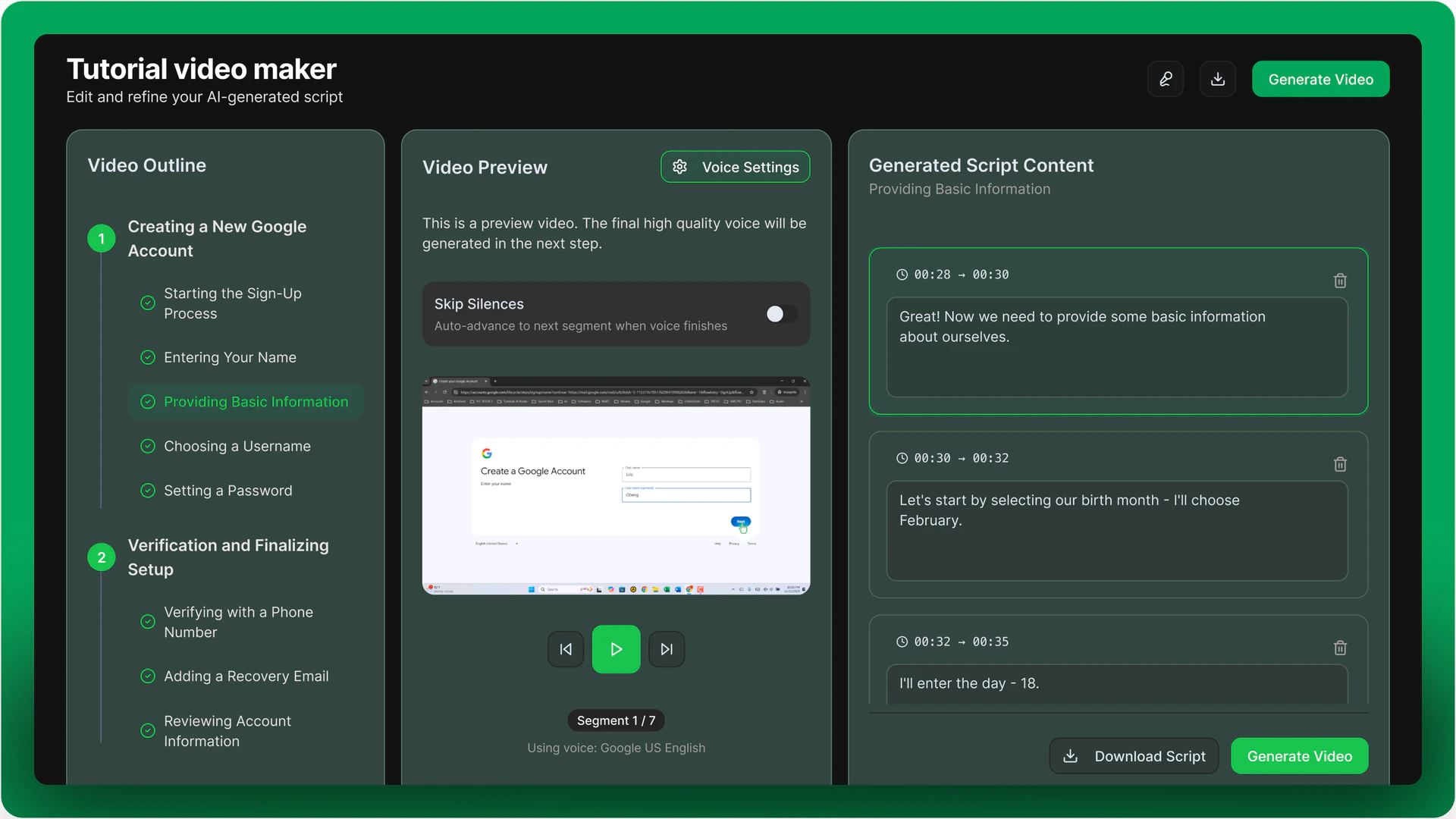
- AI Script Editor: Automatically generates a script based on your video content, which you can edit for tone and accuracy.
- Instant HD Rendering: Renders videos in high-definition quickly, allowing for rapid production.
- Voice Library: Access to over 100 human-like AI voices, catering to various accents and languages.
- Multi-lingual Support: Create videos in more than 35 languages, making your content accessible to a global audience.
- Full Creative Control: Users can edit scripts, adjust timings, and refine outputs to meet their specific vision.
Who is Videomuleai for?
Videomuleai is designed for a wide range of users including product marketers looking to create polished product demos, learning and development teams aiming to build comprehensive training libraries, founders and startups needing to produce investor demos, and educators wanting to convert lessons into narrated tutorials. Additionally, technical writers and customer success managers can benefit from its capabilities to create video tutorials and knowledge bases efficiently.
What are the use cases of Videomuleai?
- Creating Product Demos: Transform simple screen recordings into engaging product demonstrations without the need for voice actors.
- Developing Training Videos: Generate clear and concise tutorials for onboarding and training purposes.
- Building Educational Content: Educators can easily turn recorded lessons into AI-narrated tutorials, localizing them for diverse audiences.
Product Images


Videomuleai Pros and Cons
Pros
- Automated Video Creation: VideoMule automates the video creation process by generating scripts and voiceovers from screen recordings, saving users significant time.
- High-Quality Voiceovers: The tool offers over 100 professional AI-generated voices in various languages and accents, ensuring a polished and engaging audio experience.
- User-Friendly Interface: With an intuitive interface, users can easily edit scripts and customize videos, making it accessible for creators of all skill levels.
Cons
No cons data detected for this tool
Videomuleai Pricing
Trial
Perfect for trying out VideoMule with basic features and limited usage.
Plus
Perfect for solo creators who want high-quality voices, more uploads, and watermark-free videos.
Teams
Ideal for small teams collaborating on video content with shared storage and up to 5 users.
Pro
Built for agencies and enterprises with high-volume needs, longer videos, and up to 15 team members.
For the latest pricing, please visit this link: https://videomule.ai/#pricing
Prices are subject to change. Please visit the official website for the most up-to-date pricing information.
Analytics of Videomuleai
Videomuleai Website Traffic Analysis
Visits Over Time
Traffic Sources
Jan 2026 - Jan 2026 Worldwide Desktop Only
- Direct: 60.73%
- Search: 22.64%
- Social: 12.75%
- Referrals: 3.30%
- Paid Referrals: 0.32%
- Mail: 0.12%
Top Keywords
| Keyword | Volume | CPC | Estimated Value |
|---|---|---|---|
| videomule | 3.45K | $0.00 | $5690.00 |
| video mule | 560 | $0.00 | $240.00 |
| videomule ai | 420 | $0.00 | $270.00 |
| videomule.ai | 390 | $0.00 | $370.00 |
| video mule ai | 30 | $0.00 | $30.00 |
Videomuleai Reviews
Videomule has been a great addition to my scripting workflow! Tasks that used to take me hours, now are done in mere minutes. I especially love how I can edit the script lines right there in the tool, and within a click the voiceover is regenerated.
Recently, I started using Video Mule for my video scripts, it has made my work so much easier, by giving all the exact lines that perfectly match my visuals along with detailed information about the actions.
VideoMule made video creation very much easier. With just a raw recording, it creates a complete script, adds professional voiceovers, and syncs well with the visuals. It helps me save a lot of time and it's definitely a must-have tool.
For more reviews, visit this link: https://videomule.ai/#testimonials






Videomuleai Social Listening
无限生成太贵了?Runway&Kling 承受不住?这款 A...
✅无限生成视频🌀转绘动画 ➡️https://tinyur...
Make Instant Tutorial Videos w...
♥️ *Start Here* ➜ https://wl.t...
你的电脑能跑MiniMax H3吗?一个视频告诉你!Comf...
小助理联系方式:zhuli240614 小助理联系方式2:z...
Unlock to view 18 social media results.