Video To Text





What is Video to Text?
Video to Text is an innovative AI-powered tool designed to convert video and audio content into accurate text transcripts quickly and efficiently. This tool supports an impressive 99 languages, making it a versatile solution for users worldwide. With features like speaker diarization and timestamping, Video to Text enhances the transcription process by clearly identifying different speakers and allowing users to navigate transcripts effectively. The tool is particularly beneficial for content creators, researchers, and businesses looking to streamline their workflows by converting multimedia content into searchable and editable text formats.
How to use Video to Text?
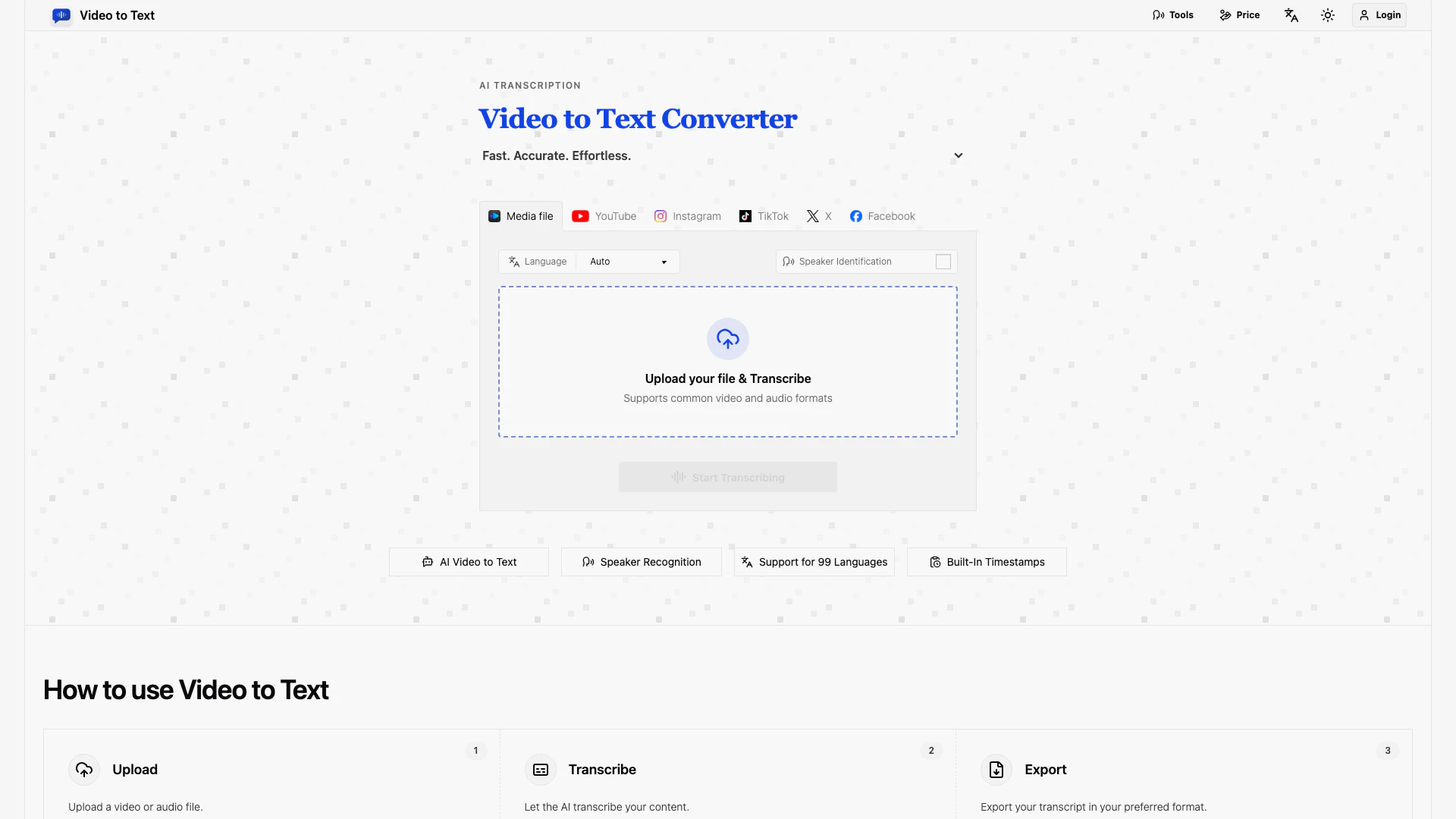
- Visit the Video to Text website at https://video2text.net/.
- Upload your video or audio file by selecting it from your device or pasting a public link from platforms like YouTube, TikTok, Instagram, Facebook, or X.
- Choose your desired output format (TXT, SRT, VTT, or CSV) and click on 'Start Transcribing'.
- Wait for the AI to process the file, which will only take a few minutes.
- Once processing is complete, download your transcript in the chosen format for use in your projects.
What are the main features of Video to Text?
- Supports conversion of video and audio files into text in 99 languages.
- Features speaker diarization to distinguish between different speakers in transcripts.
- Provides timestamped transcripts, making it easier to create subtitles and review content.
- Allows exporting transcripts in various formats including TXT, SRT, VTT, and CSV.
- Automatic language detection for seamless transcription of multilingual recordings.
- User-friendly interface with a simple upload and download workflow.
- Supports a wide range of audio and video formats for easy uploads.
Who is Video to Text for?
Video to Text is ideal for a diverse range of users, including content creators, educators, researchers, and businesses. It serves individuals who need to transcribe interviews, webinars, and meetings, providing them with accurate, searchable text. The tool is also beneficial for social media managers and marketers looking to convert videos from platforms like YouTube, TikTok, and Instagram into text for content repurposing. Additionally, language learners can utilize Video to Text for transcribing educational videos to enhance their understanding and retention of the material.
What are the use cases of Video to Text?
- Transcribing interviews for research or documentation purposes.
- Creating subtitles for videos to enhance accessibility and viewer engagement.
- Generating searchable text from webinars or presentations for future reference.
- Converting social media videos into text for content repurposing and analysis.
- Assisting in language learning by providing transcripts for practice and review.
Video To Text Pros and Cons
Pros
- High-Accuracy Transcription: High-accuracy transcription for video and audio, providing accurate and searchable text in minutes.
- Multi-Language Support: Supports transcription in 99 languages with automatic language detection, accommodating a wide range of users.
- Speaker Diarization Feature: Offers speaker diarization to clearly identify different speakers in transcripts, enhancing organization in meetings and interviews.
- Timestamped Transcripts: Timestamped transcripts allow users to jump to specific moments in media, facilitating easier editing and review.
- Multiple Export Formats: Provides various export options (TXT, SRT, VTT, CSV) for versatile use in different applications.
Cons
- Internet Connection Requirement: The tool may require a stable internet connection for optimal performance, which could be a limitation for some users.
Video To Text Pricing
Starter Plan
Starter plan includes 200 credits for $9.9. Users can purchase additional credits at a rate of $1 for 20 credits.
Most Popular Plan
Most Popular plan offers 600 credits for $19.9. Additional credits can be purchased at $1 for 30 credits.
Best Value Plan
Best Value plan provides 6000 credits for $99. Users can buy more credits at a rate of $1 for 60 credits.
For the latest pricing, please visit this link: https://video2text.net/
Prices are subject to change. Please visit the official website for the most up-to-date pricing information.