Audiototextconverter




What is Audiototextconverter?
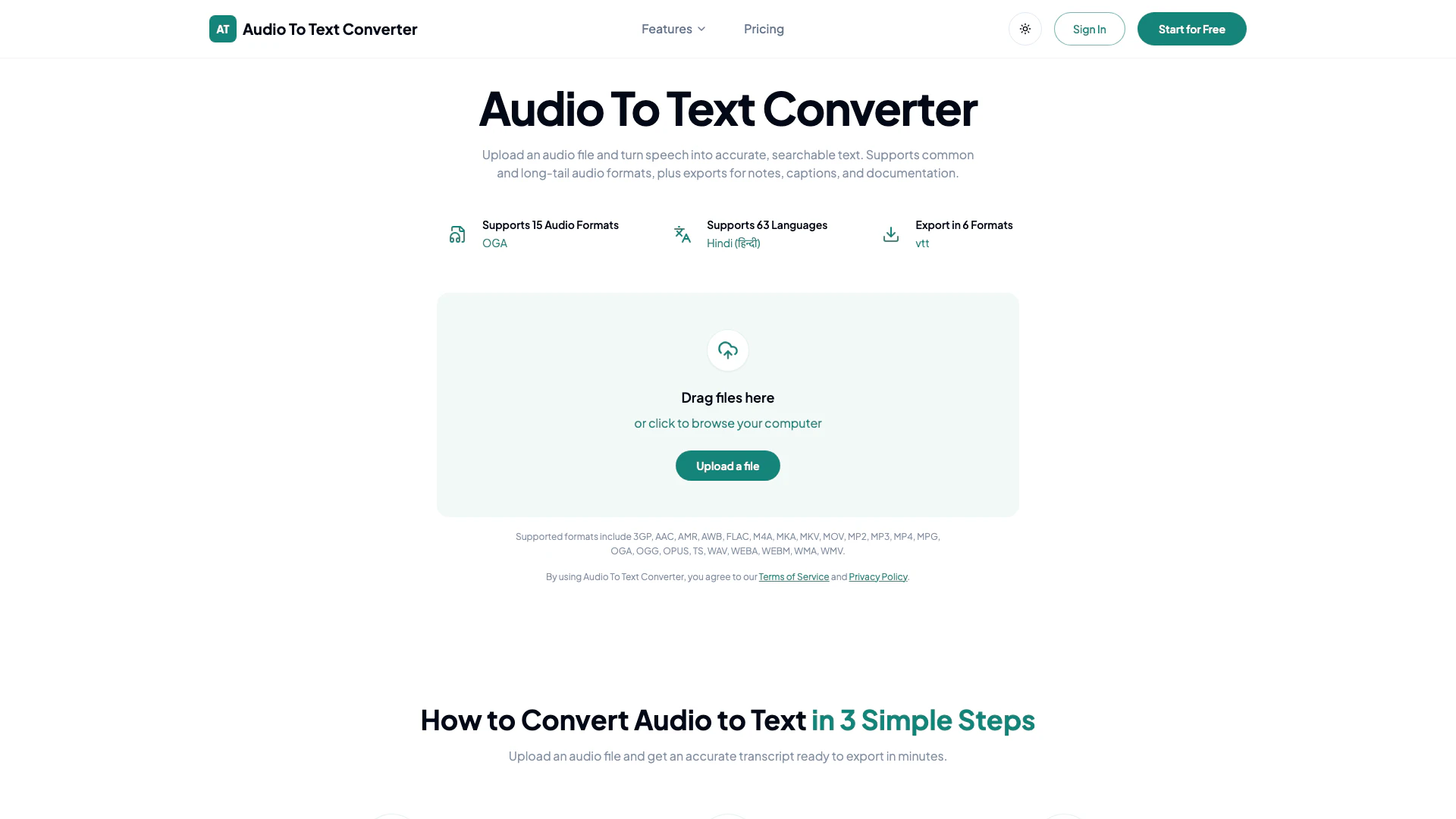
Audiototextconverter is an innovative online tool designed to convert audio files into accurate, searchable text. This powerful audio-to-text converter supports a wide range of audio formats and offers transcription capabilities in over 63 languages. Users can easily upload their audio files, which may include recordings, interviews, lectures, or voice memos, and receive a clean, editable transcript in just minutes. The tool is particularly valuable for those needing to create notes, captions, or documentation from spoken content.
How to use Audiototextconverter?
To use Audiototextconverter, follow these simple steps:
- Upload Your Audio File: Select an audio file from your device. The tool supports various formats including AAC, MP3, WAV, and more.
- Start AI Transcription: Initiate the transcription process by clicking the appropriate button, allowing the AI to convert spoken words into text.
- Export Your Transcript: Once the transcription is complete, download the text in your preferred format, such as TXT, PDF, or DOCX, for easy sharing and editing.
What are the main features of Audiototextconverter?
Audiototextconverter offers several key features that enhance its usability and functionality:
- Supports 15 Audio Formats: Convert audio files from various formats including AAC, MP3, WAV, and more.
- Multi-Language Support: Transcribe audio in over 63 languages, making it versatile for global users.
- Export Options: Download transcripts in 6 different formats such as TXT, PDF, DOCX, SRT, VTT, and CSV for diverse applications.
- Fast and Accurate Transcription: Leverage AI technology to ensure high accuracy in converting speech to text.
- Summarization and Mind Mapping: Create concise summaries and visual mind maps from lengthy recordings for efficient review.
Who is Audiototextconverter for?
Audiototextconverter is ideal for a wide range of users, including students, professionals, researchers, and content creators. Students can utilize the tool to transcribe lectures and study materials, while professionals may find it beneficial for converting meetings and interviews into written documentation. Additionally, content creators can use the service to generate subtitles for videos or create written content from audio recordings, streamlining their workflow and enhancing productivity.
What are the use cases of Audiototextconverter?
Audiototextconverter can be applied in various real-world scenarios, including:
- Transcribing Lectures and Classes: Students can upload recorded lectures to create study notes, ensuring they capture important information accurately.
- Meeting Documentation: Businesses can convert meeting recordings into text to maintain accurate records and share insights with team members.
- Generating Subtitles for Videos: Content creators can easily produce subtitles for their video content, improving accessibility and viewer engagement.
Audiototextconverter Pros and Cons
Pros
- Supports Multiple Audio Formats: The tool supports a wide range of audio formats including AAC, MP3, WAV, and more, allowing users to upload various types of audio files for transcription.
- Accurate Transcription: Utilizes AI technology to convert speech into accurate, readable text, ensuring high-quality transcripts for users.
- Flexible Export Options: Users can export transcripts in multiple formats such as TXT, PDF, DOCX, SRT, VTT, and CSV, making it versatile for different use cases.
Cons
No cons data detected for this tool
Audiototextconverter Pricing
Free Plan
Start transcribing for free with limited transcription time and features.
Premium Plan
Upgrade for more transcription time, larger workloads, and additional features.
For the latest pricing, please visit this link: https://audiototextconverter.com/pricing
Prices are subject to change. Please visit the official website for the most up-to-date pricing information.