Versionwatcher

What is VersionWatcher?
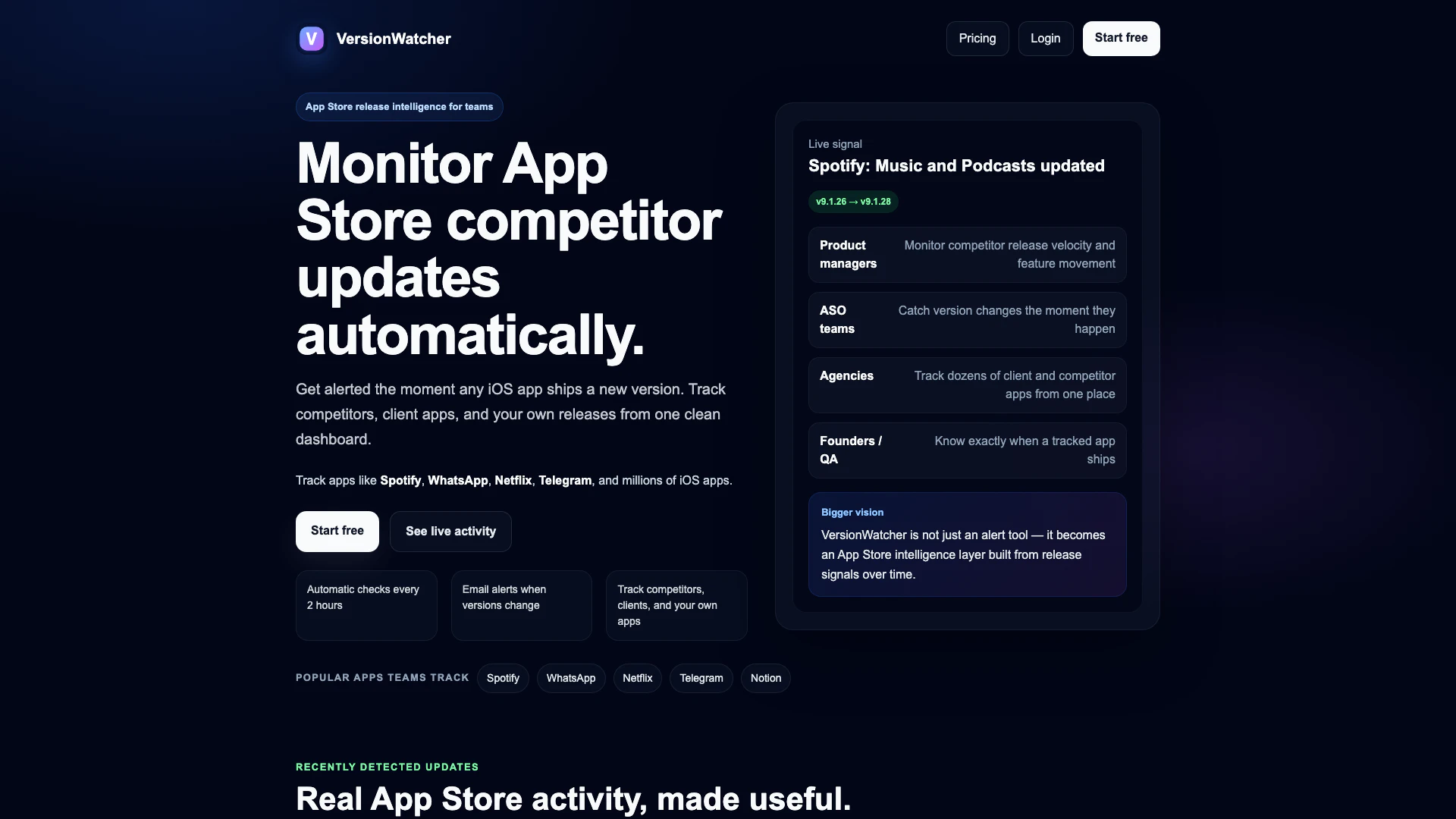
VersionWatcher is an advanced App Store monitoring tool designed to track updates for iOS applications automatically. It allows users to receive real-time alerts whenever any app—whether it's a competitor's, a client's, or their own—releases a new version. This tool is particularly valuable for product managers, marketing teams, and agencies who need to stay informed about the latest updates in the app ecosystem. By consolidating this information into a single, user-friendly dashboard, VersionWatcher transforms App Store release activity into actionable insights.
How to use VersionWatcher?
- Sign Up: Create an account on the VersionWatcher website to get started.
- Add Apps: Input the apps you wish to monitor, including competitors, client apps, and your own products.
- Monitor Versions: VersionWatcher will automatically check for version changes every two hours.
- Receive Alerts: Get notified via email whenever a tracked app releases a new version, ensuring you never miss important updates.
What are the main features of VersionWatcher?
- Automatic Monitoring: VersionWatcher checks for updates every two hours, providing timely alerts.
- Email Notifications: Users receive immediate email alerts when any tracked app has a version change.
- Comprehensive Tracking: Monitor competitors, client apps, and your own releases from a single dashboard.
- Market Intelligence: Analyze app release cadences and feature updates over time to inform strategic decisions.
- User-Friendly Dashboard: Access all relevant data in one clean interface, making it easy to track multiple apps.
Who is VersionWatcher for?
VersionWatcher is designed for a diverse range of users including product managers who need to monitor competitor release velocity, ASO (App Store Optimization) teams looking to catch version changes instantly, marketing agencies managing multiple client applications, and founders or QA teams that want to stay updated on their own app releases. It serves anyone involved in app development or marketing who requires timely insights into app updates and competitor movements.
What are the use cases of VersionWatcher?
- Competitive Analysis: Track competitors' app updates to understand their release strategies and feature enhancements.
- Client Management: Agencies can efficiently monitor multiple client apps to provide timely insights and recommendations.
- Product Development: Product teams can use the data from VersionWatcher to align their release schedules and feature sets with market trends.
Versionwatcher Pros and Cons
Pros
- Automatic App Monitoring: VersionWatcher automatically checks for App Store version changes every 2 hours, ensuring users never miss important updates.
- Real-Time Alerts: Users receive immediate email alerts when a tracked app releases a new version, allowing for timely responses to competitor movements.
- Comprehensive Tracking: The tool allows tracking of competitors, client apps, and personal releases from a single dashboard, simplifying app management.
Cons
No cons data detected for this tool
Versionwatcher Pricing
Free
Perfect for trying the product and tracking one important app.
Basic
For focused tracking across competitors, clients, or multiple products.
Pro
For teams and power users who want complete App Store monitoring.
For the latest pricing, please visit this link: https://www.versionwatcher.com/#pricing
Prices are subject to change. Please visit the official website for the most up-to-date pricing information.