Tella






What is Tella?
Tella is an all-in-one screen recording tool designed for creating high-quality product demos, tutorials, and online courses on both Mac and Windows platforms. This innovative software simplifies the video creation process by allowing users to record their screens, edit clips effortlessly, and produce professional-looking videos without requiring advanced editing skills. Tella is particularly geared towards entrepreneurs and content creators who need to produce engaging video content quickly and efficiently.
How to use Tella?
- Sign Up for Tella: Visit the Tella website and create an account. You can start with a 7-day free trial without a credit card.
- Choose Your Recording Method: Download the Tella app for macOS or use the browser-based version for Windows. Select your preferred option to begin recording.
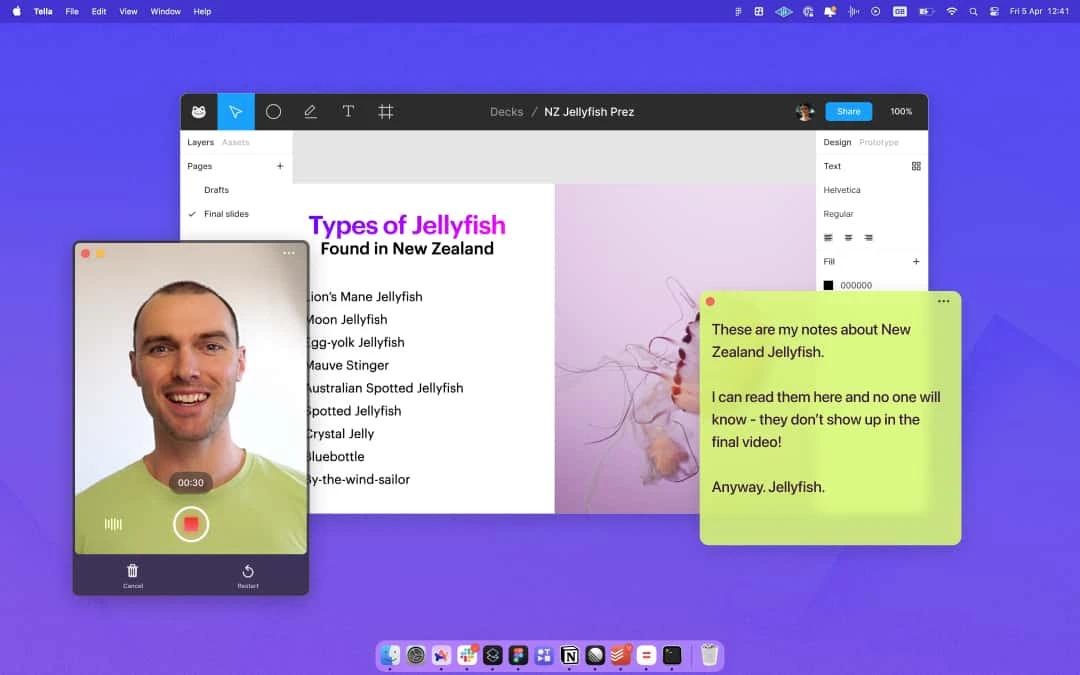
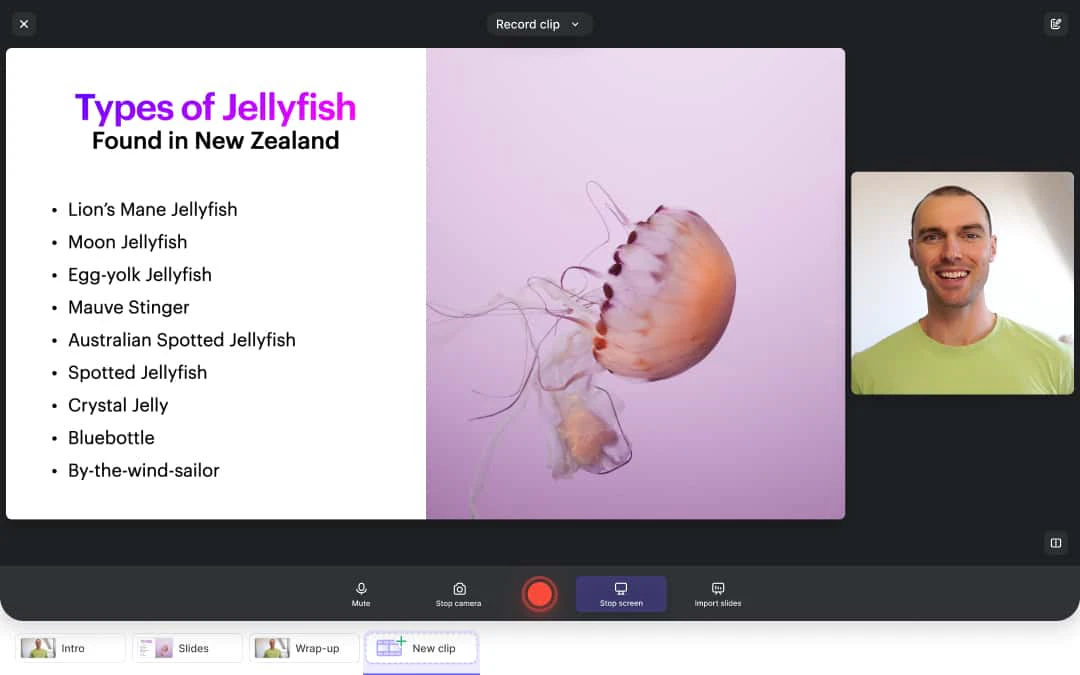
- Record Your Video: Use Tella’s features to record your screen. You can create clips, add speaker notes, and utilize various editing tools during the recording.
- Edit Your Video: After recording, use Tella’s AI-powered editing features to trim silences, remove filler words, and make text-based edits.
- Publish and Share: Once your video is ready, export it in 4K quality or share it directly via a link. You can also embed the video on your website or social media.
What are the main features of Tella?
- Screen Recording: Capture your screen effortlessly with options for recording clips and adding speaker notes.
- AI-Powered Editing: Automatically remove silences and filler words, making video editing quick and easy.
- Dynamic Layouts: Choose from multiple layouts to keep your viewers engaged with dynamic video presentations.
- Custom Backgrounds: Personalize your videos with a variety of background options from Unsplash or upload your own.
- 4K Export: Download your videos in stunning 4K resolution for professional-quality output.
Who is Tella for?
Tella is designed for entrepreneurs, educators, and content creators who need a straightforward and efficient way to produce video content. It is ideal for those who want to create product demos, tutorials, and online courses without investing significant time in video editing. Tella caters to both novice users who may lack technical skills and experienced creators looking for a fast, reliable solution to enhance their video production workflow.
What are the use cases of Tella?
- Creating Product Demos: Showcase your product features and functionalities through engaging video demonstrations.
- Developing Online Courses: Record lessons and tutorials for online education platforms, making learning interactive and visual.
- Tutorial Videos: Produce step-by-step guides to help users understand complex processes or software.
Product Images




Tella Pros and Cons
Pros
- Easy to Use Screen Recorder: Tella is designed for regular users, allowing anyone to create videos without needing advanced editing skills.
- AI-Powered Editing Features: Tella offers AI tools that automatically remove filler words and silences, streamlining the editing process.
- Cross-Platform Compatibility: Available for both Mac and Windows, Tella can be used natively or through a browser, making it versatile for different users.
Cons
No cons data detected for this tool
Tella Pricing
Pro
Record like a pro. Unlimited videos, Unlimited recording duration, Upload your own clips, Edit videos with AI, Instant sharing, 60 FPS export, up to 5 mins, 4K export, Team workspace.
Premium
Everything in Pro, Custom branding, Custom domain, 60 FPS export, More!
For the latest pricing, please visit this link: https://www.tella.com/pricing
Prices are subject to change. Please visit the official website for the most up-to-date pricing information.