Takemebot



What is Takemebot?
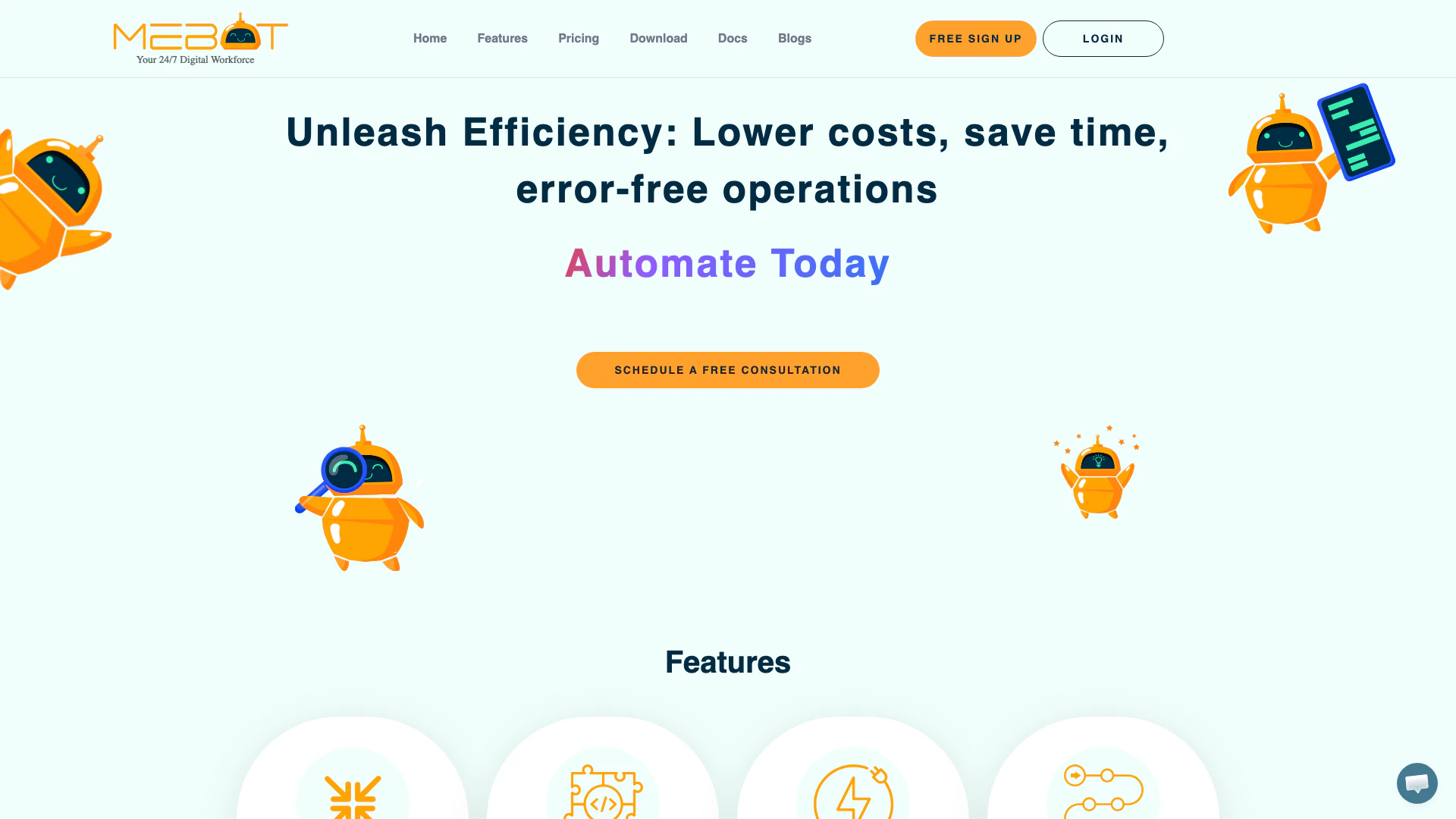
Takemebot is an advanced automation tool designed to streamline business processes and enhance operational efficiency. By leveraging Robotic Process Automation (RPA), Takemebot enables organizations to automate repetitive tasks with remarkable speed and accuracy, significantly reducing operational costs and improving productivity. With features that support both no-code and low-code automation, it caters to users across various technical backgrounds, making automation accessible to all. Takemebot's integration capabilities with multiple frameworks and systems allow for seamless automation across different platforms, making it an essential tool for businesses aiming to improve their operational workflows.
How to use Takemebot?
- Sign Up: Visit the Takemebot website and create a free account by clicking on the 'Free Sign Up' button.
- Set Up Your Environment: After logging in, familiarize yourself with the user interface and available features. You can choose to use the drag-and-drop UI for ease of automation setup.
- Create Automations: Use the flowchart-based UI to design your automation processes. You can record actions and play them back for repetitive tasks.
- Integrate with Your Systems: Connect Takemebot to your existing applications and databases using its integration features, supporting various frameworks like Selenium and Puppeteer.
- Test and Deploy: Run tests on your automations to ensure they work as intended before deploying them in your operational environment.
What are the main features of Takemebot?
- No/Low Code Automation: Takemebot allows users to create automations without extensive coding knowledge, using a user-friendly drag-and-drop interface.
- High Accuracy and Speed: Achieve 100% accuracy with processes executed 90-95% faster than manual operations.
- Integration Support: Easily integrate with various systems and frameworks, including CI/CD tools like GitHub and Jenkins.
- Streamlined Process Management: Use flowchart-based UI to visualize and manage automation workflows effectively.
- Security Features: Takemebot ensures secure installations and local process execution, protecting client data with features like Two Factor Authentication.
Who is Takemebot for?
Takemebot is designed for businesses of all sizes looking to improve their operational efficiency through automation. It is particularly beneficial for teams involved in repetitive tasks, data entry, and process management. The tool caters to a diverse audience, including IT professionals, project managers, and business analysts who require automation solutions without needing extensive technical expertise. Additionally, organizations aiming to reduce operational costs while enhancing productivity will find Takemebot to be an invaluable asset.
What are the use cases of Takemebot?
- Data Entry Automation: Automate data input tasks to reduce human error and save time.
- Report Generation: Streamline the process of generating reports by automating data collection and formatting.
- Customer Support Automation: Enhance customer service by automating responses to frequently asked questions and ticket management.
Product Images



Takemebot Pros and Cons
Pros
- Cost Efficiency: Mebot can reduce operational costs by 60-80% by automating labor-intensive tasks, leading to significant savings for businesses.
- High Speed Automation: Mebot executes processes 90-95% faster than humans, accelerating workflows and enhancing productivity.
- 100% Accuracy: Being rule-based, Mebot eliminates manual interventions, ensuring a high level of accuracy in task execution.
Cons
No cons data detected for this tool
Takemebot Pricing
Enterprise
Custom plan with unlimited users, bots, workspaces, processes, parallel execution, dashboards, and bot minutes. Includes bot setup support, execution feedback, custom RBAC, data retention options, custom domain, audit log, dedicated technical account manager, and tools for designing individual automations.
For the latest pricing, please visit this link: https://takemebot.com/#pricing
Prices are subject to change. Please visit the official website for the most up-to-date pricing information.