Symvol




What is Symvol?
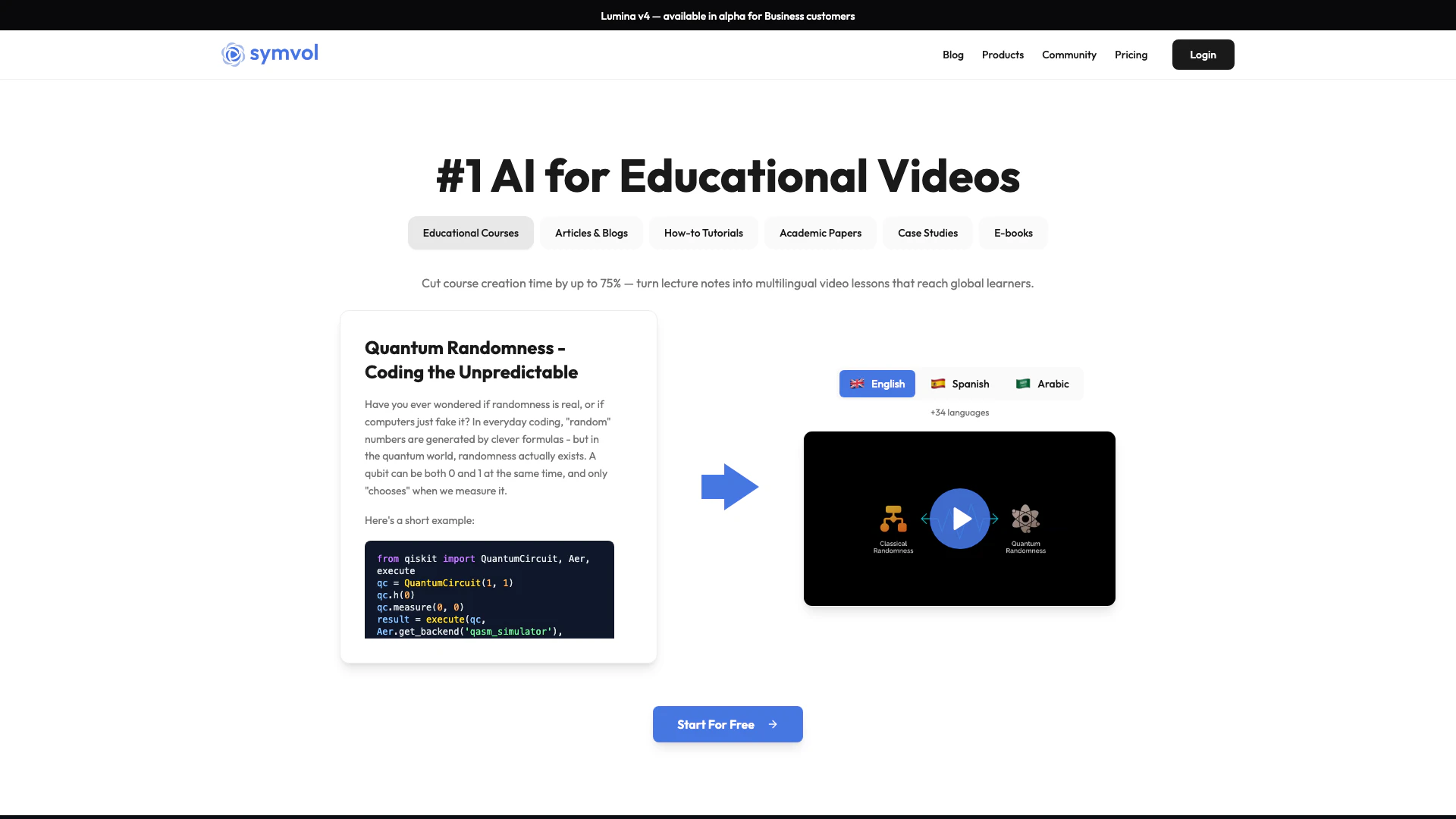
Symvol is a cutting-edge AI tool designed to transform complex ideas and concepts into engaging and consistent videos. Utilizing proprietary technology rooted in learning science, Symvol enables users to create educational content that is not only visually appealing but also informative. With its ability to convert text-based materials into multilingual video lessons, Symvol is positioned as the leading AI solution for educational video creation, significantly reducing course development time and expanding accessibility for global learners.
How to use Symvol?
- Sign up for a Symvol account on their website.
- Choose the appropriate subscription plan based on your content needs.
- Prepare your text content, such as lecture notes or articles, that you wish to convert into video format.
- Use the web app or Chrome extension to upload your text content.
- Select your preferred video model (Lumina v1, v2.5, or v3.5) and customize the settings, such as language and voice options.
- Generate the video, review it, and make any necessary edits before downloading or sharing.
What are the main features of Symvol?
- Proprietary AI Technology: Transforms complex ideas into easy-to-follow videos.
- Multiple Video Models: Offers Lumina v1, v2.5, and v3.5 for diverse content needs.
- Multilingual Support: Creates videos in over 30 languages with native pronunciation.
- Human-Quality Narration: Provides access to 150+ AI voices for professional audio quality.
- Difficulty Control: Allows users to adjust the complexity of the generated videos.
Who is Symvol for?
Symvol is ideal for educators, content creators, and organizations looking to enhance their educational offerings through video. This includes teachers, academic institutions, corporate trainers, and individual authors who wish to convert their written content into engaging video formats. The tool is particularly beneficial for those who need to reach diverse audiences across various languages and who seek to streamline the video creation process.
What are the use cases of Symvol?
- Course Creation: Educators can transform lecture notes into multilingual video lessons, saving time and enhancing learning.
- Content Repurposing: Authors can convert books and articles into engaging video summaries for broader reach.
- Social Media Engagement: Professionals can create video content from blog posts or research papers to increase visibility on platforms like LinkedIn.
Product Images


Symvol Pros and Cons
Pros
- AI-Powered Video Creation: Symvol utilizes proprietary AI technology to transform complex ideas into engaging videos, enhancing educational content delivery.
- Multilingual Support: The platform supports video creation in 37 languages, allowing educators to reach a global audience effectively.
- Time Efficiency: Symvol can cut course creation time by up to 75%, enabling faster production of educational materials.
Cons
No cons data detected for this tool
Symvol Pricing
Free
Try Symvol at no cost with 20,000 text characters/month, video downloads, 37 languages, Lumina v1, v2.5, v3.5 models, watermark, and video embedding.
Starter
For hobbyists converting their text content into video with 300,000 text characters/month, 3 video downloads/month, 37 languages, Lumina v1, v2.5, v3.5 models, video embedding, and watermark.
Creator
For individual creators or small organizations converting their text content into videos with 500,000 text characters/month, 20 video downloads/month, 37 languages, Lumina v1, v2.5, v3.5 models, 150+ premium voices, video embedding, and no watermark.
Creator Pro
For larger creators or organizations converting their text content into videos with 1,200,000 text characters/month, 80 video downloads/month, 37 languages, Lumina v1, v2.5, v3.5 models, 150+ premium voices, video embedding, and no watermark.
Business
For growing startups and publishers with larger volume and video customization needs with custom text characters, custom video downloads, 37 languages, custom video models, 200+ premium voices, video embedding, no watermark, your own branding and video style, additional accuracy layers, and API access.
For the latest pricing, please visit this link: https://www.symvol.io/#pricing
Prices are subject to change. Please visit the official website for the most up-to-date pricing information.