Subclip





What is Subclip?
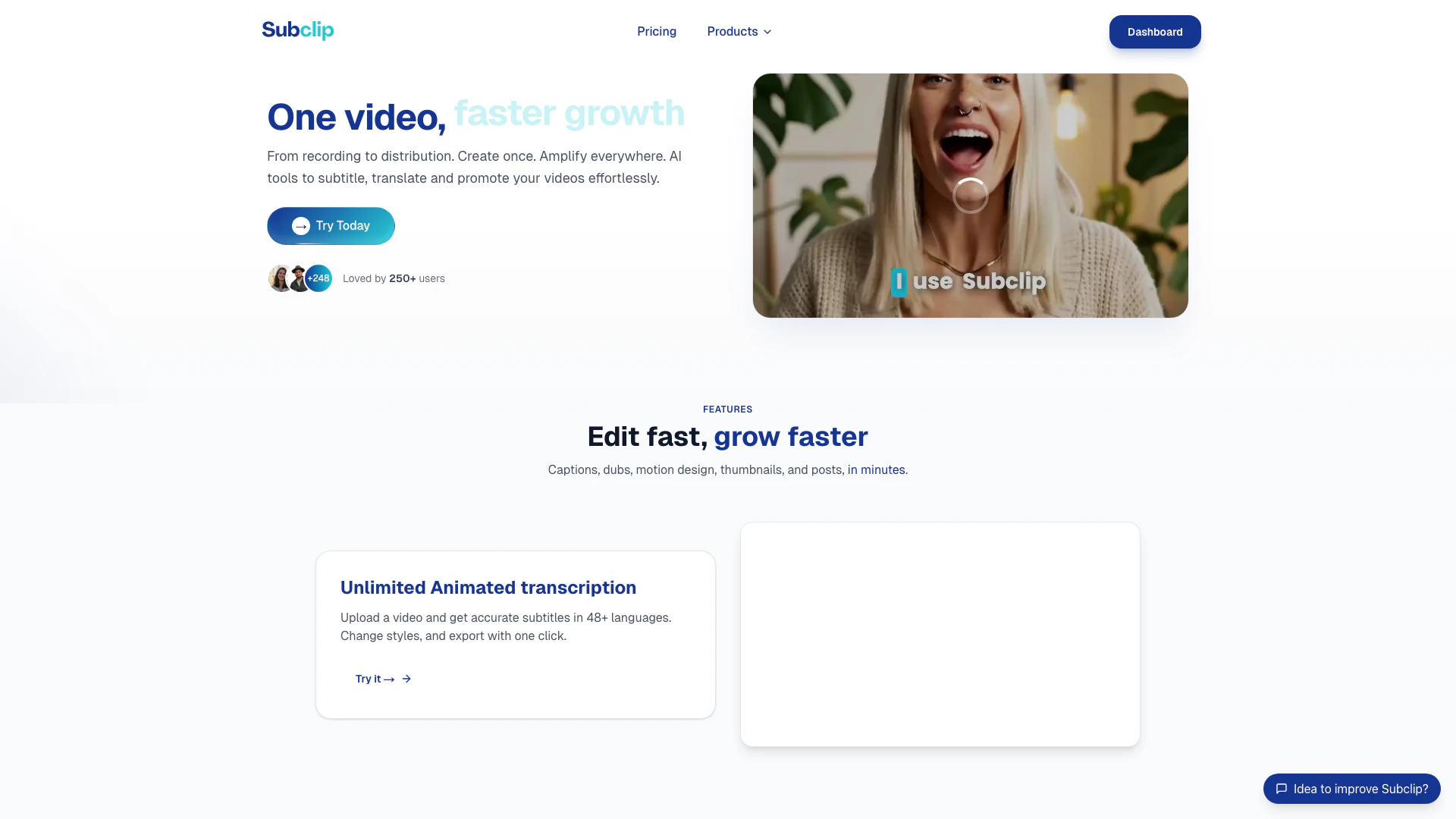
Subclip is a browser-based AI video editor[1] designed to enhance video editing efficiency and accessibility. It allows users to export videos up to 10 times faster while offering unlimited transcriptions[2] and exports. With features like dubbing[3] in over 21 languages, Subclip enables creators to reach a broader audience by easily translating and adapting their content. The platform is tailored for anyone looking to streamline their video editing process, making it an essential tool for content creators, marketers, and businesses.
How to use Subclip?
- Sign Up: Visit the Subclip website and start your 7-day free trial by signing up for an account.
- Upload Your Video: Once logged in, upload the video you wish to edit. The platform supports various video formats.
- Add Transcriptions: Use the unlimited transcription feature to generate accurate subtitles in over 48 languages.
- Dubbing and Translation: Select the dubbing feature to translate your video into 21+ languages with AI voice dubbing, maintaining your original tone.
- Edit and Export: Make any necessary edits, create motion design[4]s, and generate thumbnails. Once satisfied, export your video with just one click.
What are the main features of Subclip?
- Unlimited Animated Transcription: Generate accurate subtitles in 48+ languages with customizable styles.
- AI Dubbing: Dub your videos in over 21 languages, keeping the original tone and voice.
- Motion Design Creation: Create motion design videos by simply describing what you want in natural language.
- Thumbnail Generation: Easily create impactful thumbnails from your videos or prompts.
- Video Analysis: Gain insights and suggestions to improve your content's performance.
Who is Subclip for?
Subclip is ideal for content creators, marketers, educators, and businesses looking to enhance their video production capabilities. It serves individuals and teams who require fast and efficient video editing solutions, particularly those needing to create multilingual content for diverse audiences. Whether you're a social media manager, YouTuber, or corporate trainer, Subclip provides the tools necessary to amplify your video reach and engagement.
What are the use cases of Subclip?
- Social Media Content Creation: Quickly generate engaging videos for platforms like Instagram, TikTok, and Facebook, complete with subtitles and dubbing.
- Educational Videos: Create multilingual educational content that can reach a global audience, making learning accessible.
- Marketing Campaigns: Produce promotional videos that can be easily adapted for different languages and regions, enhancing marketing efforts.
Product Images

Subclip Pros and Cons
Pros
- Fast Video Exporting: Subclip allows users to export videos 10 times faster, significantly enhancing productivity for video creators.
- Unlimited Transcriptions: Users can generate unlimited transcriptions in 48+ languages, making it easier to create subtitles for diverse audiences.
- AI Dubbing in Multiple Languages: The tool offers AI dubbing in over 21 languages, enabling users to reach a global audience without the need for re-recording.
Cons
No cons data detected for this tool
Subclip Pricing
Trial
Explore all features for 3 days. Unlimited transcription, Unlimited exports, 10 AI Credits, Dubbing access, Video editor, AI motion graphics, Get Mac App license.
Lifetime
Pay once, keep forever. Unlimited transcription, Unlimited exports, 100 AI Credits, Dubbing access, Video editor, AI motion graphics, Get Mac App license, Lifetime access to all new features.
Pro
600 AI Credits / month. Cancel anytime. Unlimited transcription, Unlimited exports, 600 AI Credits, Dubbing access, Video editor, AI motion graphics, Pay-per-use after credits.
For the latest pricing, please visit this link: https://www.subclip.app/pricing
Prices are subject to change. Please visit the official website for the most up-to-date pricing information.
Analytics of Subclip
Subclip Website Traffic Analysis
Visits Over Time
Traffic Sources
Nov 2025 - Jan 2026 Worldwide Desktop Only
- Direct: 45.22%
- Search: 41.97%
- Social: 6.13%
- Referrals: 5.39%
- Paid Referrals: 1.19%
- Mail: 0.10%
Top Keywords
| Keyword | Volume | CPC | Estimated Value |
|---|---|---|---|
| subclip | 240 | $0.57 | $80.00 |
| youtube subtitles specs | 170 | $0.00 | $0.00 |
| textinbetween | 40 | $0.00 | $20.00 |