Seadanse





What is Seadanse?
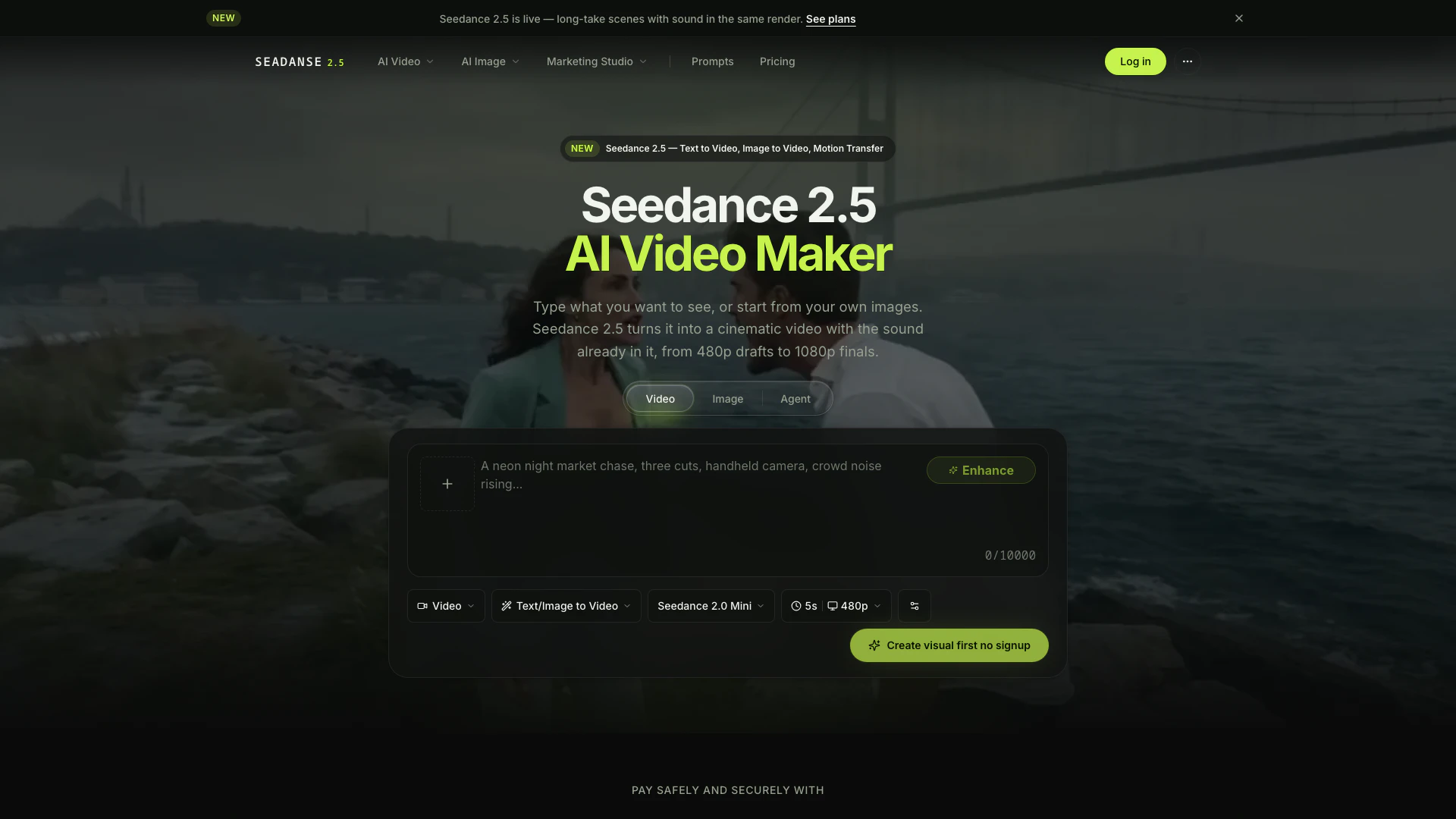
Seadanse is an advanced AI tool designed to convert images and text into high-quality videos. Utilizing the latest Seedance 2.5 model, it enables users to create dynamic video content seamlessly. With features like text-to-video generation, motion transfer, and integrated soundtracks, Seadanse stands out in the field of AI video generation. It caters to a wide range of users, from social media creators to filmmakers, offering a user-friendly interface and powerful capabilities to produce professional-grade videos effortlessly.
How to use Seadanse?
- Sign Up: Visit the Seedance website and create an account to receive free starter credits.
- Choose a Template or Create a Prompt: Select from available templates or write your own prompt describing the video you want to create.
- Upload Reference Files: If desired, upload images, videos, or audio files that will serve as references for your video generation.
- Select Output Settings: Choose your desired output resolution (480p to 1080p) and any other settings.
- Generate Video: Click the generate button to create your video. The process will render the video with audio included in a single pass.
- Download and Share: Once the video is generated, download it in MP4 format and share it on your preferred platforms.
What are the main features of Seadanse?
- Text to Video Generation: Create videos directly from text prompts.
- Motion Transfer: Transfer motion accurately, ensuring realistic movements.
- Native Soundtrack: Each video comes with a synchronized soundtrack generated alongside the visuals.
- Single-Pass Rendering: Generate entire sequences in one go, maintaining consistency in lighting and pacing.
- Multi-Reference Support: Upload up to 50 multimodal inputs, including images and audio tracks.
- Customizable Templates: Start with templates for quick video creation or customize your own prompts.
- High-Quality Output: Produce videos in resolutions ranging from 480p to 1080p.
Who is Seadanse for?
Seadanse is tailored for a diverse audience including social media marketers, e-commerce businesses, filmmakers, and content creators. It is particularly beneficial for those who require quick video production without sacrificing quality. Social media managers can leverage Seadanse to create engaging posts rapidly, while e-commerce marketers can transform product images into compelling video ads. Additionally, filmmakers and animators can use the platform for previsualization and character animation, making it a versatile tool for various creative projects.
What are the use cases of Seadanse?
- Social Media Content Creation: Quickly generate engaging video clips for platforms like Instagram and TikTok using simple prompts.
- E-commerce Advertising: Transform product images into dynamic video ads that showcase products effectively.
- Film Previsualization: Use Seedance 2.5 to create visual pitches for films, allowing filmmakers to present moving stories instead of static storyboards.
- Character Animation for Games and Anime: Animate characters while preserving their artistic style by using reference sheets.
- Event Promotion: Create promotional videos for events or festivals by combining various multimedia elements.
Seadanse Video

Seadanse Pros and Cons
Pros
- High-Quality Video Output: Seedance 2.5 supports cinematic output resolutions up to 4K, allowing creators to produce high-quality videos that meet professional standards.
- Flexible Input Options: The tool allows the use of up to 50 multimodal references per render, providing flexibility and creativity in video generation.
- Long Video Generation: Seedance 2.5 can generate videos lasting up to 3 minutes in beta long-video mode, catering to creators needing extended content.
Cons
- Limited Free Usage: While Seedance offers free starter credits upon sign-up, ongoing usage may require payment, limiting access for users on a budget.
- Potential Learning Curve: Users may need to familiarize themselves with the tool's features and functionalities, which could pose a challenge for beginners.